




Interactive tutorial: How to get the SatoshiVM airdrop that will be released on Bounce?


Recently, a second-layer Bitcoin ZK Rollup solution called SatoshiVM has caused heated discussions on Twitter. Currently, the number of Twitter views of the official white paper released by SatoshiVM is 350,000. (To prevent fake links from users, SatoshiVM has closed comments)
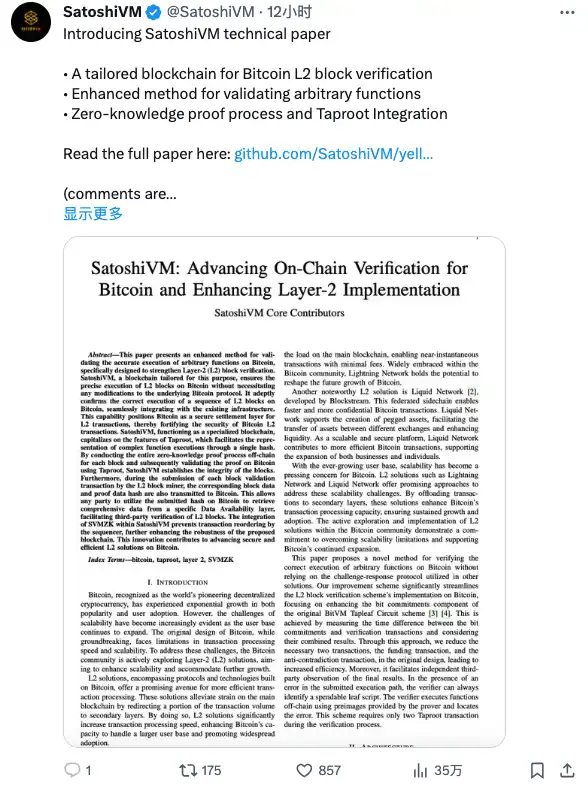
It is reported that SatoshiVM is a multi-functional ZK Rollup that uses EVM for off-chain computing. This means that users can interact with SatoshiVM in a manner similar to how they interact with Ethereum, and developers can build on SatoshiVM just like they do on Ethereum.
A large part of the reason for such heated discussion is that SatoshiVM will sell 2.5% of its total supply through the Bounce platform on January 19. This is a very high-profile sale in the market recently, and even caused the price of AUCTION. A 28% increase, breaking through $30.
In Bounces previous IDOs, MultiBit (MUBI) and BSSB performed very well. However, in the new round of IDO on December 15 last year, the launchpad project Bdid (BDID) the tokens that were supposed to be airdropped were For pre-sale questioned the impact of the turmoil, causing AUCTION, which was originally rising, to retrace more than 20% in a short time. It seems that after suffering this loss, Bounce will make decisions about projects in subsequent IDO projects, so the release of SatoshiVM has also attracted much attention.
As part of @SatoshiVM’s upcoming $SAVM token offering, Bounce will also launch an innovative Initial LP Income Offering (ILO) pool incorporating a random selection mechanism. Participants can participate by purchasing tickets using $AUCTION tokens. Each winner will receive an ongoing reward of a certain percentage of trading fees from $SAVM’s Automated Market Maker (AMM) Liquidity Pool (LP).
Five characteristics
It is reported that SatoshiVM provides several significant advantages and features compared to more complex layer 2 implementations.
ZK EVM: SatoshiVM is a multifunctional ZK Rollup that uses EVM (Ethereum Virtual Machine) for off-chain computing. Users can interact with SatoshiVM just like they interact with Ethereum. Additionally, developers can build on SatoshiVM just as they would on Ethereum.
ZK Rollup: SatoshiVM uses Rollup technology to package many transactions into a batch and then verify them as a single transaction on the Bitcoin mainnet. This approach guarantees the same level of security as the Bitcoin mainnet, ensuring data validity and availability.
ZK Fraud Proof: SatoshiVM uses technologies such as Taproot and Bitcoin Script to achieve on-chain verification of contracts without changing the consensus rules of the Bitcoin network. This process completes the calculation of the fraud proof.
Data Availability: SatoshiVM must expose transaction data on the Bitcoin mainnet so that anyone can verify the correctness of calculations performed outside of the Bitcoin mainnet.
BTC native Gas: SatoshiVM uses native BTC as the fuel (Gas) of EVM. Similar to the ETH OP Rollup/ZK Rollup Layer 2 solution that uses ETH as Layer 2 fuel, SatoshiVM utilizes BTC as the fuel for EVM transactions.
Three-tier architecture
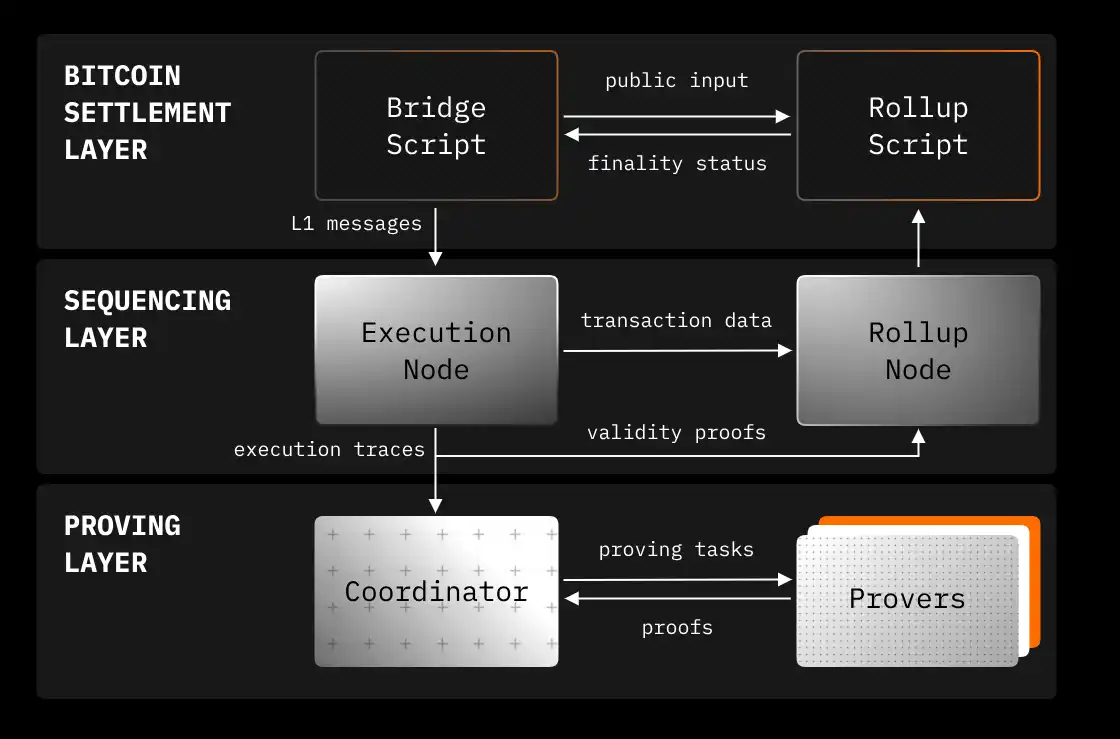
The three-layer architecture of the SatoshiVM chain includes: settlement layer, sorting layer and sorting layer.
Settlement Layer: This layer provides data availability, ordering, and verification of proofs for the SatoshiVM chain. It enables users and decentralized applications (dApps) to transfer messages and assets between Bitcoin and SatoshiVM. Bitcoin acts as a settlement layer, with bridging and rollup scripts deployed on its network.
Ordering layer: This layer contains an execution node responsible for executing transactions submitted to the SatoshiVM sequencer and transactions submitted to the L1 bridge script, and generating L2 blocks. In addition, a Rollup node is included, which processes packaged transactions, publishes transaction data and block information to the Bitcoin network to ensure data availability, and submits validity proofs to Bitcoin to achieve transaction certainty.
Ordering layer: This layer consists of a coordinator, which is responsible for assigning proof tasks to provers and passing the generated proofs to Rollup nodes to complete verification on Bitcoin. It also includes a pool of provers responsible for generating validity proofs that verify the correctness of L2 transactions.
How to Interactive Testnet Tutorial
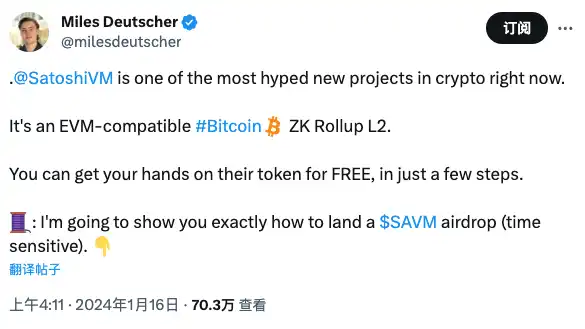
Another reason why SatoshiVM deserves attention is that its investor Miles Deutscher made it clear on social media that completing the testnet interaction will receive SatoshiVM’s airdrop token $SAVM. BlockBeats has put together related tutorials.
1. Prepare MetaMask wallet and UniSat wallet
First, install the MetaMask browser extension or mobile app if you havent already. MetaMask is an important tool for blockchain interaction.
For operations on the Bitcoin testnet, officials recommend using the UniSat wallet to obtain test BTC and conduct subsequent cross-chain functional interactions. In the settings of UniSat, you need to configure the network as TESTNET and select the address type as Native Segwit for your wallet address.
2. Configure test network information
MetaMask has automatically added the configuration information of the Ethereum Sepolia network. The configuration information of SatoshiVM Testnet is as follows: the network name is SatoshiVM Testnet, the network type is Testnet, the chain ID is 3110, the currency symbol is BTC, the currency decimal is 18, and the RPC URL is https://test-rpc-node-http.svmscan .io, the official browser address is https://testnet.svmscan.io/. Details of the mainnet network will be announced after the official launch.
3. Obtain test coins through faucets
On the Ethereum Sepolia network, users need to obtain test ETH through a third-party faucet to interact. Recommended third-party faucets includeAlchemyandInfura。
As a Bitcoin layer 2 and EVM compatible layer, SatoshiVM uses BTC as the native gas token. This means that users need to acquire BTC on the Bitcoin chain and then transfer it to Layer 2 via a cross-chain method for transactions. To do this, you can obtain test BTC from public faucets on the Bitcoin testnet. Currently available third-party faucets include Coinfaucet (https://coinfaucet.eu/en/btc-testnet/) and Bitcoinfaucet (https://bitcoinfaucet.uo1.net/send.php).
It should be noted that the recommended address type for receiving targets is Native Segwit. Using other types of addresses may result in the inability to receive test BTC.
4. Bridge BTC to SatoshiVM
In order to achieve seamless interaction with SatoshiVM, the official BTC bridge function needs to be used to transfer BTC from Bitcoin to SatoshiVM.
First, visitBTC Bridgeofficial page. On the Bridge interface, connect your MetaMask and UniSat wallets at the same time. Follow the prompts and confirm the wallet connection.
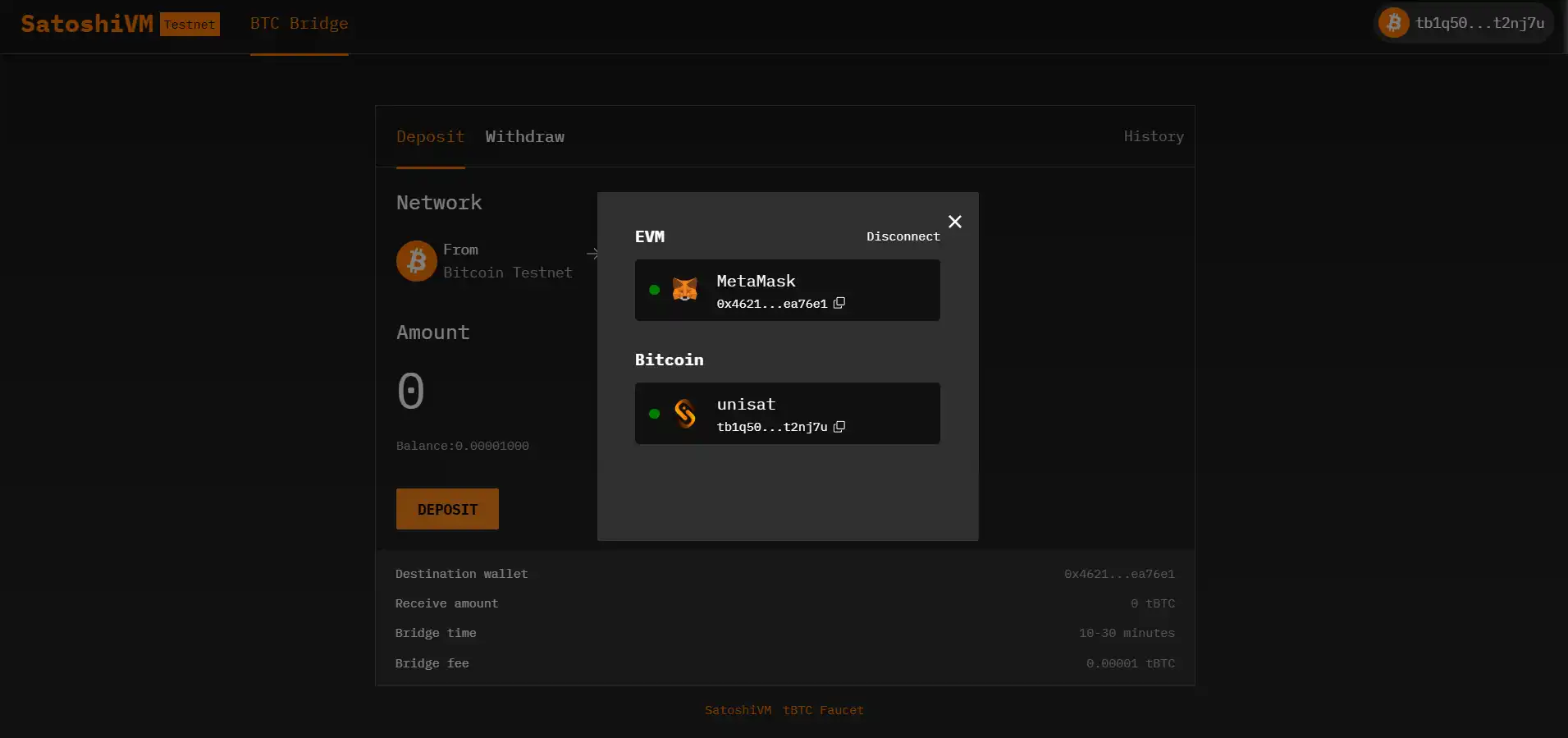
Select and click Deposit on the BTC Bridge page and enter the amount. Please note that the current deposit feature does not support traditional types of Bitcoin wallet addresses, so make sure to use a compatible wallet address.
Confirm the deposit transaction in the pop-up UniSat wallet page.
Monitor the progress of your transactions on the SatoshiVM Bridge History page. This page provides real-time updates on deposit status. The balance can be checked through SatoshiVM Explorer.
After the deposit recharge is completed, useSatoshiVM Explorer. Check the balance of the target address to confirm that the bridged BTC has been reflected in your SatoshiVM address.
5. Bridge SAVM to SatoshiVM
Navigate to the official SAVM Bridge: Visit OfficialSAVM Bridge pagepage to begin the process of moving SAVM from Ethereum Sepolia to the SatoshiVM testnet.
Connect to MetaMask: In the Bridge interface, connect your MetaMask wallet. Follow the prompts and confirm the wallet connection. There is no need to connect the UniSat wallet here.
Requesting a Test SAVM: Test SAVM has no transaction value and there is a limit on the amount that can be requested per user. Click the tSAVM faucet at the bottom of the page to request a test SAVM.
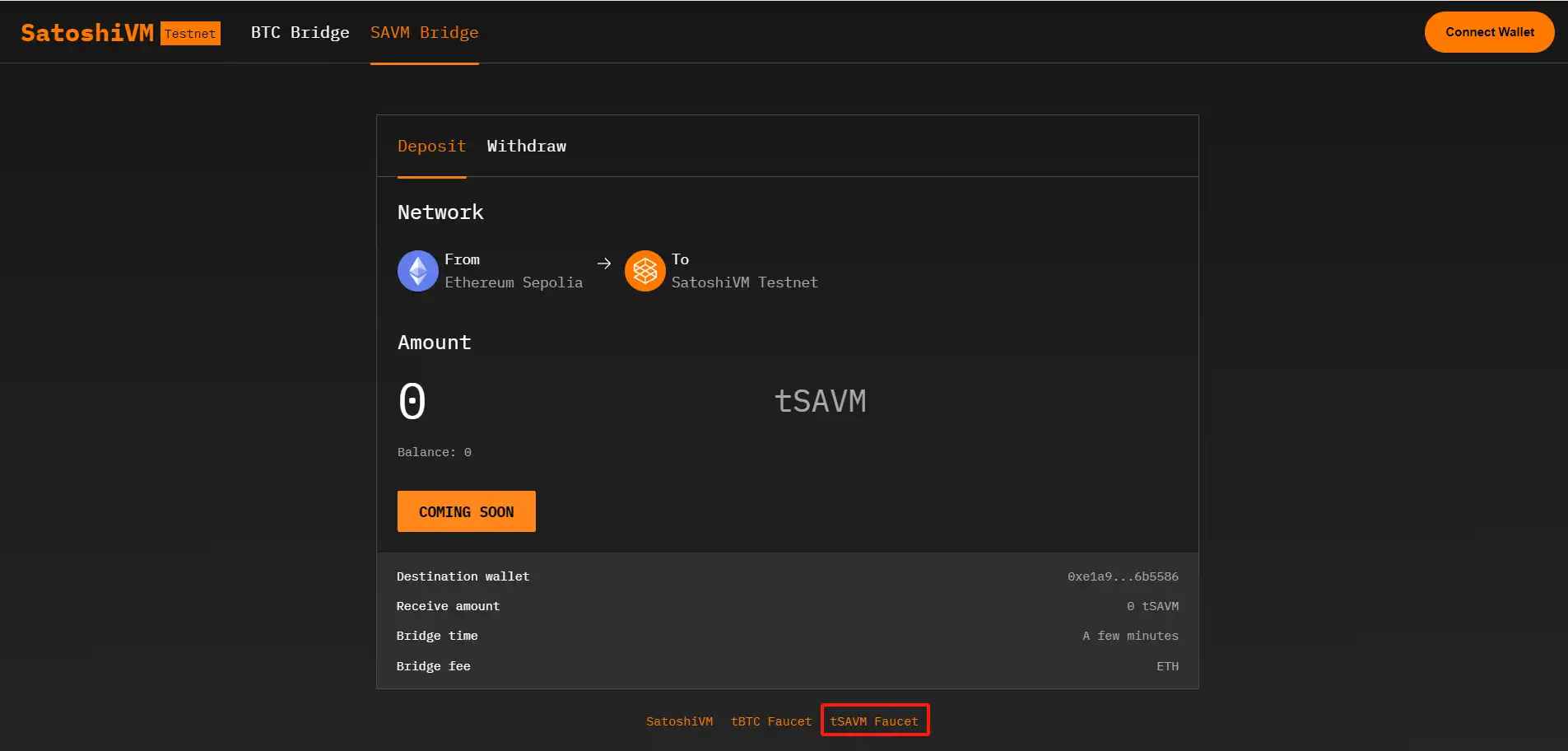
Add the test SAVM to your wallet: Please note that each user has a limited number of requests per day. Deposit on Ethereum Sepolia: Enter the amount of test SAVM you wish to deposit.
Approve spending test SAVM: Approve the use of test SAVM in MetaMask.
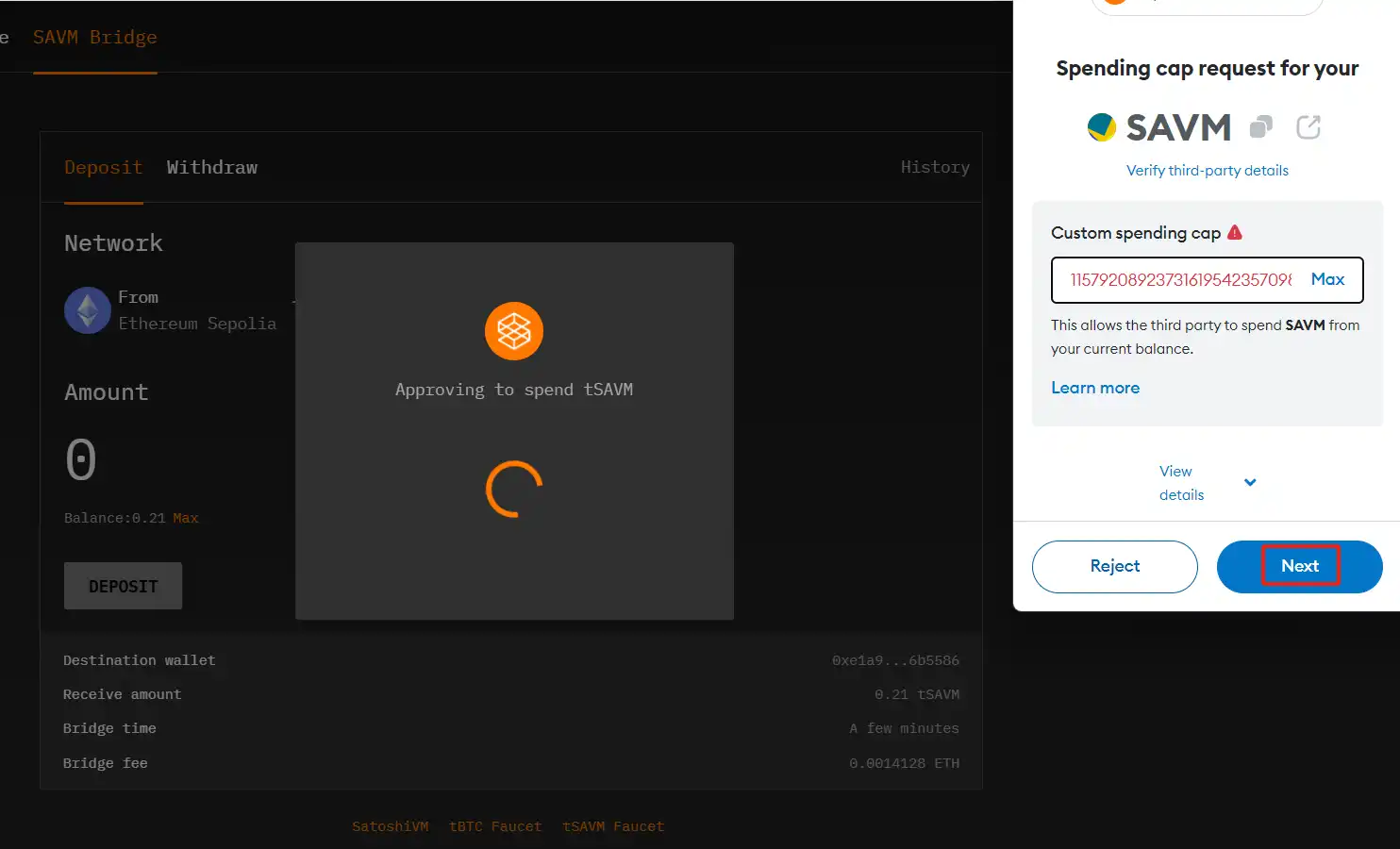
Confirm the deposit transaction in MetaMask: Confirm the deposit transaction in MetaMask.
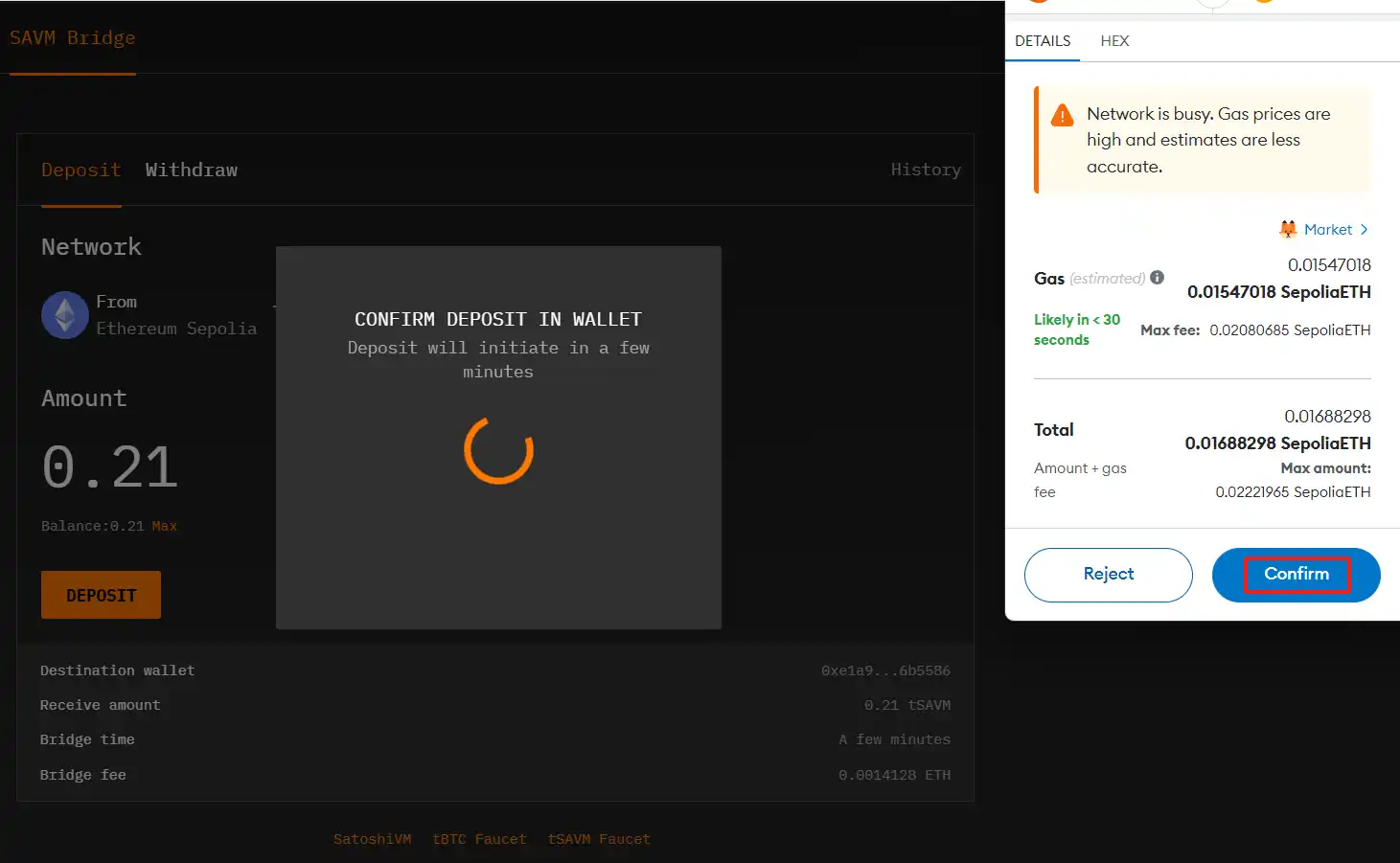
Monitor transaction progress: Once the deposit has started, monitor the progress of your transaction on the SatoshiVM Bridge History page. This page provides real-time updates on the status of your deposits.
Check the SAVM balance through Explorer. After the deposit is completed, you can alsoSatoshiVM ExplorerCheck the SAVM token balance of the payment address to ensure that the transaction has been completed correctly.