How to Use Arkham Intel


- Core Thesis: Arkham Intel is a deanonymization blockchain intelligence platform integrating AI, internal investigations, and community contributions. By mapping anonymous wallet addresses to identifiable entities, it provides tools such as a multi-chain browser, visual tracking, custom alerts, and an intelligence marketplace. Its goal is to enhance transparency and data analysis capabilities within the crypto industry.
- Key Elements:
- Deanonymized Entity Database: Utilizing AI address clustering and off-chain data cross-referencing, it has identified over 800,000 entities (e.g., exchanges, funds). It also allows users to combine and create custom entities.
- Core Analysis Tools: Integrates multi-chain search, TXID transaction analysis, token explorer, visual tracker, custom dashboards, and smart alerts, supporting real-time monitoring of on-chain activity.
- AI-Powered Features: Provides AI-generated transaction summaries within the TXID browser and outputs on-chain market insights through the "Insights" feature, simplifying complex data analysis.
- Intelligence Incentive Ecosystem: Through the Intel Marketplace, users can post bounties or contribute address labels to earn native ARKM tokens, creating a community-driven mechanism for data enrichment.
What is Arkham Intel?
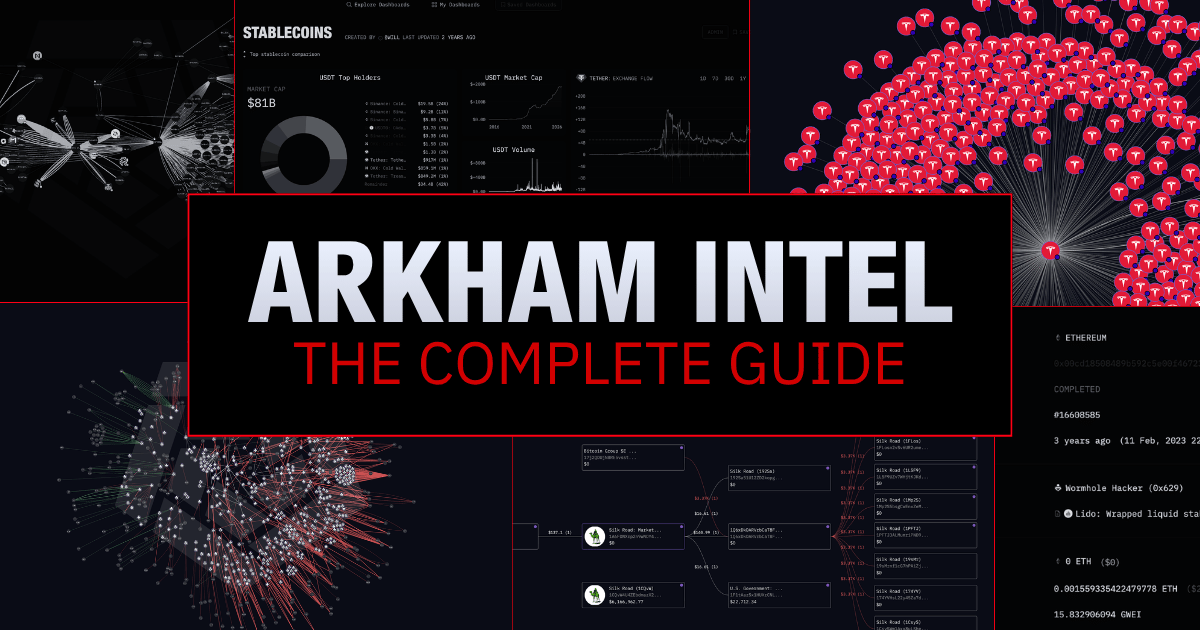
Arkham Intel is an intelligence platform designed to deanonymize blockchains and bring honesty and transparency to the crypto industry. Arkham is not a single tool, but an ecosystem integrating different analytical and tracking tools.
Arkham is a multi-chain block explorer, real-time TXID query tool, token explorer, and full-stack blockchain analysis suite. The platform features a vast and continuously updated database of deanonymized entities, offers a developer API, and includes investigative tools such as transaction trackers, visualizers, and custom dashboards.
All these features are collectively referred to as: Blockchain Intelligence.
Arkham Feature List:
- Blockchain Explorer: A multi-chain search engine supporting all major blockchains.
- Deanonymized Entities: Over 800,000 named entities discovered using AI and Arkham's internal investigators.
- Tags and Labels: A vast database of tags and labels covering all entities.
- Blockchain Analysis: Provides data, filters, tables, and more to help you find the information you need.
- API: A tool for accessing Arkham Intel's AI engine, Ultra. Integrate real-time blockchain data into your own systems.
- Tracer: A transaction tracker for tracing fund flows.
- Visualizer: An intuitive visualization tool to help understand an address or entity and all its relevant counterparties.
- Dashboard: Create custom dashboards tailored to your real-time blockchain data needs.
- Alerts: Set up custom alerts using multiple filters (e.g., by entity, token, address).
- Insights: AI-powered market insights showing the latest on-chain events.
- Market Data: Latest market data for traders (e.g., open interest, max pain, volume, options data).
- Intel Marketplace: A marketplace for buying and selling blockchain intelligence data, earning rewards and bounties in the process.
- DEX: An integrated decentralized Solana swap feature within the platform.
How Does Arkham Intel Work?
Arkham converts millions of raw, anonymous wallet addresses into human-readable entity profiles. This is achieved through a combination of artificial intelligence, internal investigations, and community-driven research.
Here is a brief overview of how it works:
- AI & Address Clustering: Arkham's AI system uses machine learning and pattern recognition to analyze on-chain behavior at scale. Using address clustering techniques (e.g., common input ownership heuristics), the AI can group dozens or even thousands of isolated wallets whose behavior suggests they are controlled by the same entity.
- Off-Chain Data Integration: AI and Arkham's internal investigators aggregate data from off-chain sources (social media, forum posts, public court records, and news), cross-referencing it with on-chain patterns to attach real-world identities to wallet clusters.
- Arkham Intel Marketplace: Arkham's intelligence is supplemented by its community. Through the Intel Marketplace, users can post bounties, and community members can earn native ARKM tokens by contributing verified intelligence (e.g., new address labels or entity attributions).
- Internal Analysts: For high-profile cases, Arkham's internal investigators conduct specialized investigations, such as labeling US spot ETF wallets or tracking seized government Bitcoin.
Getting Started (Multi-Chain Search, TXID, Token Pages & Portfolio)
Before diving into forensic use cases, you need to understand how to navigate the platform and analyze data.
1. Search Bar & Entity Profiles
Start with the search bar. Arkham allows you not only to paste long wallet addresses (you can do that too) but also to search for known entities (e.g., "Binance", "BlackRock", or "Strategy").
To understand the data, Arkham uses a structured metadata hierarchy:
- Entity: A group of wallets belonging to one organization or individual (e.g., Strategy's 1500+ Bitcoin wallets grouped as one).
- Tag: An identifier for a specific address (e.g., Binance Hot Wallet (bc1qm)).
- Label: A descriptive marker telling you about a wallet's past behavior (e.g., Polymarket Whale, Hacker, Scam, or FOMO User).
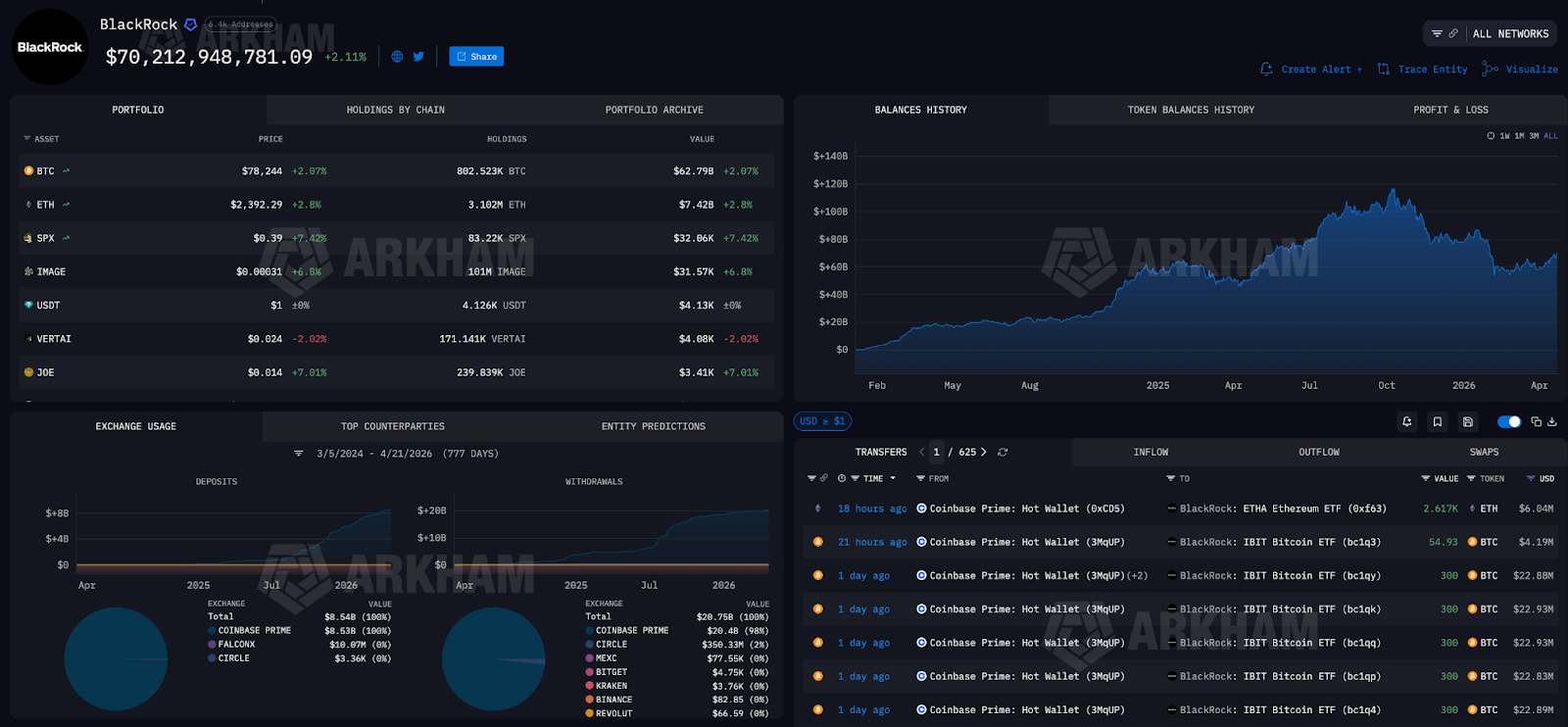
BlackRock on Arkham
2. Tracking TXIDs (Transaction Hashes)
A TXID is a cryptographic hash that serves as an immutable "receipt" for every blockchain operation. If you want to verify a transaction's success, check gas fees, or confirm a timestamp, simply paste the TXID into Arkham.
While other explorers offer this feature, Arkham goes a step further with AI transaction analysis. If a TXID involves a complex smart contract interaction, liquidation, or cross-chain bridge transfer, Arkham's AI provides a simple, plain-language summary directly below the raw data, explaining exactly what happened.
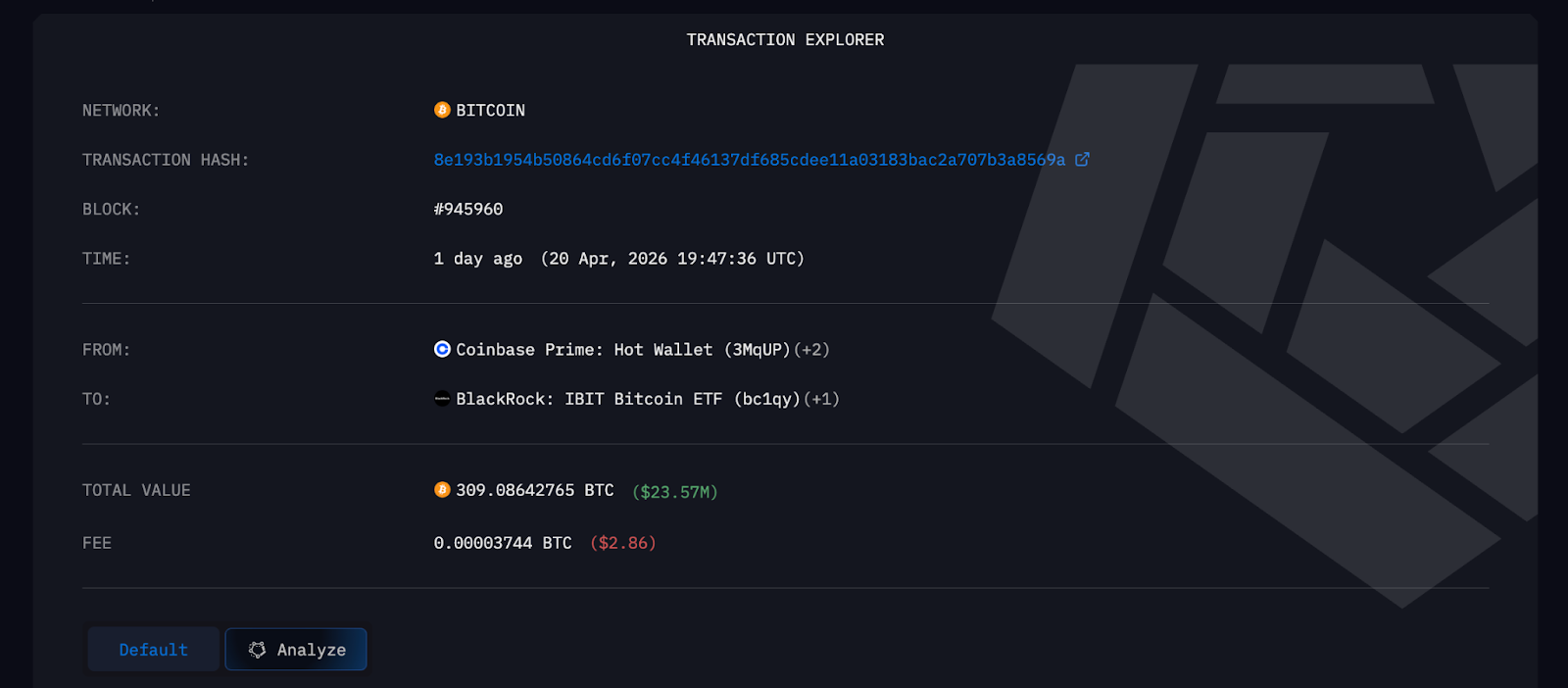
Arkham's Transaction (TXID) Explorer
3. Token Pages & Macro Analysis
Arkham is also an advanced token explorer supporting hundreds of thousands of different tokens. By searching for a specific token (e.g., Bitcoin, Ethereum, or a newly launched meme coin), you open its token page.
Here, you can perform advanced crypto market analysis by viewing real-time market cap, volume, fully diluted valuation, and live exchange flows.
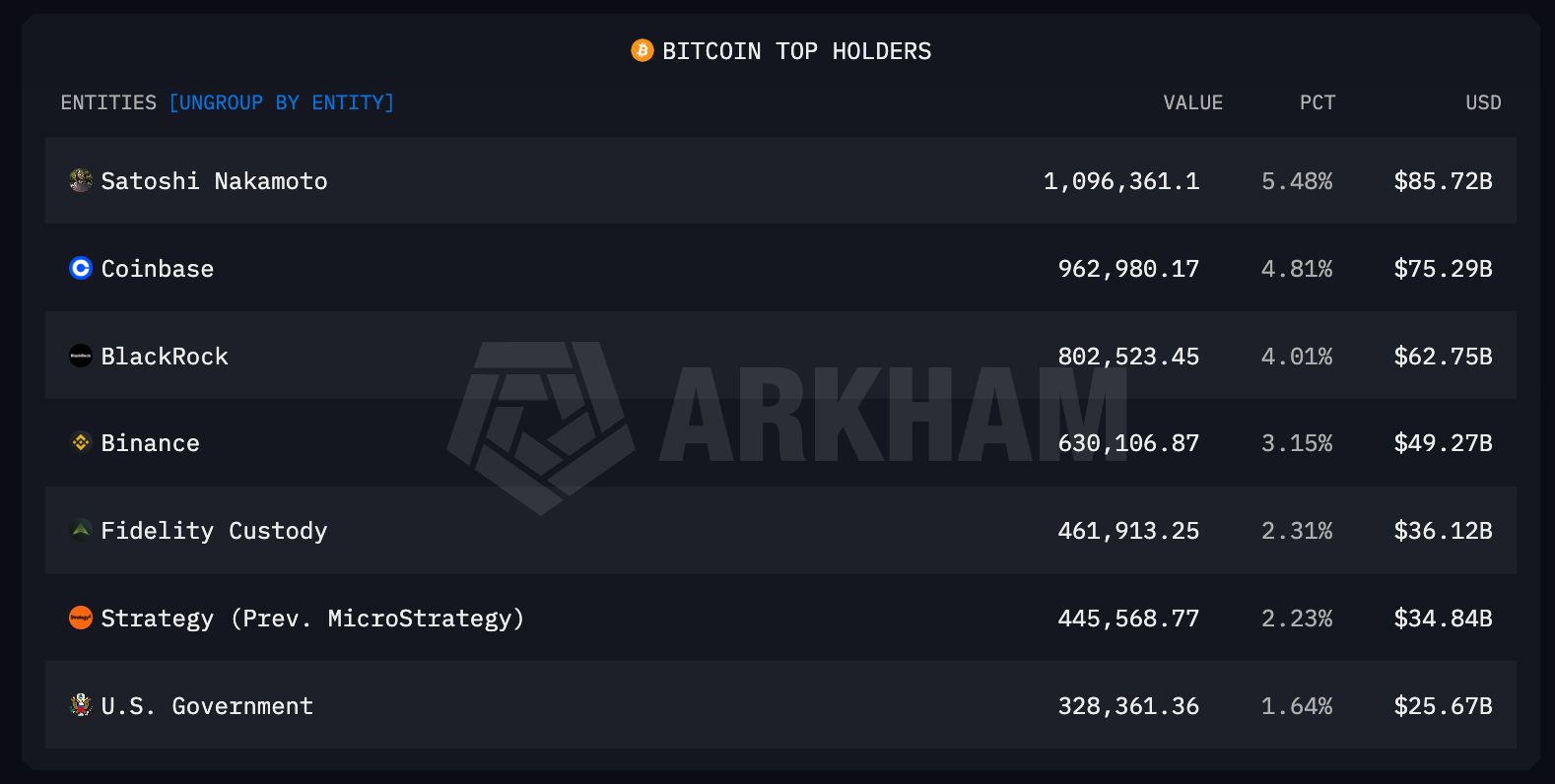
Before buying a new token, be sure to check the "Top Holders" tab. If you find that a small group of unknown wallets controls 80% of the token's supply, you might be looking at a potential rug pull.
4. Manage Your Portfolio with On-Chain Intelligence
You can use Arkham to get a unified view of your own cryptocurrency holdings.
- Connect Accounts: Click the blue plus button on your profile page (you need to sign up first) to add your personal crypto addresses. You can connect specific addresses, Web3 wallets (MetaMask/Phantom), or link directly to your exchange accounts.
- Track Performance: Once connected, the platform will automatically populate your total crypto net worth, provide a breakdown of your current assets, and display your historical balance.
- Analyze Transactions: The transaction panel below the balance chart logs all your transactions. You can zoom into specific peaks or dips on the historical balance chart, and the platform will automatically filter the transaction log to show only the exact trades or transfers that caused that net worth change.
Core Tools for Crypto Market Analysis (Dashboards & Alerts)
Once you are familiar with the platform and have done some initial customization, you can transition from manually searching for data to building automated, fully customized intelligence workflows.
1. Custom Entities
Arkham Intel is a platform you can build and personalize. If you notice five anonymous wallets always buying a token before it pumps, you can manually combine them into a custom entity (e.g., "Smart Money Trader A"). You can choose to make these custom entities public to share with the community or keep them private for your own trading strategies.
2. Build and Explore Custom Dashboards
Dashboards are customizable interfaces allowing you to monitor specific crypto data points at a glance.
- Explore: Browse the "Explore" page to find public dashboards curated by the Arkham team or the community. You can click the copy button to duplicate any dashboard to your own workspace for modification.
- Create Units: Dashboards consist of independent visualization modules called "Units." When creating a new dashboard, click on the empty grid to add these units.
- Unit Categories: Five types of units can be added:
- Address & Entity Intelligence: Shows the portfolio composition and historical performance of a specific address.
- Token Intelligence: Shows token price, market cap, top holders, and aggregated flows.
- General: Highly customizable charts and graphs.
- Spot & Exchange Futures: Pulls data from centralized exchanges, showing market performance and funding rates.
- Options: Shows advanced metrics like implied volatility and term structure.
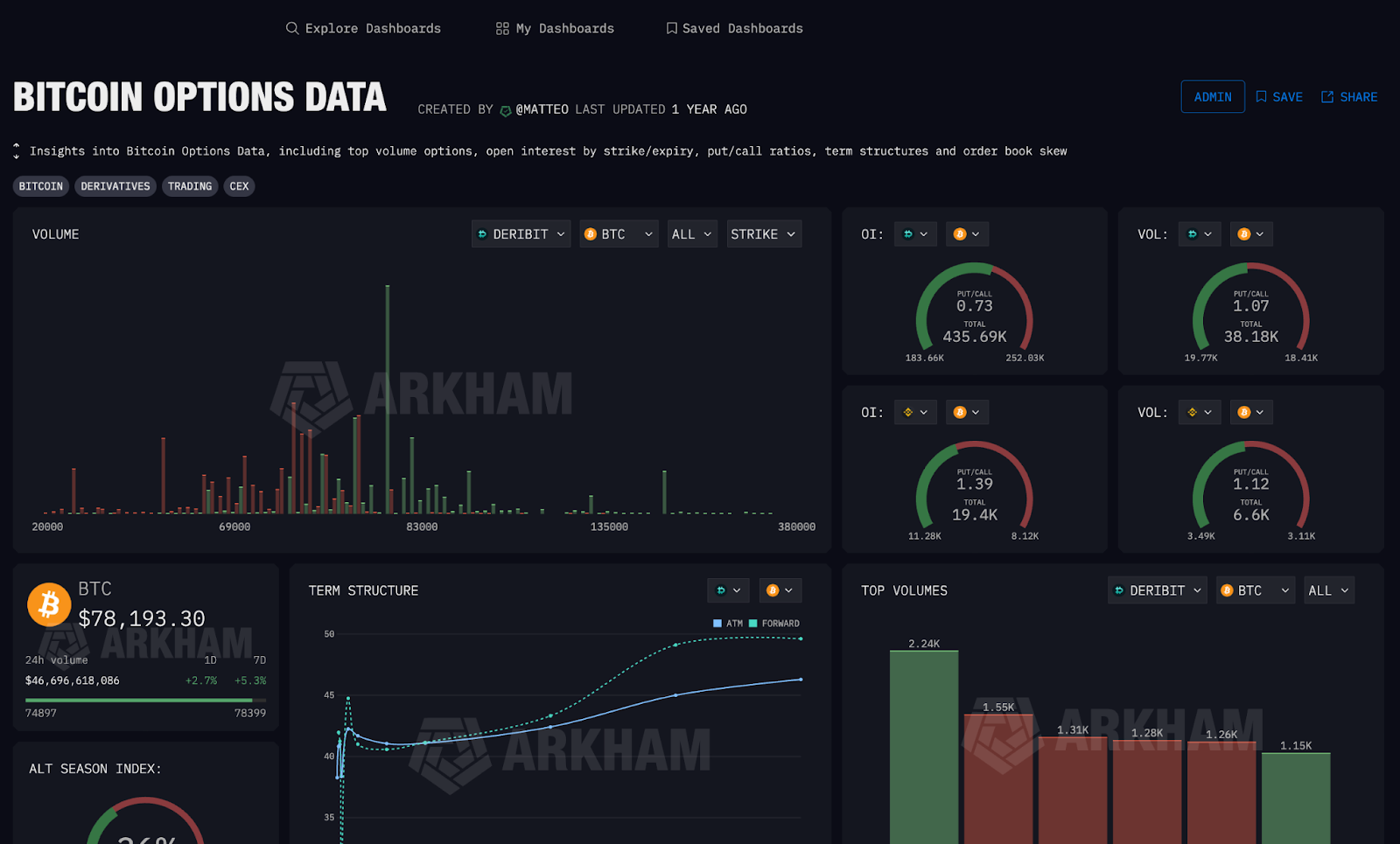
Arkham Bitcoin Options Data
3. Set Up Smart Crypto Alerts
Receiving real-time alerts is how top traders gain an edge, and Arkham's alert tool leverages its vast database of deanonymized entities to save users time. If you wanted to track the movements of Satoshi Nakamoto's estimated 1 million BTC, traditionally you'd need to set alerts for each of his 22,000 known addresses. With Arkham, you only need to set one alert for the single deanonymized entity, "Satoshi Nakamoto."
Alerts allow you to receive real-time notifications for specific on-chain activity:
- Creating an Alert: Click the blue "CREATE ALERT" button at the bottom left of the Alerts page to name and describe your notification.
- Setting Conditions: You can configure alerts to trigger based on highly specific filters. For example, you can track all transactions involving a specific token, transactions exceeding a specific USD value, activity on a specific chain, or when a specific entity sends or receives funds.
- Delivery Methods: Alerts can be sent directly to your email, Telegram, Slack, or via webhook. You can easily pause, edit, or delete them from the left menu.
Here are four useful alert strategies you can use now:
- Exchange Inflows/Outflows: Alert when large amounts of a specific token are transferred into an exchange (suggesting potential selling pressure).
- Dormant Wallet Activation: Alert when a wallet that has been inactive for over 5 years suddenly transfers funds.
- Stablecoin Minting: Track large-scale USDT or USDC mints, which often precede market-wide buying sprees.
- Whale Tracking: Follow the exact moves of influential entities like Justin Sun, Vitalik Buterin, or major hedge funds.