Learn how to use Solidity to create on-chain NFT in five minutes



Off-chain NFT
This begs the question, aren't all NFTs on-chain? Anyone who has worked with NFTs on the Ethereum blockchain can tell you that on-chain data storage does have limitations; as it is very expensive and most NFT projects store images and metadata files off-chain. Often the only data we see stored "on-chain" is an immutable hash of metadata (our tokenURI) - the easiest way to describe this hash is a link to our actual NFT, the difference here is A hash is dependent on the data that created it; change the source, and the hash is no longer valid, so it is immutable. Anyone can run an IPFS node just like anyone can run a blockchain node miner or consensus.
Now, we may be familiar with "on-chain" projects like Loot, how is this done? Can we actually store proper visual media on-chain?
The answer is yes, but it requires a few things, namely Base64 encoding and the SVG image type. Both allow us to work with text data, rather than typical memory "heavy" visual data like PNG or JPEG. This means we need to do two things:
Base64 encode our json metadata
Encode image rendering "instructions" in SVG format
Fortunately, browsers understand both formats, and browser-based marketplaces such as OpenSea can render our NFTs in the same way as links to IPFS store hashes, however, browsers are not "fetching and caching" images , but instead renders the image for us.
Base64 encoding
One way to achieve on-chain metadata storage and avoid the need for any tools like IPFS is to base64 encode it and store it directly in our NFT token data. In our case, the tokenURI returns the actual metadata in encoded form: this is no longer a "link", but the metadata itself.
As I said, we'll leverage the existing Base64.sol library from GitHub. You can import from github or simply clone/copy the code and import this file from the same directory where you pasted it.
Something to note about encoding to Base64 is that encoding is not a form of data compression, so we're not reducing the size of the data, we're just storing it in a format that the browser can decode. Our metadata is not very large, which is the case with our NFT images. Below is an example:
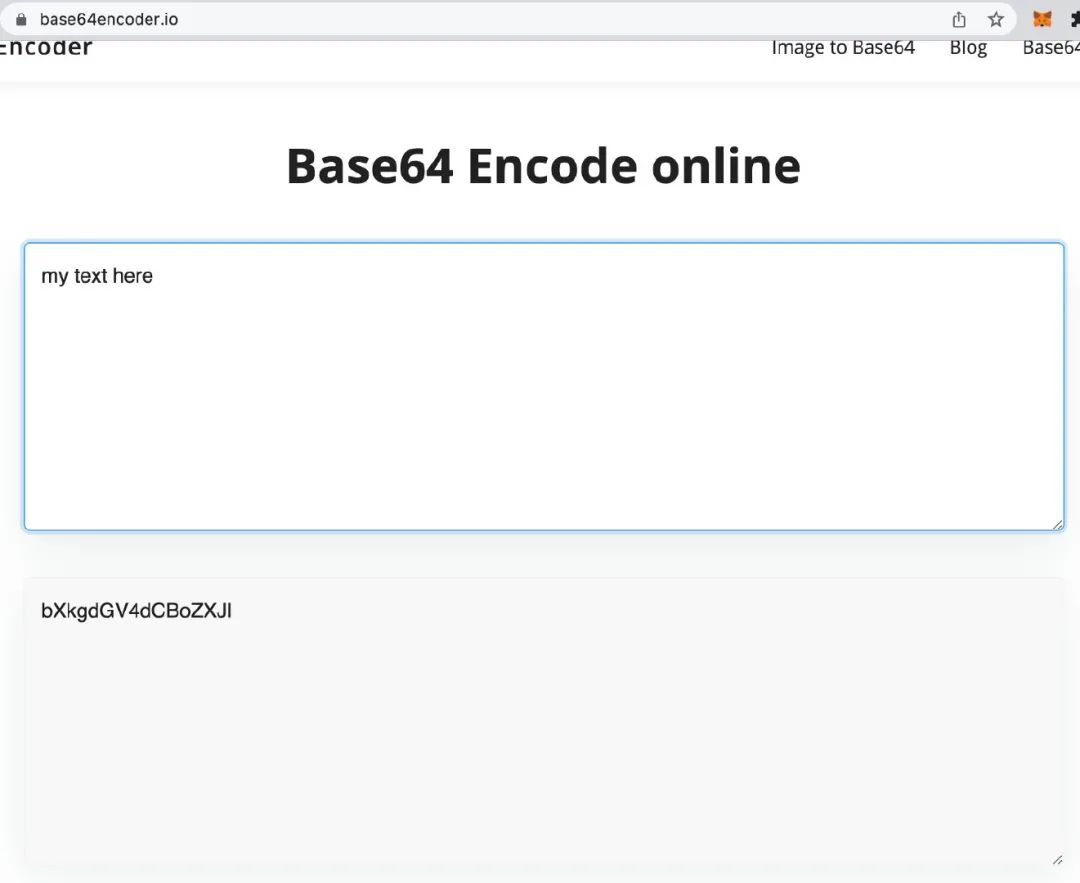
In our example code, we utilize the function 'BuildMetaData' which takes a tokenId (the ID of our NFT) and returns a base64 encoded json text string containing OpenSea using its name, description, properties to render our Everything you need for your NFT, and very importantly, our image. It also makes use of the BuildImage function which I'll explain below.
Here is an example of our metadata:
{
"name":"NFT1",
"description":"This is our on-chain NFT",
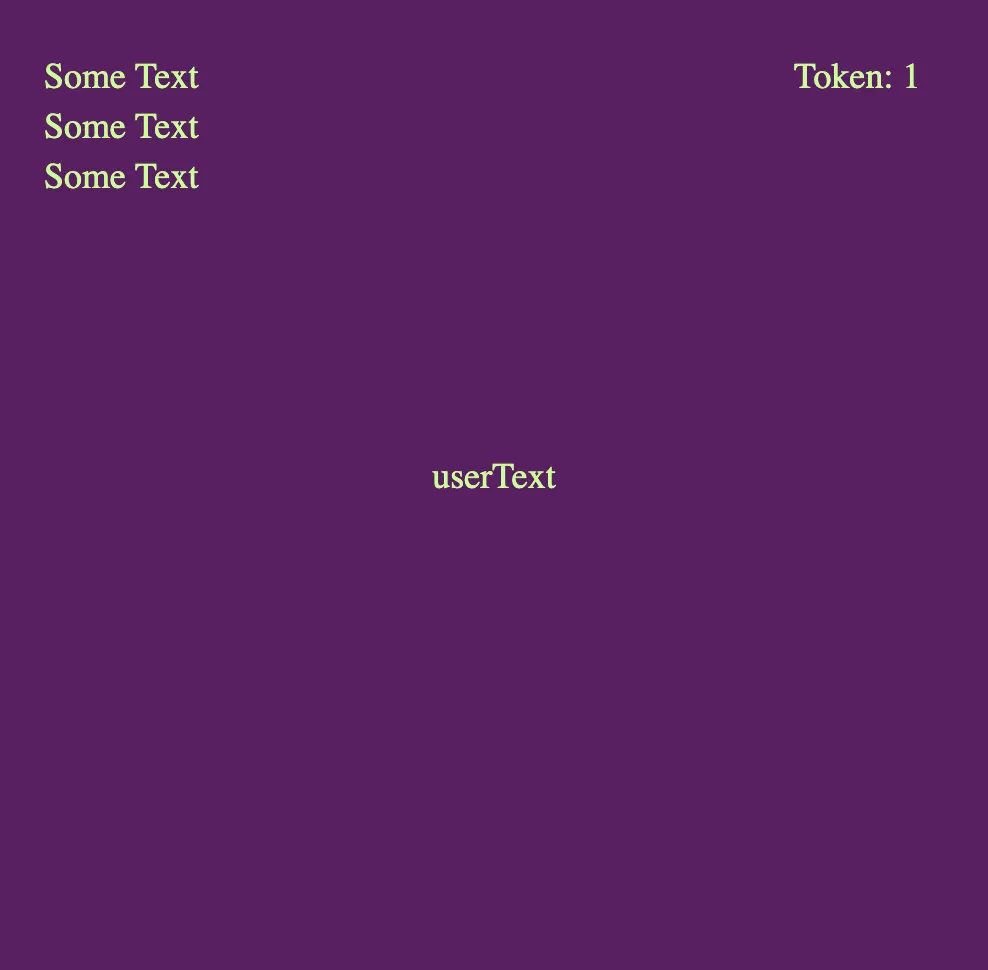
"image": "data:image/svg+xml;base64,PHN2ZyB3aWR0aD0iNTAwIiBoZWlnaHQ9IjUwMCIgeG1sbnM9Imh0dHA6Ly93d3cudzMub3JnLzIwMDAvc3ZnIj48cmVjdCBpZD0ic3ZnXzExIiBoZWlnaHQ9IjYwMCIgd2lkdGg9IjUwMyIgeT0iMCIgeD0iMCIgZmlsbD0iaHNsKDI5Myw1MCUsMjUlKSIvPjx0ZXh0IGZvbnQtc2l6ZT0iMTgiIHk9IjEwJSIgeD0iNSUiIGZpbGw9ImhzbCg5MCwxMDAlLDgwJSkiPlNvbWUgVGV4dDwvdGV4dD48dGV4dCBmb250LXNpemU9IjE4IiB5PSIxNSUiIHg9IjUlIiBmaWxsPSJoc2woOTAsMTAwJSw4MCUpIj5Tb21lIFRleHQ8L3RleHQ+PHRleHQgZm9udC1zaXplPSIxOCIgeT0iMjAlIiB4PSI1JSIgZmlsbD0iaHNsKDkwLDEwMCUsODAlKSI+U29tZSBUZXh0PC90ZXh0Pjx0ZXh0IGZvbnQtc2l6ZT0iMTgiIHk9IjEwJSIgeD0iODAlIiBmaWxsPSJoc2woOTAsMTAwJSw4MCUpIj5Ub2tlbjogMTwvdGV4dD48dGV4dCBmb250LXNpemU9IjE4IiB5PSI1MCUiIHg9IjUwJSIgdGV4dC1hbmNob3I9Im1pZGRsZSIgZmlsbD0iaHNsKDkwLDEwMCUsODAlKSI+dXNlclRleHQ8L3RleHQ+PC9zdmc+",
"attributes": [
{
"trait_type": "TextColor",
"value":"328"
}
]
}
Typically, our "image" value looks like this:
{
"image": "ipfs://QmWwMDLz6hQKCqjYba5cSHdrNUvPvAdndtaWjdFpm52GYm/1.gif"
}
So what's going on with our image value? Our image value is 1 - SVG and 2 - SVG is also Base64 encoded; this means our SVG text has been encoded like json (text) data.
It can be noticed that we have added some content to the encoded json, as follows:
"application/json data:; base64."
This simply describes what the data is and how it can be decoded accordingly by the receiver or receiver's browser.
ABI encoding
We also perform ABI encoding throughout the project code. In our case, the ABI encoding or Application Binary Interface only allows us to concatenate multiple lines of text. "This", "is", "my", "code" will cause an error if they are not encoded into a single string.
SVG file
What is SVG and why is it important to us?
SVG or Scalable Vector Graphics essentially allows us to store images in an xml type format or as text; text that can be stored on-chain. Instead of storing large image data, we describe the image we want in text and encode it in a way that our browser and OpenSea can render it for us. We can set various characteristics of the image, including size, color, and even text that can be rendered for us.
Think of it this way, if I want to send you a simple image, I can email or text a high-res PNG image, or you can simply describe it in a few words and let your receipt The sender renders or generates it for you. If data transfer is expensive, we can make a "tradeoff" that lowers the cost by increasing the receiver's cost (as an effort).
The text description below is likely to be much less data intensive to transfer then HD PNG. As long as the recipient has the tools to easily present this, we greatly reduce the cost in terms of data storage or transfer:
"500x500 blue background with white text saying 'Hello World'"
Our example code describes the parameters of the SVG in the function BuildImage.
There are many great online tools and templates for generating SVG, and I encourage you to find some that will help you turn your ideas into SVG.
Make sure to use percentages for layouts, as app development "hard-coded" values can cause problems when we increase or decrease the rendered screen size. 1000px as a starting point for text is fine until we reduce the device's screen size below 1000x1000, in which case we'd better set it to 80%.
Our SVG, before ABI and Base64 encoding:
'
""
We'll notice again that we've attached details about the data:
“data:image/svg+xml;base64”
user input
One of the more interesting features of our smart contract is the ability for users to contribute to the final NFT by inputting some textual data into the mint function. This user input is saved as a "string in memory" and then dynamically added to our SVG data via the BuildImage function.
I limited the size of the text input and added an error for this limit, but the user is fully aware of what they might add. This is immutable and exists on the blockchain forever.
Our mint function does this by adding a string expectation on the function:
function mint(string memory _userText) public payable {
uint256 supply = totalSupply();
bytes memory strBytes = bytes(_userText);
require(strBytes.length <= stringLimit, "String input exceeds limit.");
require(exists(_userText) != true, "String already exists!");
Word memory newWord = Word(
string(
abi.encodePacked(
"NFT",
uint256(supply + 1).toString()
)
),
"This is our on-chain NFT",
randomNum(361, block.difficulty, supply).toString(),
randomNum(361, block.timestamp, supply).toString(),
_userText
);
if (msg.sender != owner()) {
require(msg.value >= 0.005 ether);
}
wordsToTokenId[supply + 1] = newWord; //Add word to mapping @tokenId
_safeMint(msg.sender, supply + 1);
NFT and Smart Contract Interaction
If you're using a tool like Remix, you can simply modify the provided code, upload it to Remix, compile and deploy for testing.
Since our mint function requires the user to enter string data, be able to add text, and then utilize our tokenURI function to see what is produced, this is the same tokenURI function that marketplaces like OpenSea will leverage to retrieve or parse our NFT data and images.
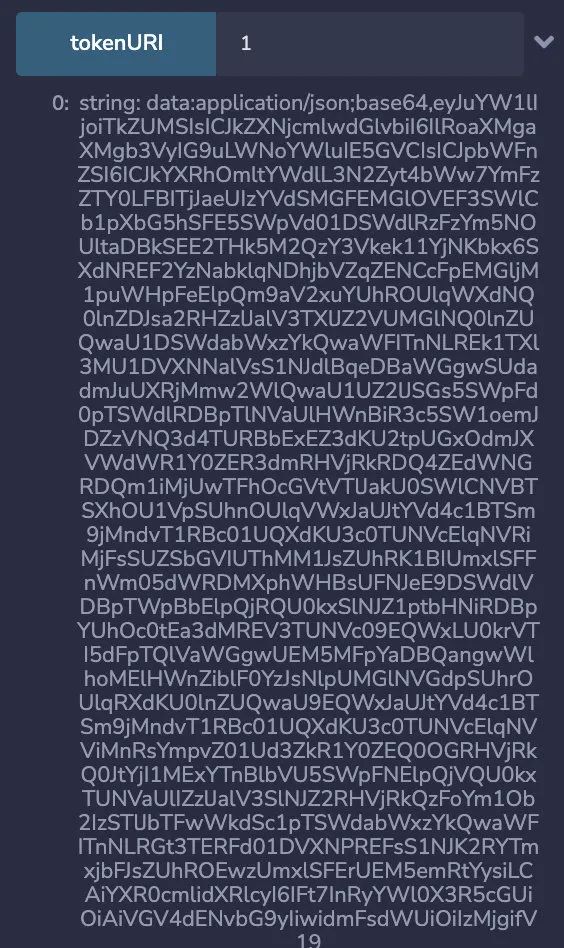
So how do we do it? To render it in your browser, we then need to copy everything after "string" (we don't need this) and paste it in our browser. The result of pasting this into our browser will look like this:
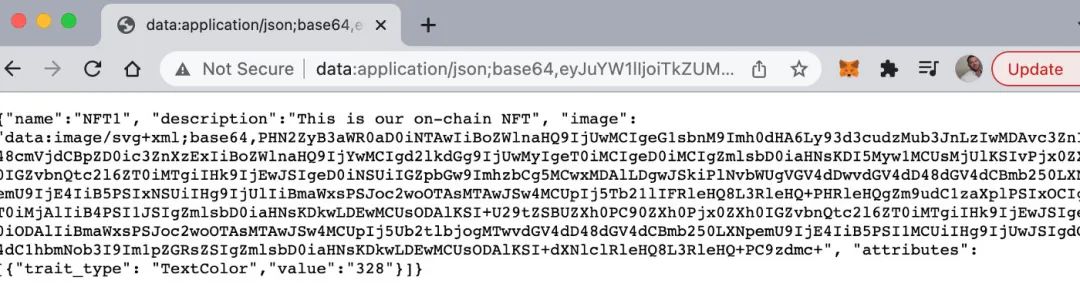
Additionally, we can view our image by copying the "image" value, the part we want to copy is highlighted here:

The result looks like this:
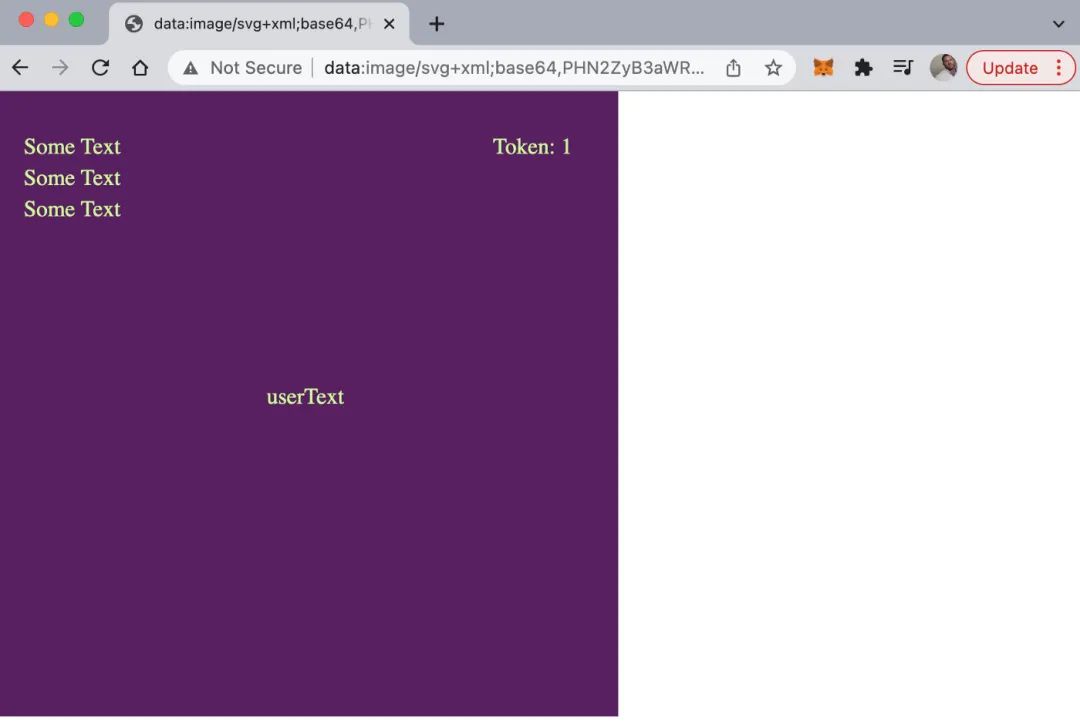
The image data is pasted into our local browser
Our NFTs
Original link