






Interactive Tutorial: 9 Highly Funded and Popular Projects with Open Testnets


- 核心观点:多个新兴L1公链与项目正通过测试网吸引早期用户。
- 关键要素:
- Pharos、Arc、Stable等公链聚焦RWA、稳定币等垂直领域。
- 多数项目已获知名机构投资,如a16z、Paradigm等。
- 项目方提供详细交互教程,引导用户参与测试网活动。
- 市场影响:推动新公链竞争,吸引用户和资金关注早期生态。
- 时效性标注:短期影响
Original article | Odaily Planet Daily ( @OdailyChina )
Author | Asher ( @Asher_0210 )
Pharos: An RWA L1 public blockchain with an "Ant Group" background
Project Overview
Pharos is an RWA Layer 1 public blockchain with an "Ant Group" background. CEO Alex Zhang was previously the CEO of ZAN (@zan_team), a Web 3 technology company under Ant Group, and also served as the CTO of AntChain; CTO Wish Wu was previously the CSO (Chief Security Officer) of ZAN, a Web 3 technology company under Ant Group.
On November 9, 2024, Pharos announced the completion of an $8 million seed round of financing , with participation from Faction, Hack VC, SNZ Holding, Reforge, Dispersion Capital, Hash Global, Generative Ventures, Legend Star, MH Ventures, Zion, and Chorus One Ventures.
On November 24th of this year, Pharos officially announced the establishment of the Pharos Foundation, while also releasing key information—the foundation's charter will be officially released after the TGE and mainnet launch, clarifying the rules for ecological governance. Combined with Pharos' previously disclosed roadmap, its mainnet is planned to launch in the first quarter of 2026.
Step-by-step tutorial
STEP 1. Claim test tokens (link: https://testnet.pharosnetwork.xyz/ ), you can claim 0.01 PHRS every 12 hours.
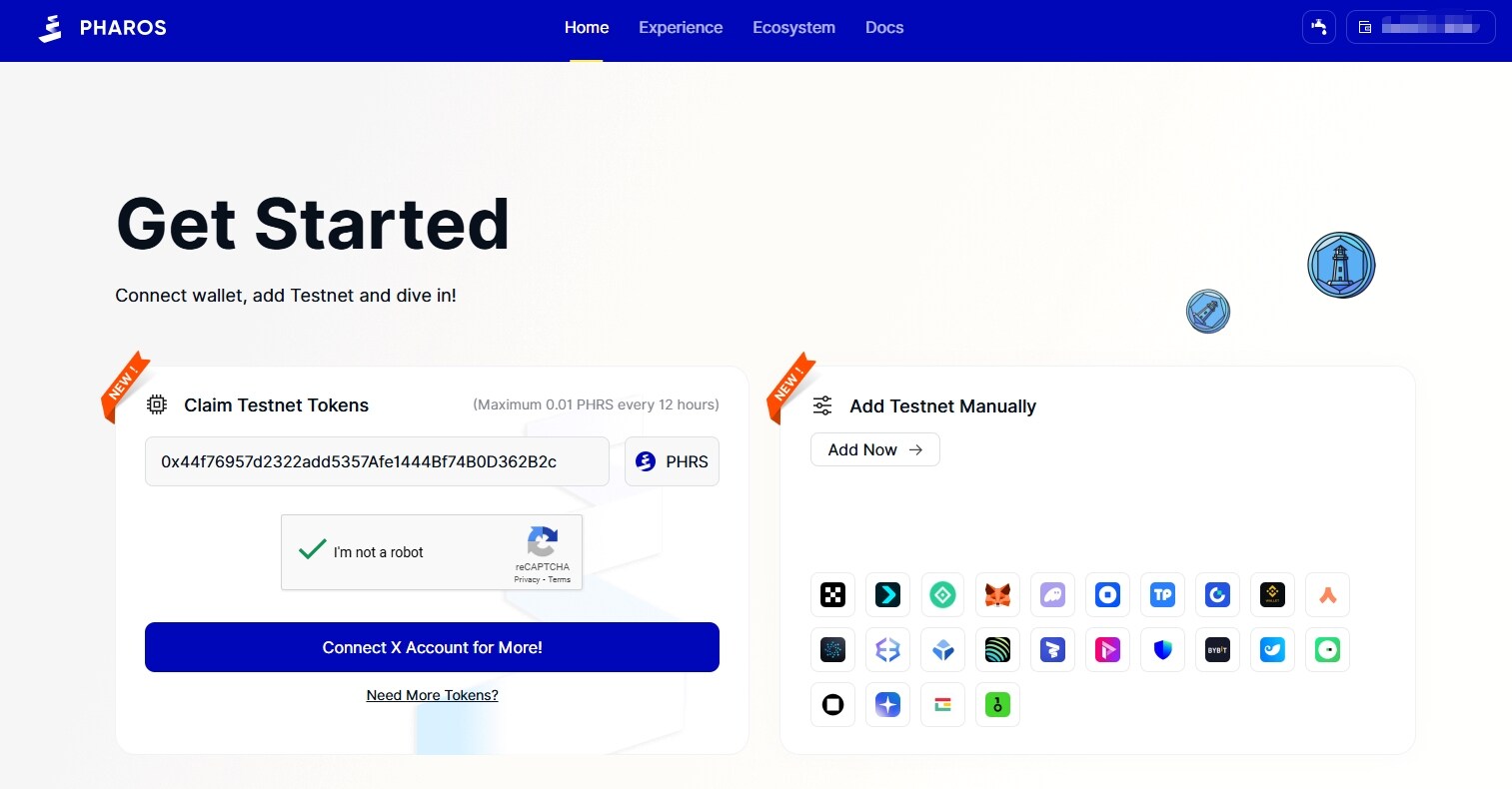
In addition, the community has compiled other ways to receive test tokens, including:
- https://faroswap.xyz/faucet (You can earn 0.01 PHRS every 12 hours);
- https://zan.top/faucet/pharos (You can receive 0.01 PHRS every 24 hours);
- Bitget wallet application Water Points Center (you can collect 0.015 PHRS every 12 hours);
- https://testnet.zenithswap.xyz/faucet (You can claim USDT/USDC once every 24 hours);
- https://app.zentrafi.xyz/faucet (You can receive 0.2 PHRS every 24 hours).
STEP 2. Go to the interactive website (link: https://testnet.pharosnetwork.xyz/experience ), connect your wallet, and complete the daily check-in.
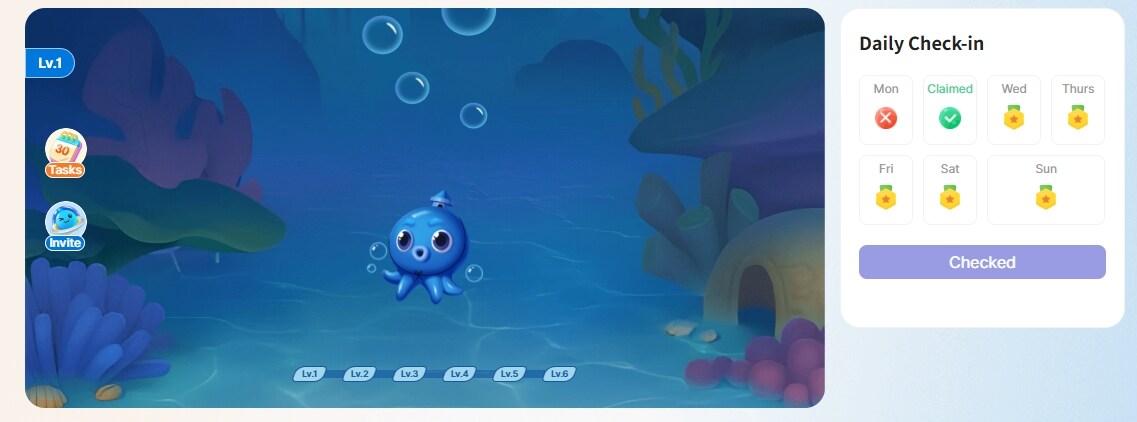
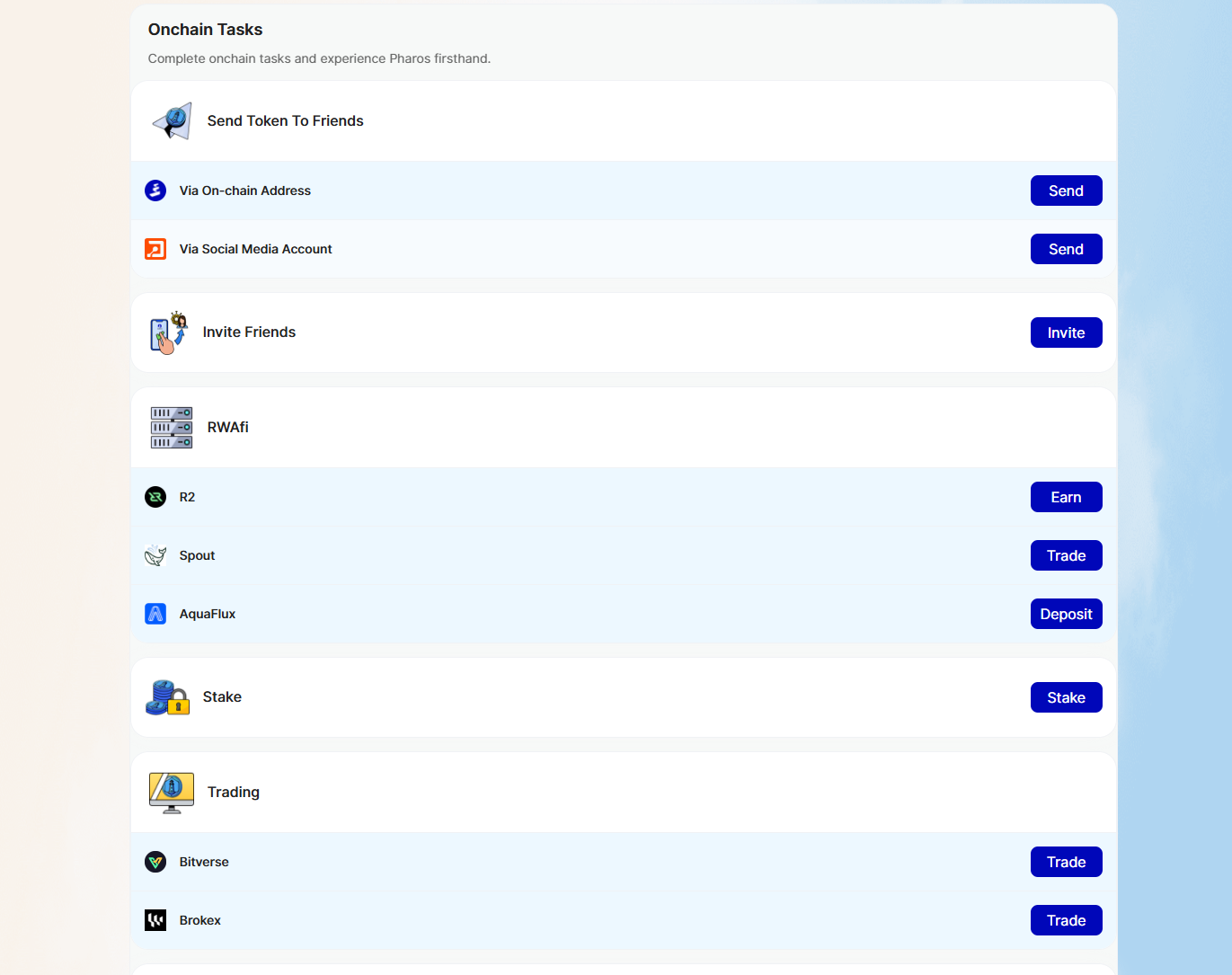
STEP 3. Complete the on-chain interaction and social tasks as required.
Arc: Circle's L1 public blockchain dedicated to stablecoins.
Project Overview

Arc is a next-generation EVM-compatible L1 public chain launched by Circle, the "first stablecoin stock." It aims to build an economic operating system for the internet, deeply integrating programmable stablecoins with on-chain financial innovation. Designed specifically for financial applications, Arc focuses on serving global payments, foreign exchange, lending, and capital markets, with the goal of providing a secure, low-cost, compliant, and scalable basic settlement layer for programmable currencies on the internet.
Step-by-step tutorial
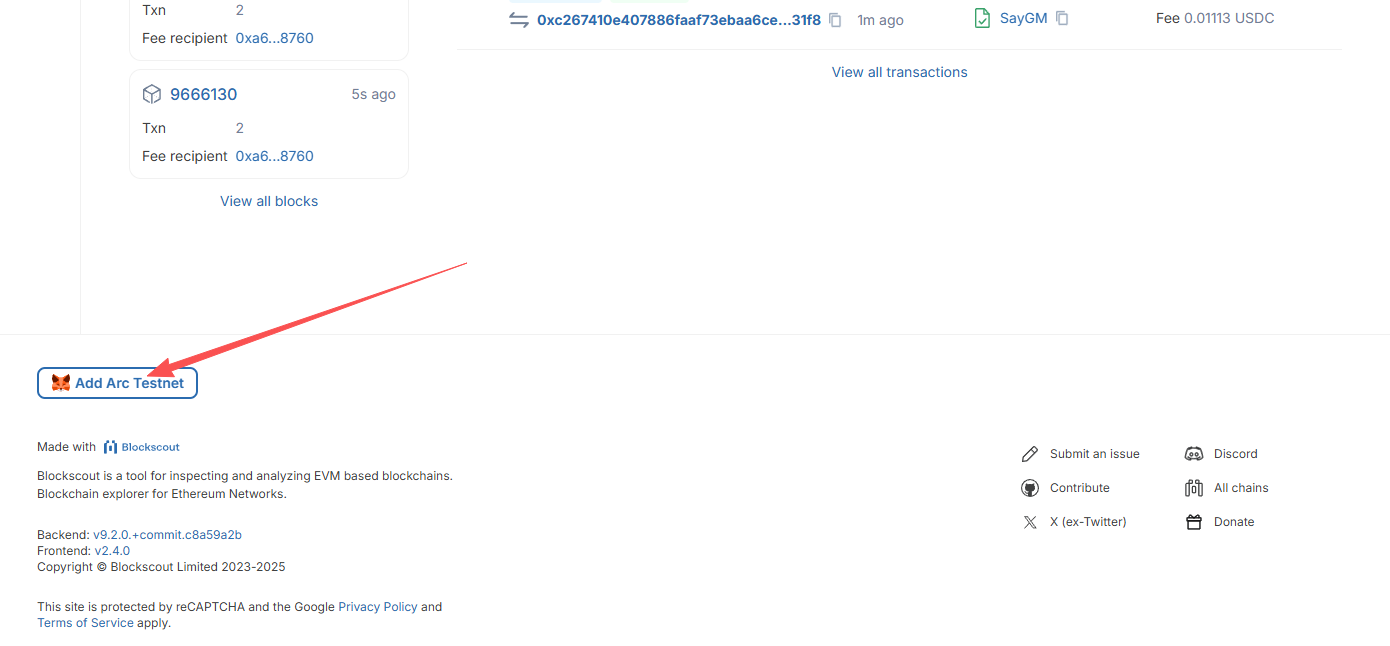
STEP 1. Add the Arc test network ( https://testnet.arcscan.app/ ) to your wallet. Scroll to the bottom of the page and click "Add Arc Testnet" in the lower left corner. A wallet confirmation pop-up will appear.
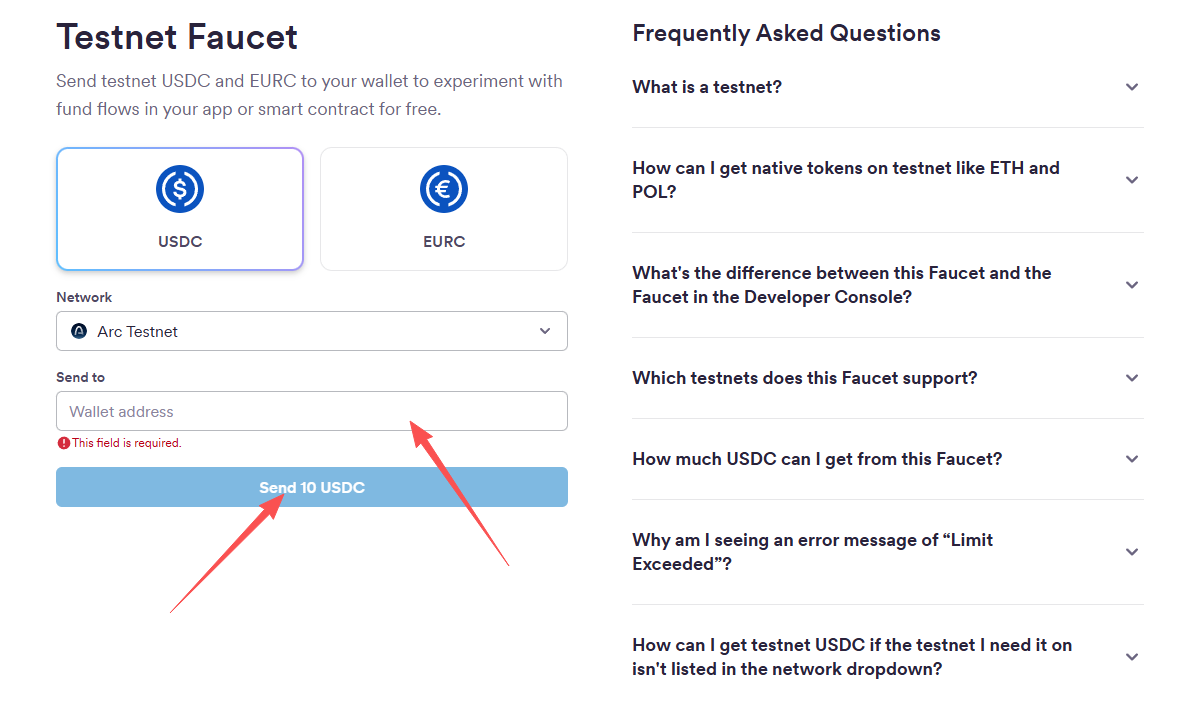
STEP 2. Claim the testnet tokens (link: https://faucet.circle.com/ ), both USDC and EURC.
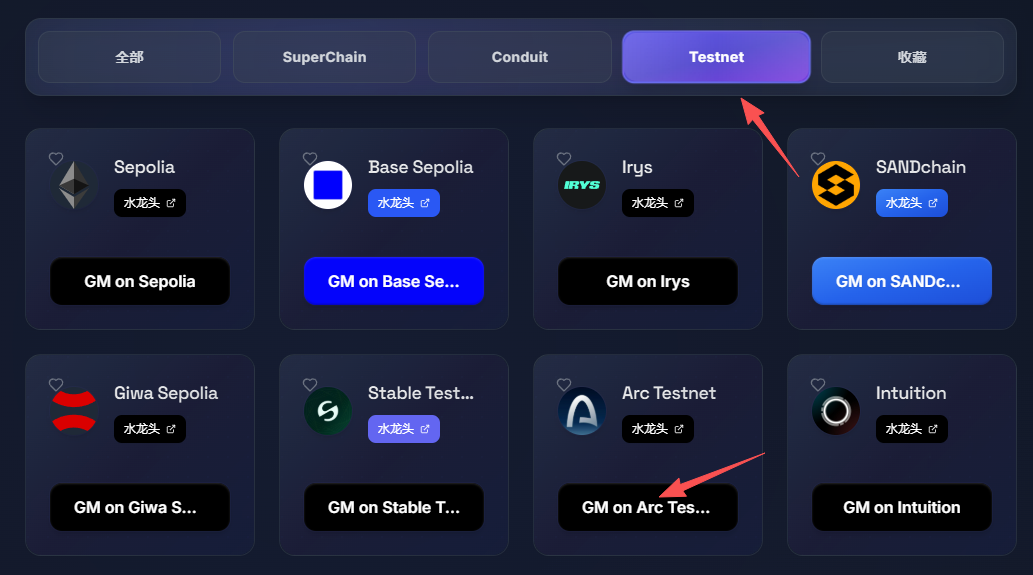
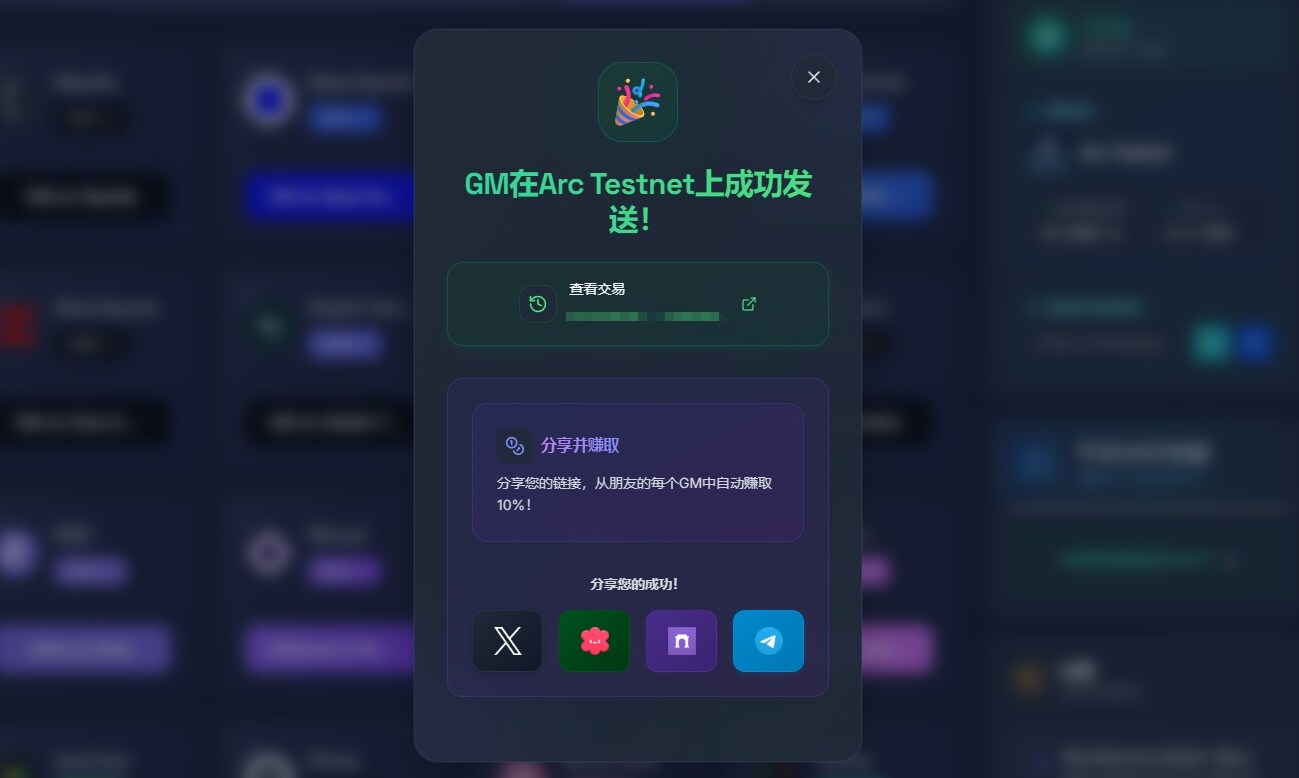
STEP 3. Send GM on the Arc Testnet (link: https://onchaingm.com/ ), connect your wallet, find GM on Arc Testnet, and click to confirm in the wallet pop-up.
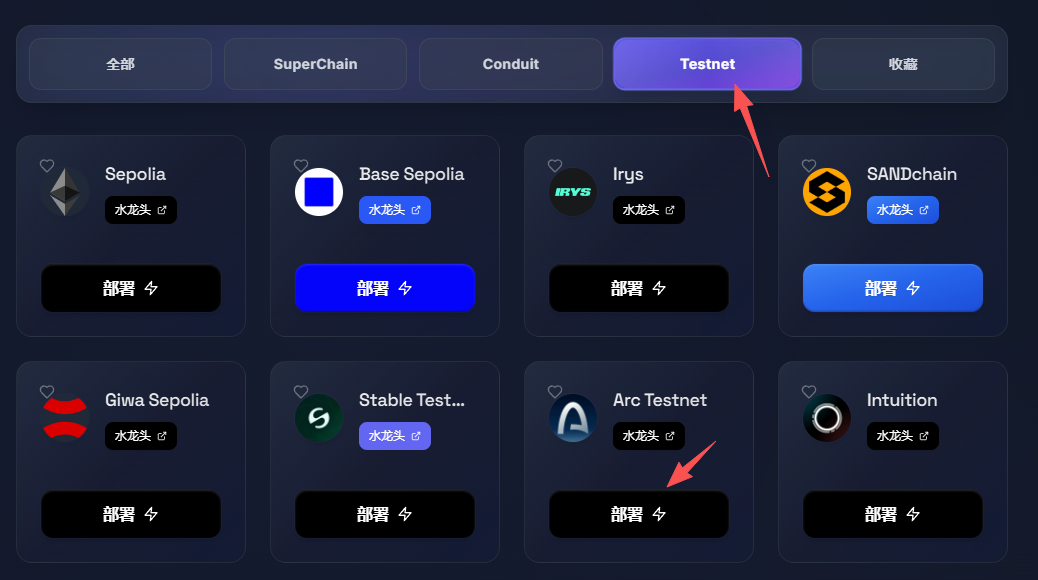
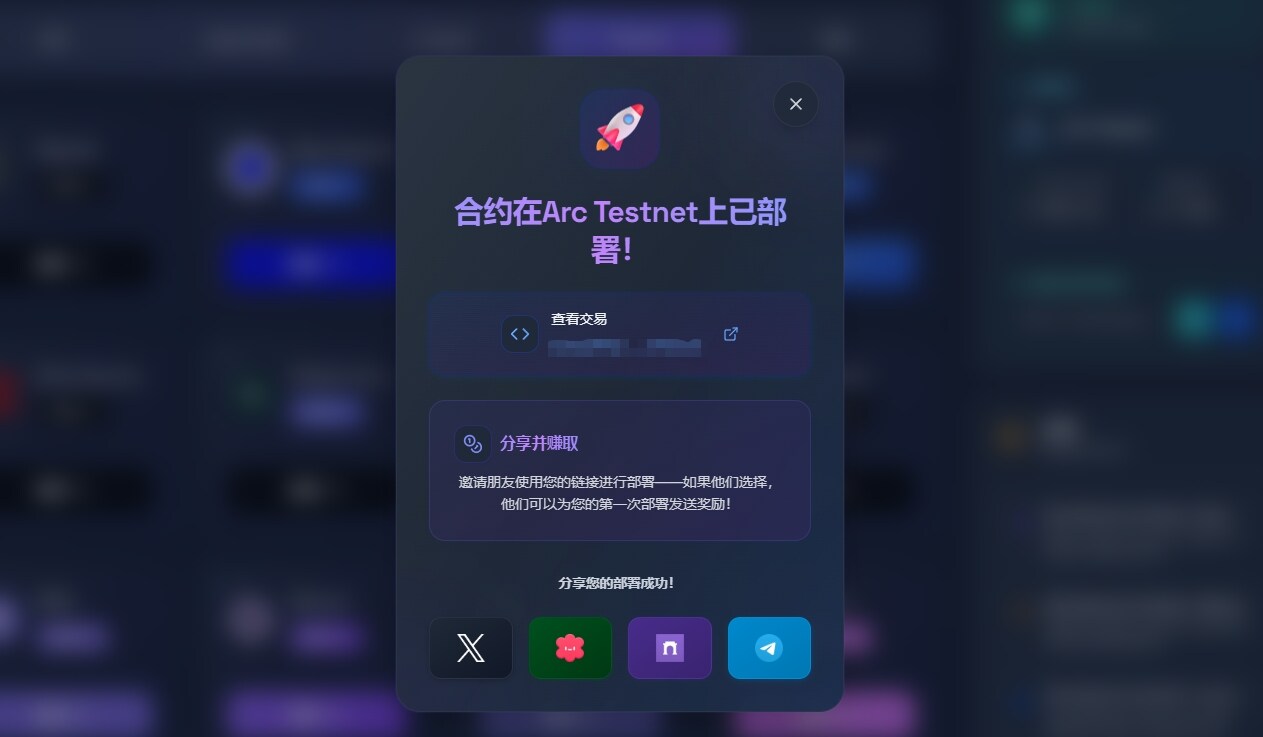
STEP 4. Deploy the contract on the Arc Testnet (link: https://onchaingm.com/deploy ). Locate Arc Testnet, click deploy, and confirm with your wallet in the pop-up window.
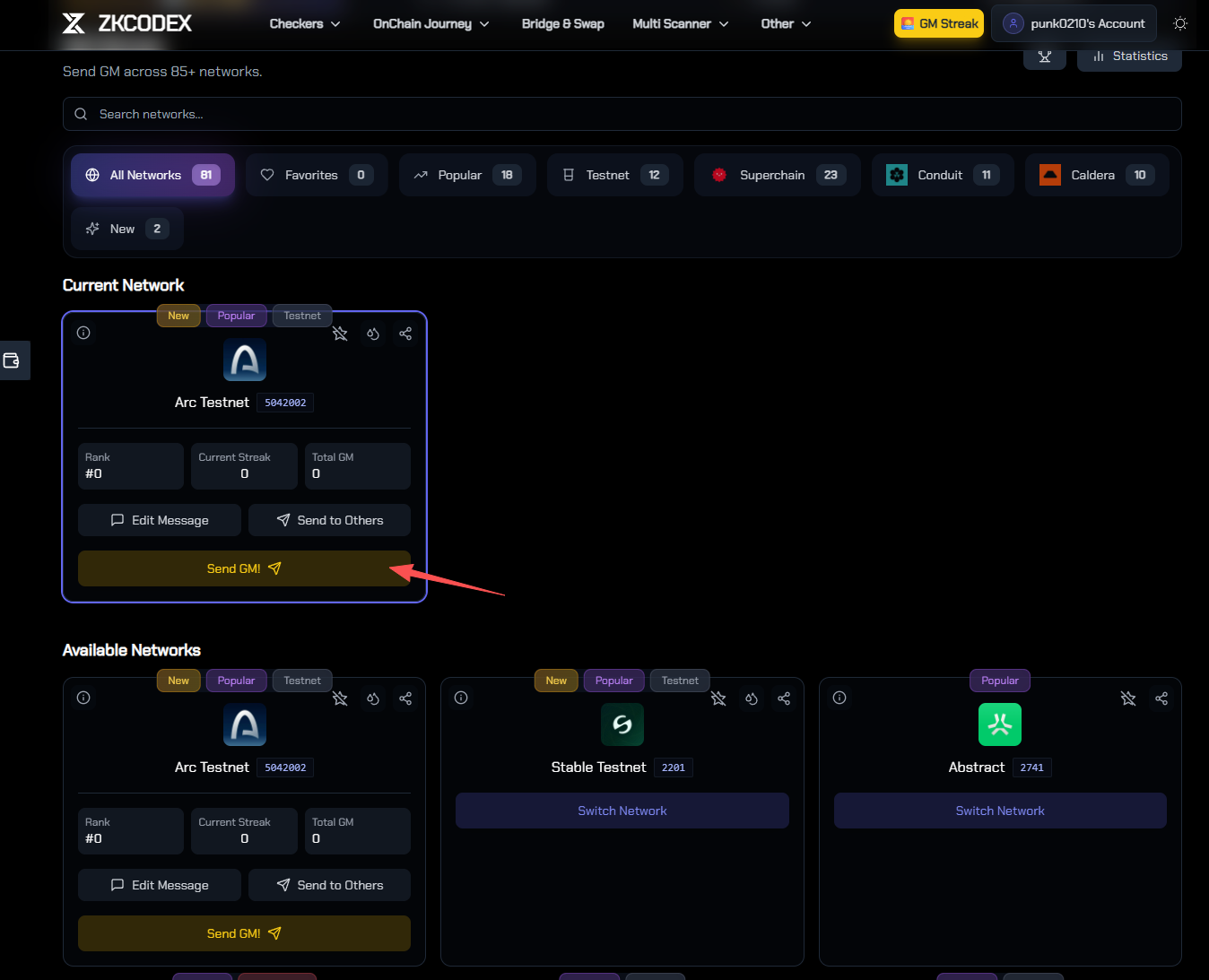
STEP 5. On the ZKCODEX platform, select Arc Testnet and send GM (link: https://zkcodex.com/onchain/gm ). After connecting your wallet, find Arc Testnet, click Send GM, and a wallet confirmation pop-up will appear.
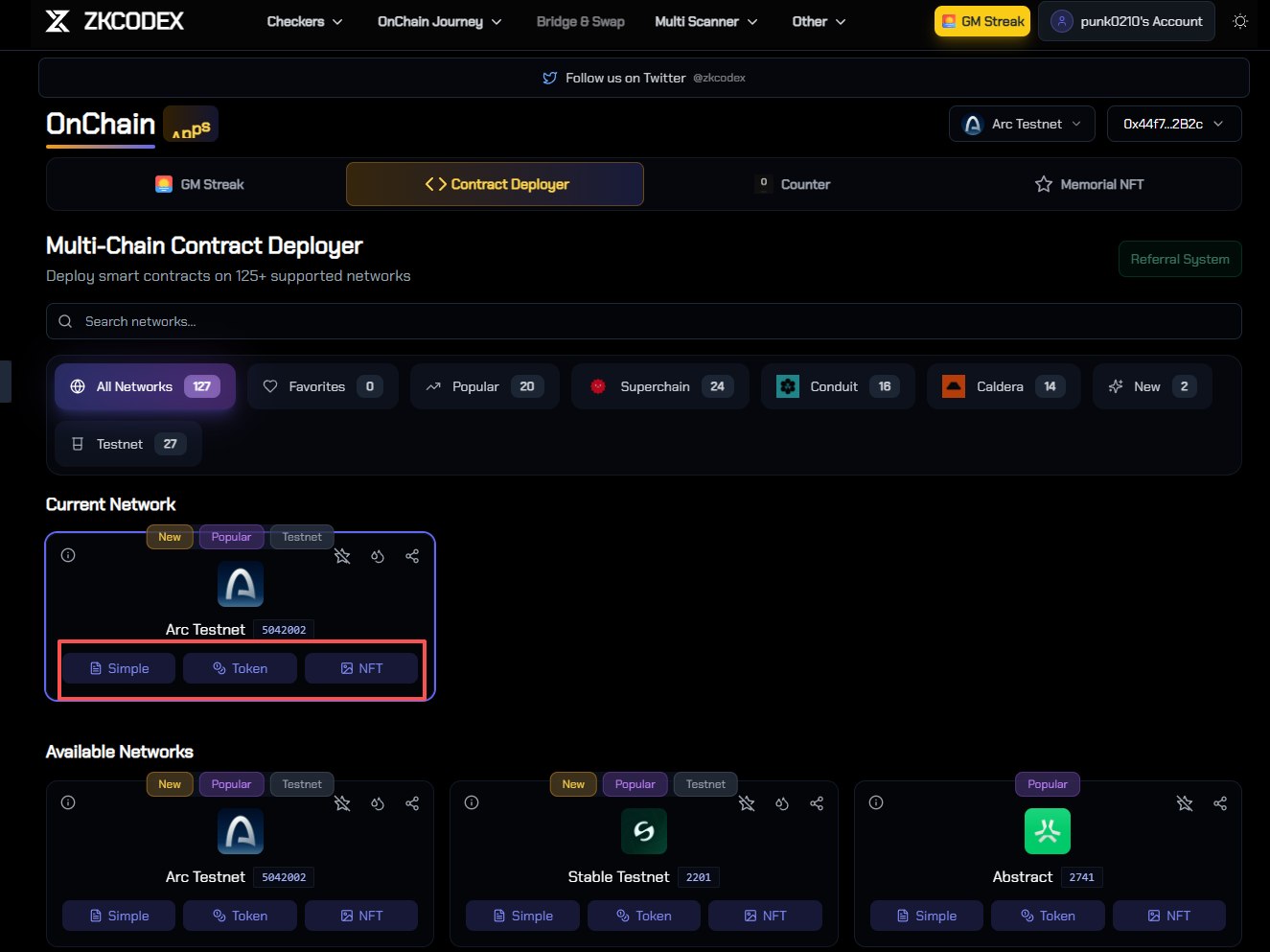
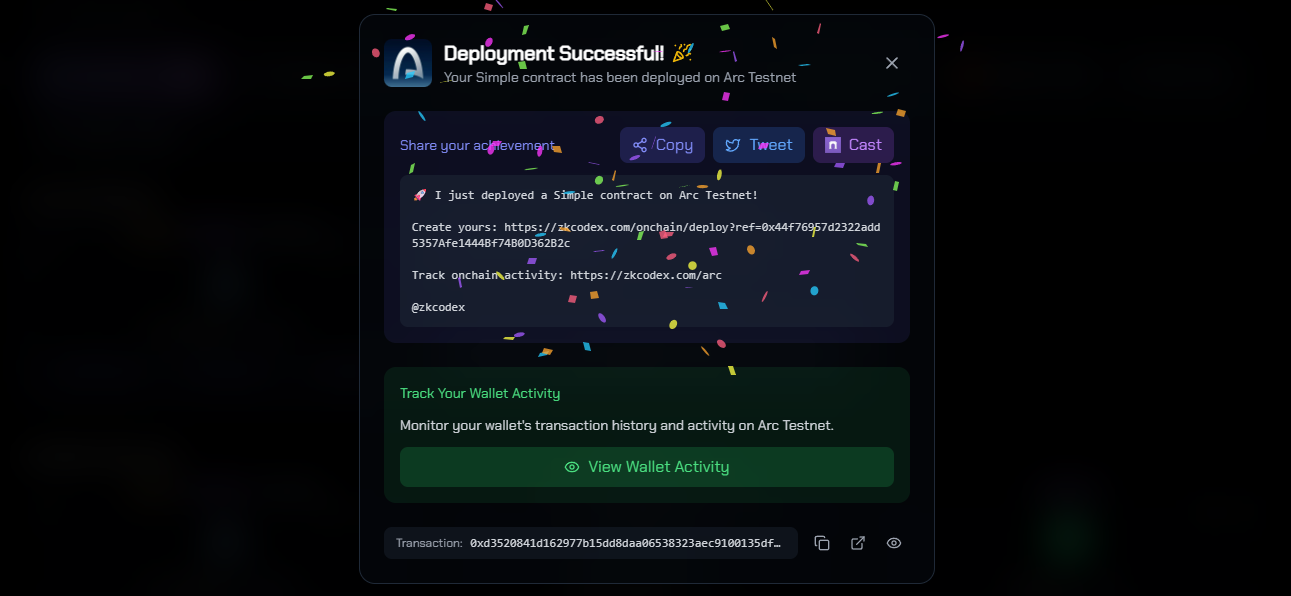
STEP 6. On the ZKCODEX platform, select the Arc Testnet (link: https://zkcodex.com/onchain/deploy ). After connecting your wallet, find Arc Testnet and click Simple Deployment, Token Deployment, and NFT Deployment respectively. A wallet confirmation prompt will appear.
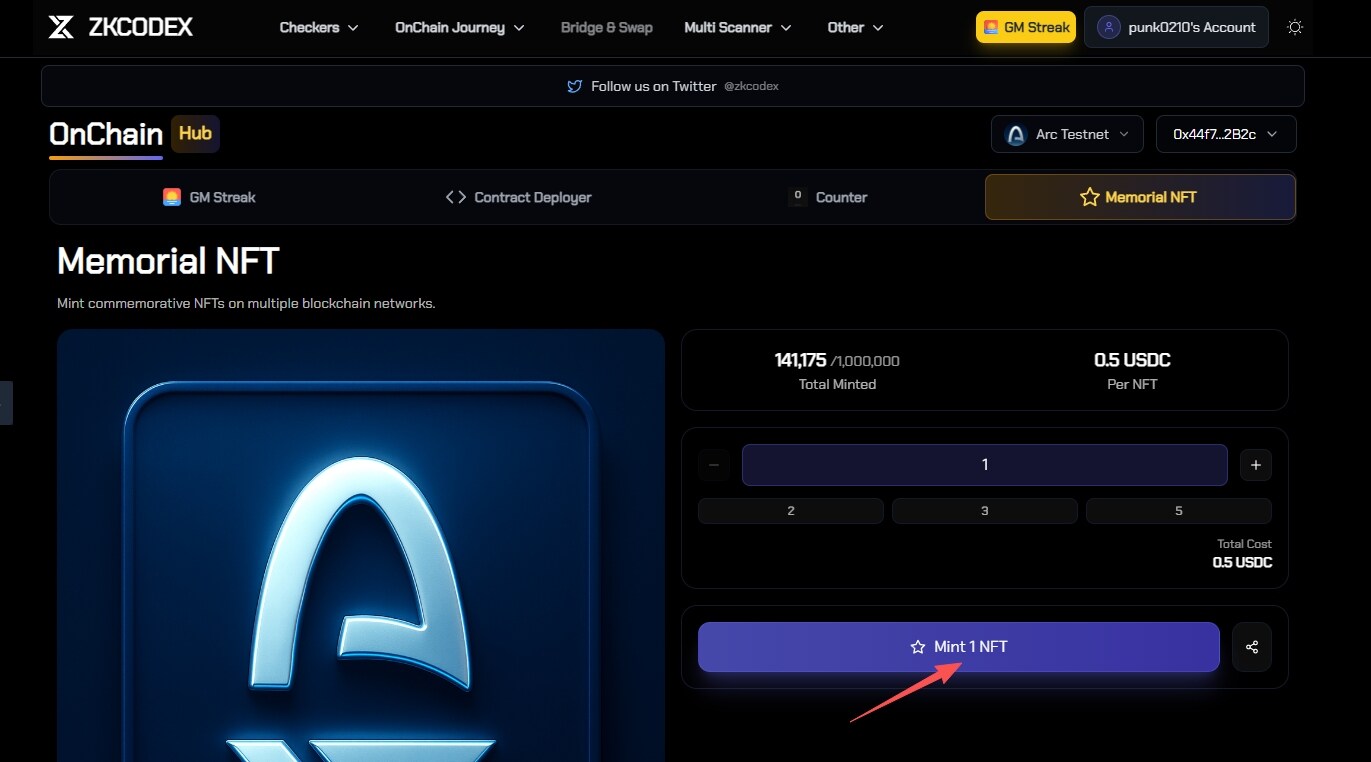
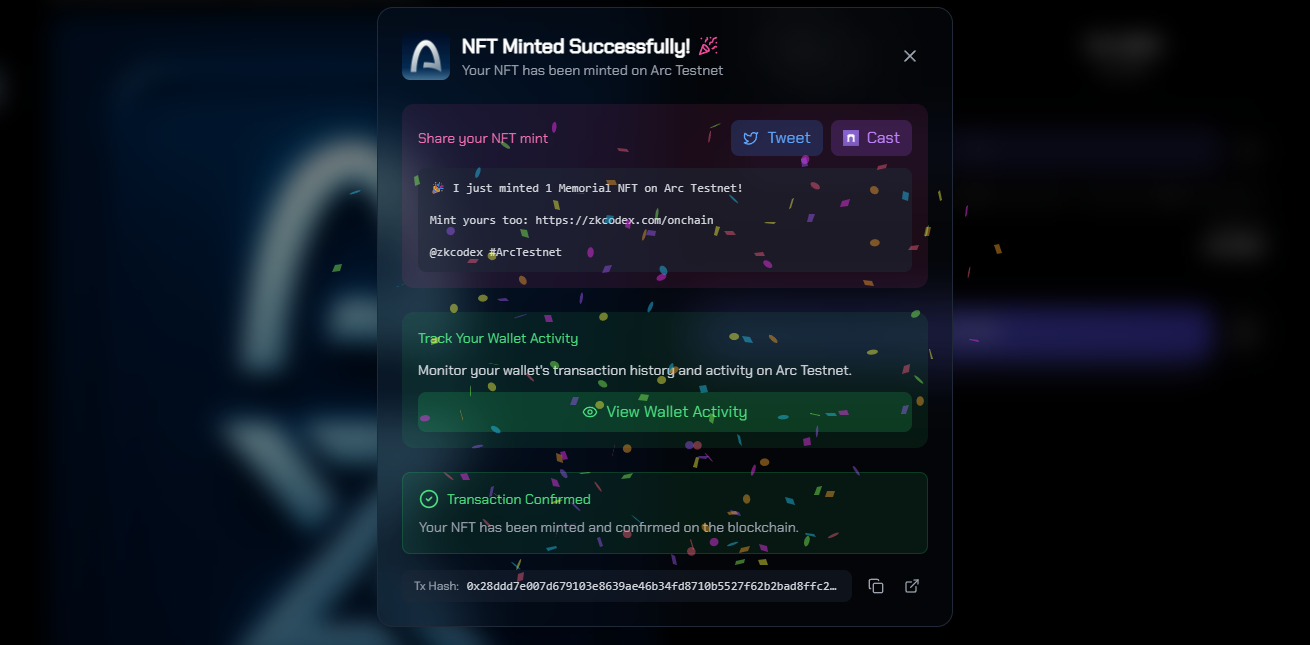
STEP 7. On the ZKCODEX platform, select the Arc testnet to mint another NFT (link: https://zkcodex.com/onchain/memorial ), click Mint 1 NFT, and a wallet confirmation pop-up will appear.
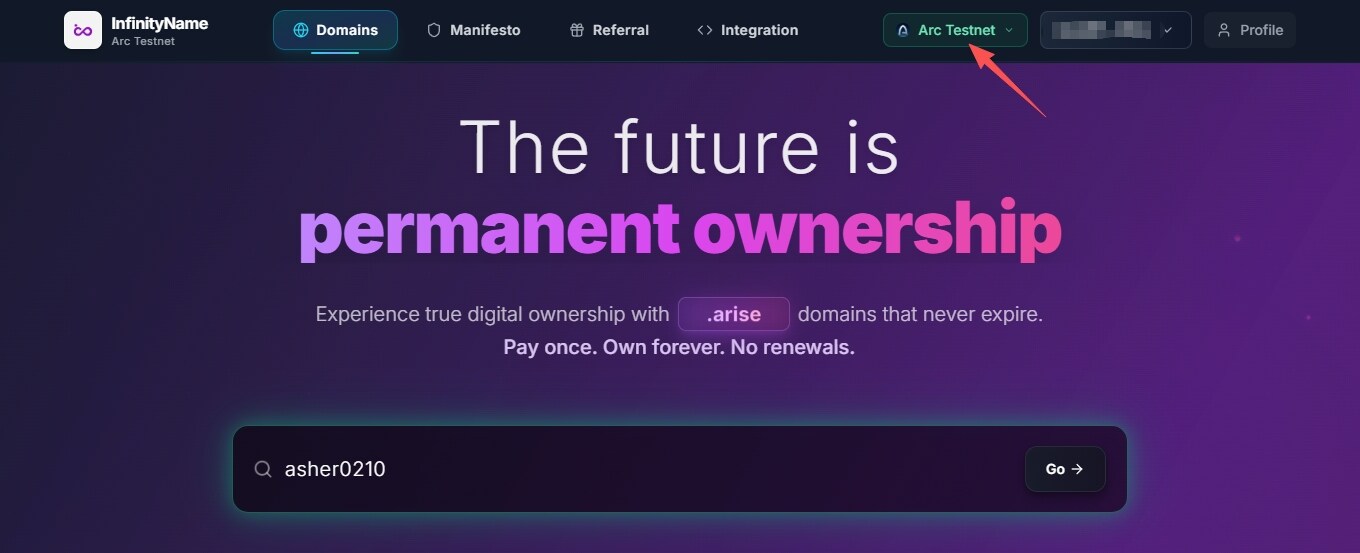
STEP 8. Register a .arc domain name on the InfinityName platform (link: https://infinityname.com/ ). After connecting your wallet, enter the domain name you want to register and find the Arc testnet registration. A wallet confirmation prompt will appear.

Stable: An L1 public chain designed specifically for USDT.
Project Overview

Stable is a high-performance L1 public blockchain specifically built for USDT, aiming to provide a high-speed, low-cost, and low-latency stablecoin trading network. Unlike general-purpose public blockchains, Stable focuses on USDT's payment and settlement functions, hoping to give USDT a cash-like usage experience on-chain, suitable for scenarios such as cross-border payments, e-commerce payments, and corporate clearing.
In terms of technical design, Stable adopts an independent public blockchain architecture, supports EVM compatibility and sub-second transaction confirmation, and plans to launch a gas-free USDT0 transfer mode. It also provides institutions with dedicated block space and compliant privacy transaction support that they can apply for. These features aim to lower the barrier to entry for businesses and end-users to use blockchain payments and improve the efficiency of stablecoin transactions. Currently, the core technical framework of the project is basically complete, but the launch dates for the testnet and mainnet have not yet been announced.
Stable has received investment from well-known institutions including Bitfinex, Hack VC, and Franklin Templeton, and has been officially endorsed by Tether. Tether CEO Paolo Ardoino has also publicly supported the project.
In addition to the ongoing pre-deposit campaign, Stable launched its public testnet on November 4th , making it worthwhile to experience it firsthand.
Step-by-step tutorial
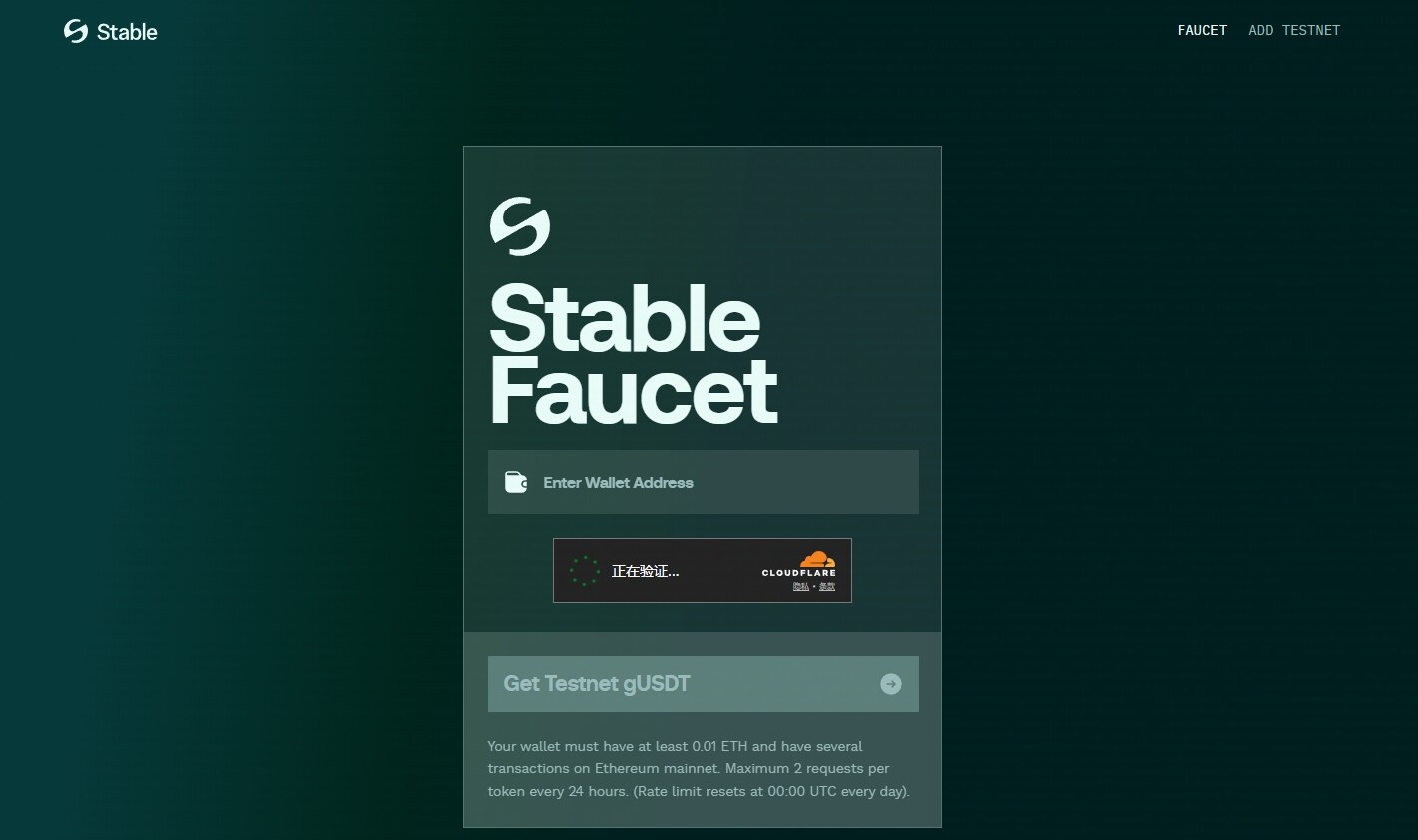
STEP 1. Enter your wallet address to claim test tokens (link: https://faucet.stable.xyz/faucet ).
STEP 2. Register a domain name on the InfinityName platform (link: https://infinityname.com/ ). After connecting your wallet, enter the domain name you want to register and find the Stable testnet registration. A wallet confirmation prompt will appear.
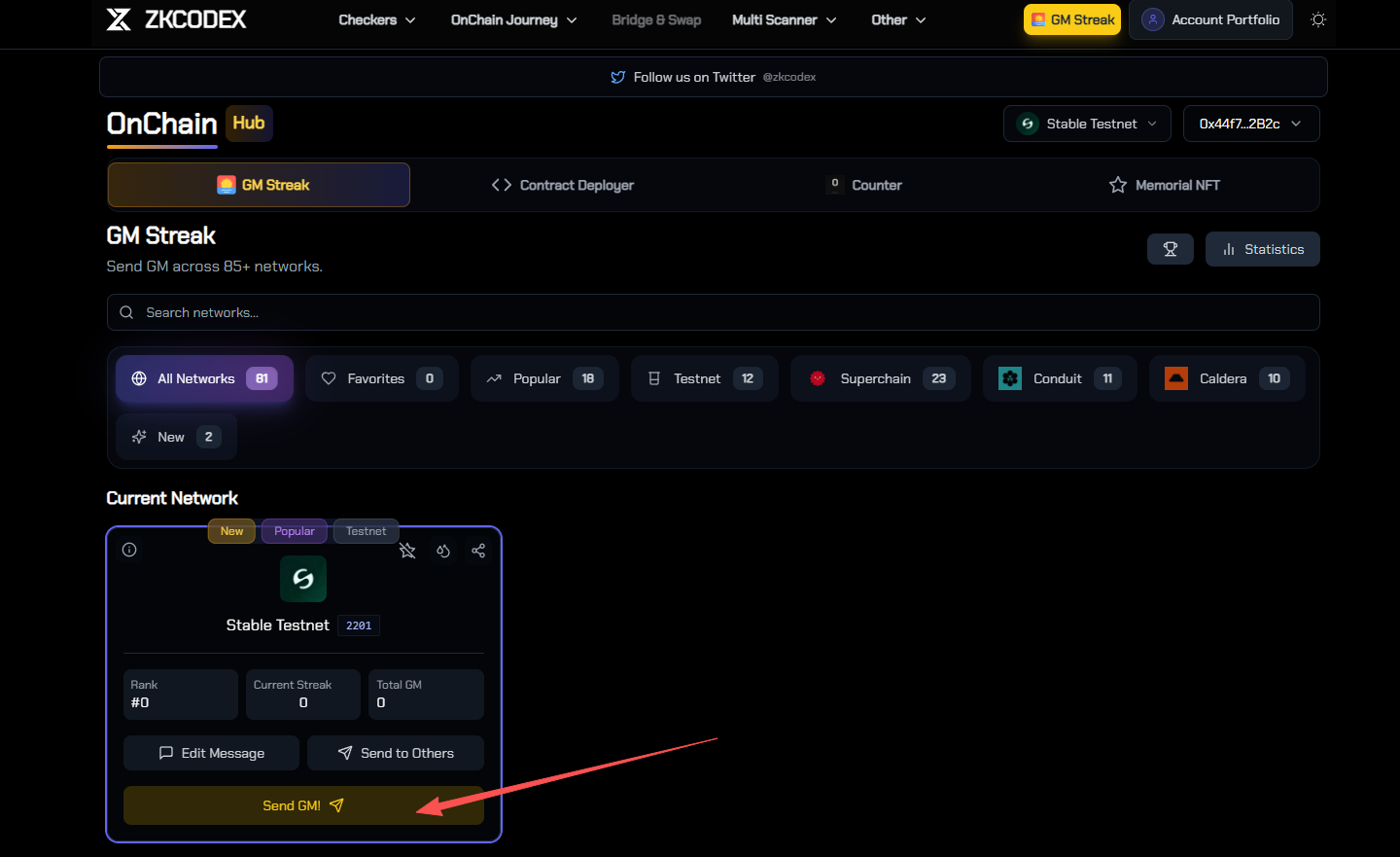
STEP 3. On the ZKCODEX platform, select the Stable Testnet and send GM (link: https://zkcodex.com/onchain/gm ). After connecting your wallet, find StableTestnet, click Send GM, and a wallet confirmation pop-up will appear.
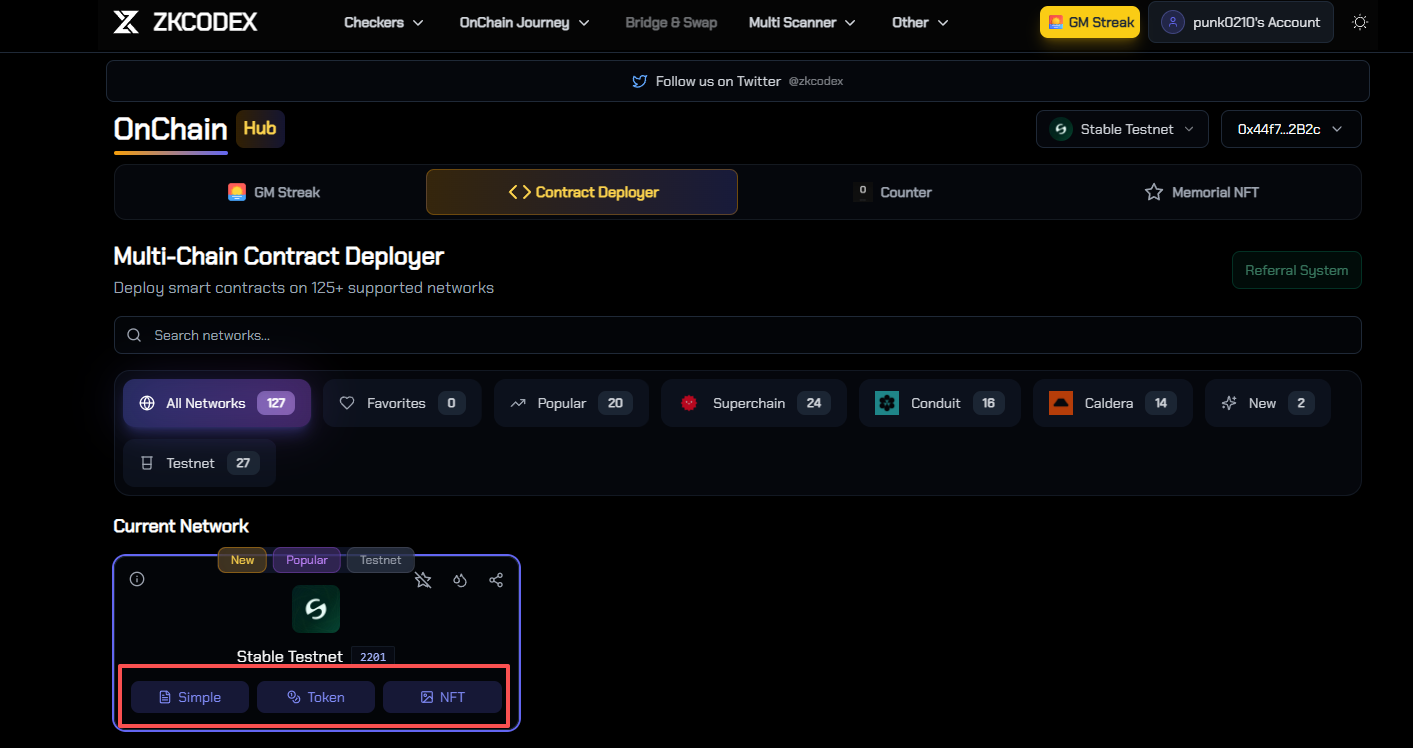
STEP 4. On the ZKCODEX platform, select the Stable Testnet (link: https://zkcodex.com/onchain/deploy ). After connecting your wallet, find Stable Testnet and click Simple Deployment, Token Deployment, and NFT Deployment respectively. A wallet confirmation prompt will appear.
Push Chain: An L1 public blockchain invested by YZI Labs
Project Overview
Push Chain is an L1 public blockchain launched by the Web3 communication protocol Push Protocol. Its main features include wallet and gas fee abstraction, sharding, and sub-second transaction final confirmation. On November 11, Push Chain announced the launch of its public testnet. According to official information, 30% of the total supply is allocated to the community (token model related documentation: https://push.org/blog/push-chain-tokenomics/ ).
According to ROOTDATA , Push Chain has completed a funding round of over $11 million, receiving investment from YZI Labs.
Step-by-step tutorial
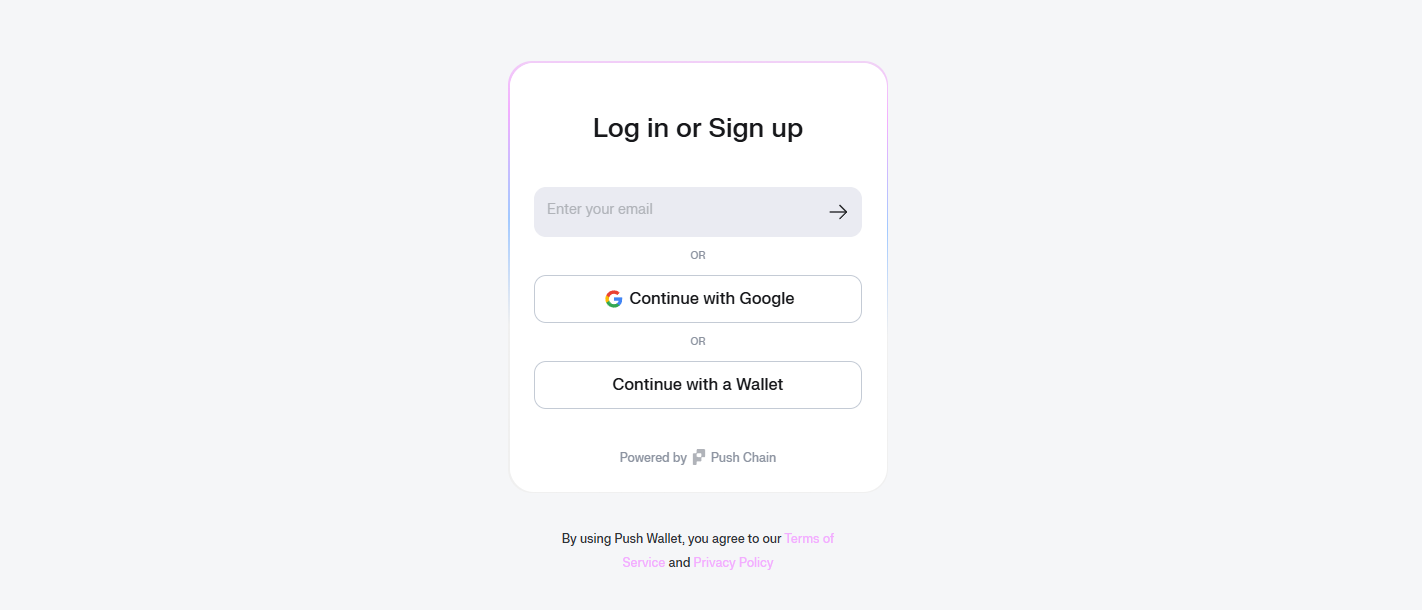
STEP 1. Create a Push wallet (link: https://wallet.push.org/auth ): Simply connect and bind your personal Web3 wallet.
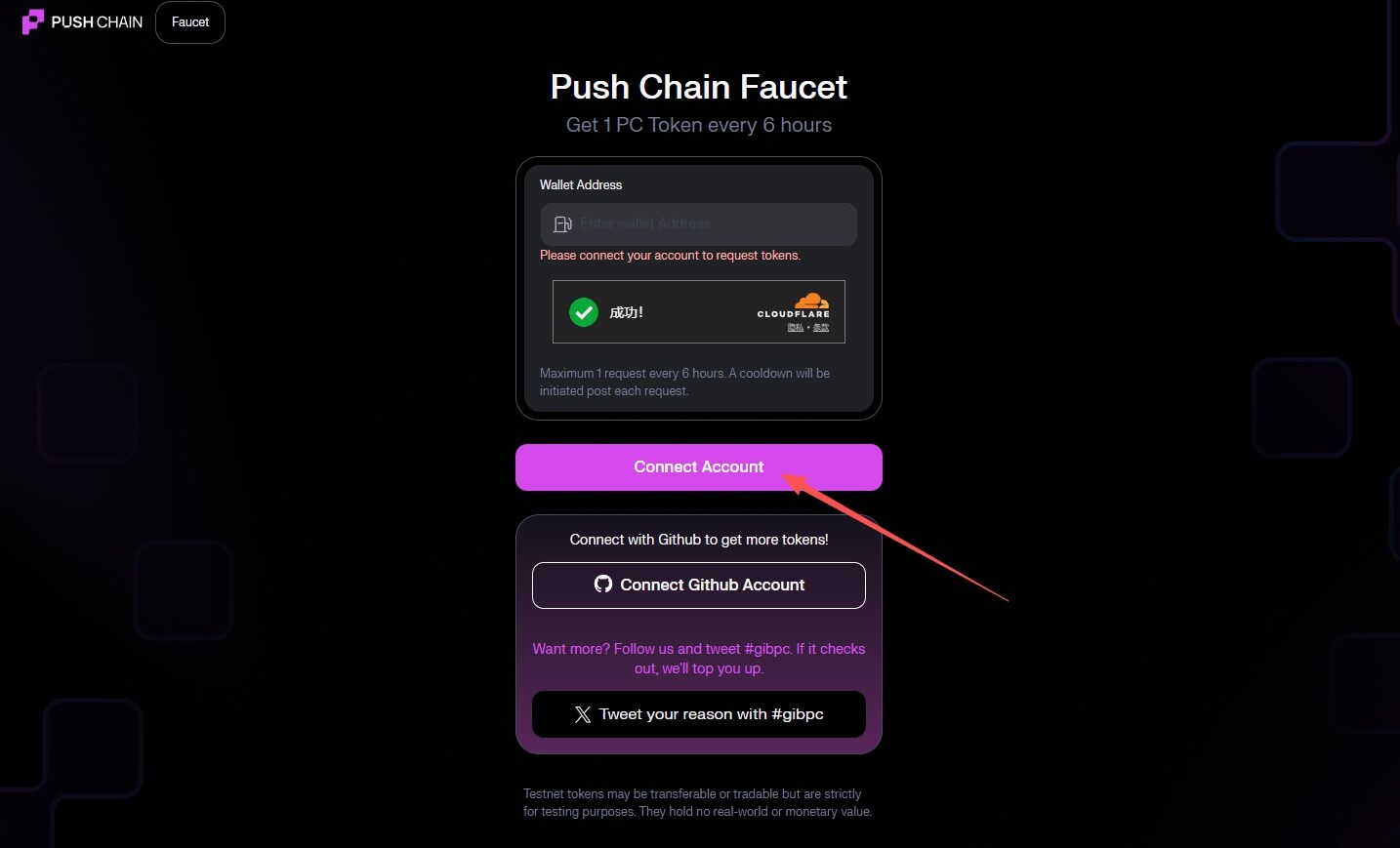
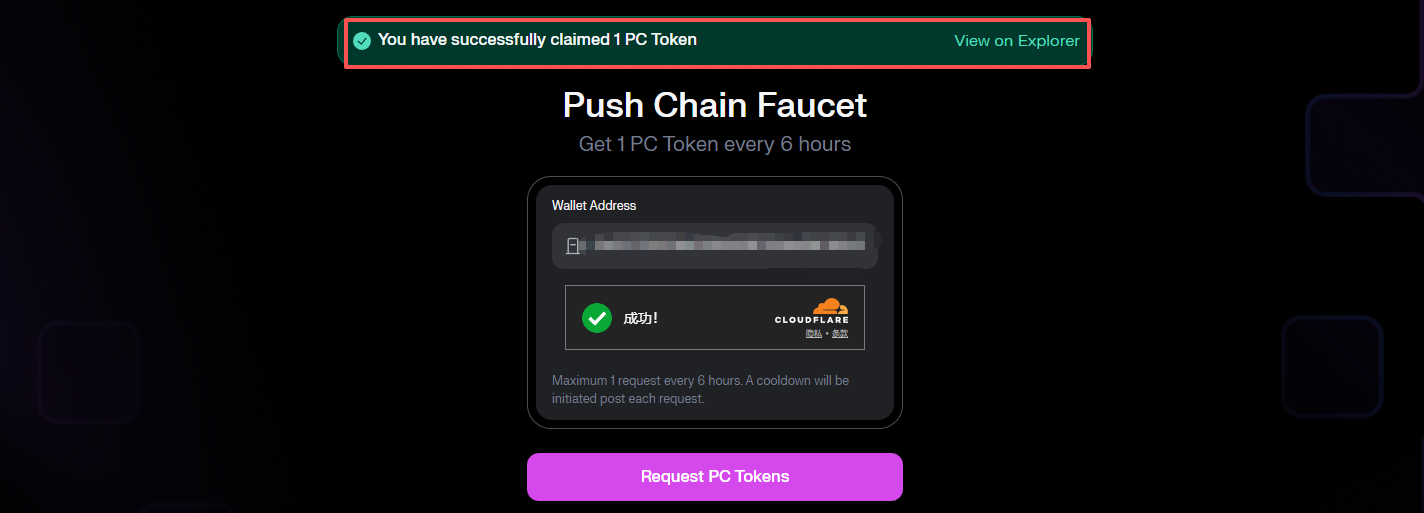
STEP 2. Claim your test tokens (link: https://faucet.push.org/ ).
STEP 3. Ecosystem Project Interaction (Link to Ecosystem Project Overview: https://push.org/ecosystem/ ): There are currently no specific tasks assigned to ecosystem projects, so feel free to explore the Push Chain ecosystem based on your interests.
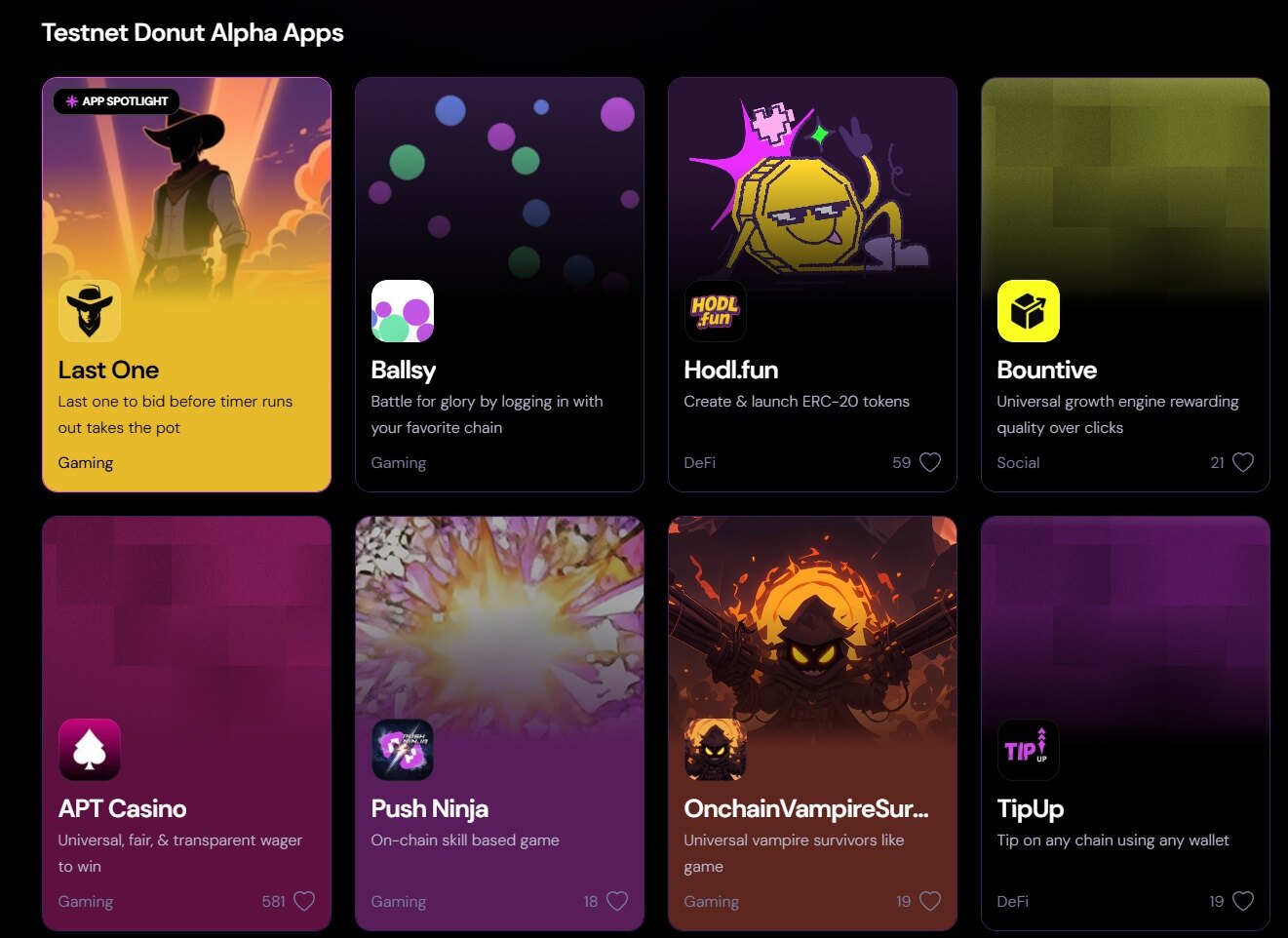
IOPn: An L1 public blockchain based on digital identity
Project Overview

IOPn is an L1 public blockchain focused on digital identity, real-world asset tokenization, and sovereign infrastructure. Headquartered in the UAE, its funding amount has not yet been disclosed.
On November 6, IOPn announced on the X platform that the testnet Genesis Badge event has been launched, and users can follow the prompts to claim Genesis Badges and earn points.
Step-by-step tutorial
STEP 1. Go to the interactive website to claim 10 test tokens. You can claim them once every 24 hours (link: https://faucet.iopn.tech/ ).

STEP 2. Connect your wallet and claim your badge (link: https://genesis.iopn.io/ )


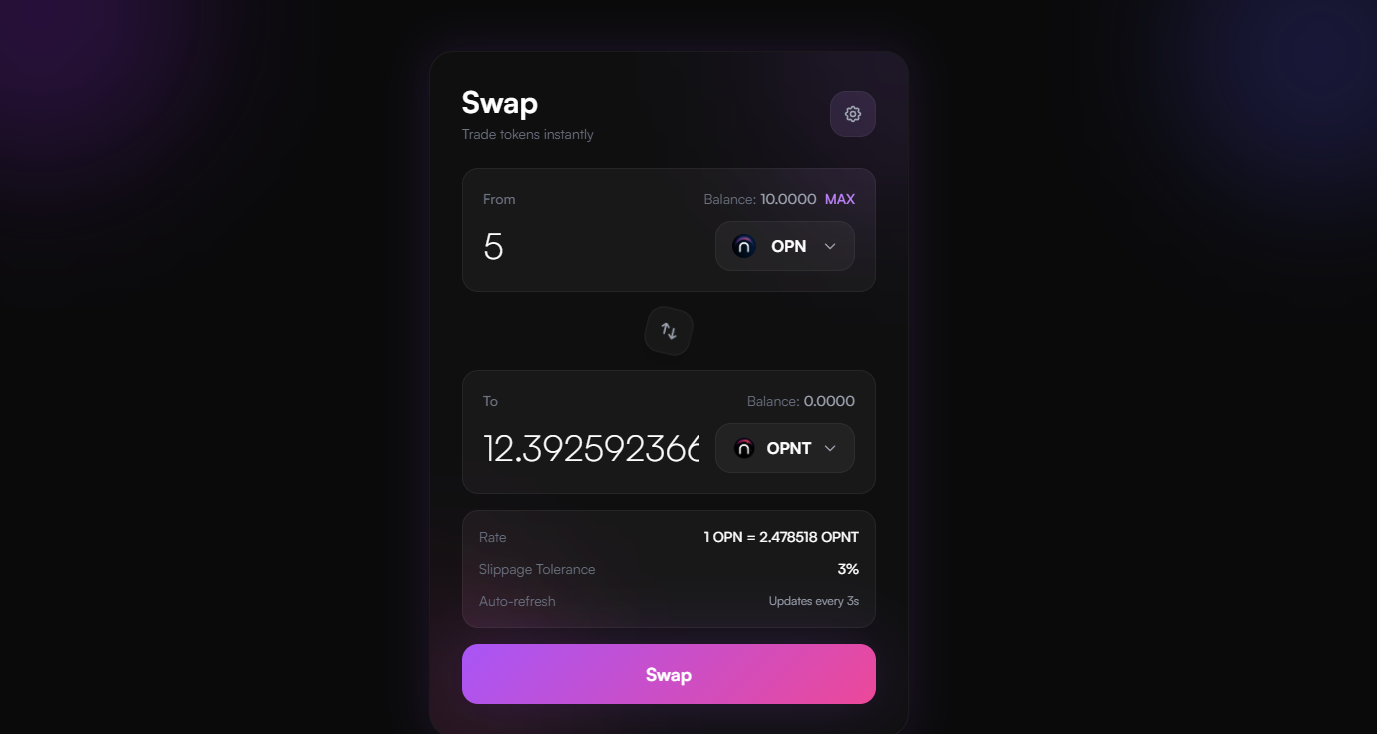
STEP 3. Perform Swap, pooling, and other operations (link: https://swap.iopn.tech/ ).
Psy Protocol: A Proof-of-Useful-Working L1 Public Chain
Project Overview

Psy Protocol is a Proof-of-Useful-Work (PoW) Level 1 public blockchain that deeply integrates the neutrality and security of PoW with the high scalability and high-speed performance of its next-generation architecture. On October 2nd, Psy Protocol announced the launch of its public testnet , introducing a new blockchain architecture designed to achieve internet-level throughput and Bitcoin-level security.
According to ROOTDATA , Psy Protocol has completed a $9 million funding round, receiving investment from Blockchain Capital and others.
Step-by-step tutorial
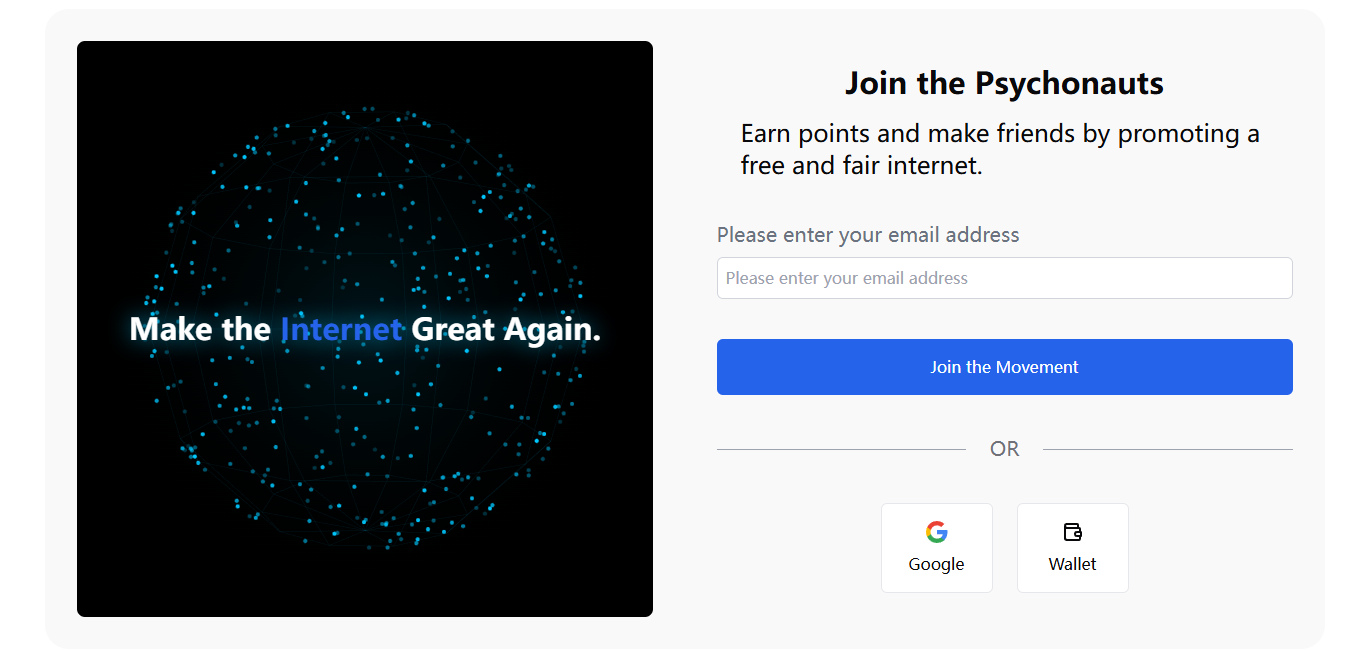
STEP 1. Go to the interactive website (link: https://psy.xyz/psychonaut ) and log in to your account using your wallet or Gmail.
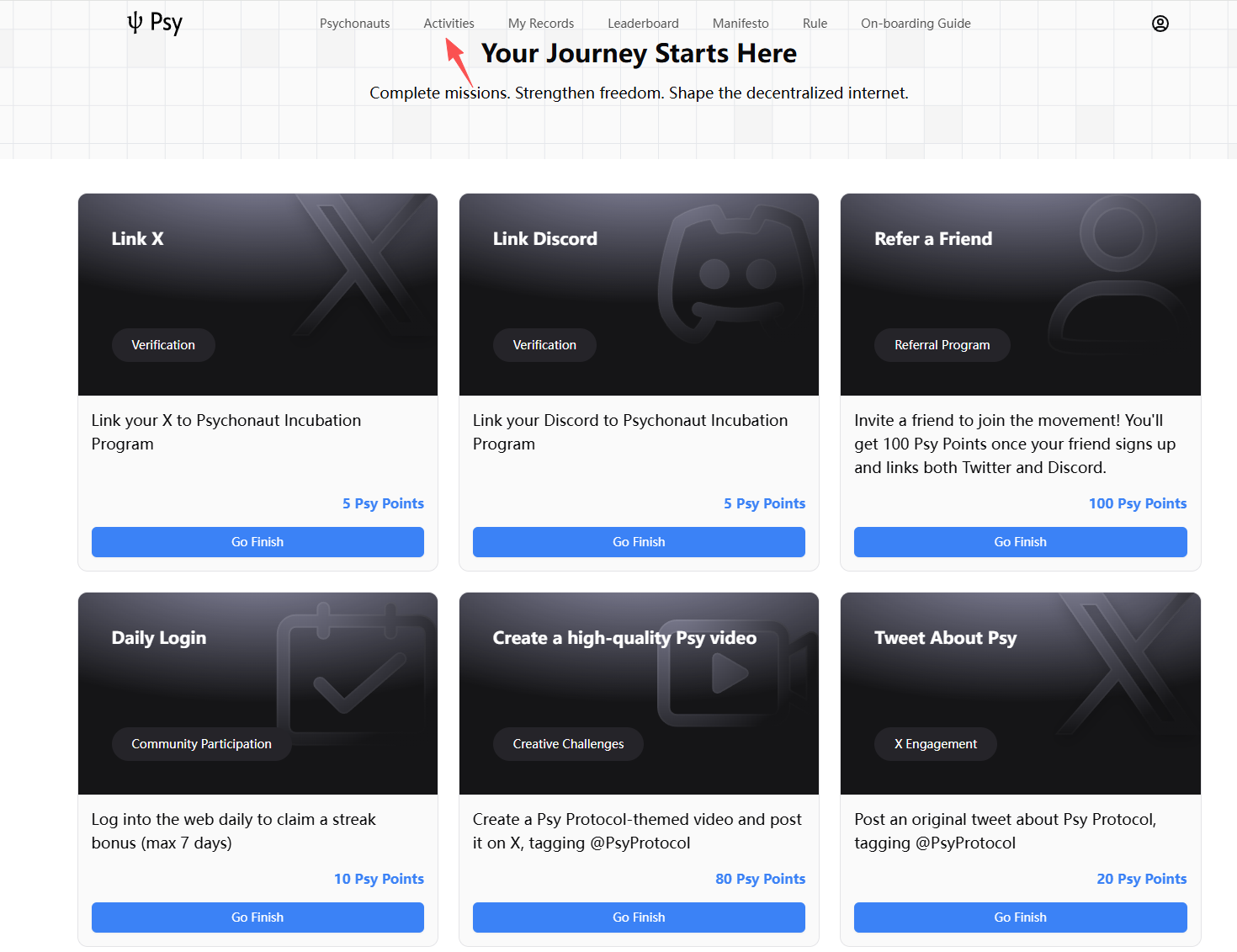
STEP 2. Click on the “Activities” section and complete the basic tasks as prompted, including binding X, Discord, daily check-in, etc.
Gopher: An L1 public chain focused on AI data
Project Overview

Gopher is the L1 public blockchain of the Cosmos ecosystem, focusing on the AI data economy, enabling users to own, share, and profit from data. The network can search for information from TikTok, X, Reddit, YouTube, and the internet, extracting data from hundreds of sources in AI-friendly formats such as JSON and Markdown. This data is then stored in a vector database for rapid access, and users can use language models to analyze this data and generate usable insights. On October 11th, Gopher launched its testnet points system.
According to ROOTDATA , Gopher has completed a funding round of over $17 million, receiving investment from DCG, GSR, and others.
Step-by-step tutorial
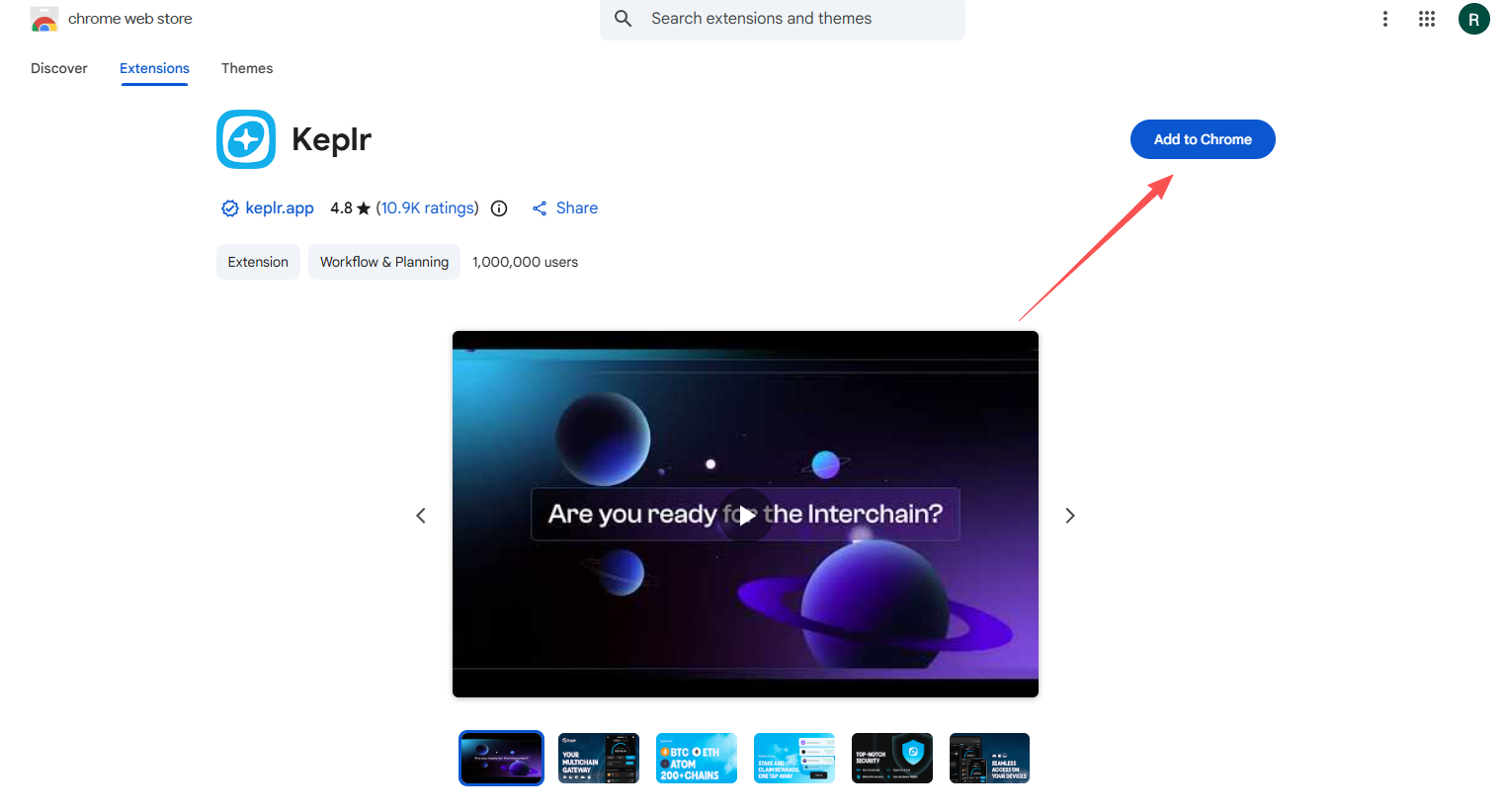
STEP 1. Download the Keplr wallet (link: https://chromewebstore.google.com/detail/keplr/dmkamcknogkgcdfhhbddcghachkejeap?hl=en ).
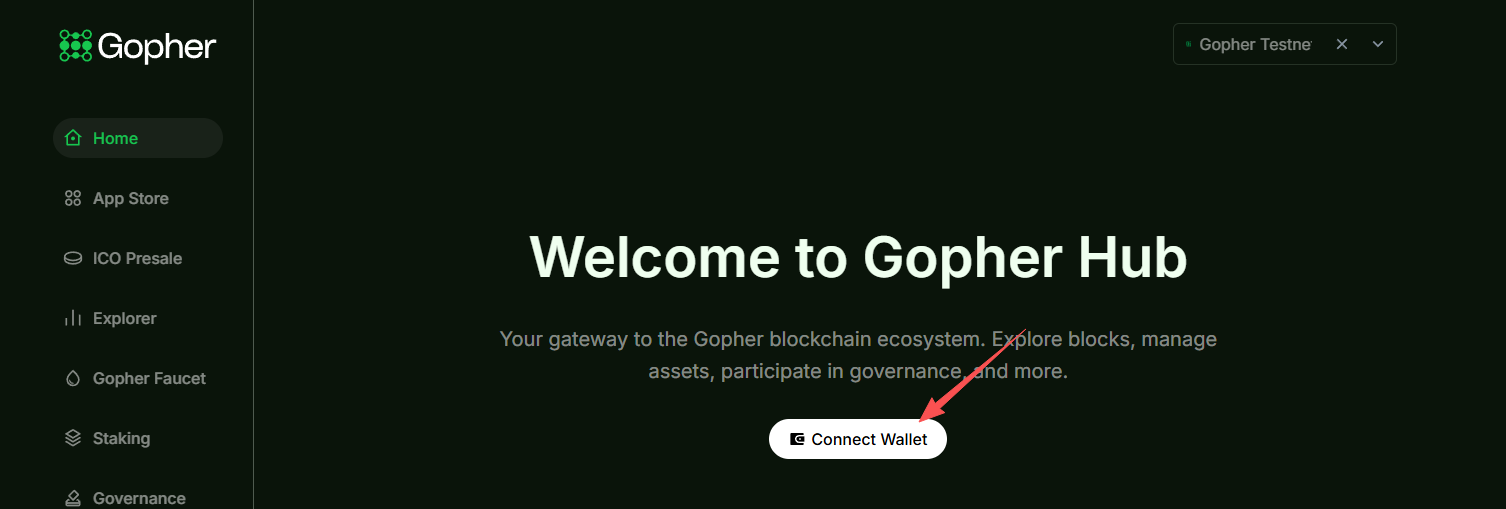
STEP 2. Open the interactive website (link: https://hub.gopher-ai.com/ ) and link your Keplr wallet.
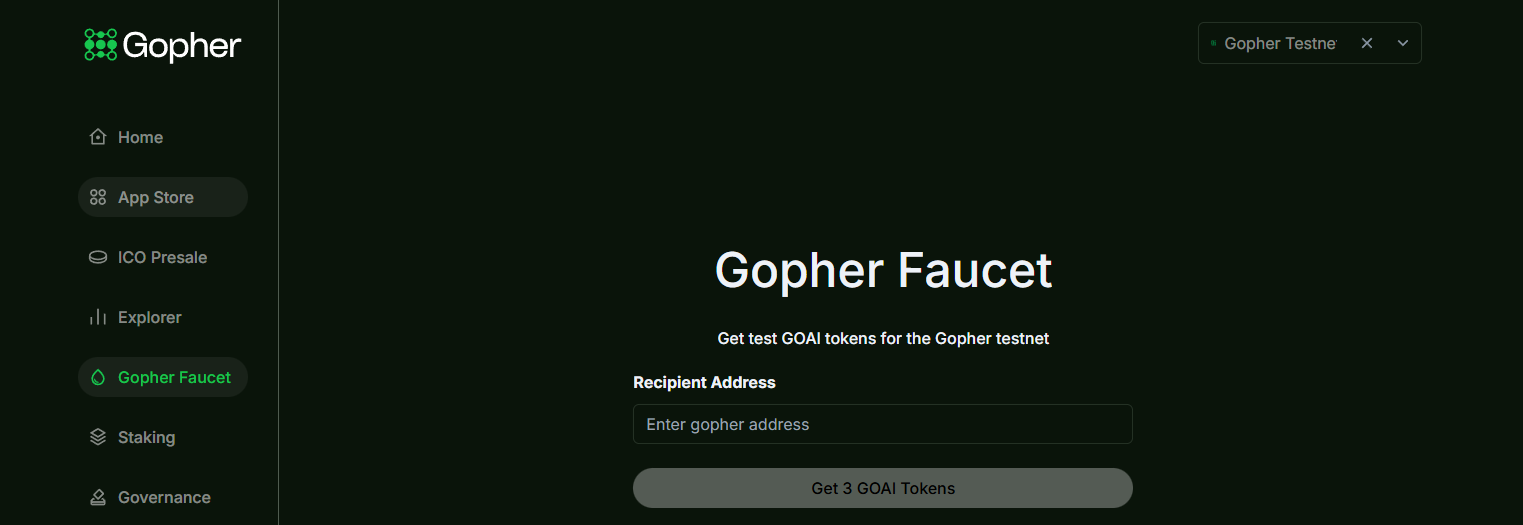
STEP 3. Claim your test token (link: https://hub.gopher-ai.com/gopher-faucet ).
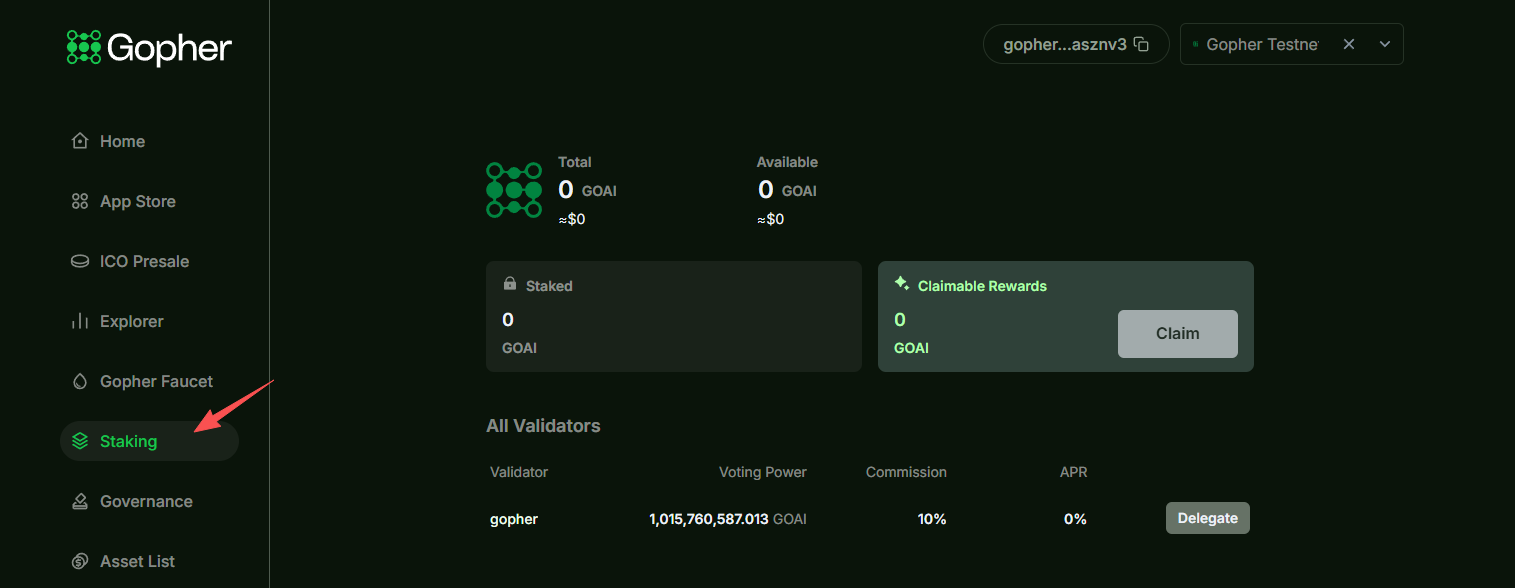
STEP 4. Stake test tokens (link: https://hub.gopher-ai.com/staking ).
Miden: Ethereum L2 scaling solution focused on privacy computing
Project Overview
Miden is an Ethereum L2 scaling solution focused on privacy-preserving computation. Miden's core technology is zero-knowledge rollup, built on top of Ethereum, using the Miden VM to execute transactions. It supports parallel transaction execution and client-side proofs, emphasizing privacy and high throughput. Unlike traditional blockchains, Miden moves computation to the user's end, where users execute and prove transactions locally, only submitting the proofs to the blockchain.
In late April of this year, Miden announced the completion of a $25 million seed funding round, co-led by a16z's crypto division, Hack VC, and 1kx. Other investors included prominent angel investors such as Finality Capital Partners, Symbolic Capital, and Aptos co-founder Avery Ching.
Step-by-step tutorial
STEP 1. Go to the Google Play Store and install the Miden Wallet plugin (link: https://miden.fi/ ). After installation, follow the prompts to register a new address.
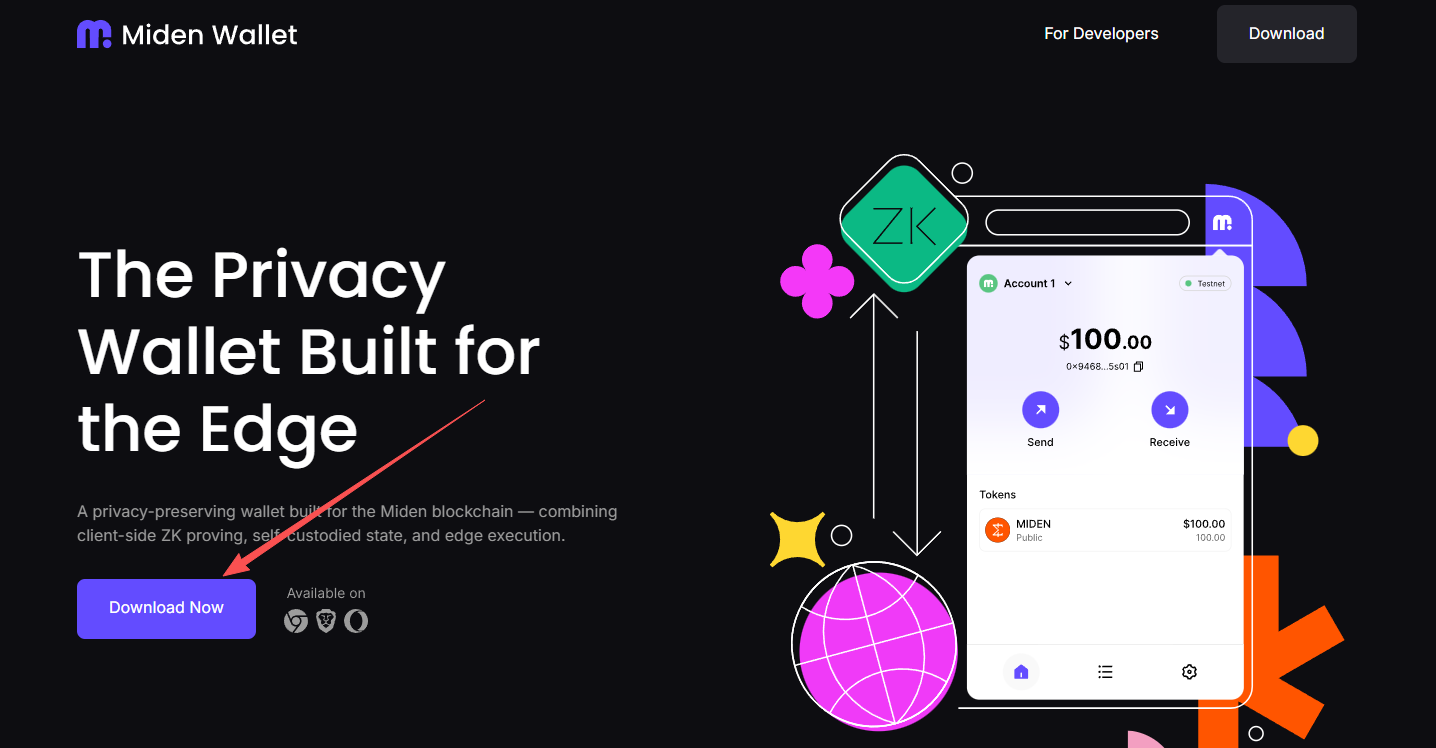
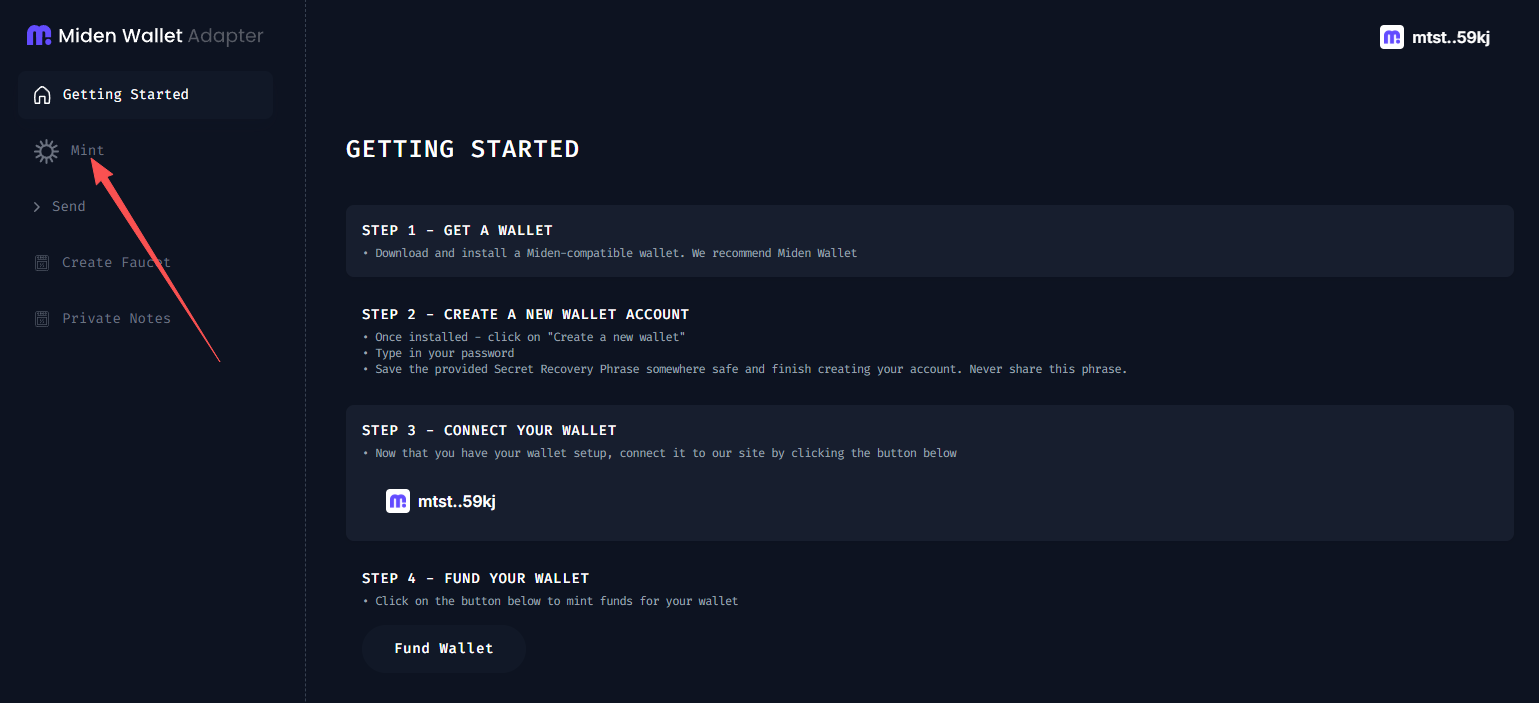
STEP 2. Go to the interactive website (link: https://miden.leo.app/ ), connect to the address you just registered using the Miden Wallet plugin, and click "Mint" in the left sidebar to claim 100 test coins.
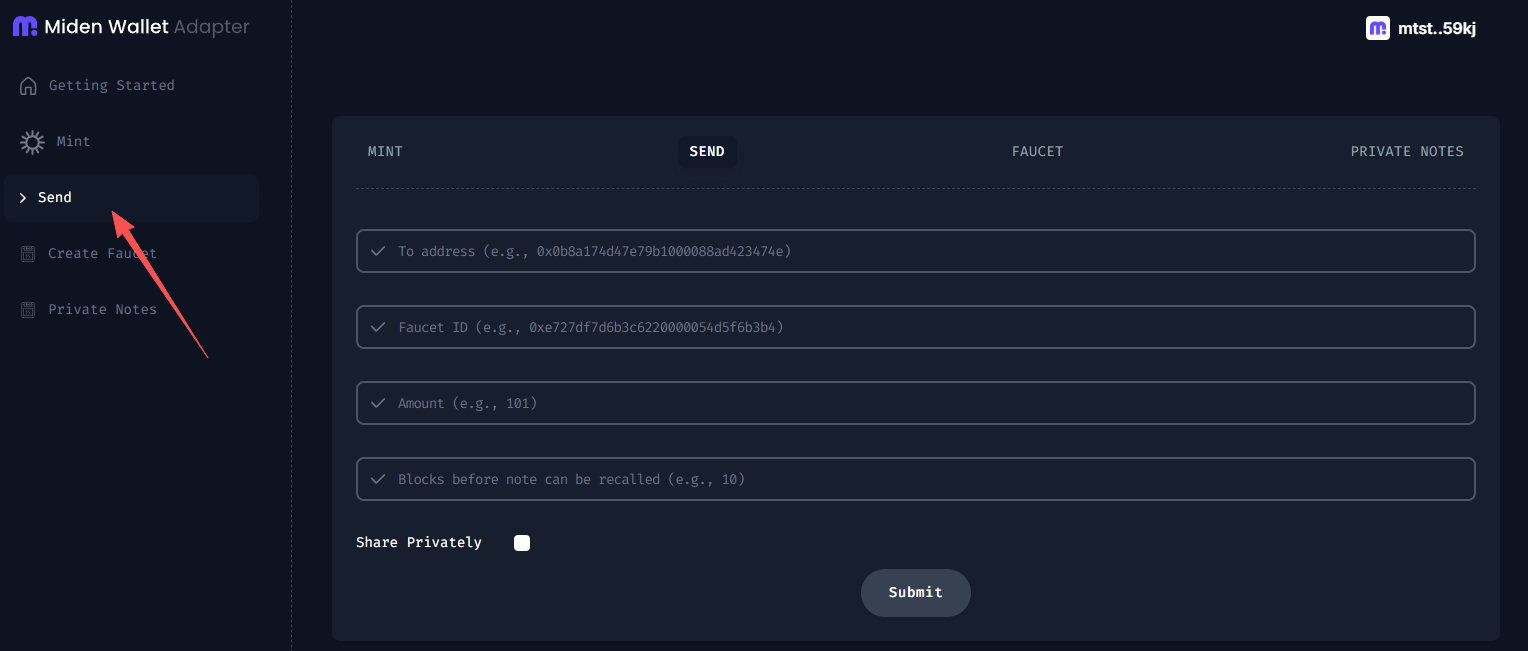
STEP 3. Click “Send” in the left sidebar, enter another address (you can create another address yourself), enter the sending address in the first line, and enter the token amount in the third line.
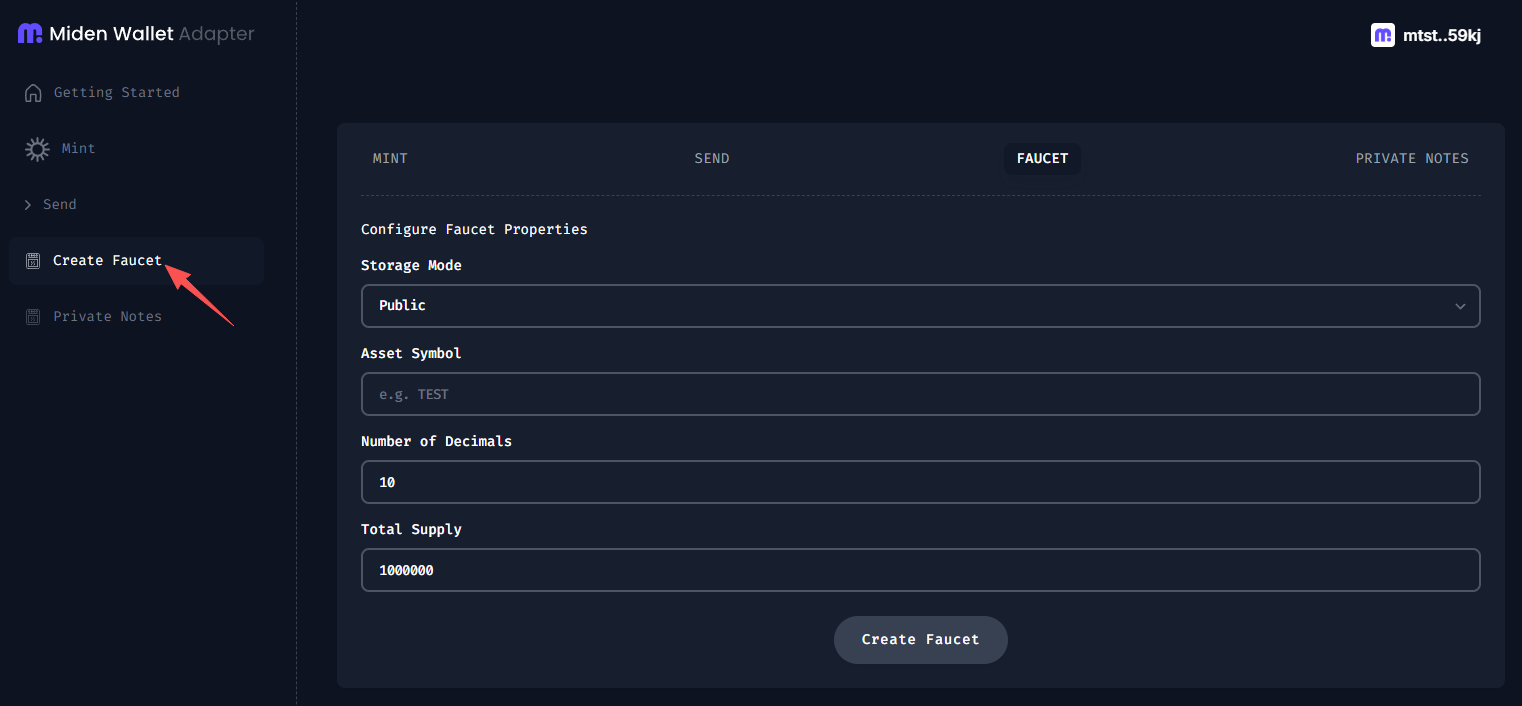
STEP 4. Click “Create Faucet” in the left sidebar, select Public or Private for Storage Mode (you can also interact with each one once), and enter any token symbol for Asset Symbol.
GTE: Decentralized Trading Platform
Project Overview
GTE is a decentralized exchange platform based on MegaETH technology, aiming to challenge the performance of centralized exchanges such as Binance and Coinbase. GTE co-founder Enzo Coglitore stated that the platform is built on a Centralized Limit Order Book (CLOB), with order matching latency comparable to centralized exchanges, but retains core characteristics such as "decentralization, permissionless, composability, and non-custodial," aiming to solve the problems of high order latency and high transaction costs commonly found in current DEXs.
According to ROOTDATA data , GTE completed a $15 million Series A funding round in June of this year, led by Paradigm. Combined with the $10 million raised previously in pre-seed, seed, and community rounds, GTE's total funding has reached $25 million.
Step-by-step tutorial
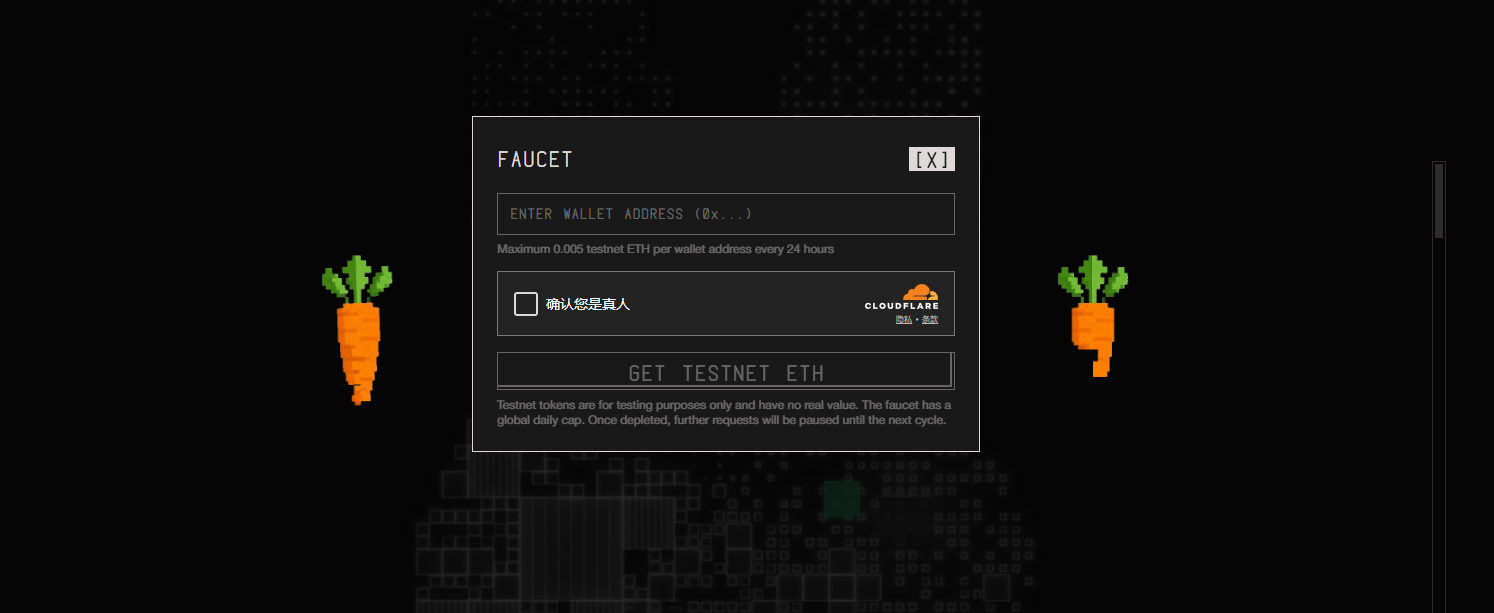
STEP 1. Claim your test tokens (link: https://testnet.megaeth.com/#1 ).
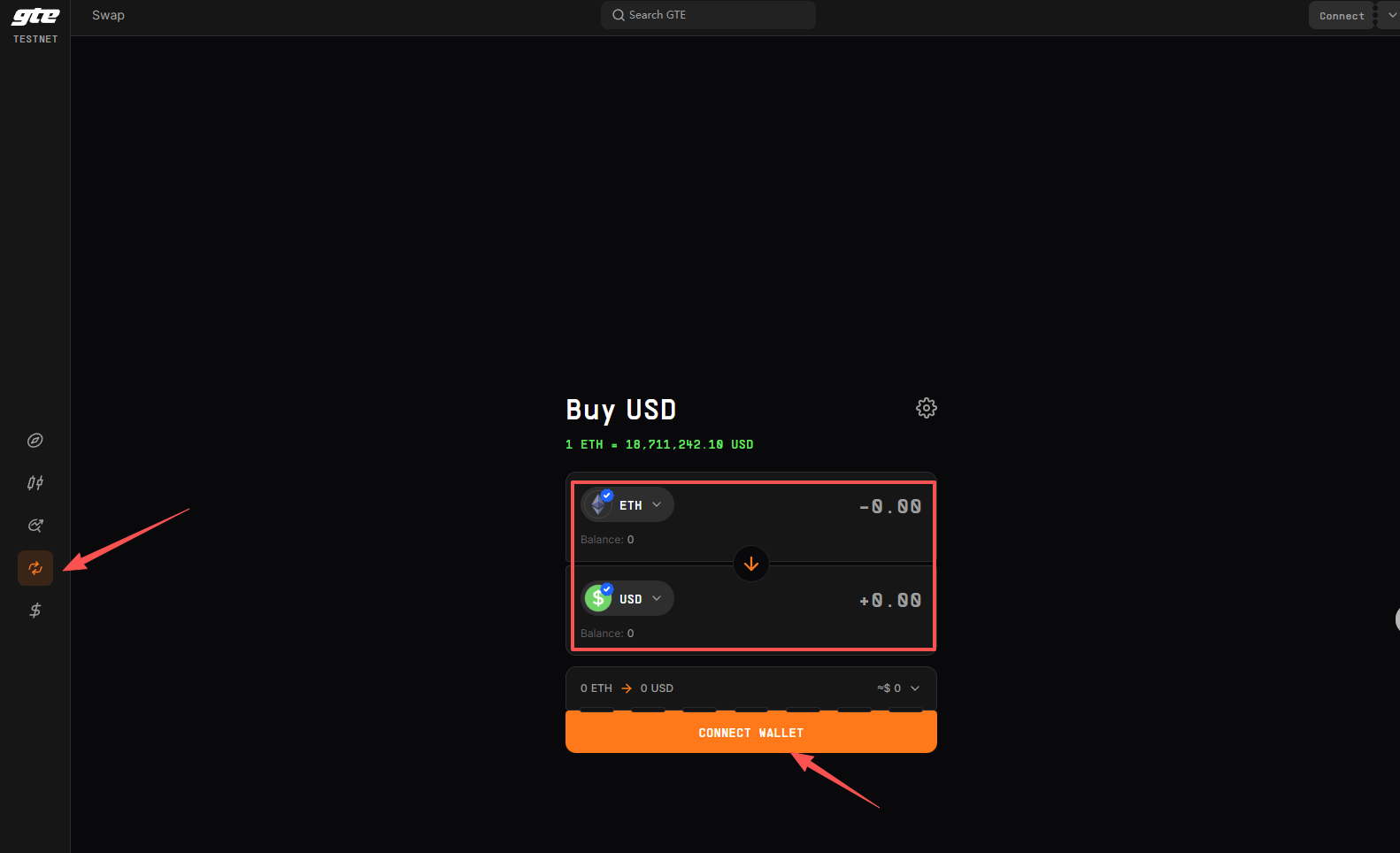
STEP 2. Go to the GTE website (link: https://testnet.gte.xyz/swap ) and exchange ETH for other tokens.
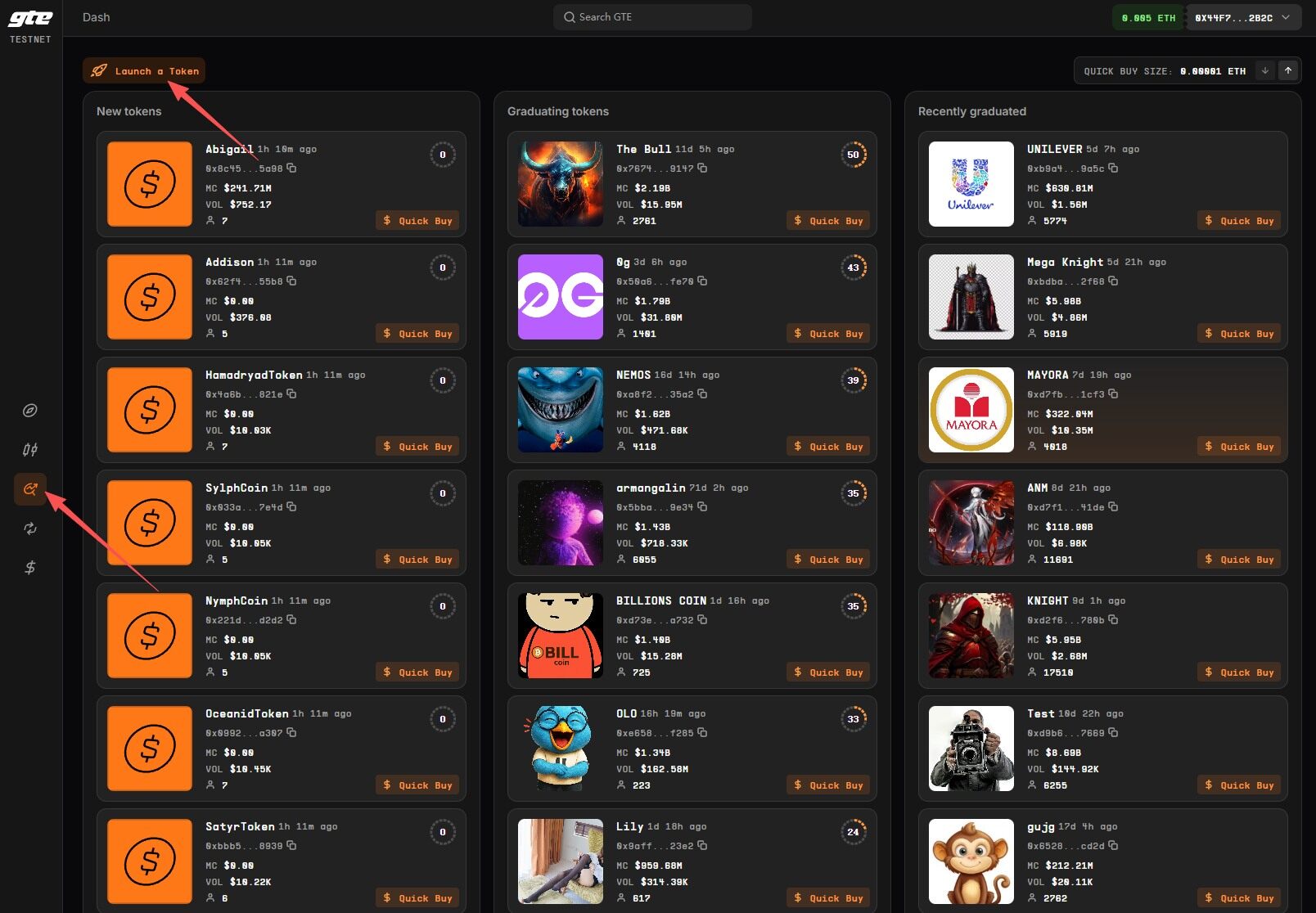
STEP 3. Attempt to create tokens.
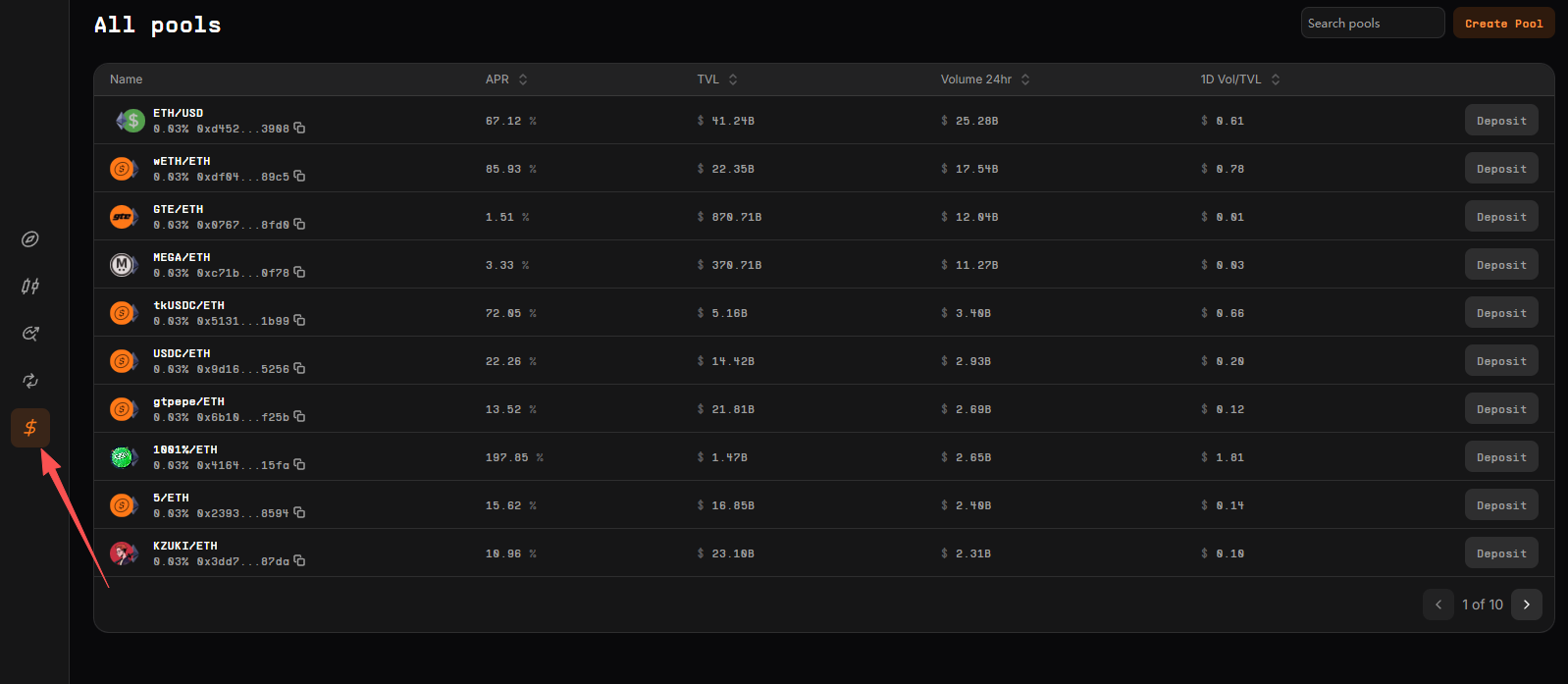
STEP 4. Build the LP pool.
Related content
Early positioning: 10 popular early-stage projects that have already opened whitelist applications


