Interpretation of MetaMask Snap technology: analysis of development experience, capacity limitations, security and business potential



Original source:LXDAO
This article is co-written by LXDAO expert team members Li Damao and Bruce. We will delve into the technical aspects of MetaMask Snap. What is MetaMask Snap? What technical capabilities does it have? How to ensure safety? How was the development experience? These questions may determine the future potential of MetaMask Snap.
What is MetaMask Snap?
A few days ago ConsenSys announced the launch of MetaMask Snaps Open Beta to the public. MetaMask Snaps can expand the capabilities of the wallet, and you can install apps (Snaps) created by third-party developers to gain new functionality.
If ConsenSys built MetaMask into WeChat, then Snap is a WeChat applet. Therefore, we can see the ambition of MetaMask. Combined with the size of ConsenSys and the number of MetaMask users, the pattern of the wallet field will change.
At present, the official has announced 35 available Snap models and released the Snap app store https://snaps.metamask.io/.
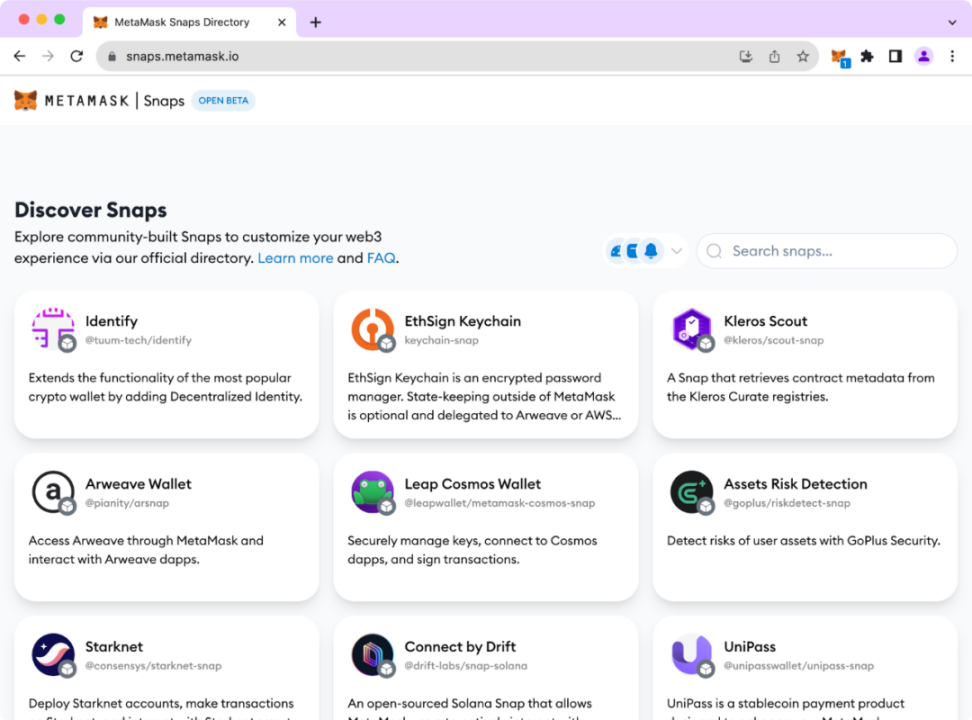
List of some Snaps
So what exactly does MetaMask Snap look like from a technical perspective? What are their capabilities limitations? Is it safe? How was the development experience? These may all determine the future potential of MetaMask Snap.
Since last year, LXDAO has conducted in-depth research on the implementation of Snap. Currently, many members have participated in the development of Snap and actively participated in related hackathons. Today, we will delve into the above issues from a technical perspective and actually develop a Snap to let you experience the Snap developer experience.
MetaMask Snap first experience
Install MetaMask Snap
It can usually be installed through the MetaMask Snap official market, or directly on the projects official website. Taking UniPass as an example, when accessing the application page, a button will be provided to allow you to link to MetaMask.
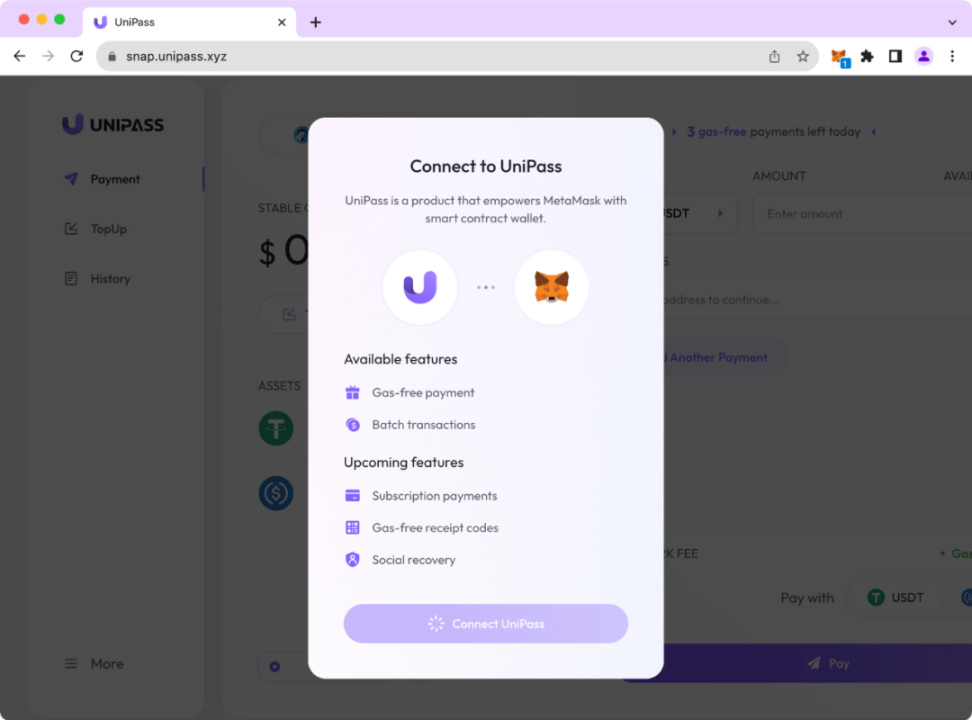
After clicking, Snap will be installed:
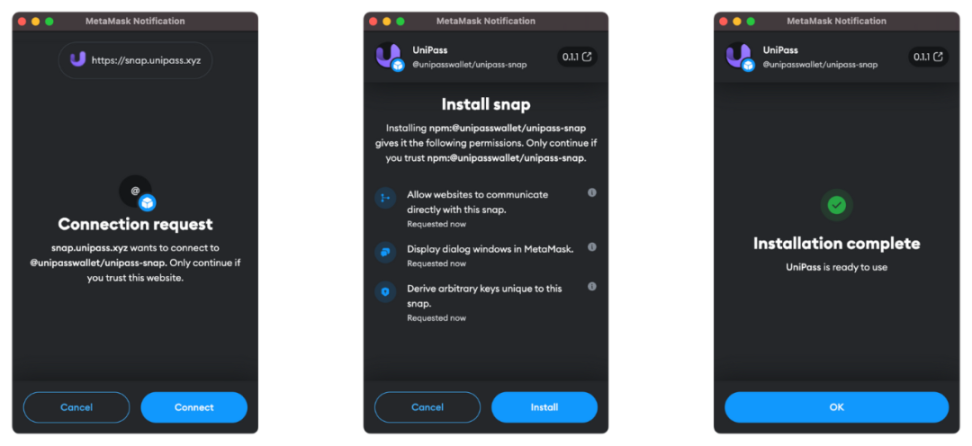
Using MetaMask Snap
After the installation is complete, you can start using the corresponding products and functions. In this application, UniPass creates a smart contract account for you to facilitate your control through MetaMasks EOA account.
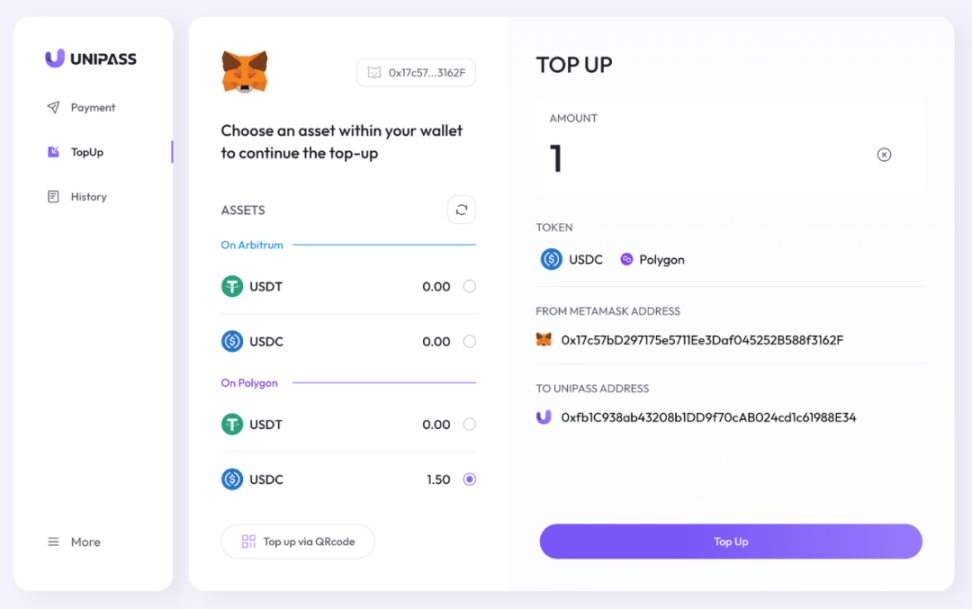
When you perform a transfer, UniPass will pop up Snap to confirm to you whether you want to perform this operation on the UniPass AA wallet.
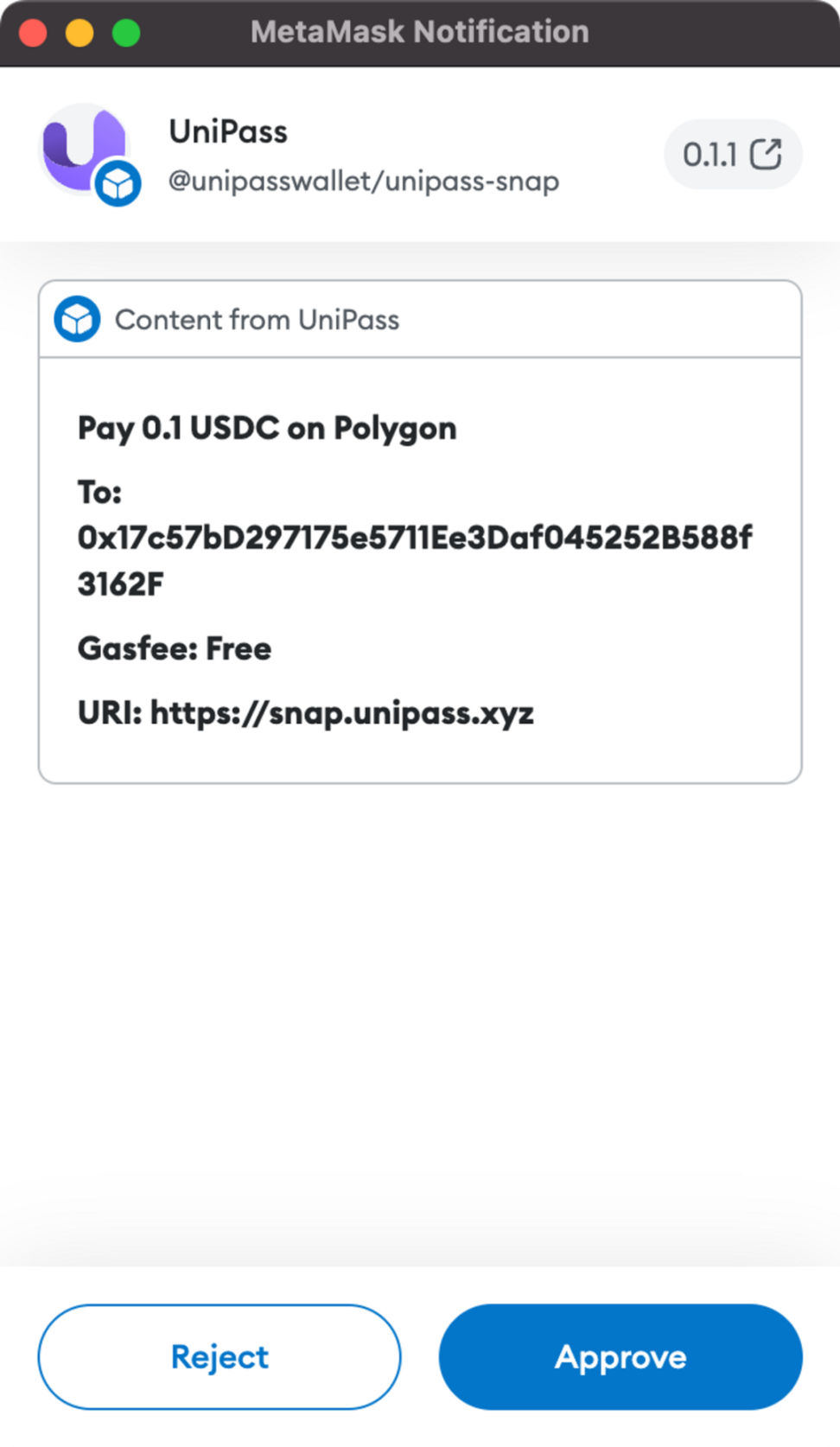
After confirmation through MetaMask, relevant operations can be performed. In this scenario, MetaMask has the ability to control the UniPass AA wallet through Snap. UniPass allows users to operate the wallet without developing a wallet plug-in, and MetaMask can also be used to introduce users at a very low cost!
What information can we get from this installation and usage process?
Snap has relatively fine-grained permission control, even including permissions to link wallets, network requests, etc. The overall design is based on the principle of least privilege access (Principle of Least Privilege), with safety first.
From npm:@unipasswallet/unipass-snap you can see that Snap is based on NPM for package and version management. Security will be introduced in detail later.
Snap is very flexible and can develop and decide the content and logic of the display according to the needs of the project. However, the UI is relatively simple and there is some room for optimization.
The Snap experience is very simple and reliable, truly up to beta and production levels.
For a wallet product, security always comes first. Next, let’s analyze Snap’s security design.
Is Snap safe?
Snap code runtime analysis
As mentioned above, Snap is based on NPM for package and version management, which shows that Snap is actually an application based on Web and JavaScript. As we all know, the syntax of JS is very flexible and free, and it can easily lead to attacks such as XSS and phishing. How does MetaMask Snap address this challenge?
After some research, it is not difficult to find that MetaMask funds Agoric and deeply integrates the Agoric teams Hardened JavaScript (also known as Secure EcmaScript) as its complete virtualization sandbox solution. Agoric designed a JavaScript restriction API and submitted a Draft proposal to TC-39 (JS Standardization Consortium) at: https://github.com/tc39/proposal-ses.
Simply put, Hardened JavaScript is a safer subset of standard JavaScript. With the help of some JS capabilities and mechanisms, some JS API calling permissions and methods are reduced, thereby reducing some risks. It creates a secure sandbox for corresponding code to execute, and follows the Principle of Least Privilege to plan code permission control.
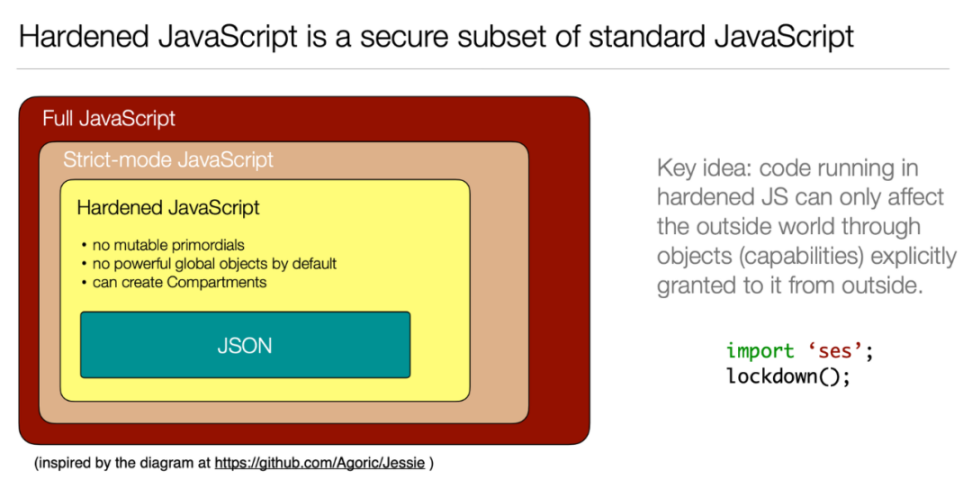
Agoric collaborated with MetaMask to develop the LavoMoat (https://github.com/LavaMoat/lavamoat) project to enhance Snaps security. LavaMoat is a set of tools that focuses on solving the security risks of external dependencies in JS projects and adds restrictions on some APIs and logic.
Agoric and MetaMask jointly launched black-box and white-box security attack and defense tests, and output detailed security reports. So at the code runtime level, we have good reason to believe that Snap is safe.
Snap code must be open source and audited
In addition to having a clear user authorization process and a minimal-privilege design, to become an officially recognized Snap, it must open source the code. Through the power of the community, the possibility of Snap bringing its own malicious code can be greatly reduced.
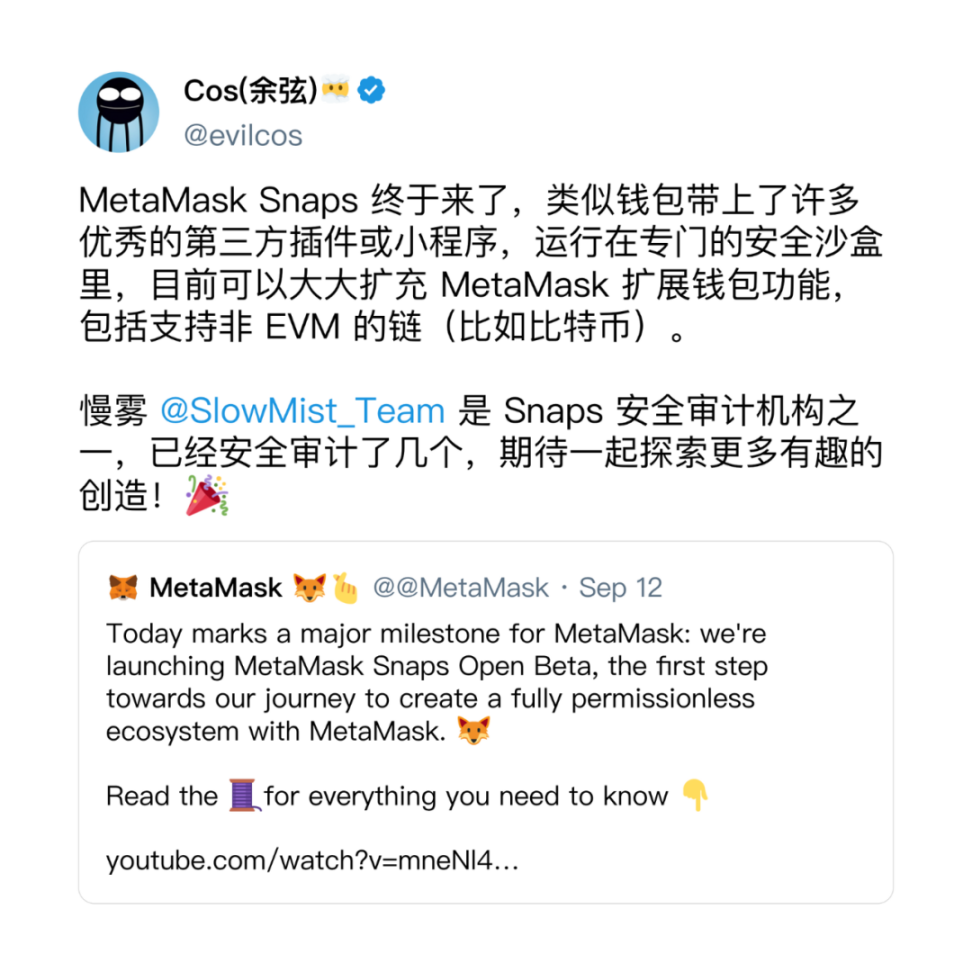
In addition, we also found that Snap on the official website must undergo code audit by a third-party security company before being released. This greatly improves Snaps security credibility, and the auditors include SlowMist, which everyone is very familiar with.
Snap security risks discovered so far
Since Snap is currently based on NPMs package and version management, there is a possibility of certain changes at the code level, and non-mandatory audits may cause certain security risks.
Because MetaMask cannot control the version release of the NPM platform, the project can release a new version at any time for users to install. Due to the cost of auditing, the auditing company will not audit every version, so a situation will arise: the changes in the latest version may not be open source or audited.
However, since the execution environment is a sandbox environment and uses a minimal permissions design, unless the user manually confirms the new permission changes, the new version of Snap will only have the permissions of the previous version to perform operations. However, if a Snap asks for too much permission, it will still cause risks, so you still need to be vigilant when installing and using Snap.
MetaMask Snap’s technical capabilities and limitations
Although MetaMask Snap was officially announced recently, Snap has actually been developed for 4 years! The original idea for MetaMask Snap was published by Dan Finlay on October 10, 2019.Medium。
Balancing security, flexibility, and effectiveness is a very big challenge. It can also be seen that MetaMask has paid a lot of money and done a lot of preparations for this day.
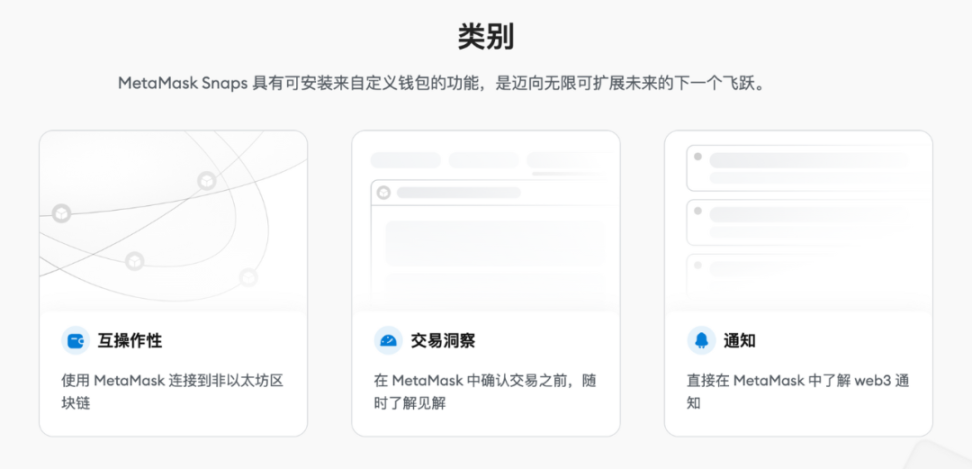
Currently, three major APIs are open:
Interoperability, allowing developers to develop other chain wallets based on MetaMask
Transaction Insights allows developers to obtain transaction data before a user transaction is initiated to analyze whether there are risks in the transaction.
Notifications, push messages directly to users through Snap (but this seems to require website support, which is a bit tasteless)
The following is a brief introduction to the specific open capabilities and effects of MetaMask Snap, so that you can have a more vivid perception.
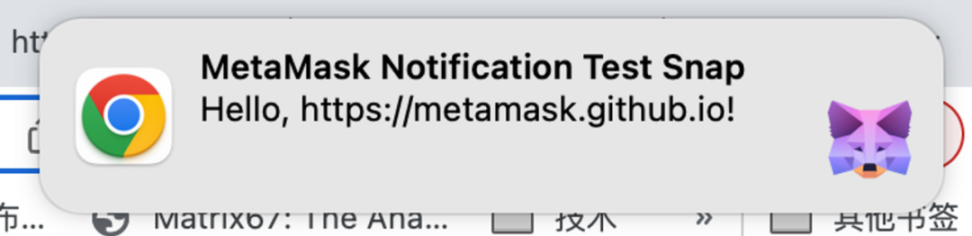
Notification notification capability
The Snap_notify interface can display notifications in MetaMask or the browser. Snap can send messages directly to users through this interface, as shown in the figure below
Transaction Insights capabilities
When the user interacts with the smart contract, MetaMask will trigger Snaps onTransaction event. MetaMask will pass the unsigned original transaction to the onTransaction handler method. Snap can return an interface on the secondary confirmation page of the transaction and customize the display content. .
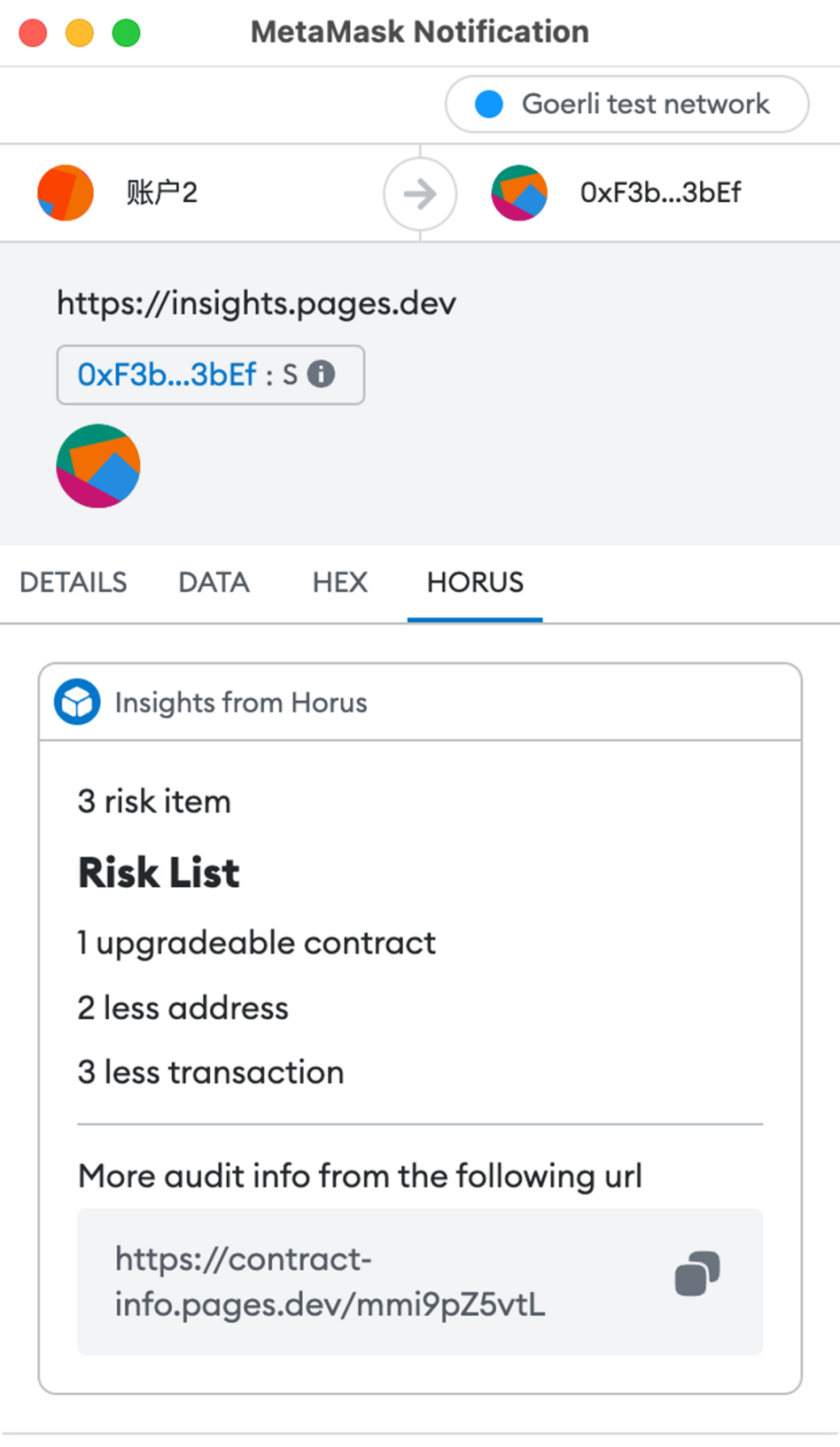
Through this capability, functions such as security auditing of transaction information and expanded information display can be realized.
Dialog interface and custom interface capabilities
The Dialog capability will allow Snap to directly pop up an independent window, achieving capabilities similar to traditional Alert/Confirm/Prompt pop-up windows (as shown below), which are used for reminders, confirmations, and submission of information, respectively.
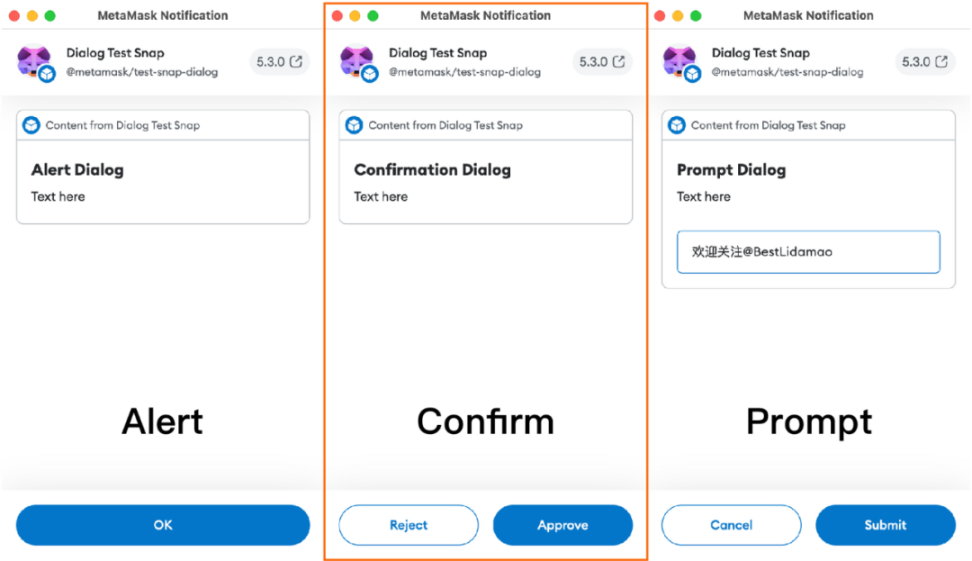
Through Dialog, you will be able to customize simple interactive interfaces and operations to connect with your DApp.
What functions are currently not available with MetaMask Snap?
Due to security and other reasons, Snap currently does not support third-party front-end frameworks and only provides a relatively small number of UIKit. The following is still using Insight as an example to show the UI component libraries that all developers can call.
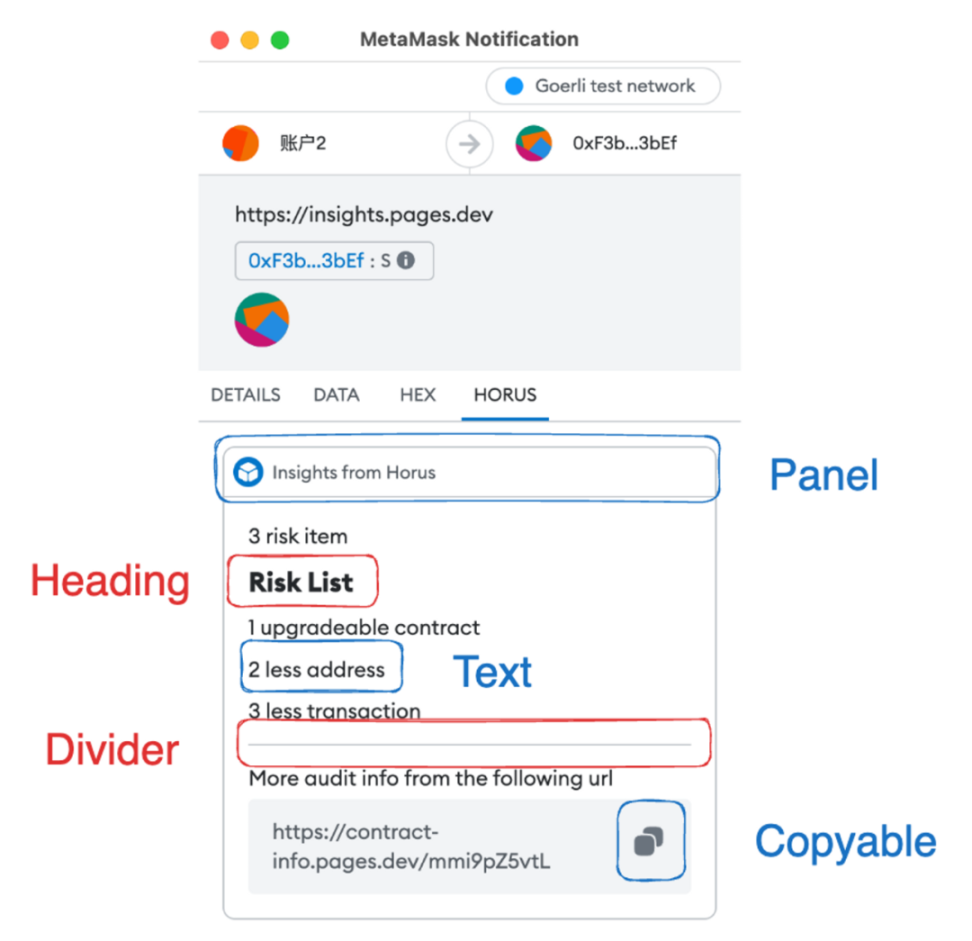
As shown in the figure, currently only Heading (large text), Text (small text), Panel (card and can only be used once), Divider (splitting line), Copyable (click to copy) and a small subset of Markdown (bold and italic) are online ), so it seems that it is temporarily impossible to build interactivity, and it is impossible to use embedded html to achieve interactive operations. However, after asking questions in the official Discord, the official claimed that these are for security reasons and will be released in the next version.
In addition, also based on security considerations, only the Fetch method is supported for external requests, and more request protocols such as WebSocket are not supported. Due to security, capability, and privacy limitations, it is also impossible to obtain client information, such as the current URL that evokes Snap, and cannot implement richer and more diverse functions.
Most of these problems and restrictions are due to security considerations. I believe that in the future, after security is verified, more permissions will be considered.
MetaMask, which provides these APIs, has actually become a product similar to an open platform. This feeling is just like when WeChat launched official accounts and mini programs, which instantly made people feel that it was no longer a simple chat tool.
MetaMask anticipated todays market structure in 2019, that is, there are many public chains and project parties, and various customized wallet needs. Instead of each project party needing to develop its own plug-in and users need to install several plug-ins at the same time, it is better to develop based on MetaMask Snap. Among the first batch of Snaps released, we also found other non-EVM ecological wallets such as Sui Wallet, Solana Wallet, and Arweave Wallet. With its existing user base, MetaMask Snap is bound to have a significant impact on the wallet landscape.
In fact, the imagination of MetaMask Snap may be larger than we expected, even beyond the scope of wallets. We can also see the work from the EthSign team, which makes a universal password manager KeyChain based on MetaMask Snaps. Passwords in all browsers can be encrypted by the wallet key and stored. Take good care of your wallet in this way and keep all your passwords with you.
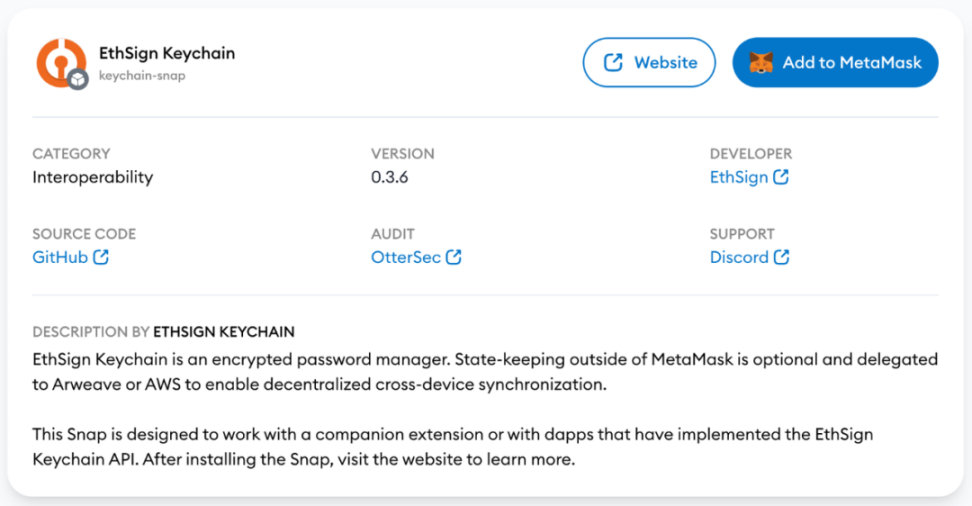
Snap is very relevant to developers. With the open API, what is the specific developer experience like? We might as well develop a Snap ourselves to experience it.
Develop a Snap test directly
Sorting out ideas
As we all know, most users do not actually know what the smart contract they are interacting with is in most cases. This mainly includes the following issues:
Whether the contract being traded is a contract replaced by a phishing website
Whether the contract being traded is an upgradeable contract
Is the smart contract a contract that has just been deployed and has not been verified by many people?
Is the transaction contract open source?
For ordinary users, it is even more impossible to ask them to read the solidity code of the contract before operating. At this time, it is actually very suitable to use the Transaction Insight function to implement some smart contract analysis. For example, using AI to conduct a relatively simple security audit of smart contracts may filter out 80% of low-level phishing attacks.
Prepare development environment
Download wallet
First you need to install MetaMask Flask
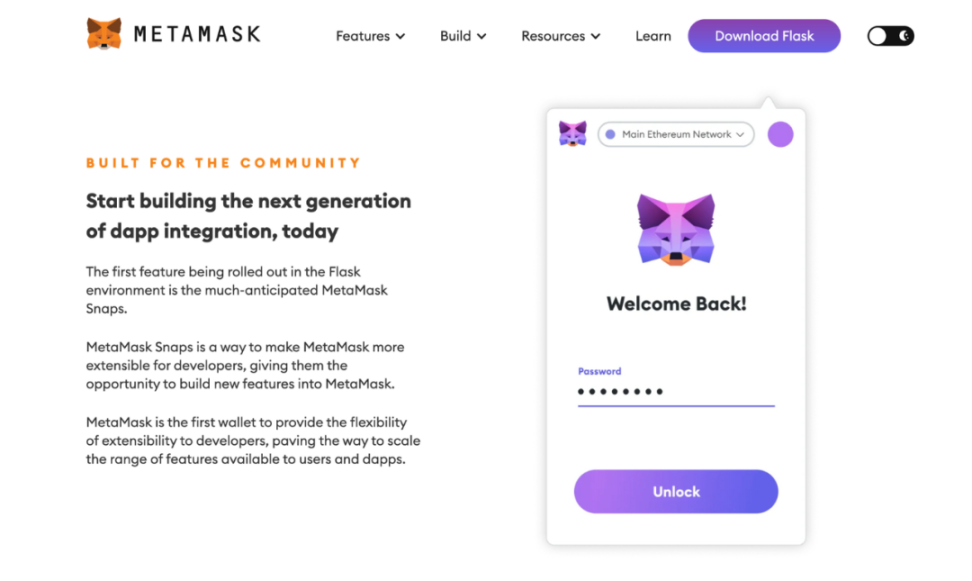
MetaMask Flask is a developer-centered MetaMask extension distribution, mainly used for new feature previews and experimental feature development. Note that this is the developer version of MetaMask. Please do not use it daily, and do not import the private key you use daily. Flask is used here mainly to facilitate the local and real-time preview of the Snap we developed.
It is recommended to temporarily close the Little Fox Wallet and other browser wallets after installation, or create a new Chrome Profile for use, otherwise conflicts will occur.
create Account
After installing the wallet, create a new wallet just like creating a MetaMask wallet normally. Please note that this is a wallet specifically for testing. Please do not import your own daily wallet.
Next, we need to recharge some test coins into the newly created wallet. The test coins can be obtained through the faucet. The Snap mentioned in this article uses Goerli, so the following article will focus on Goerli.
Initialize Snap based on template
According to the official documentation, first use the @metamask/create-snap CLI to create a new Snap project, and we use the official template for initialization:

Snap file structure
The main files of Snap are in ./packages/snap, and the file directory structure is as follows
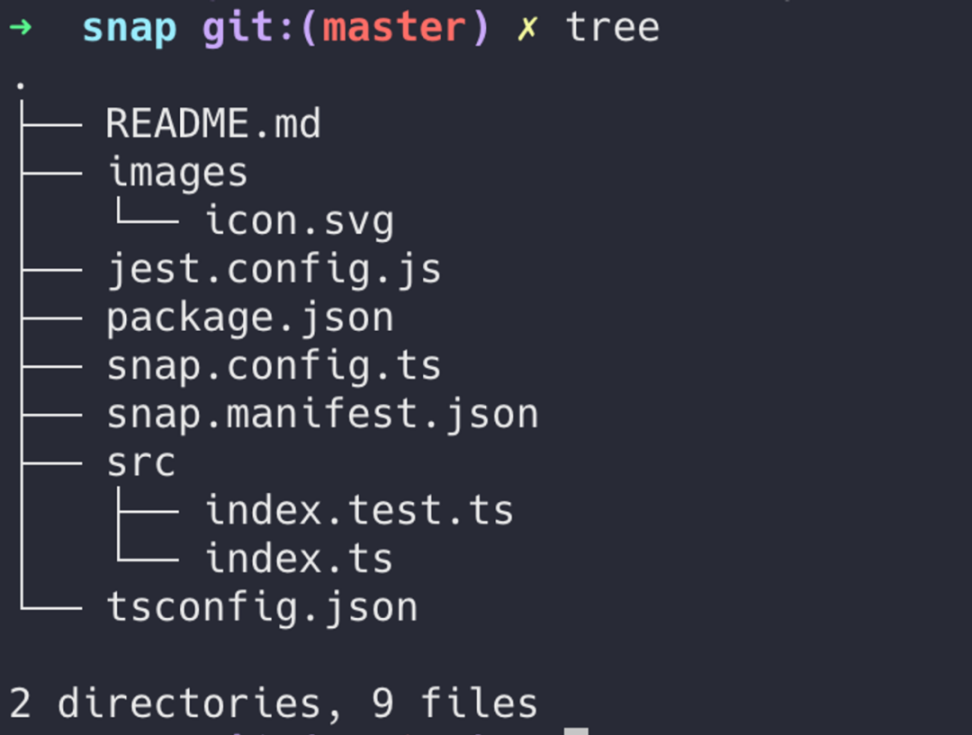
Snaps configuration file is placed in snap.mainfest.json, and Snaps main file is ./src/index.ts, which is very concise.
Enable permissions
First we need to enable permissions. First we add the following three items in snap.mainfest.json
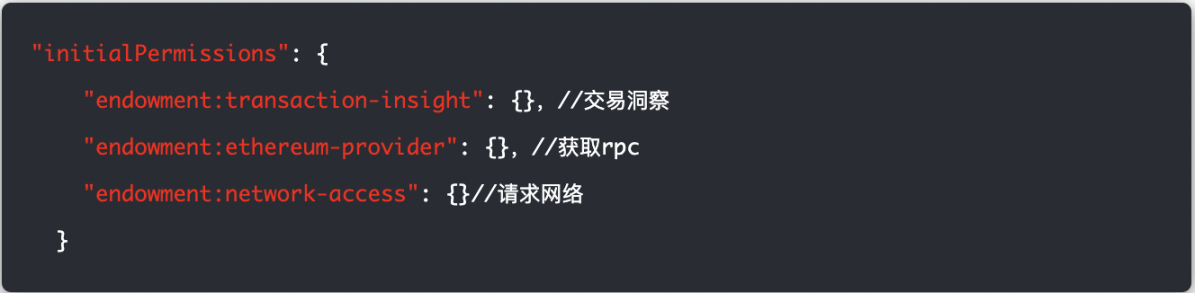
You can also modify description and proposedName in the Mainfest file to modify the description and name of the project.
Get transaction
Next, in this case, you only need to modify the index.ts file to complete all functions. A simple code example is as follows. For code that can be fully run, please go to: https://github.com/LidamaoHub/insights.
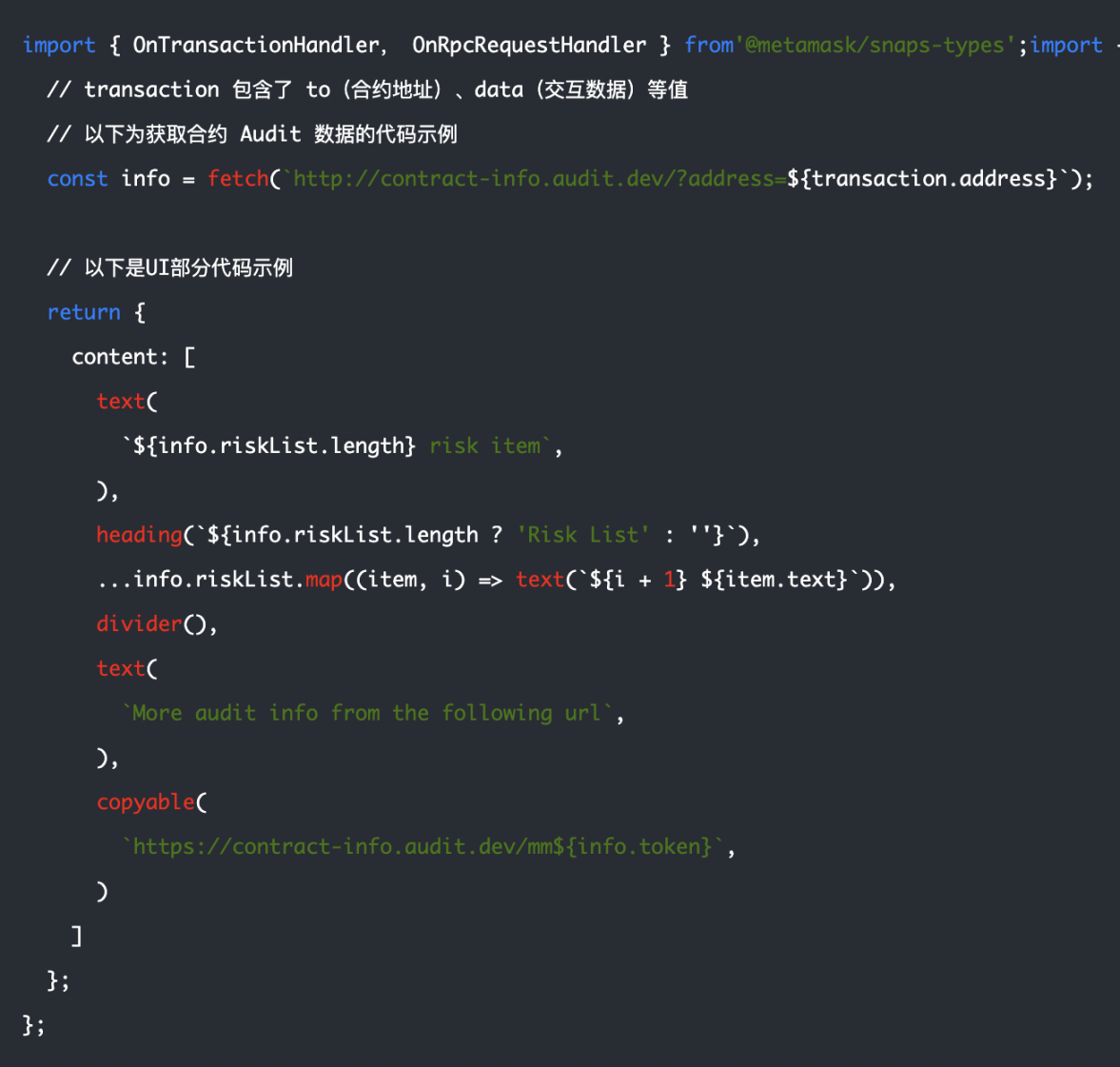
For more information, please refer to the MetaMask Snap developer documentation to complete more complex Snap products.
After installation, you will see similar risk warning information for each transaction:
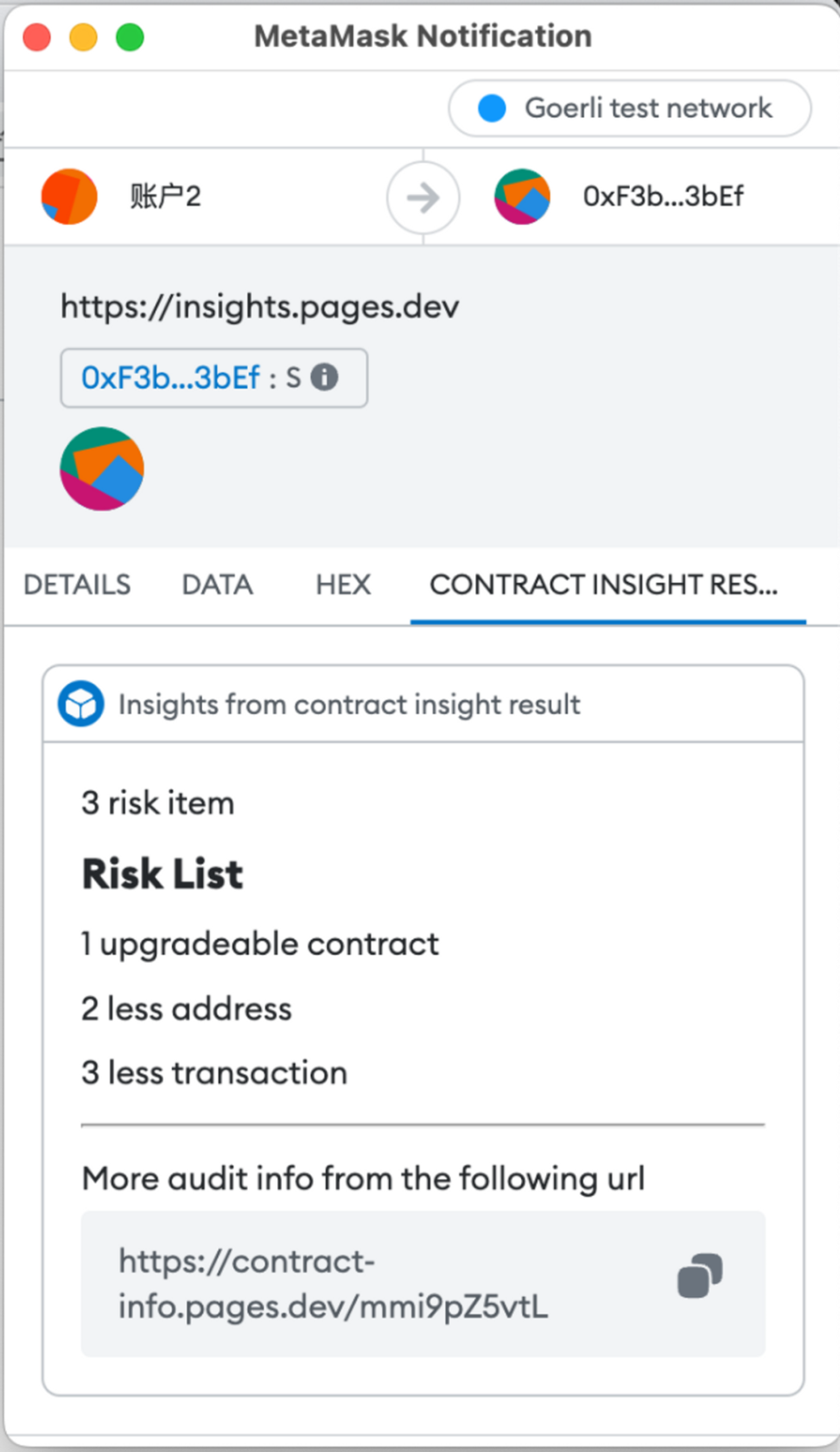
At present, Snaps development experience is very smooth, with almost no problems encountered, and the official templates are also very rich and diverse. Developers with extensive experience can usually get up and running and start developing the Snaps they need within a few hours. But it needs to be officially released and made available to mainstream users. The biggest obstacle will be security audits. Not all independent developers and small teams have the resources to audit their Snaps. Therefore, it can be expected that the number and richness of Snap will not have a very large explosive growth for a long time in the future.
Developer support
If you can run through the above examples, congratulations on becoming a qualified Snap entry-level developer!
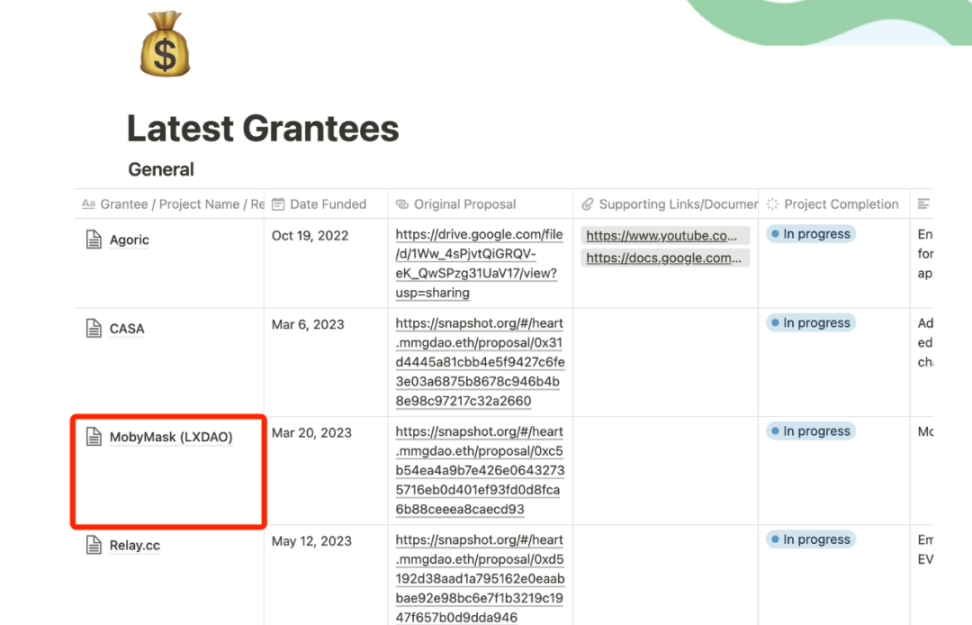
MetaMask officials also established a MetaMask Grants DAO last year to fund high-value projects in the MetaMask ecosystem through a grant program. MetaMask Grants DAO is an experimental, employee-led program that awards grants to external developers around the world to build impactful experiences within the MetaMask ecosystem. MetaMask injects part of its profits into this DAO every quarter. The current annual budget of MetaMask Grants DAO is US$2.4 million.
Currently, any project that can enrich the MetaMask ecosystem can apply for the official MetaMask Grants DAO (MetaMask Grant). For more information, please visit https://metamaskgrants.org/.
It is worth mentioning that LXDAO is honored to apply for MetaMask Grants this year and participate in the development of related projects, and has established a contact channel. If you are a member of LXDAO and have relevant ideas, you can contact them more efficiently to submit your application.
Conclusion
Above, we analyzed what Snap is from a technical perspective, whether it is safe, capability limitations, and developer experience. A brief summary is as follows:
Snap is similar to the WeChat applet, opening up MetaMask to a greater space of imagination.
Security is generally good, but there are certain risks, and you still need to be vigilant about high-risk permissions.
Due to security considerations, there are currently not many open capabilities, but it can still generate enough imaginative Snap
After four years of polishing and testing, the developer experience is excellent. However, due to security considerations, a whitelist mechanism and auditing requirements are designed. It can be expected that there will not be a large number of Snaps emerging in the future.
At present, MetaMask Snap is still iterating rapidly, and I believe that more permissions and capabilities will be opened in the future. It is hoped that more open and secure mechanisms can be introduced, such as Apples official Audit review mechanism and official code repository version control, so that more developers can participate at a low cost. If this problem is improved, it can be expected that there will be a lot of demand in the future. There will even be dedicated Snap developer positions.
With the massive number of MetaMask users, independent developers may also have certain opportunities. Lets wait and see what next breakthrough innovation Snap brings.
Finally, thank you for your article. I believe it will help more people understand the development status of MetaMask Snap.