




Take you hand in hand to interact with the EigenLayer Phase 1 testnet


This morning, EigenLayer, the Ethereum restaking protocol, announced that it has launched the first phase of the test network, providing pledgers with a test window for liquid restaking and native restaking.
Not long ago (March 29),EigenLayer has just completed a $50 million Series A round of financing led by Blockchain Capital, with participation from Coinbase Ventures, Polychain Capital, Bixin Ventures, Hack VC, Electric Capital, and IOSG Ventures.
Earlier, EigenLayer had completed a $14.5 million seed round of financing led by Polychain Capital and Ethereal Ventures.
Because the innovative re-staking mechanism opens up the imagination space for expanding the trust layer of Ethereum, EigenLayer has attracted countless attentions at the moment when LSD is in full swing, and is even regarded by many practitioners as the most important project in the current Ethereum ecology (probably in many There is no need to add "one" in human eyes).
Odaily Note: For an introduction to the mechanism of EigenLayer, please refer to "EigenLayer: Extending the Ethereum Trust Layer Through "Re-Pledge"》。
Next, Odaily will give a brief introduction to the functions of EigenLayer's first-stage test network, and take everyone to try out related functions, especially the liquidity re-staking function that is more suitable for ordinary users.
have to be aware of is,EigenLayer has clearly pointed out that the first phase of the test network is not an incentive test network, so there is no guarantee whether there will be airdrop rewards in the futuresecondary title
interactive tutorial
1. Since the first phase of the EigenLayer testnet is built on the Ethereum Goerli testnet, we need to switch the network to the Goerli testnet in the wallet (MetaMask is recommended).
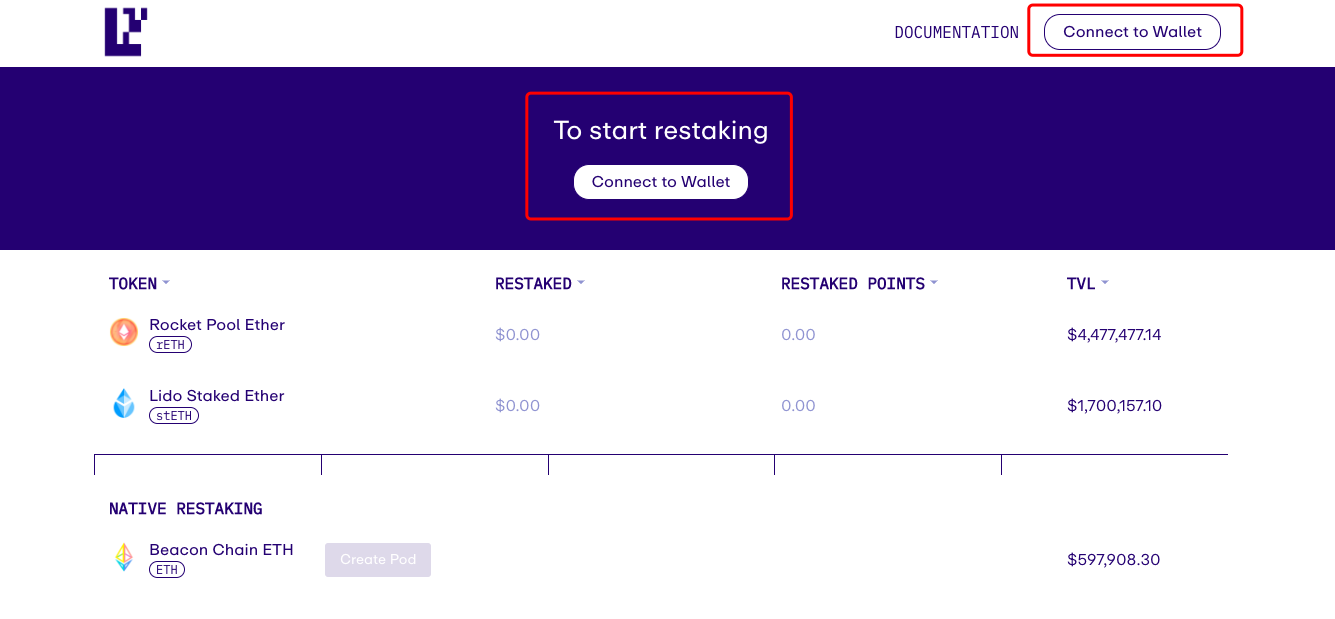
home pagehome page(https://goerli.eigenlayer.xyz/), click "Connect to Wallet" in the center or in the upper right corner to connect to the wallet.
3. Next, we need to get some Goerli test currency GoerliETH, which will be used for the gas consumption of the next operations, as well as the rETH (Goerli version, the same below) and stETH (Goerli version, the same below) required for exchange and interaction. same).
4. There are many ways to obtain GoerliETH, such as throughFaucet(https://faucet.paradigm.xyz/), or through LayerZero's "Testnet Bridge"(https://testnetbridge.com/) to get it through the bridge. I personally recommend using LayerZero at the same time, so you can eat more with one fish.
5. Next, we need to use the GoerliETH in our hands to exchange some rETH and stETH.
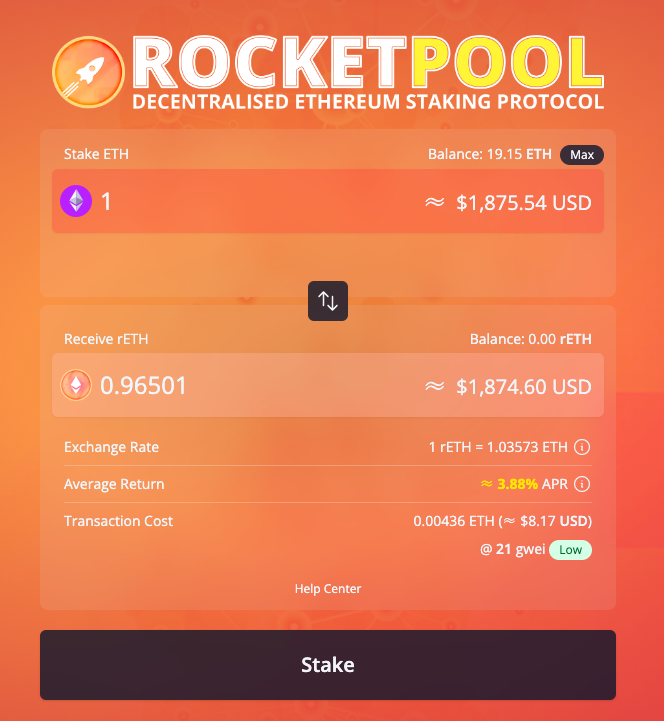
6. rETH can be deployed on the Goerli testnet from Rocket PoolApplication front end(https://testnet.rocketpool.net/), enter a certain amount of GoerliETH and click "Stake" to confirm the transaction. If you want to display the rETH balance in the wallet, you can manually add it according to the token contract address 0x178E141a0E3b34152f73Ff610437A7bf9B83267A.
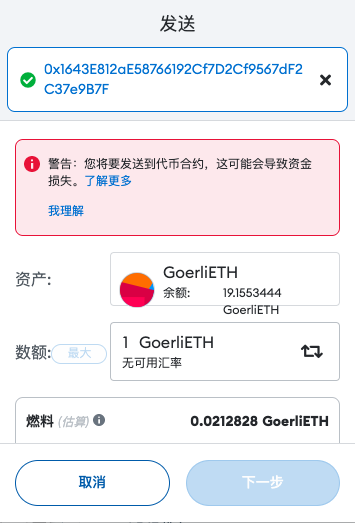
7. The way to obtain stETH is slightly different. We need to send a certain amount of GoerliETH to the token contract address of stETH (0x1643E812aE58766192Cf7D2Cf9567dF2C37e9B7F) in the wallet. At this time, MetaMask will prompt "To be sent to the token contract", click "Me understand". If you want to display the stETH balance in the wallet, you can also manually add it according to the above token contract address.
8. After getting the corresponding tokens, we can try out the re-staking function of EigenLayer. when an explanation is required,EigenLayer provides two re-staking paths, one is liquidity re-staking (rETH and stETH need to be used here), and the other is native re-staking, the difference between the two is that the latter is suitable for pledge users who independently run verification nodes.
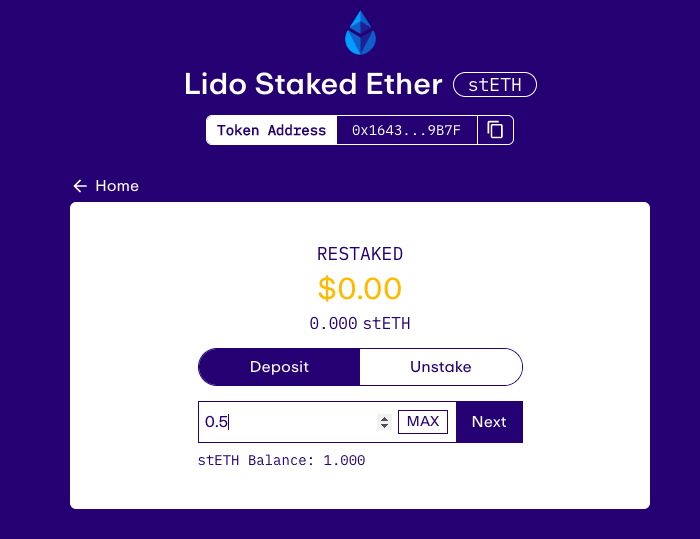
9. Let’s try liquidity first and then pledge. Click on any token (of course, it’s best to try both) to operate. Here we choose stETH as an example.

10. On the re-staking page after the jump, output a certain amount of stETH, click "Next" to complete the authorization (there will be a prompt of "custom spending limit", just choose the largest value) and after confirming the two transactions, you will see " "Deposit Successful" means the re-staking is successful.
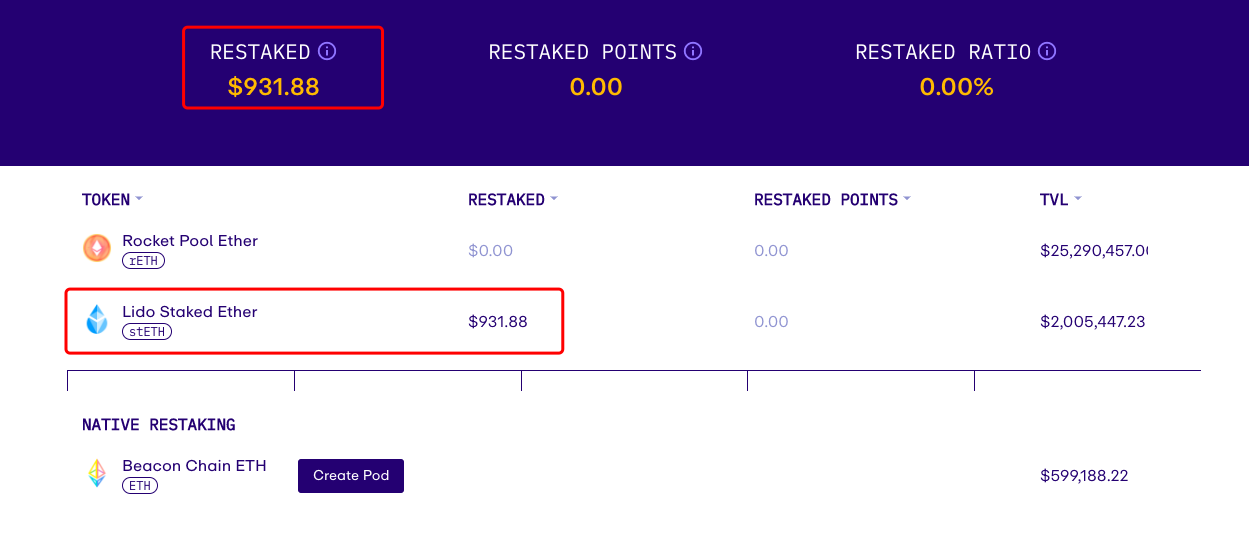
11. After returning to the homepage, we can directly track the balance changes of our re-pledged assets.
12. After re-staking, we can take out our own assets by unstaking. The specific method is to select "UnStake" on the re-staking page of a specific token (refer to the picture in step 10). There is one thing to note about unstaking,Withdrawing funds from EigenLayer requires a 7-day escrow period, so you must wait at least 7 days before withdrawing assets.
13. The operation scheme of rETH is exactly the same, just repeat the above steps after selecting the token.
official documentofficial document(https://docs.eigenlayer.xyz/guides/native-restaking) provides detailed tutorials at "native restaking", and qualified users can click to read.

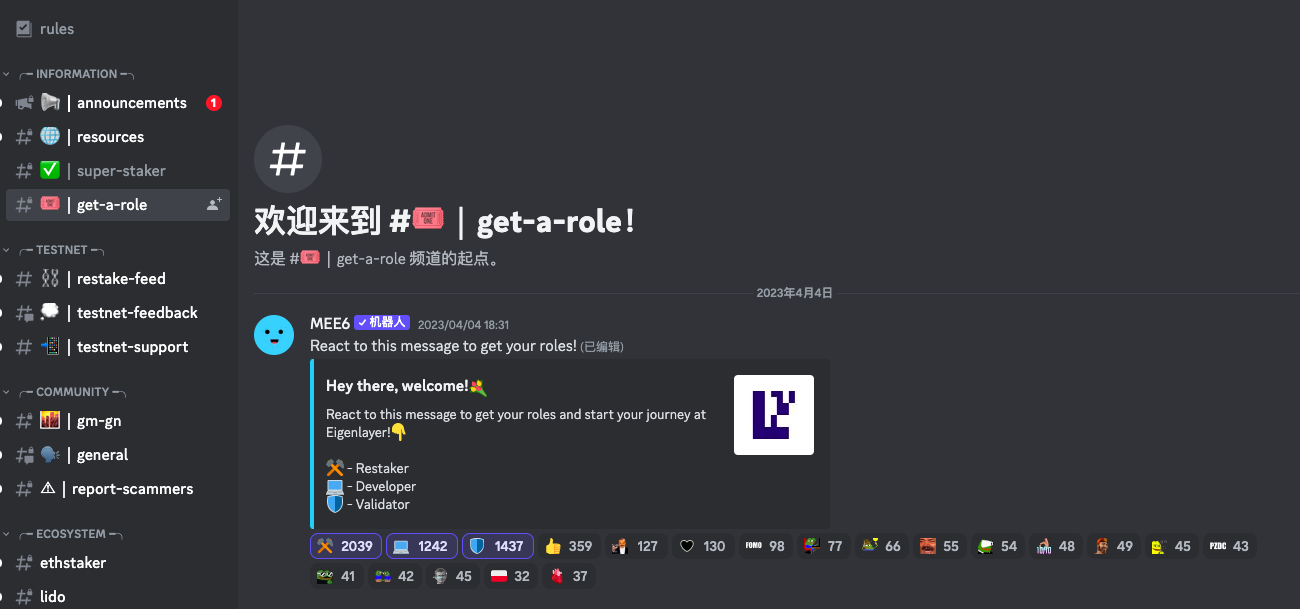
15. By the way, there is another place where you can do something. EigenLayer has opened the officialDiscord server(https://discord.gg/eigenlayer), click on the first three icons in the "get-a-role" channel to get three roles directly (whether it is useful or not, let's talk about it).
According to the official introduction, the launch of EigenLayer will be carried out in three phases to attract various participants to the ecosystem. In the first phase of Stakers, stakers can try to re-pledge through EigenLayer; in the second phase of Operators, node operators can accept the entrustment of stakers on EigenLayer; in the third phase of Services, active verification services will be launched .
It can be speculated that after the opening of the first-stage testnet for stakers, EigenLayer will launch another two-stage testnet with a high probability in the future. Odaily will also continue to follow up the report and witness the re-staking narrative with you growth.