How to Use Claude or Other AI Agents to Call the Arkham API


- Core Insight: This article provides a comprehensive technical guide, instructing users on how to build an MCP server in 5 steps by integrating the Arkham API with Claude Desktop, enabling real-time on-chain data queries and automated operations.
- Key Elements:
- Step-by-step process: Download Claude Desktop and generate an API key → Paste settings to automatically generate MCP server files → Install dependencies and configure the JSON connection → Create a project and import the API reference file → Ask questions directly to get real-time data.
- Core technology: Leverage the MCP protocol to integrate the Arkham API as an external tool into Claude, install dependencies using `pip install mcp requests`, and use `intel.arkm.com/llms.txt` to provide a complete, updated API context.
- Application examples: Build trading bots to guide heuristic algorithms, implement automated fraud detection and transaction monitoring, and integrate Arkham entity labels into KYC systems.
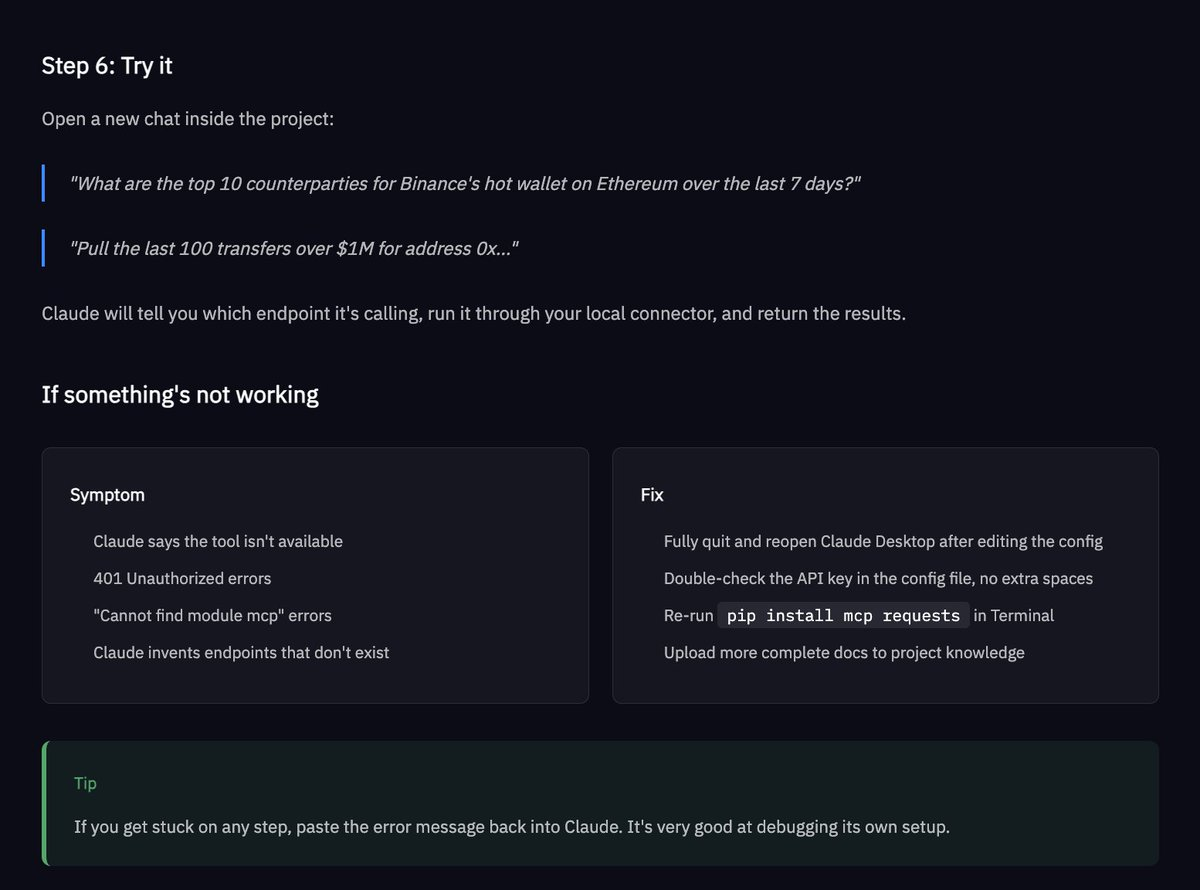
- Data capabilities: Supports complex queries such as "Top 10 counterparties by transaction volume over the past 7 days for Binance's Ethereum hot wallet." Claude will display the specific endpoint and return real-time results.
Complete Steps for Calling the API
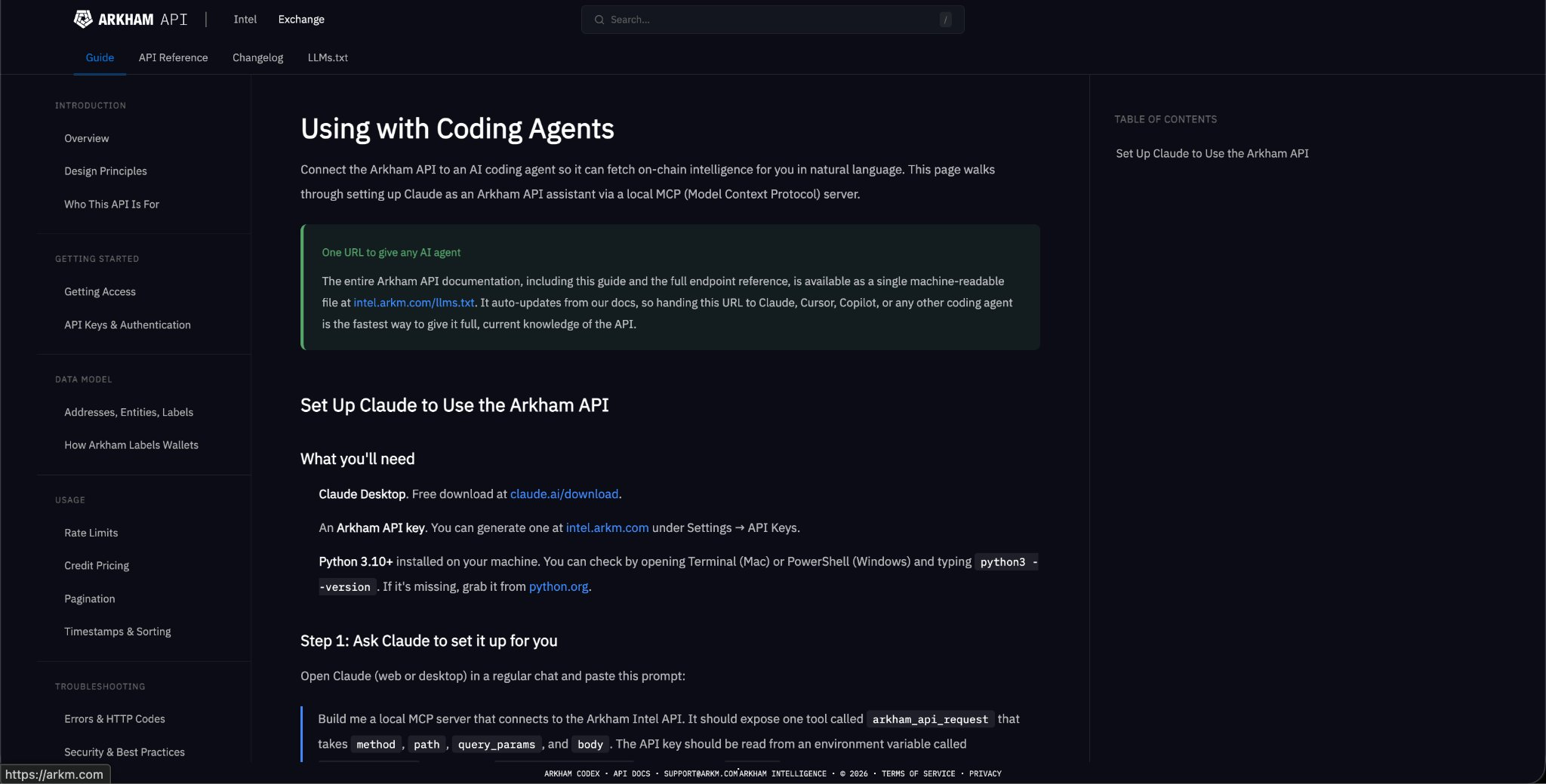
Step 1: Download the tool. Download Claude Desktop (free) and generate an Arkham API key at http://intel.arkm.com under "Settings/API Keys".
[Note: The API is available through the application - Read the end of this post for the link]
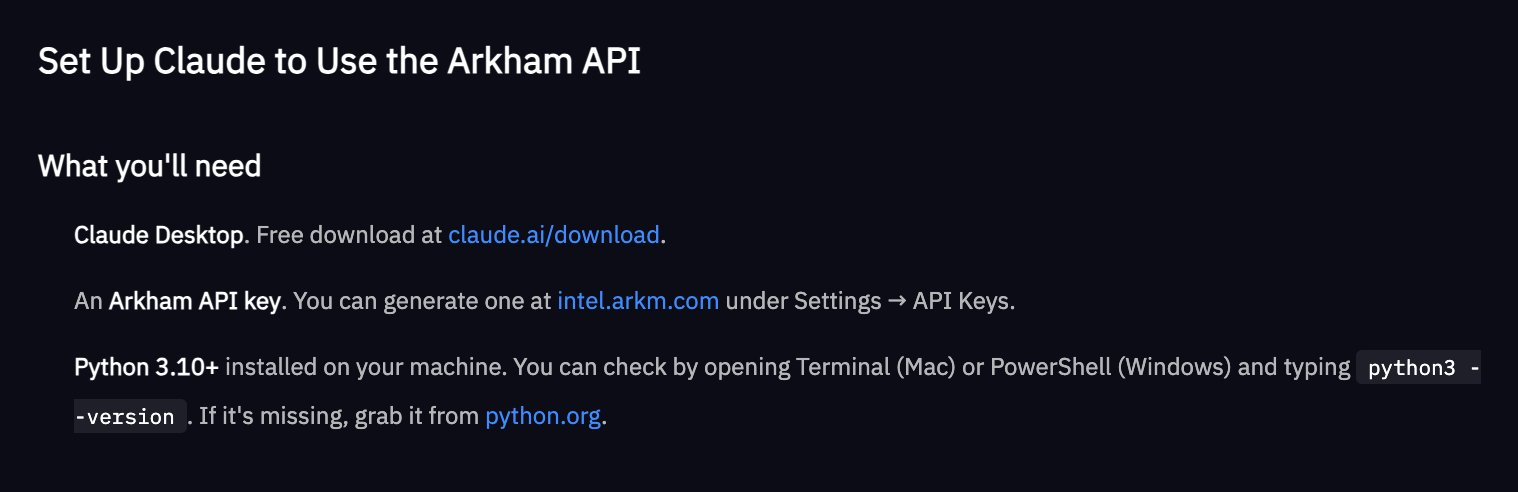
Step 2: Build the MCP server (Claude will do it automatically). Open Claude and paste the setup prompt from our documentation. Claude will generate a Python file and tell you where to save it.
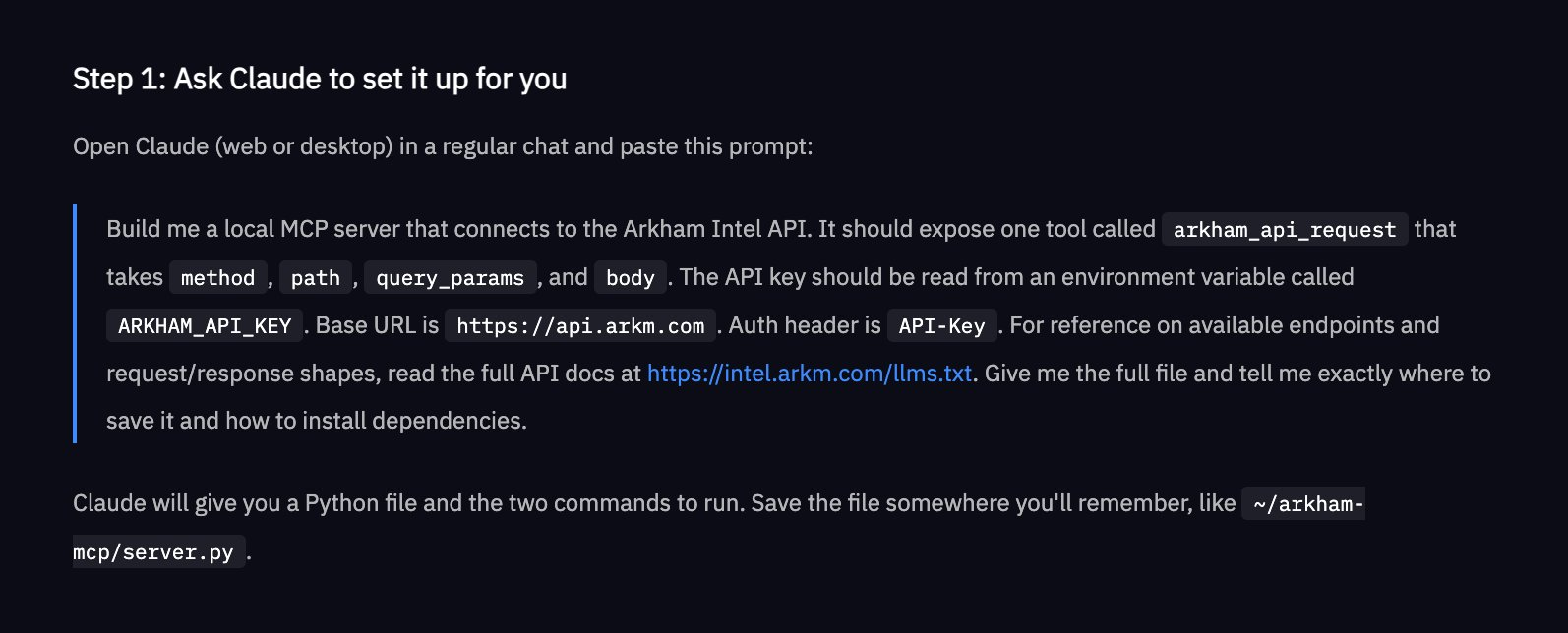
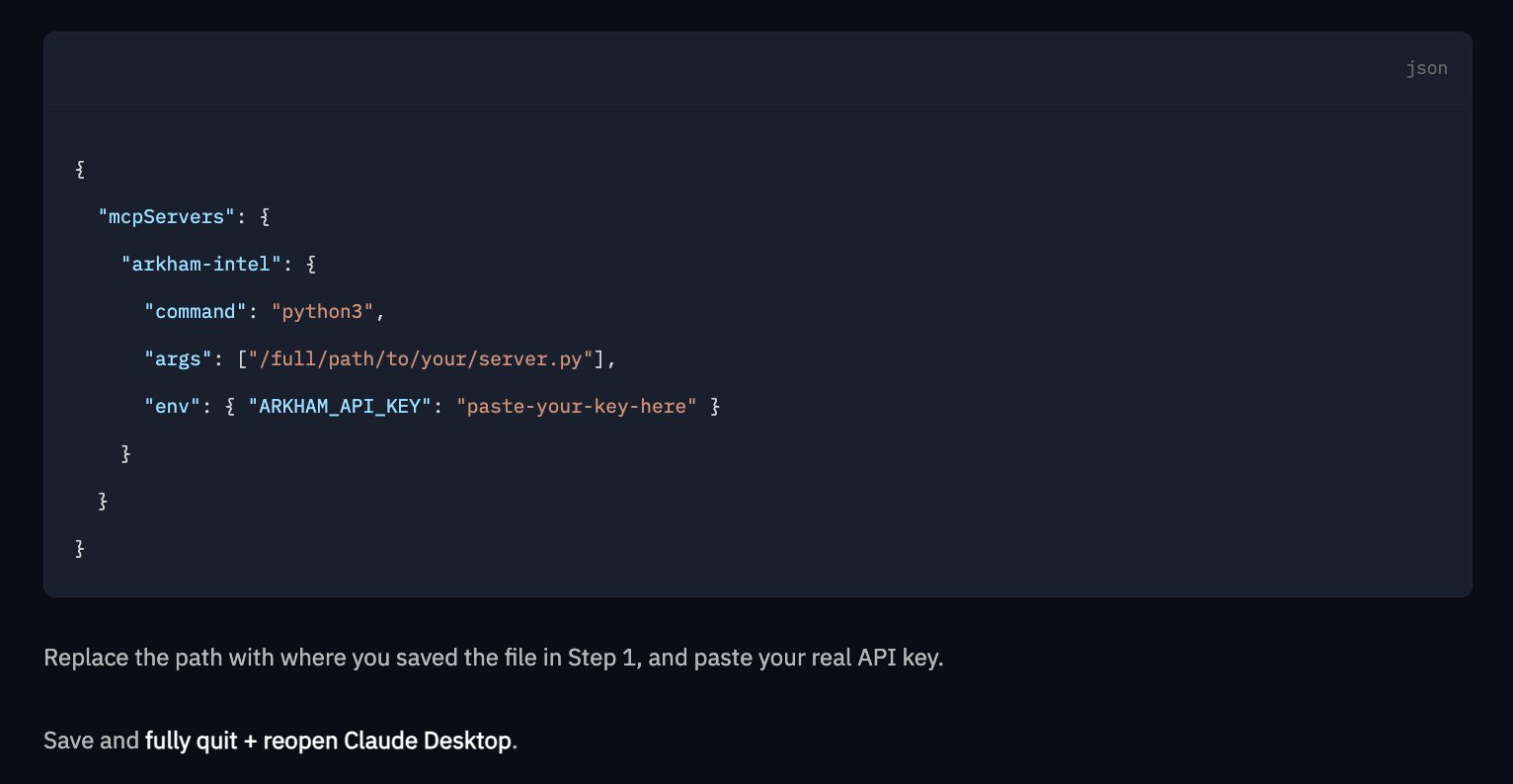
Step 3: Install dependencies and connect it to Claude Desktop. Run the following command in the terminal: `pip install mcp requests`. Then, add a short JSON configuration pointing to the server file and API key. Save, exit, and reopen.
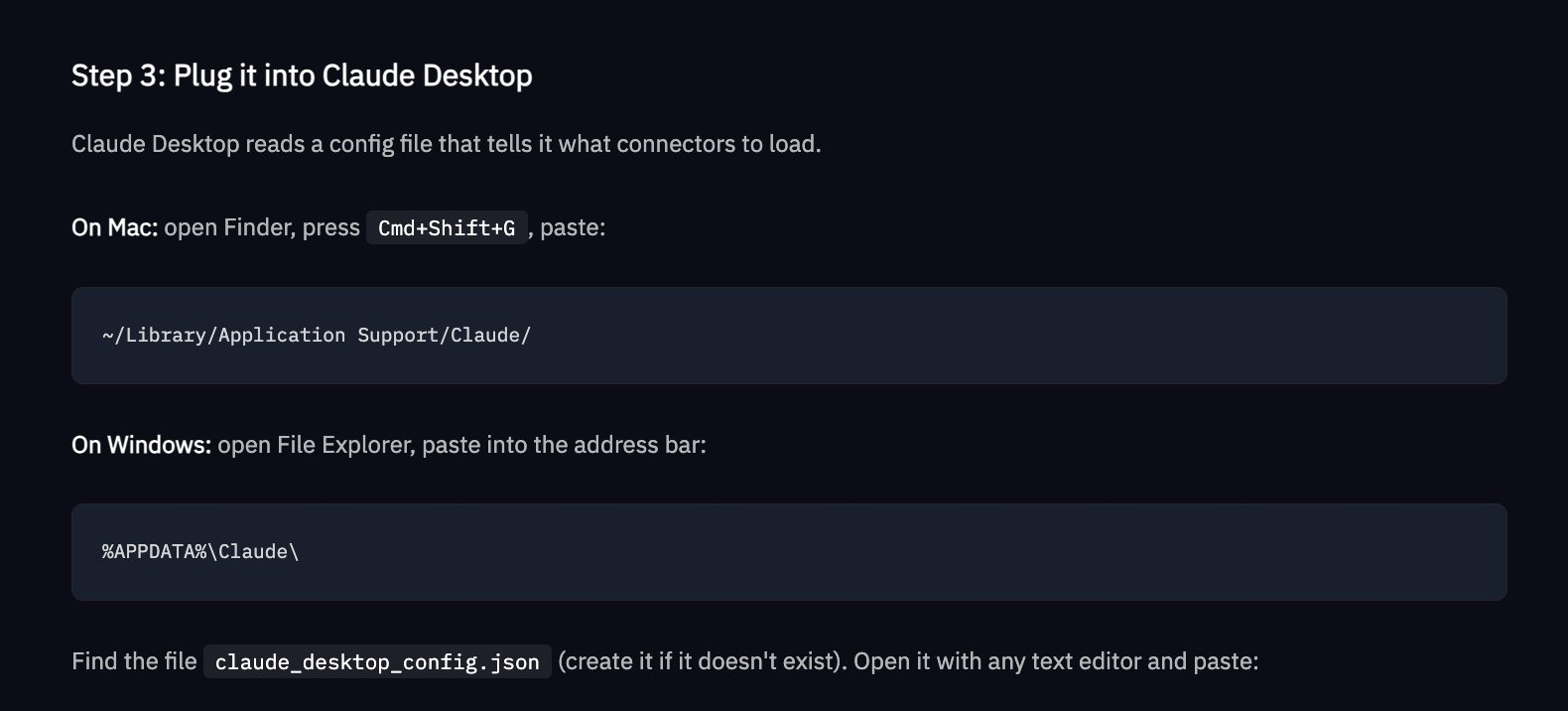
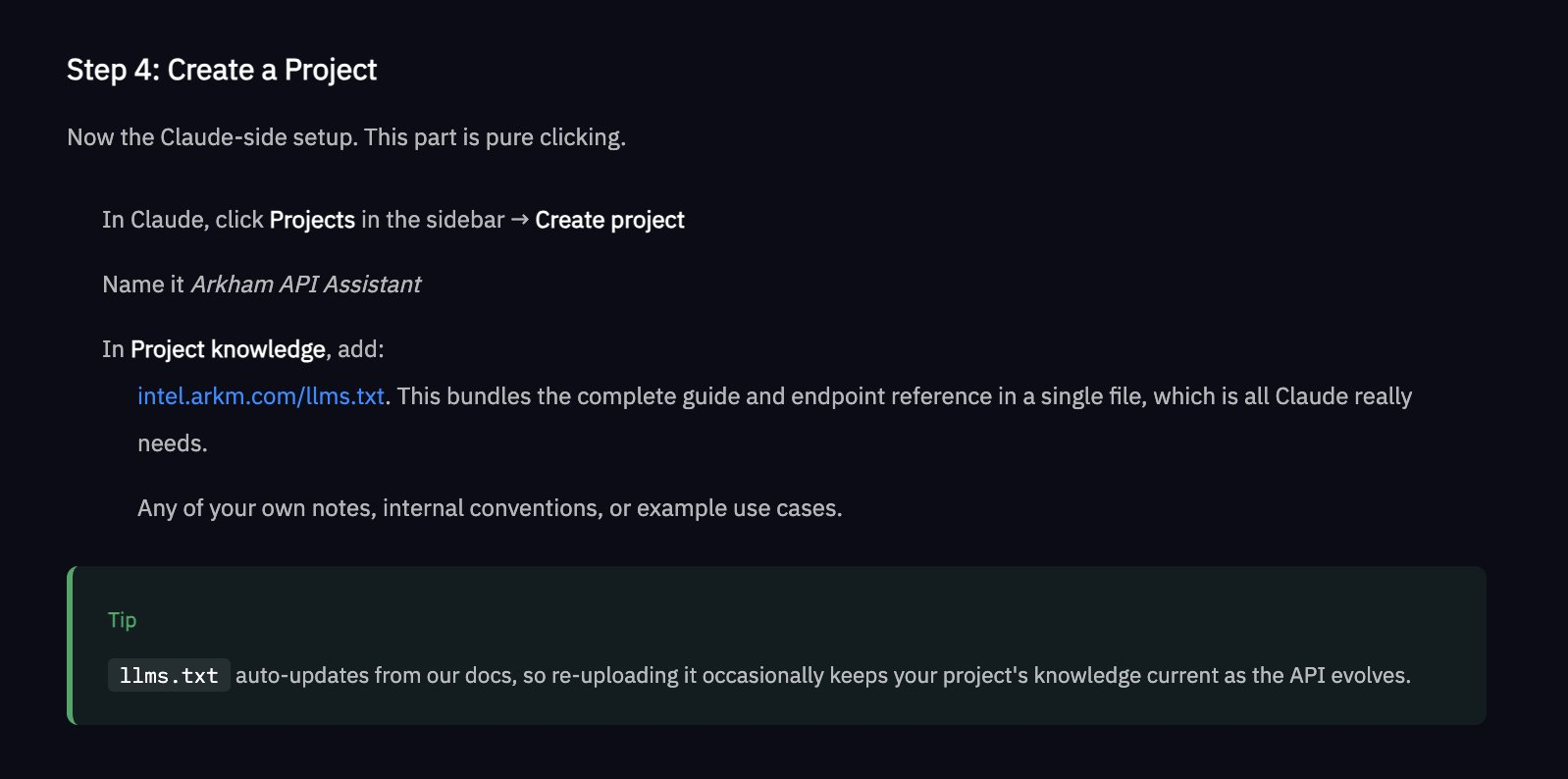
Step 4: Create a Claude project and name it "Arkham API Assistant". Use http://intel.arkm.com/llms.txt as project knowledge - this provides Claude with a URL containing the complete, always up-to-date API reference.
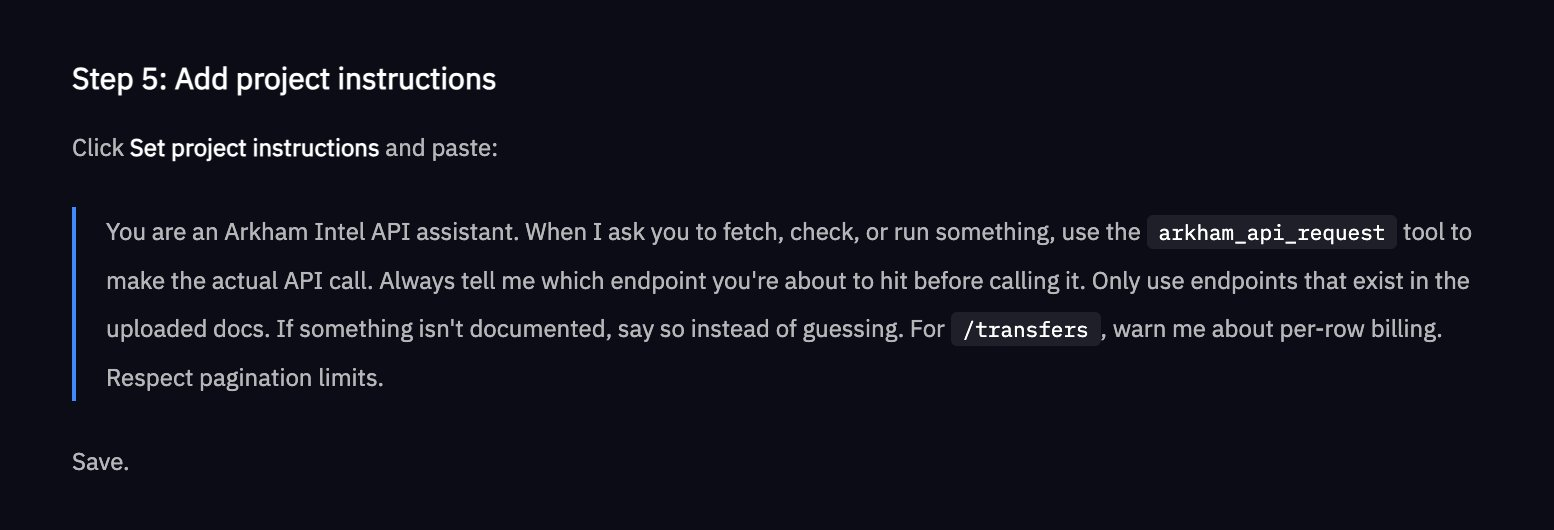
Step 5: Start asking questions. Ask Claude something like "Get the top 10 counterparties by transaction volume for Binance's Ethereum hot wallet in the past 7 days." It will tell you which endpoint it's accessing, make a real-time API call, and return the results directly to the chat window.
Examples of What You Can Do with the Arkham API
- Traders: Build a trading bot using Arkham entity data to inform trading heuristics
- Compliance: Automate fraud detection through transaction monitoring
- KYC: Integrate Arkham labels into your organization's systems
The complete Arkham API documentation is also available as a single machine-readable file at the following link: http://intel.arkm.com/llms.txt. Give this URL to Claude, Cursor, Copilot, or any other coding agent to immediately provide context on the Arkham API.
Sign up for Arkham API trial access here: https://intel.arkm.com/api?ref=apac