




This article teaches you how to cross-chain ZIG from the ETH network to the BSC network


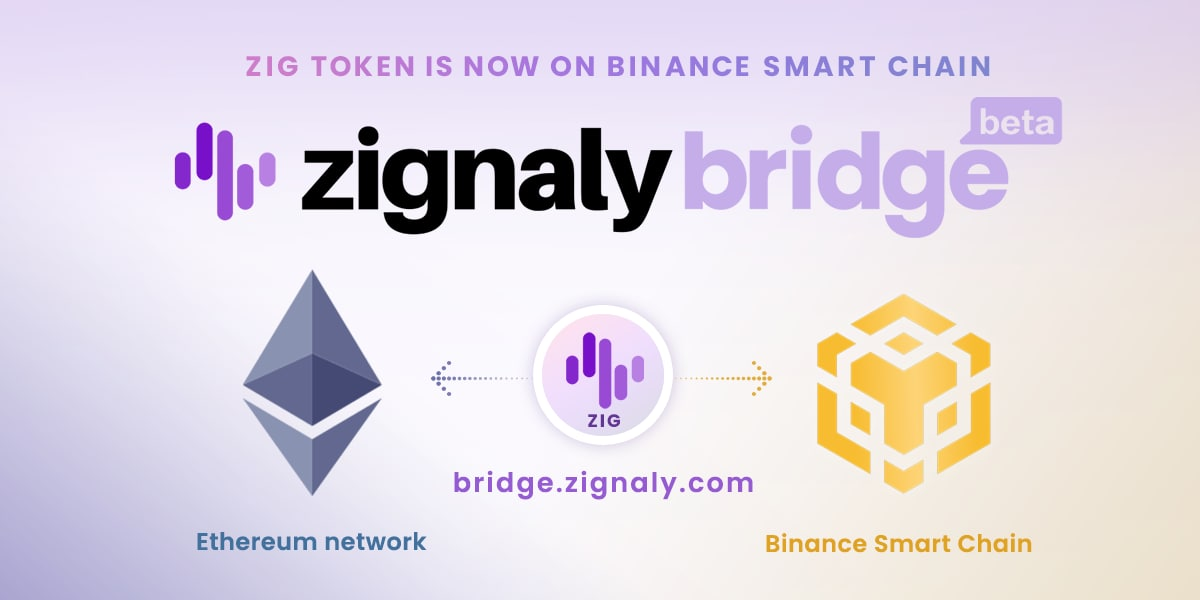
To realize the cross-chain transfer of your ZIG from the ETH mainnet to BSC (Binance Smart Chain), you only need to know the following information:
ZIG now supports BSC! The door to the ultra-efficient network is officially open to ZIG holders and traders!
Compared with the Ethereum main network BSC has some advantages, such as low gas fees, which will significantly improve transaction and operational efficiency. At the same time, the BSC ecosystem is booming with increasing assets. In order to take full advantage of the advantages of the BSC ecosystem, you need to cross-chain your ZIG from the ETH main network to BSC.
To experience ZIG on the BSC chain, please go to ZIG Token Bridge and follow the guide below:
Step 1: Install Metamask
Open www.metamask.io, select Collection to select Android, iOS version, and computer to select Chrome desktop version. (Source: https://metamask.io/faqs.html)
Step 2: Add BSC to Metamask,
Since the BSC network is not available on Metamask by default, this step will demonstrate how to add it manually.
First open the Metamask plugin, log in or register your wallet.
Click on the upper right corner to expand the network selection menu and select "Custom RPC".
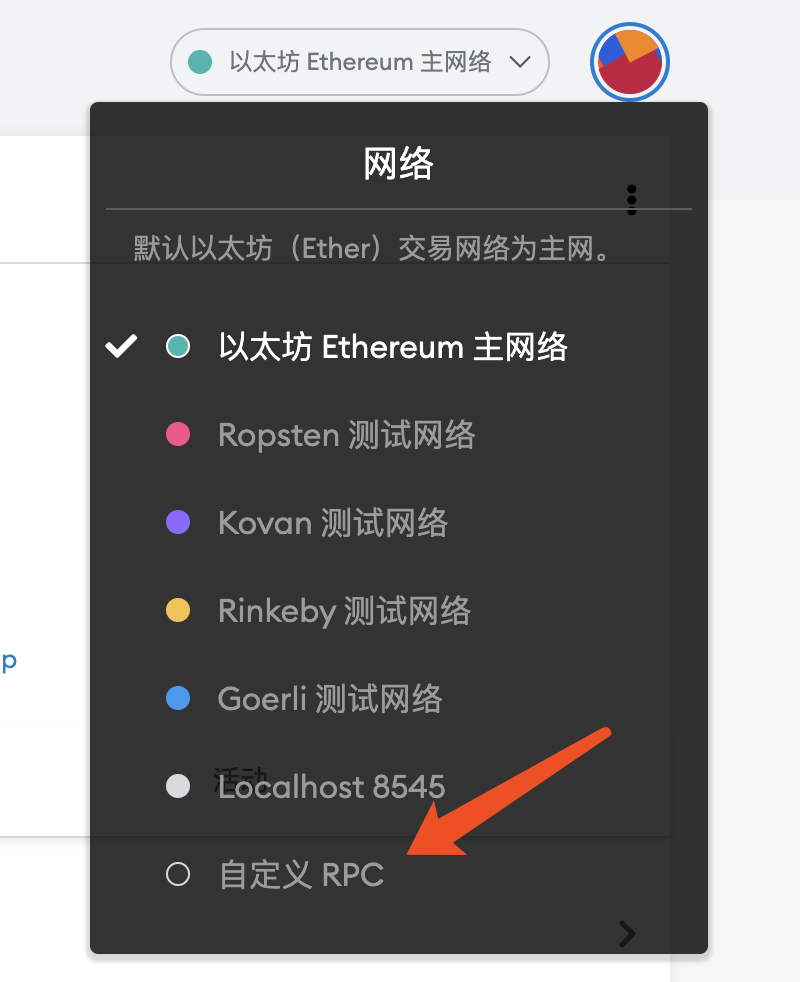 Populate the custom RPC form with the following configuration and click Save:
Network name: Smart Chain
Added RPC URL: https://bsc-dataseed.binance.org/
Chain ID: 56
Symbol: BNB
Block explorer URL: https://bscscan.com
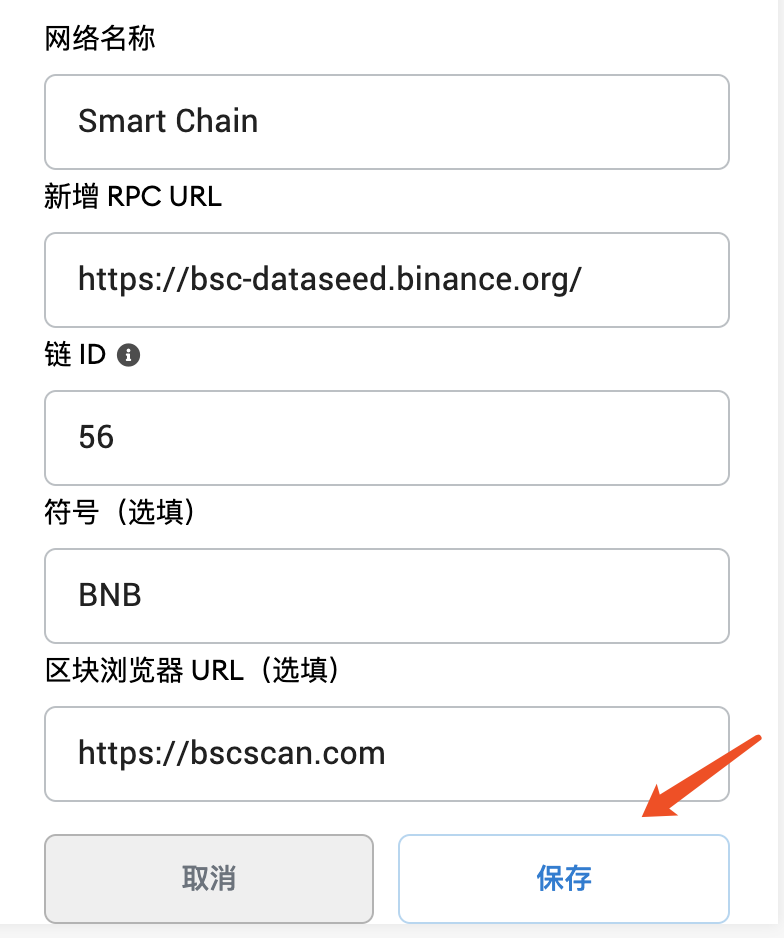
Once complete, "Smart Chain" will appear in the list of networks.
Step 3: Add ZIG to the ETH mainnet
Switch back to Ethereum and add ZIG with the following configuration:
Token contract address: 0x7bebd226154e865954a87650faefa8f485d36081
Token Compatibility: ZIG
Decimal precision: 18
(Note: After entering the correct token contract address, the system will automatically add "token symbol" and "decimal precision")
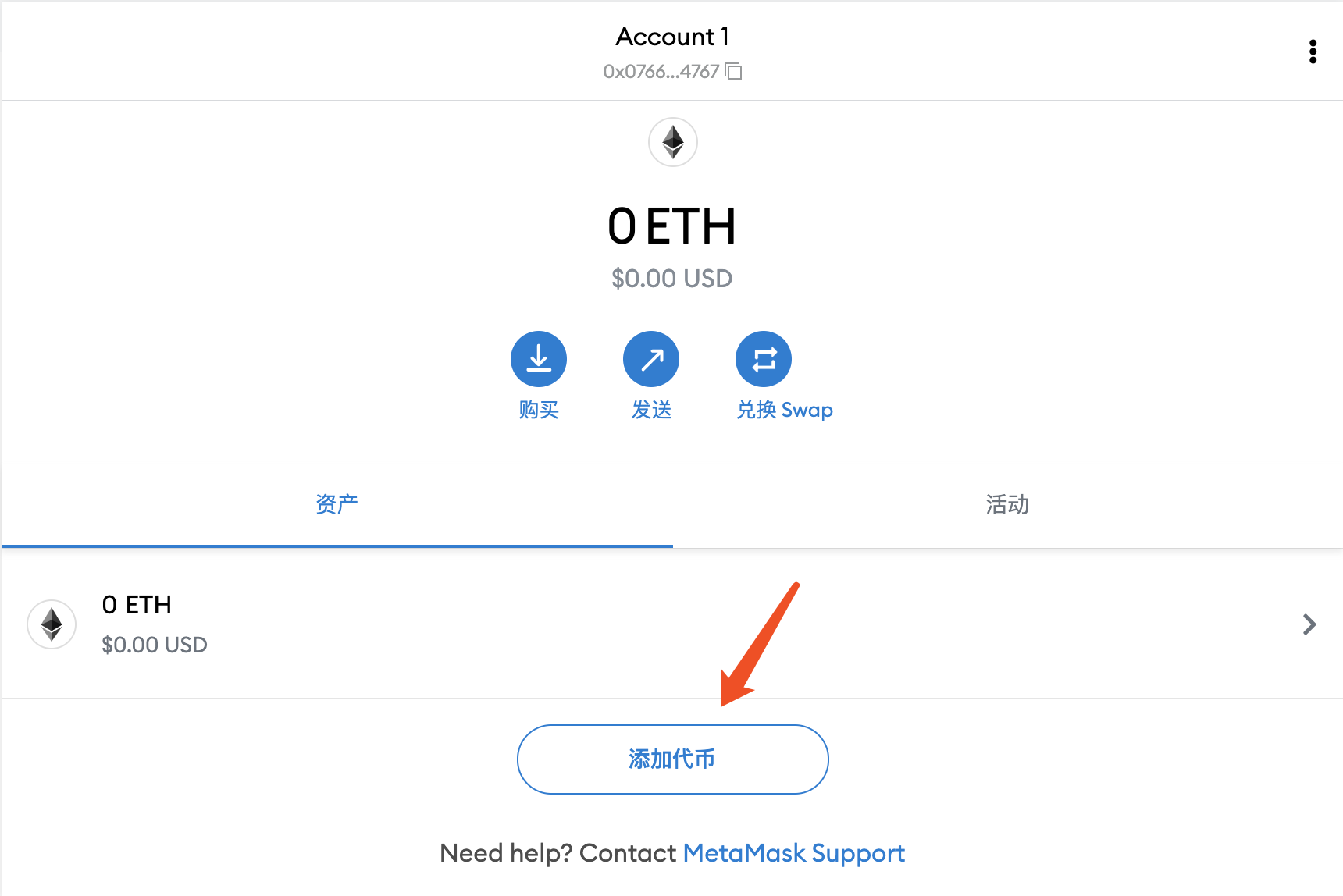
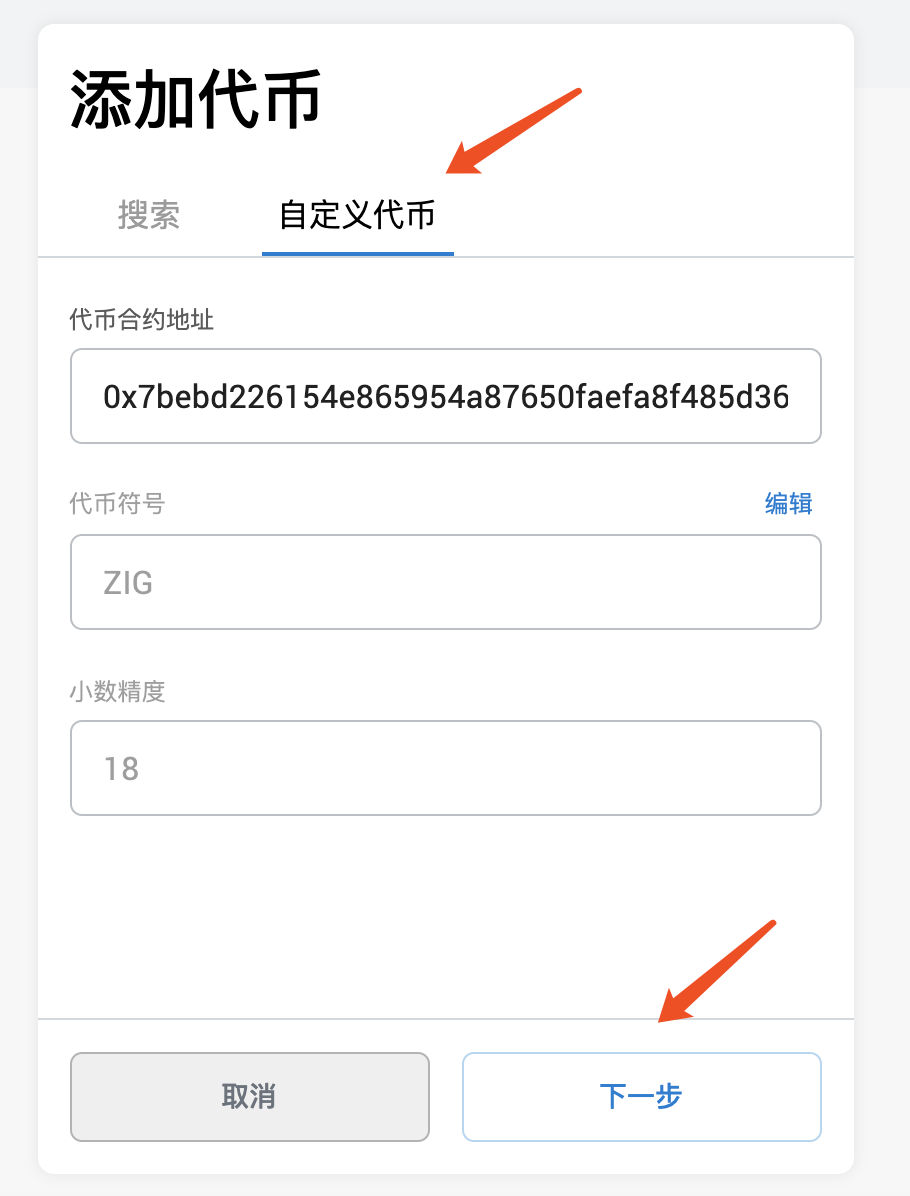
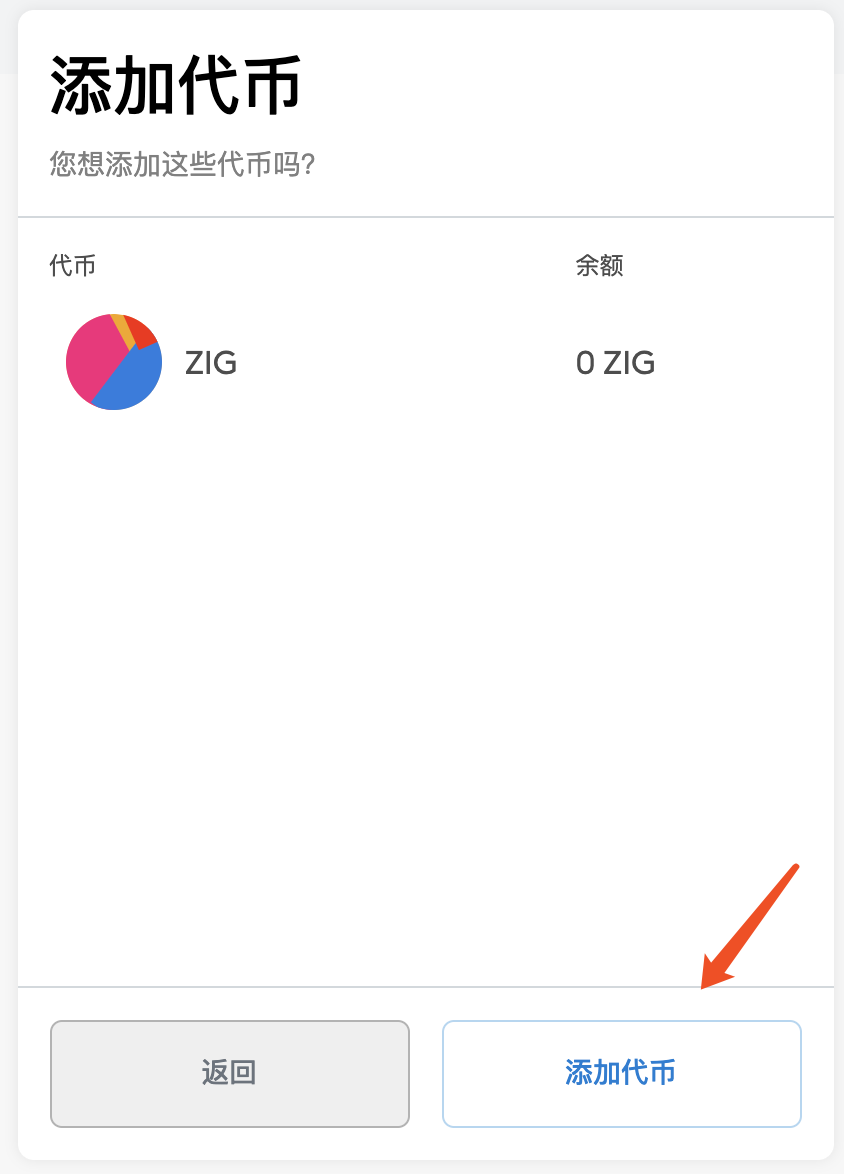
ZIG will now be displayed on the Ethereum mainnet.
Step 4: Add ZIG to the BSC mainnet
Switch to the "Smart Chain" you added earlier, and add the ZIG with the following configuration:
Token contract address: 0x8C907e0a72C3d55627E853f4ec6a96b0C8771145
Token Compatibility: ZIG
Decimal precision: 18
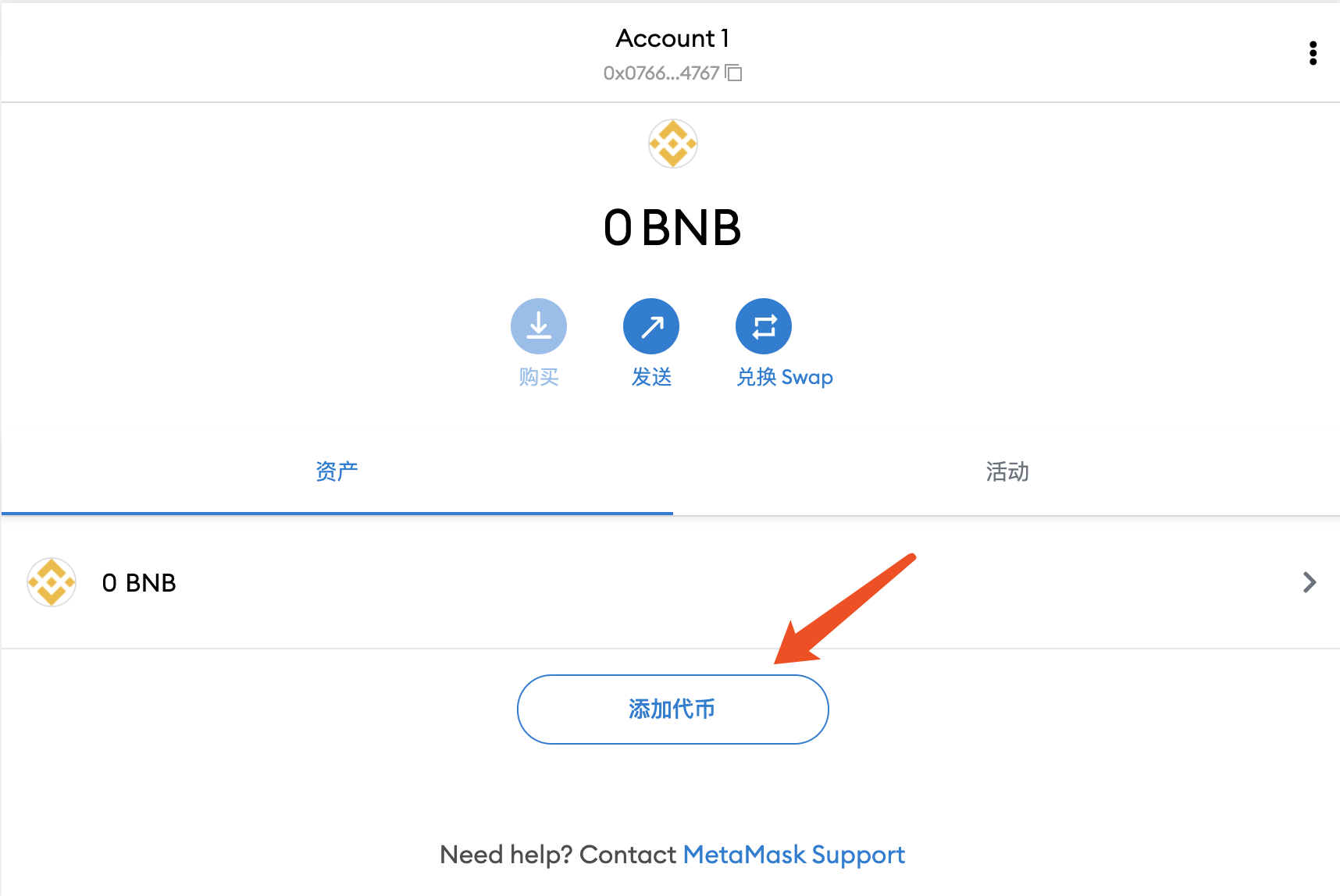
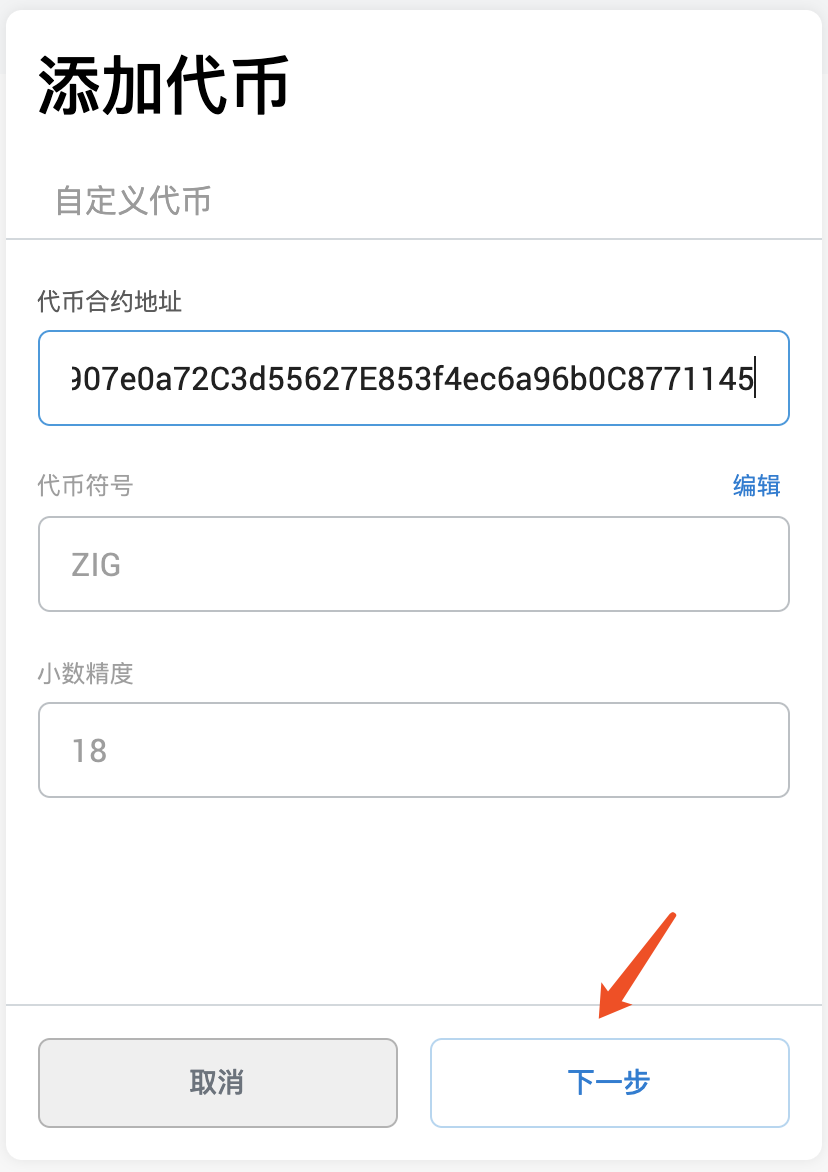
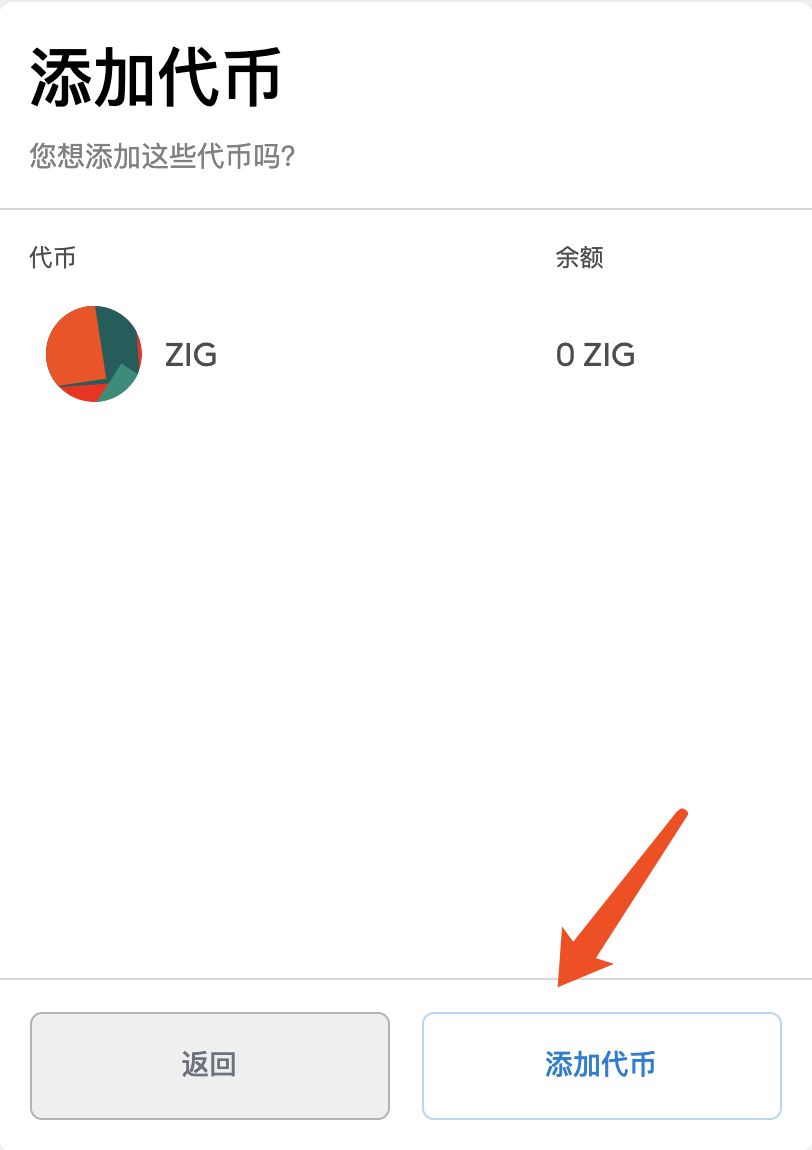
Now ZIG will be displayed under the BSC main network.
Step Five: Connect Metamask to the Bridge
Open https://bridge.zignaly.com
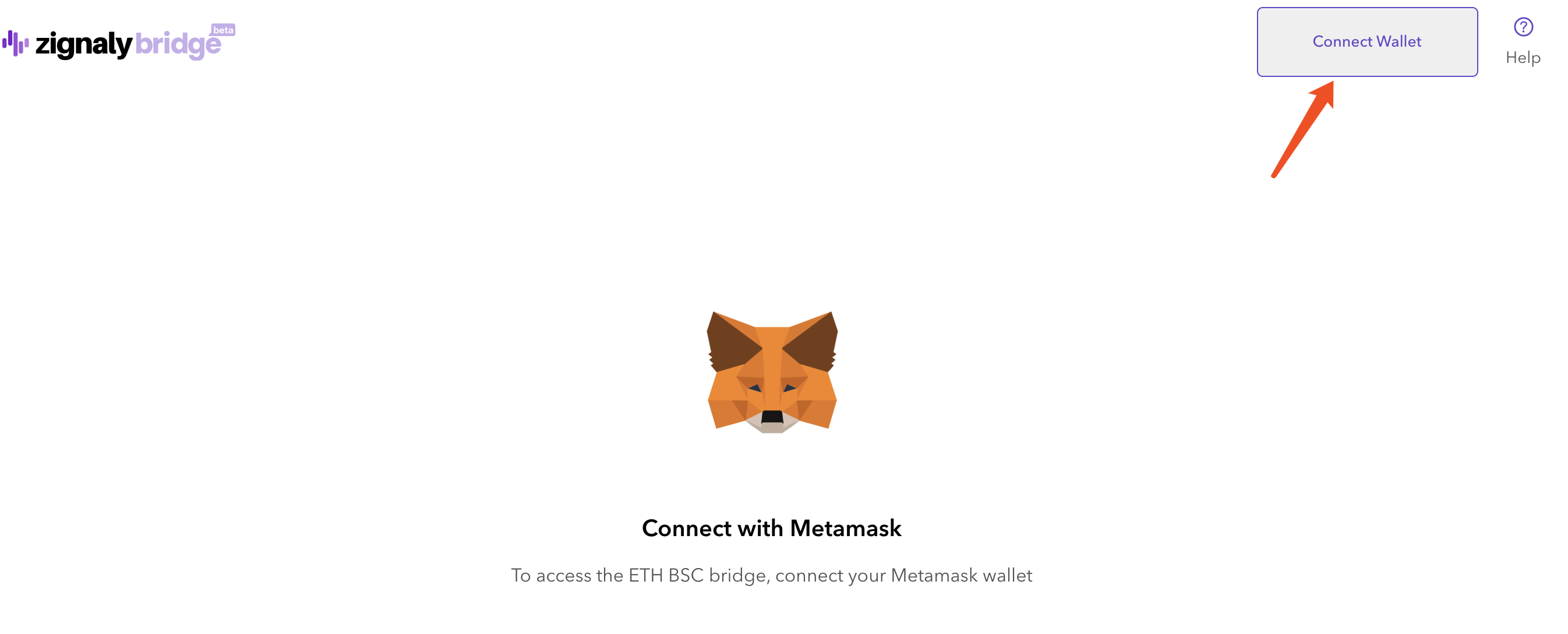
Click Connect Wallet in the upper right corner
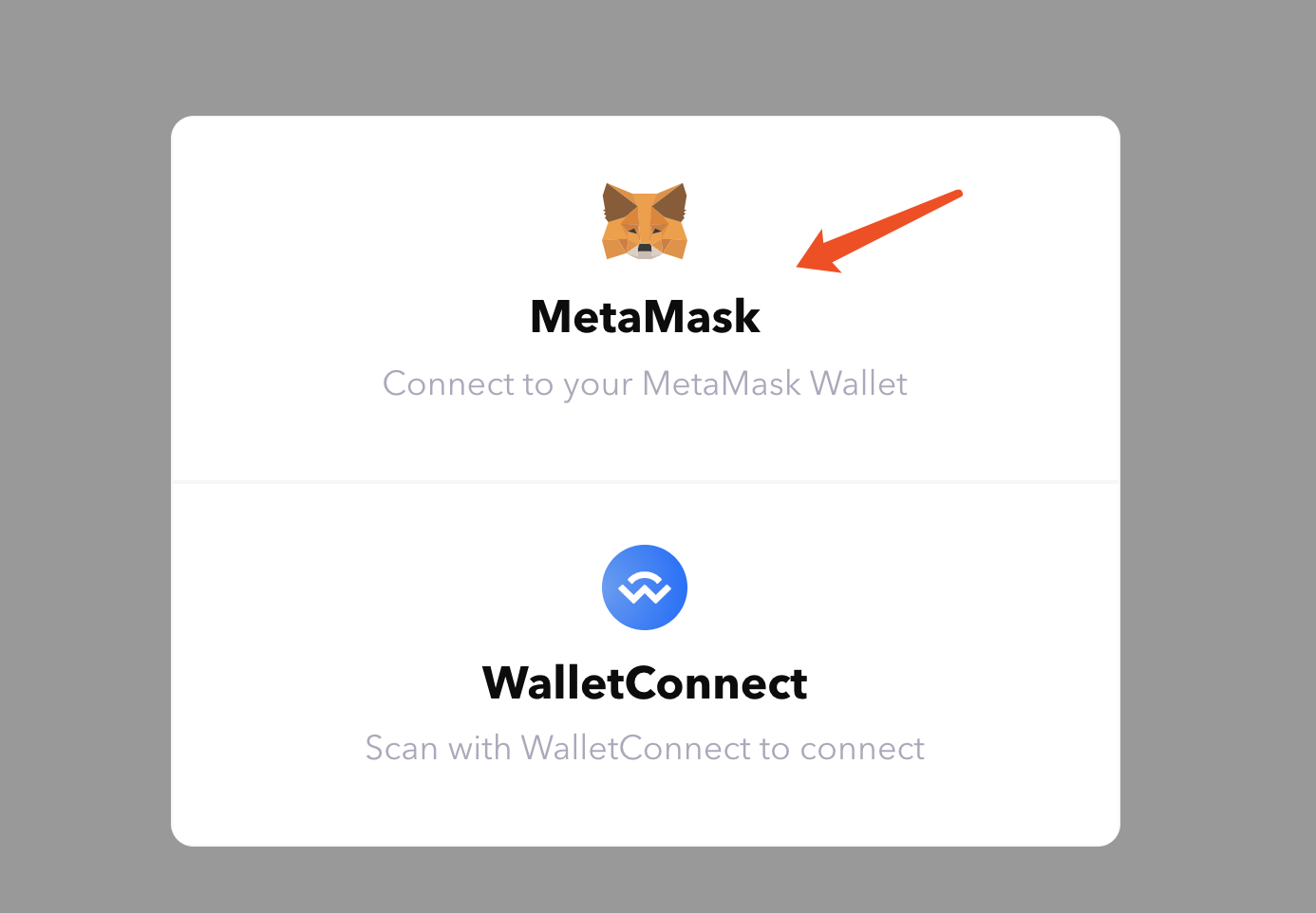
Select Metamask
Step 6: Approve the permission of Metamask/Bridge to use ZIG:
ERC20 and BSC networks have a one-time setup cost, so the wallet needs to have enough ETH and BNB respectively to pay the gas fee.
ERC20 - Make sure you are on the Ethereum mainnet:
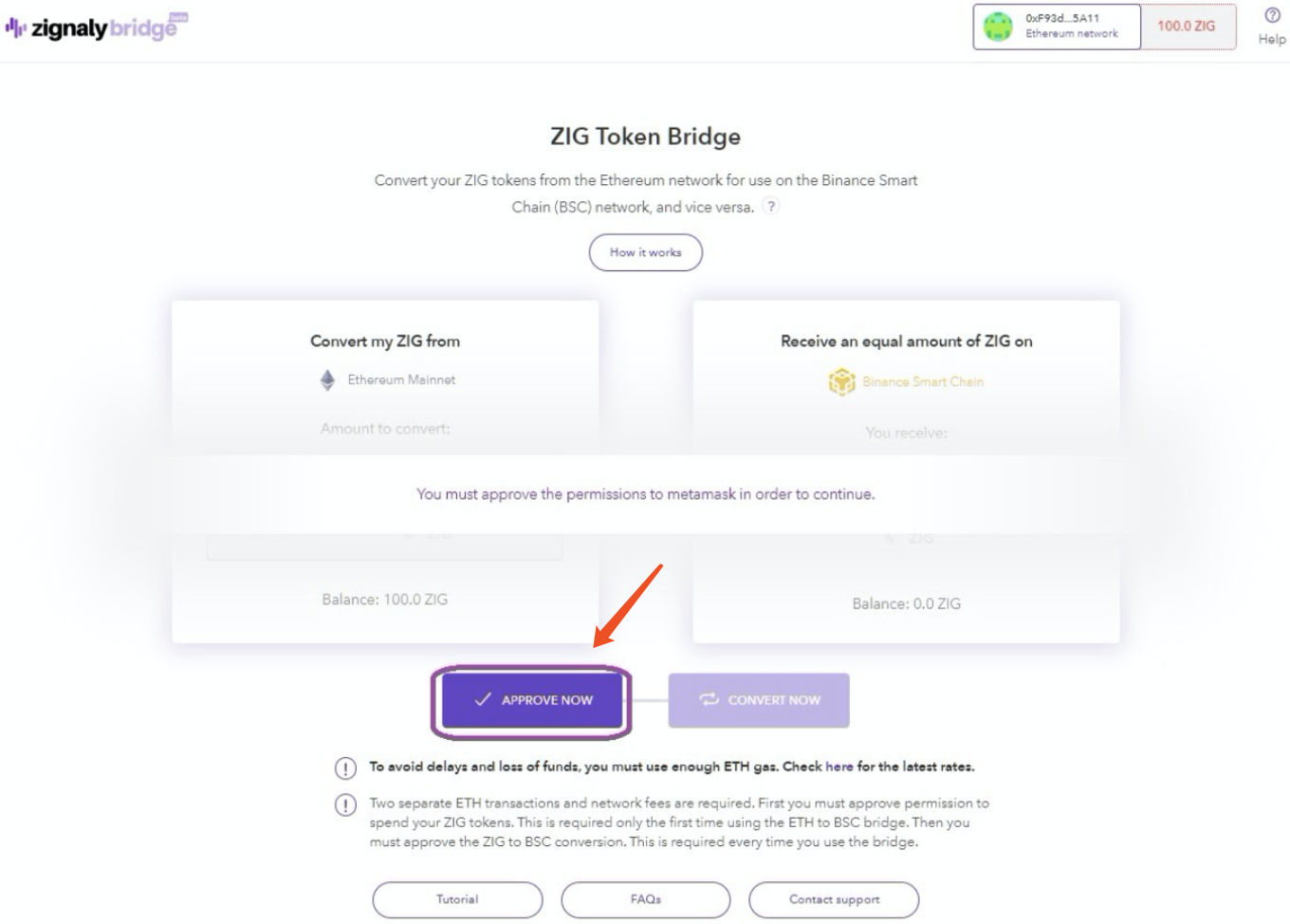
Click APPROVE NOW to grant the required permissions for the bridge and Metamask connections.
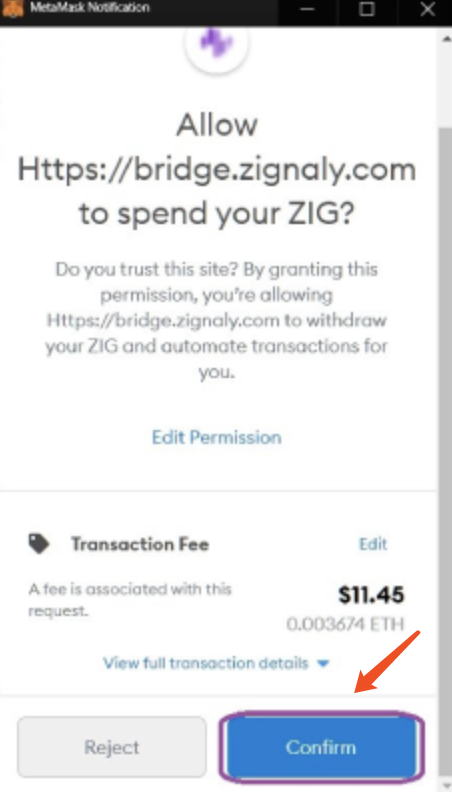
Click "Confirm", the gas fee will be deducted, and the required permissions will be granted.
Switch network back to "Smart Chain"
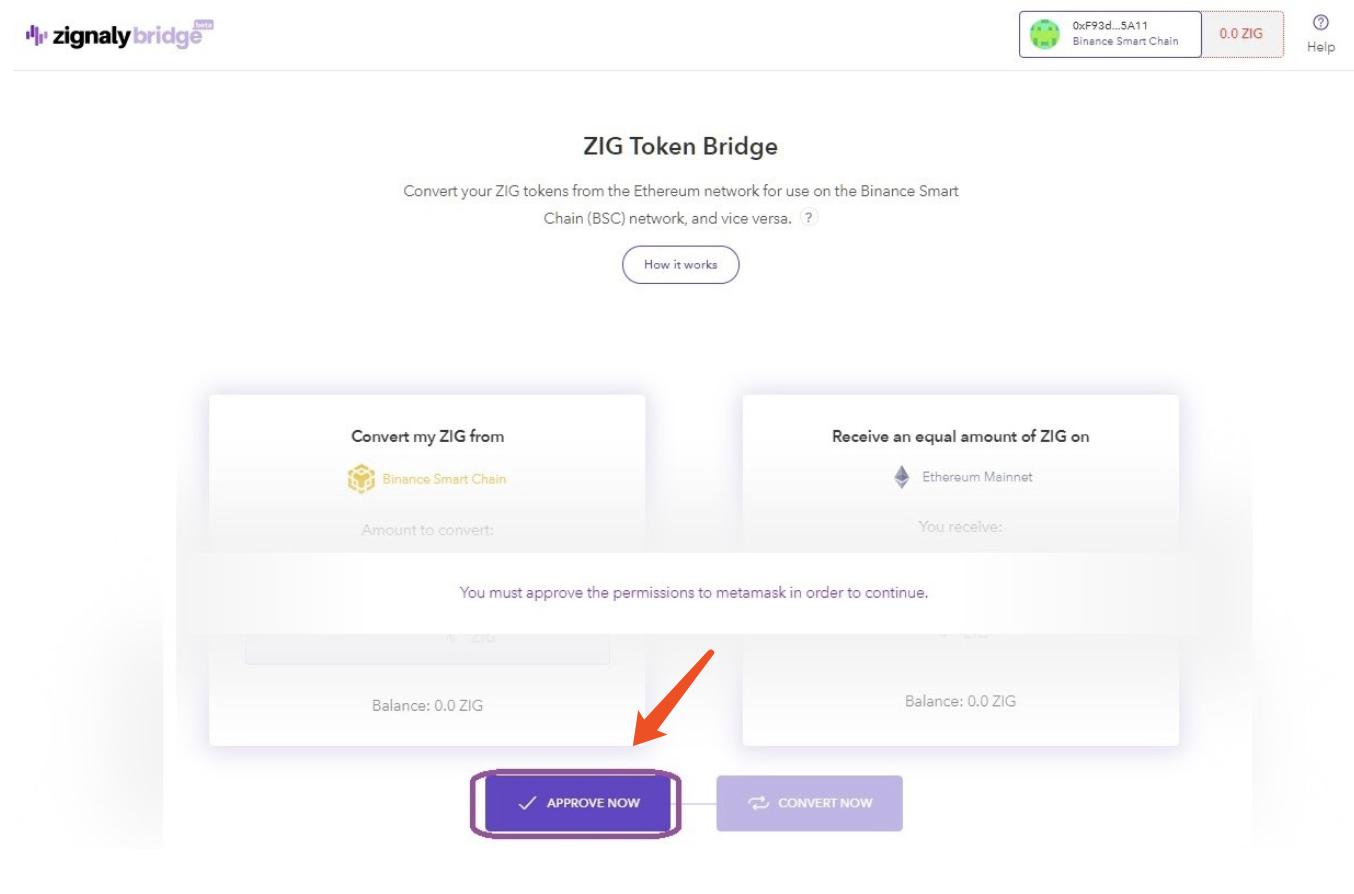
Click APPROVE NOW to grant the required permissions for the bridge and Metamask connections.
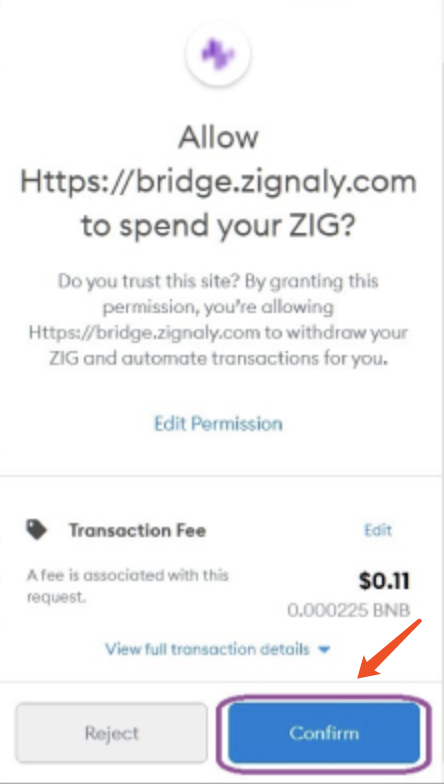
Click "Confirm", the gas fee will be deducted, and the required permissions will be granted.
Let's start the ZIG ERC20-BSC conversion:
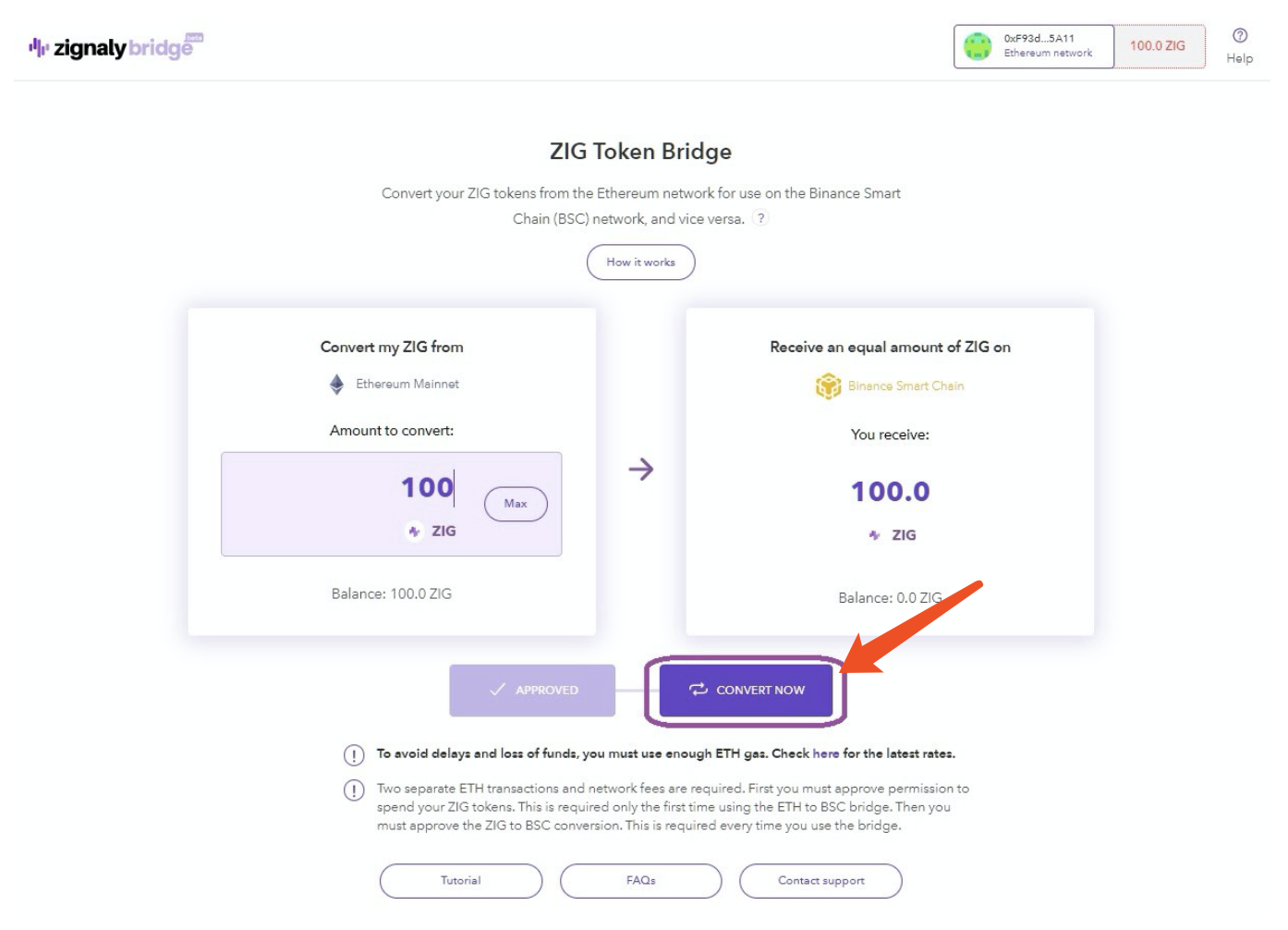
Enter the amount of ZIG you want to transfer to BSC, click "CONVERT NOW". Make sure you have enough ETH to cover the gas fee.
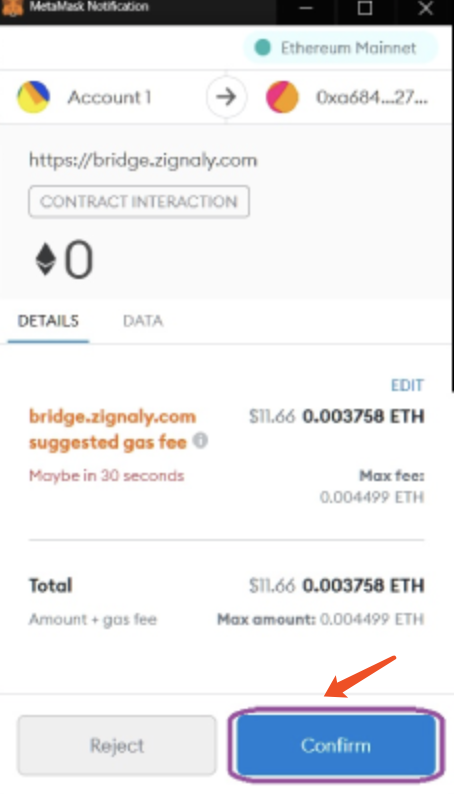
Click "Confirm" to confirm payment of the gas fee. At this point, the chain change begins.
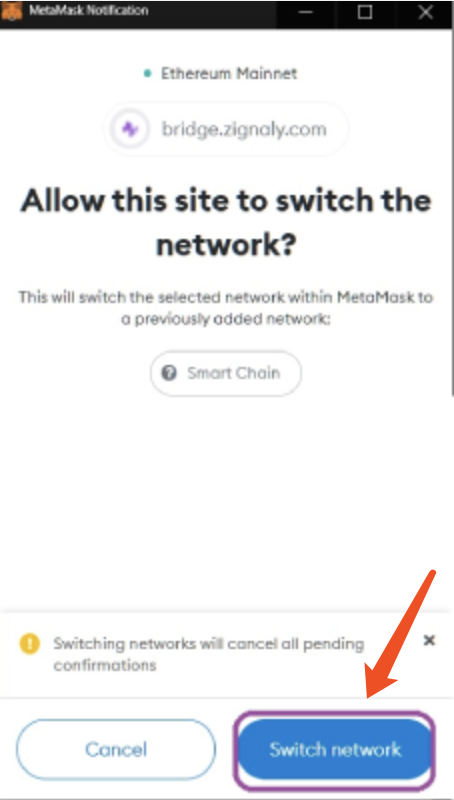
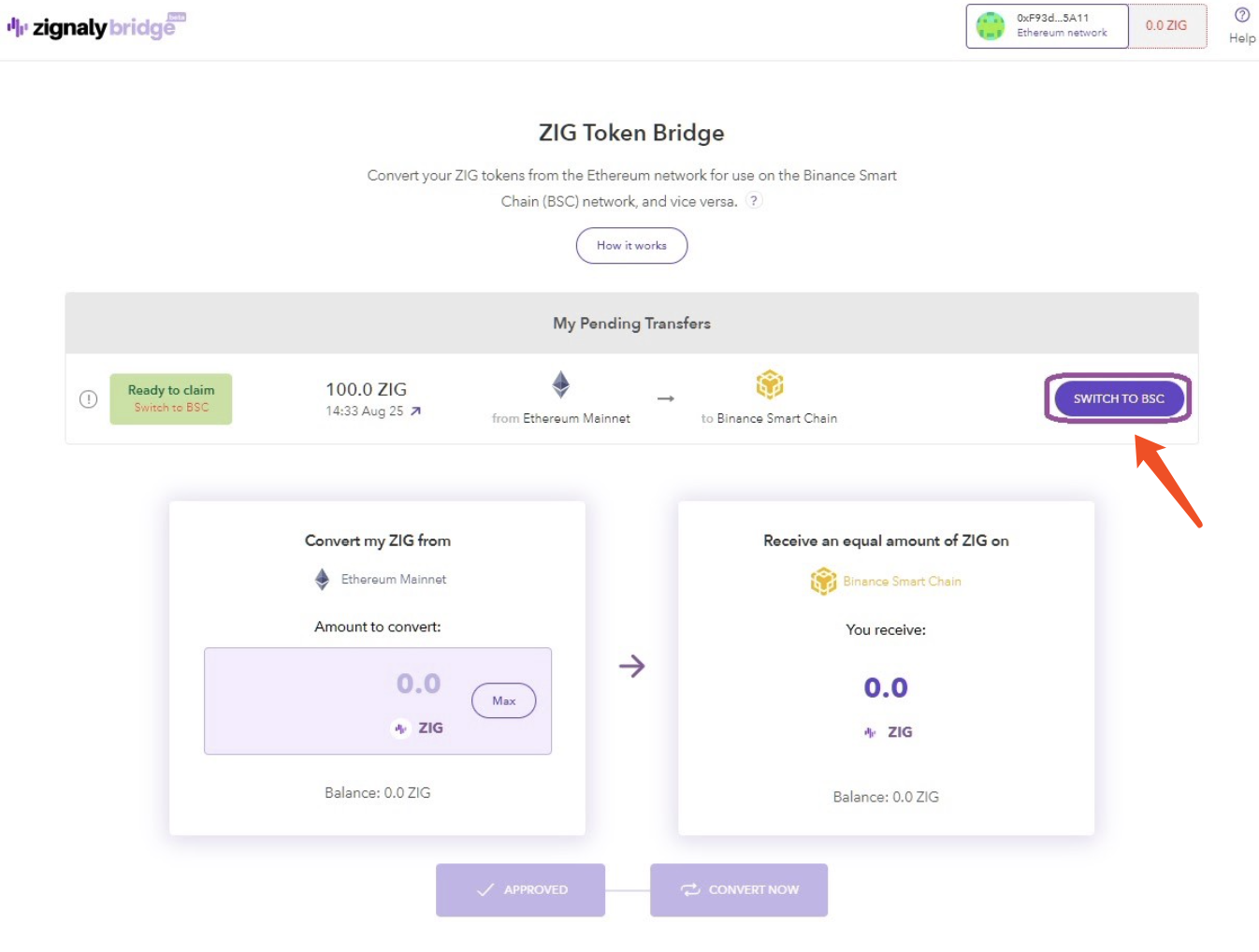
Click "Switch network" to claim the converted ZIG tokens.
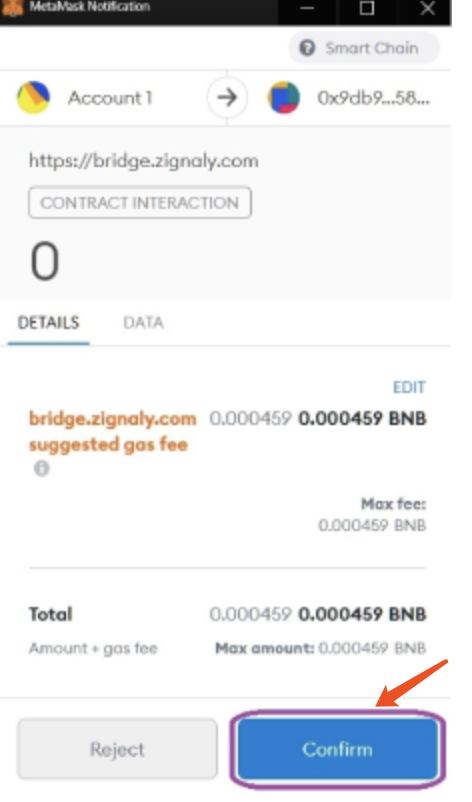
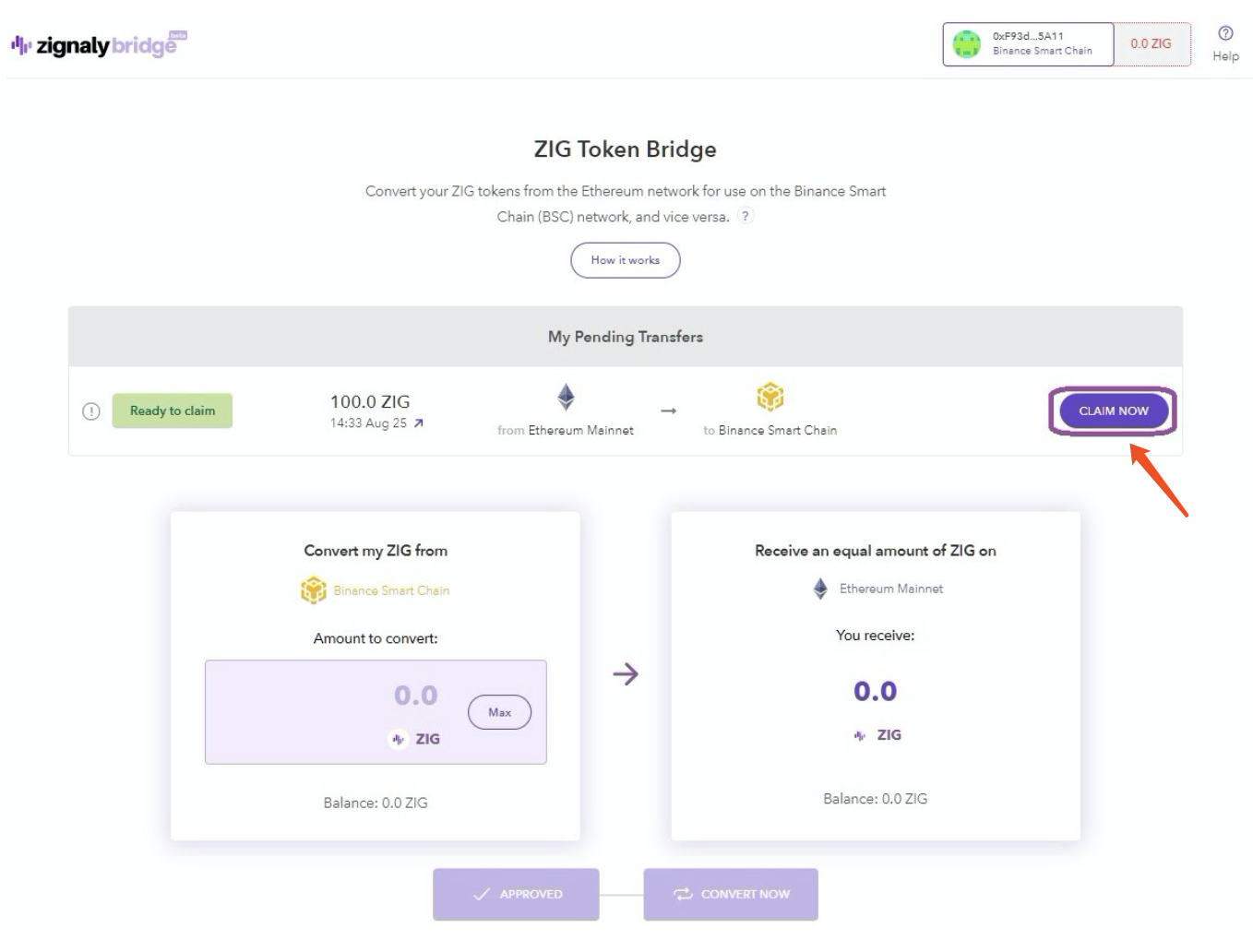
After switching to BSC, there is no fee, click "CLAIM NOW" to claim the tokens of the BSC network.
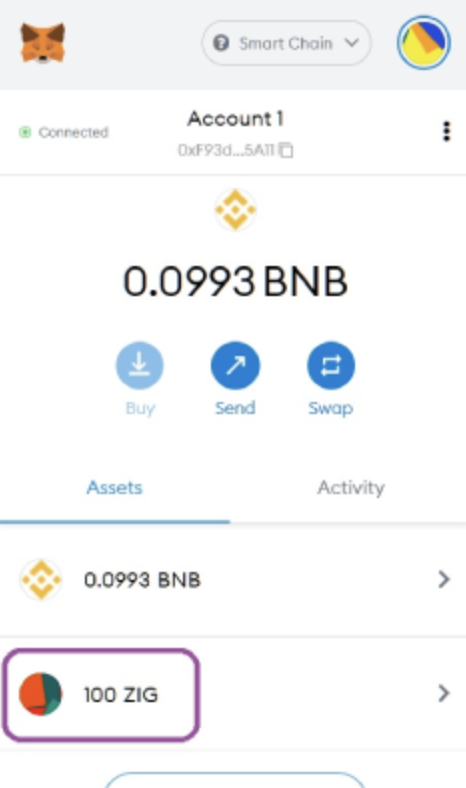
At this point, your ZIG tokens have been successfully converted to the BSC network.
If you want to move ZIG back to the Ethereum mainnet
It is as simple as cross-chaining ZIG from ERC-20 to BSC.
To do the process, open the bridge (https://bridge.zignaly.com).
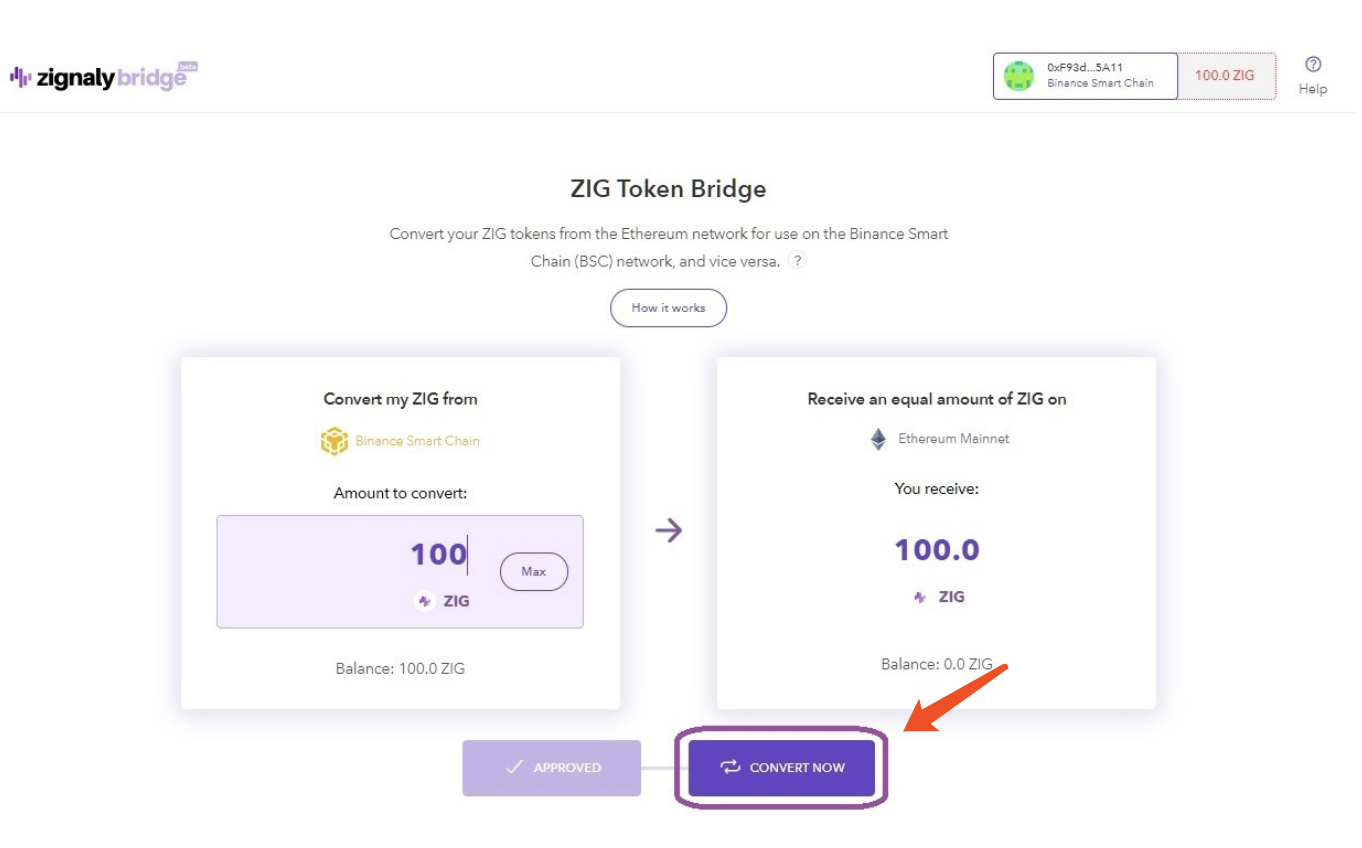
Enter the amount of ZIG you want to cross-chain to ERC-20 and click "CONVERT NOW". Make sure you have enough BNB to cover the gas fee.
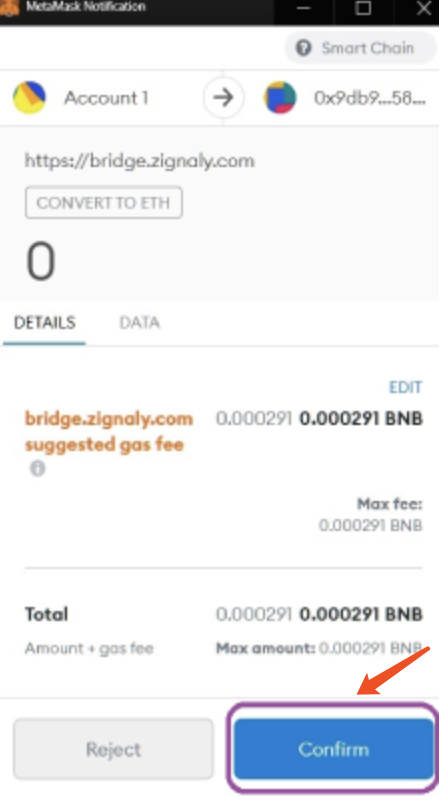
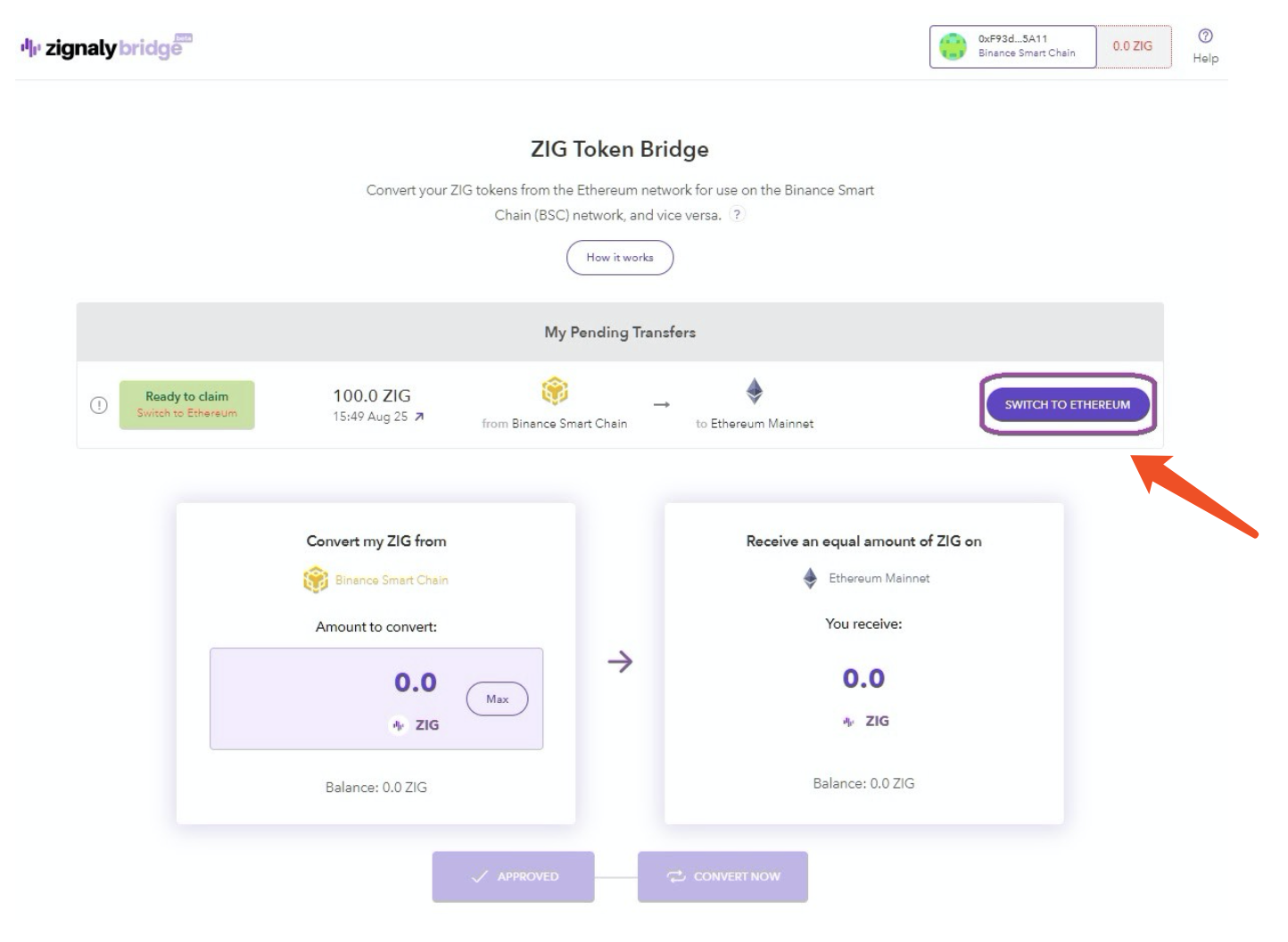
Confirm the transaction and pay the BSC gas fee to switch to the Ethereum mainnet.
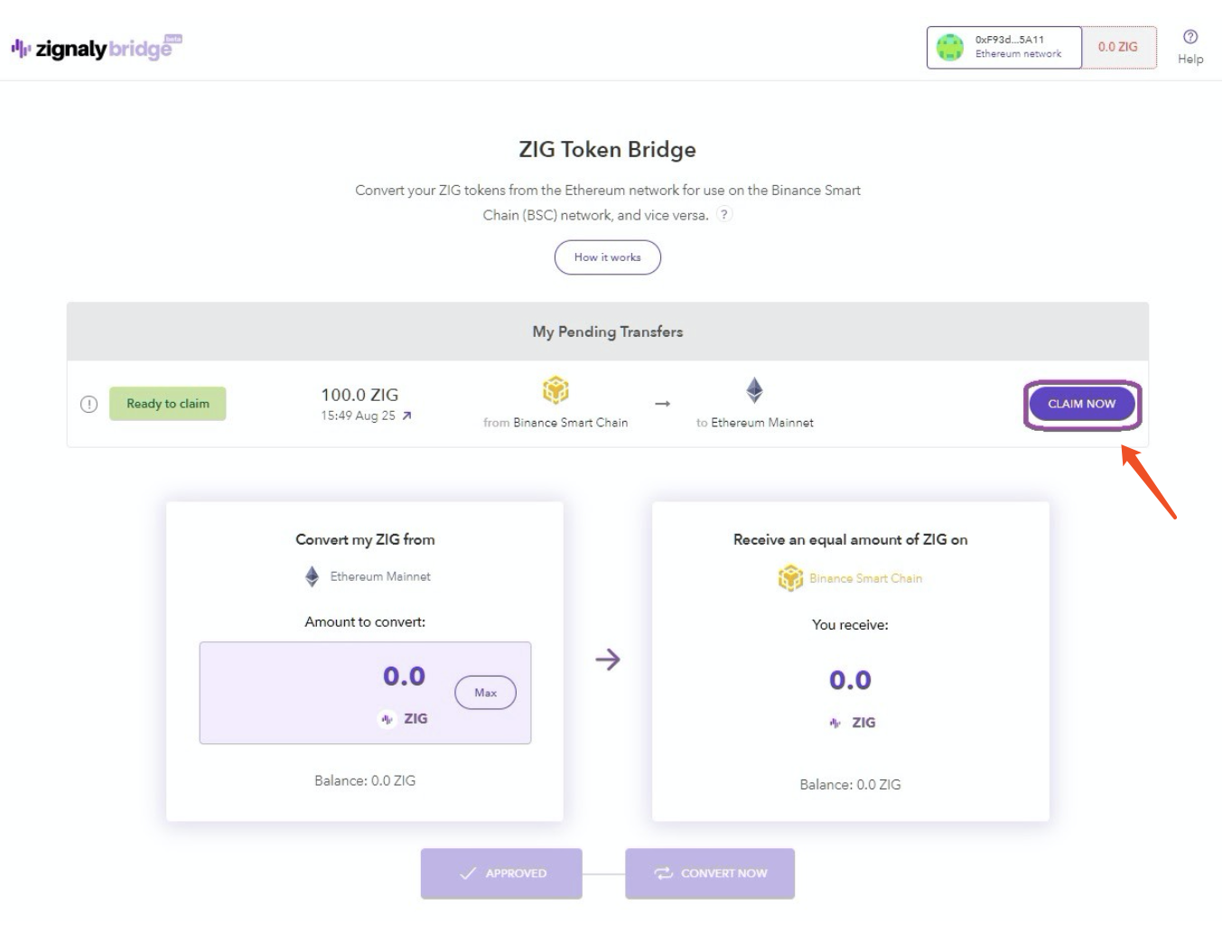
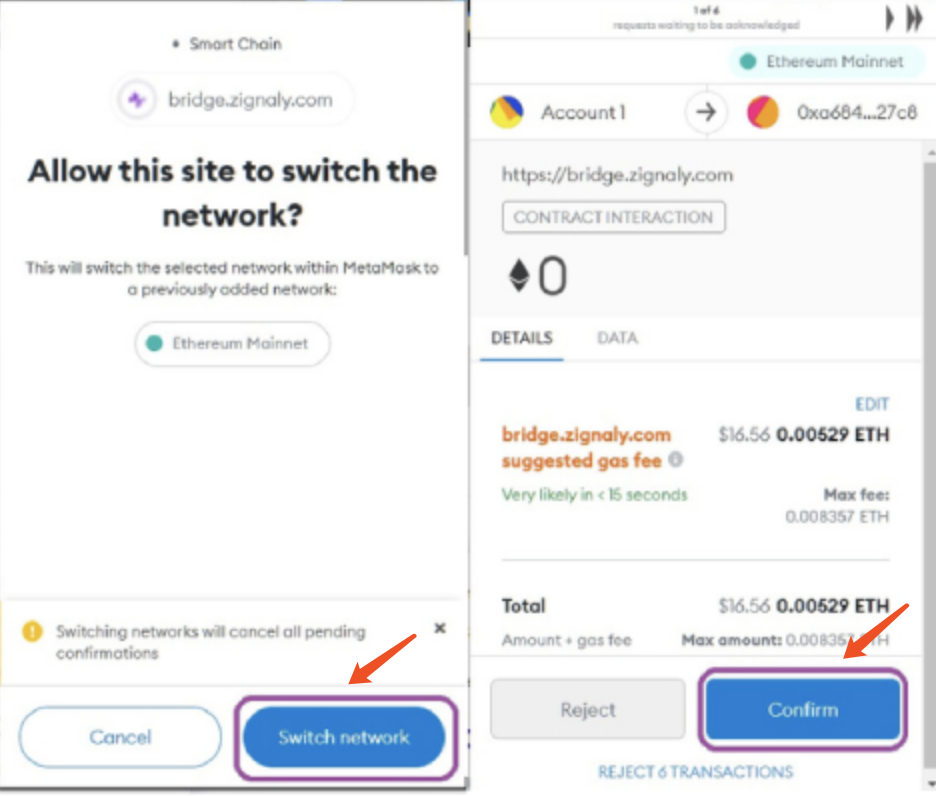
Click "CLAIM NOW", now your ZIG is back on the Ethereum mainnet. At present, in addition to enjoying low gas fees on the BSC network, you can also go to ApeSwap to trade, do liquidity mining, and take the LP Token of ZIG-BNB to Farm Banana tokens. Have you learned it?