






The Ultimate Guide to Clawdbot: 40-Hour Hands-On Test, Deconstructing the Real Boundaries of the "All-in-One AI Assistant"


- Core Viewpoint: Clawdbot is an autonomous AI agent that runs on a local computer, capable of directly operating the computer to complete tasks via chat commands. However, its capabilities are divided into two tiers: out-of-the-box and heavily configurable. Achieving advanced automation requires clear requirements, technical understanding, and time investment—it's not instant magic.
- Key Elements:
- Core Function: As "Claude with hands," it connects chat applications (like WhatsApp) to the local computer via a gateway. It can perform tasks such as file management and basic research and possesses the ability to build reusable "skills."
- Capability Tiers: Tier 1 capabilities (e.g., file organization, document summarization) work out-of-the-box; Tier 2 capabilities (e.g., advanced trading monitoring, social media automation) require hours to days of custom skill development and API integration.
- Cost & Investment: The software is open-source; the primary cost is Anthropic API usage fees (typical monthly cost $15-$150). Users need to invest 30 minutes to 2 hours for basic setup and require ongoing learning and maintenance.
- Target Users: Best suited for technical users and early adopters who are comfortable with the command line and have clear, repetitive tasks; not suitable for complete beginners expecting plug-and-play functionality or unwilling to invest learning time.
- Industry Significance: Represents the evolution from "AI-assisted" to "AI autonomous execution." Learning to use such agents early is preparation for future ways of working.
Original Author: Shruti
Original Compilation: Deep Tide TechFlow
Introduction: Recently, Clawdbot has gone viral on the X platform (formerly Twitter), hailed as "Claude with hands." The author, Shruti, invested 40 hours in in-depth research, peeling back the technical facade beneath the marketing slogans to present readers with an authentic view of Clawdbot.
The article not only deconstructs its core architecture and operational logic as an Autonomous AI Agent but also honestly delineates the boundaries between "out-of-the-box" tasks and those requiring "heavy configuration."
For developers, researchers, and content creators looking to leverage AI for efficiency in the Web3 era, this serves as an extremely valuable guide for avoiding pitfalls and getting started. It calmly points out that the path to future productivity tools is not magic but a learning curve requiring continuous investment.
The full text is as follows:
Clawdbot is now everywhere on X.
Photos of Mac Minis, blurry declarations of "I automated everything." People call it "the future" without explaining why.
I spent 40 hours diving deep into documentation, analyzing use cases, watching tutorials, and reading every implementation guide I could find.
Here's what everyone is hyping but no one is actually explaining, including the parts they're leaving out for convenience.
In Plain English: What Clawdbot Actually Is
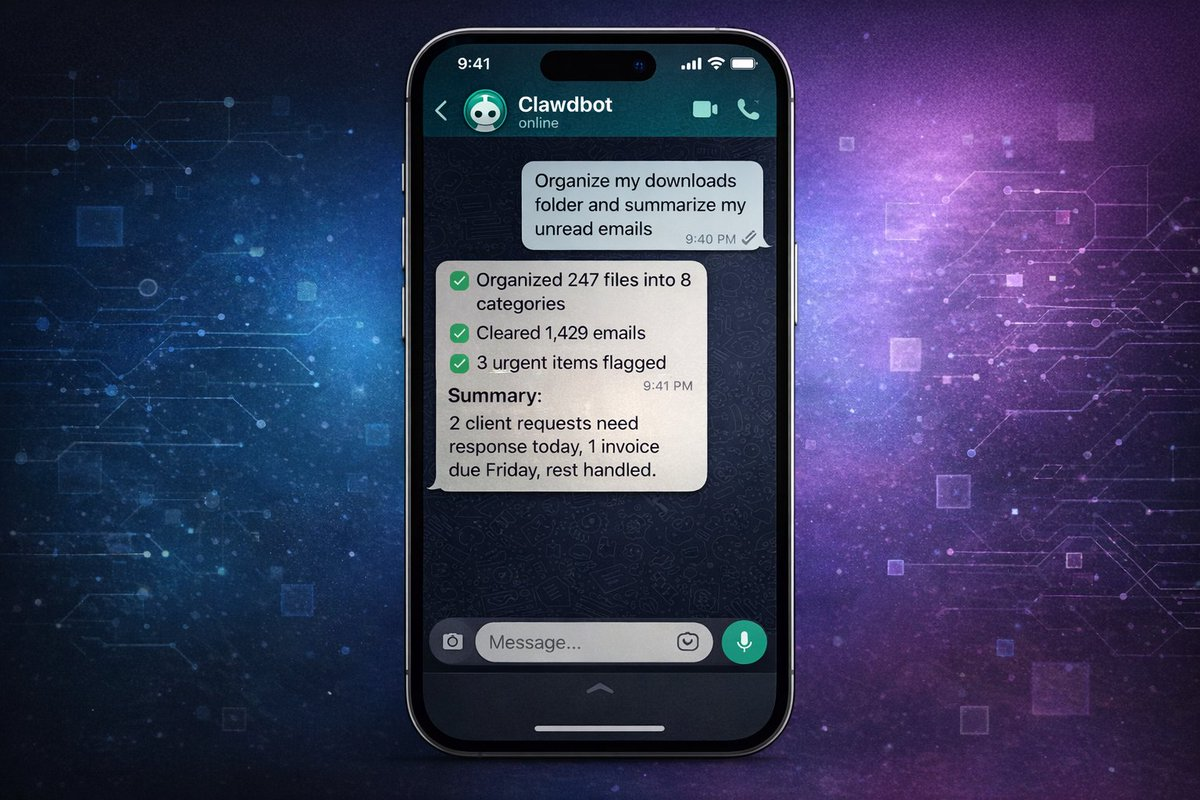
Forget the jargon for a second.
Clawdbot is "Claude with hands."
You know how you chat with Claude and get answers? Imagine if Claude could actually *execute* those answers on your computer. Install software, run scripts, manage files, monitor websites, send emails. All from simple text commands on WhatsApp, Telegram, or iMessage.
It's an AI agent (Agent) that doesn't just think, it acts.
Think of it like this:
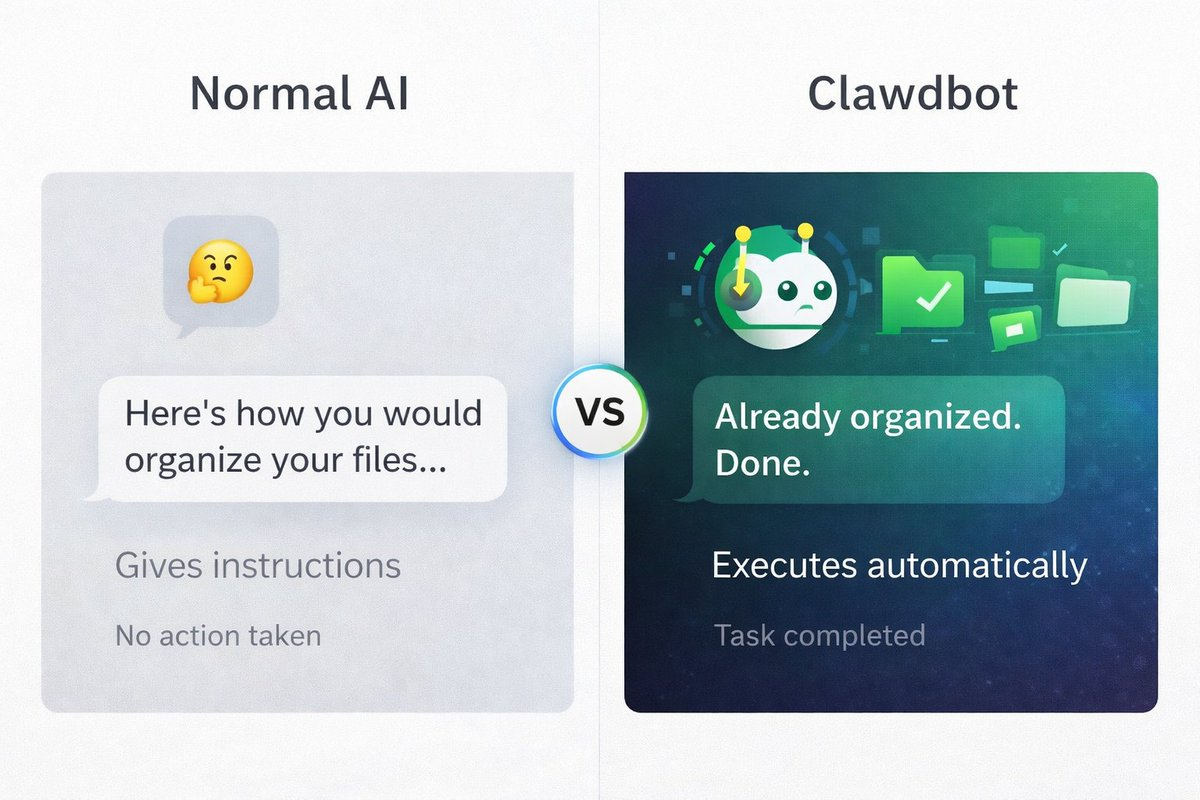
Normal AI: "Here's how you could organize your files." Clawdbot: Has already organized your files while you were reading that sentence.
Normal AI: "You should check these 10 market news sources." Clawdbot: Has already scraped them, summarized them, and texted you the highlights.
This is what people mean by "Autonomous AI." It doesn't just answer questions. It completes tasks.
The catch? Some tasks run immediately, while others require you to build the automation first. More on that below...
Why Are People Going Crazy Over It?
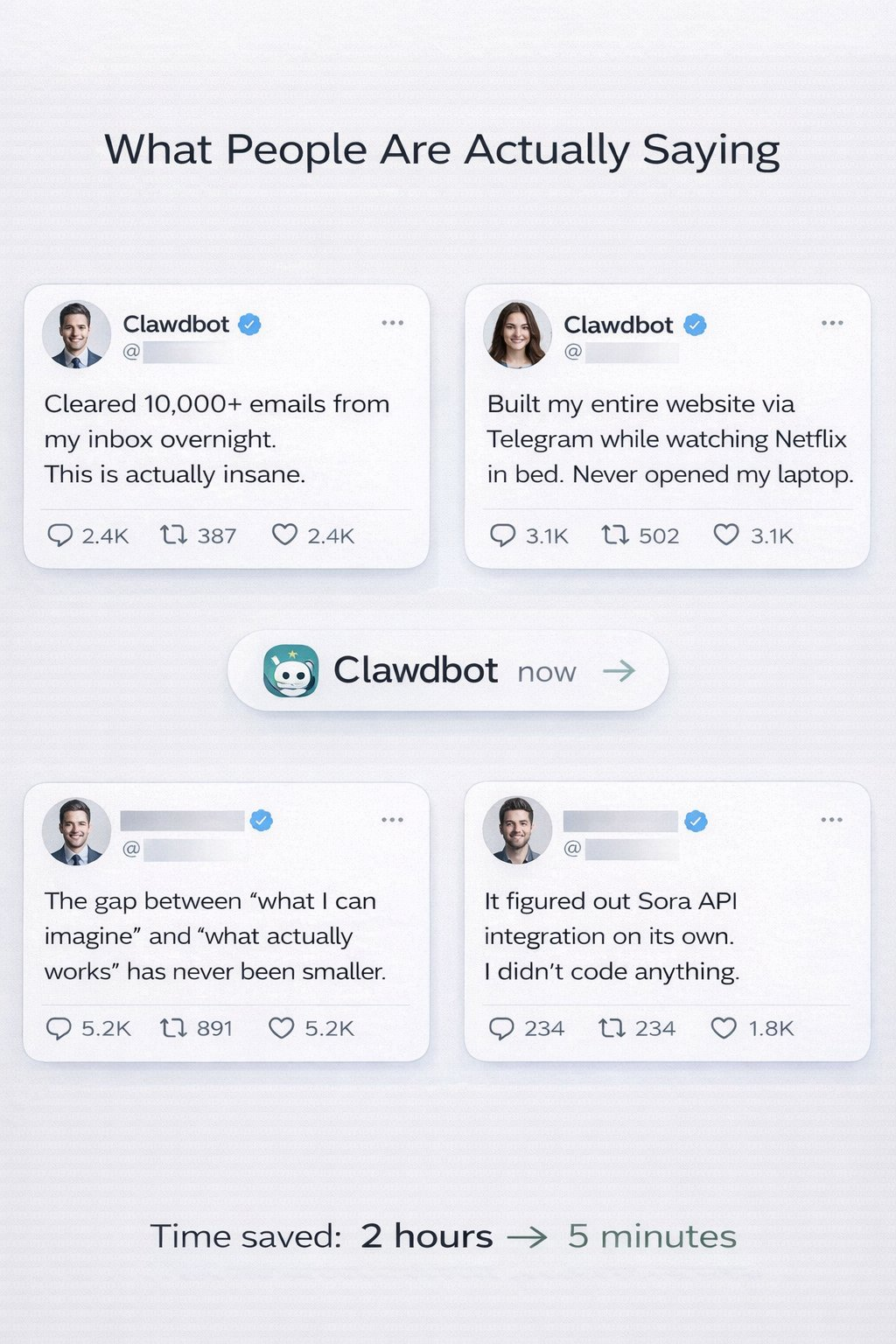
The testimonials on Twitter sound almost fake:
"Cleaned 10,000 emails from my inbox overnight."
"Built my entire website via Telegram while watching Netflix."
"It figured out the Sora API integration on its own."
"Automated 80% of my work in 48 hours."
Here's how it's different from every other AI tool:
- It runs on your computer Not in some cloud interface, but on your actual machine. Has access to your files, apps, and data.
- You can control it from anywhere WhatsApp on your phone, Telegram on your iPad, iMessage on your watch. You're no longer chained to a browser.
- It can use any app on your computer Email client, browser, terminal, scripts. If you can do it manually, Clawdbot can potentially do it autonomously.
- It can build its own tools This is the craziest part. You can ask it to create a "Skill" (a reusable workflow), and with proper guidance, it can write the code, install it, and start using it.
Someone asked their Clawdbot: "Can you access my university course schedule?"
Clawdbot replied: "No, but I can build a Skill to do that. Give me a minute."
After some iteration and optimization, it created the integration.
Important caveat: This isn't magic. Building complex automations still requires:
- Clear instructions
- Understanding what's possible
- Testing and optimization
- Sometimes hours of setup
But the framework for autonomous execution is real.
How Does It Work?
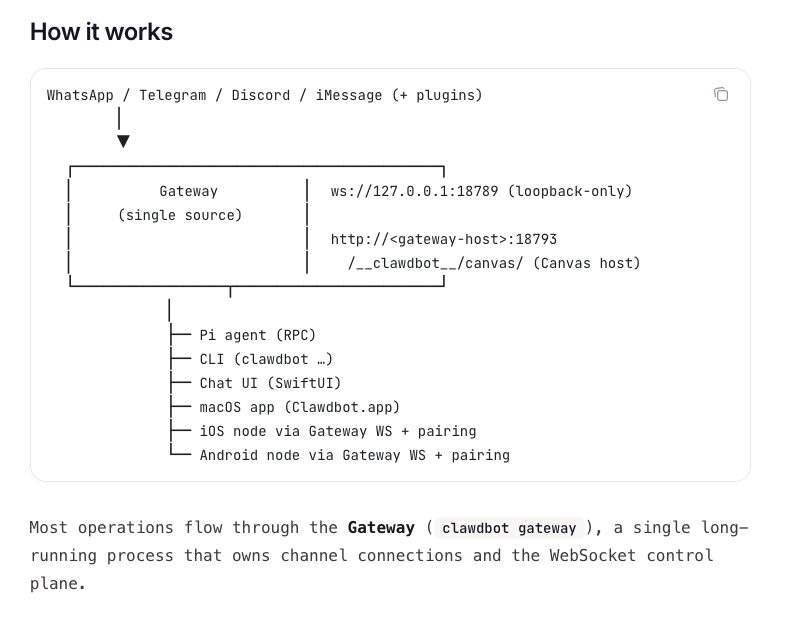
Clawdbot's architecture: Messages from any platform flow through a central Gateway, executing tasks on your computer
You send a message via WhatsApp, Telegram, Discord, or iMessage. That message goes to the Gateway—a single process running on your computer that acts as the control center.
The Gateway then:
- Routes your request to Claude (via Anthropic's API)
- Executes commands on your computer
- Manages connections to your chat apps
- Handles file operations and automation
You can interact with it via:
- Messaging apps (WhatsApp, Telegram, etc.) — Most common
- CLI (Command Line Interface) — For terminal users
- macOS/iOS/Android apps — Native interfaces
- Chat UI (Browser) — Web-based dashboard
Everything runs locally on your machine. The Gateway is the bridge between your messages and your computer's capabilities.
The Real Setup Isn't as Hard as It Looks
The GitHub page looks intimidating. Terminal commands, MCP servers, JSON configs.
But the truth is: Basic setup takes 20-30 minutes for technical users, 1-2 hours for non-technical users.
What you need:
- A Mac, Linux PC, or Windows with WSL2
- Node.js installed (free, 5-minute install)
- An Anthropic API key (pay-as-you-go, cost depends on usage)
- WhatsApp, Telegram, iMessage, Discord, or Slack
Actual setup process:
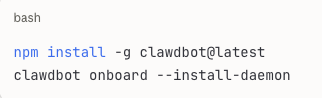
The onboarding wizard walks you through:
- Connecting to your chat app
- Setting permissions
- First test command
The first test most people try: "What files are in my Downloads folder?"
Clawdbot lists them.
"Organize them by type."
Done. PDFs in one folder, images in another, documents sorted.
This works immediately, no extra setup.
What Works Immediately? What Needs Deployment?
This is the part no one explains clearly.
Clawdbot has two levels of capability:
Level 1: Out-of-the-Box (Set up in minutes)
These work as soon as you install Clawdbot:
✅ File Management
- "Organize my Downloads folder"
- "Find all PDFs from last month"
- "Backup my Documents"
✅ Basic Research
- "Search for recent news about [topic]"
- "Summarize these 5 articles" (paste URLs)
- "What's trending on [platform]?"
✅ Calendar/Email Reading (if you set up CLI access)
- "What's on my calendar today?"
- "Read my last 10 emails"
- "Search my emails for [keyword]"
✅ Simple Automation
- "Run this script every morning at 8 AM"
- "Monitor this website for changes"
- "Alert me when [file] is updated"
✅ Text Processing
- "Summarize this document"
- "Extract key points from this transcript"
- "Convert this data to CSV"
Time investment: Minutes. These are instant or near-instant.
Level 2: Powerful but Needs Building (Takes hours to days)
These require custom Skills, API connections, and configuration:
⚠️ Advanced Email Management
- Automatically categorize thousands of emails
- Smart filtering and archiving
- Processing based on custom rules
Requires: Email client CLI setup, custom workflows, testing
⚠️ Trading/Market Automation
- Real-time price monitoring
- Abnormal volume alerts
- Automated data analysis
Requires: API access to data providers, custom monitoring scripts, authentication
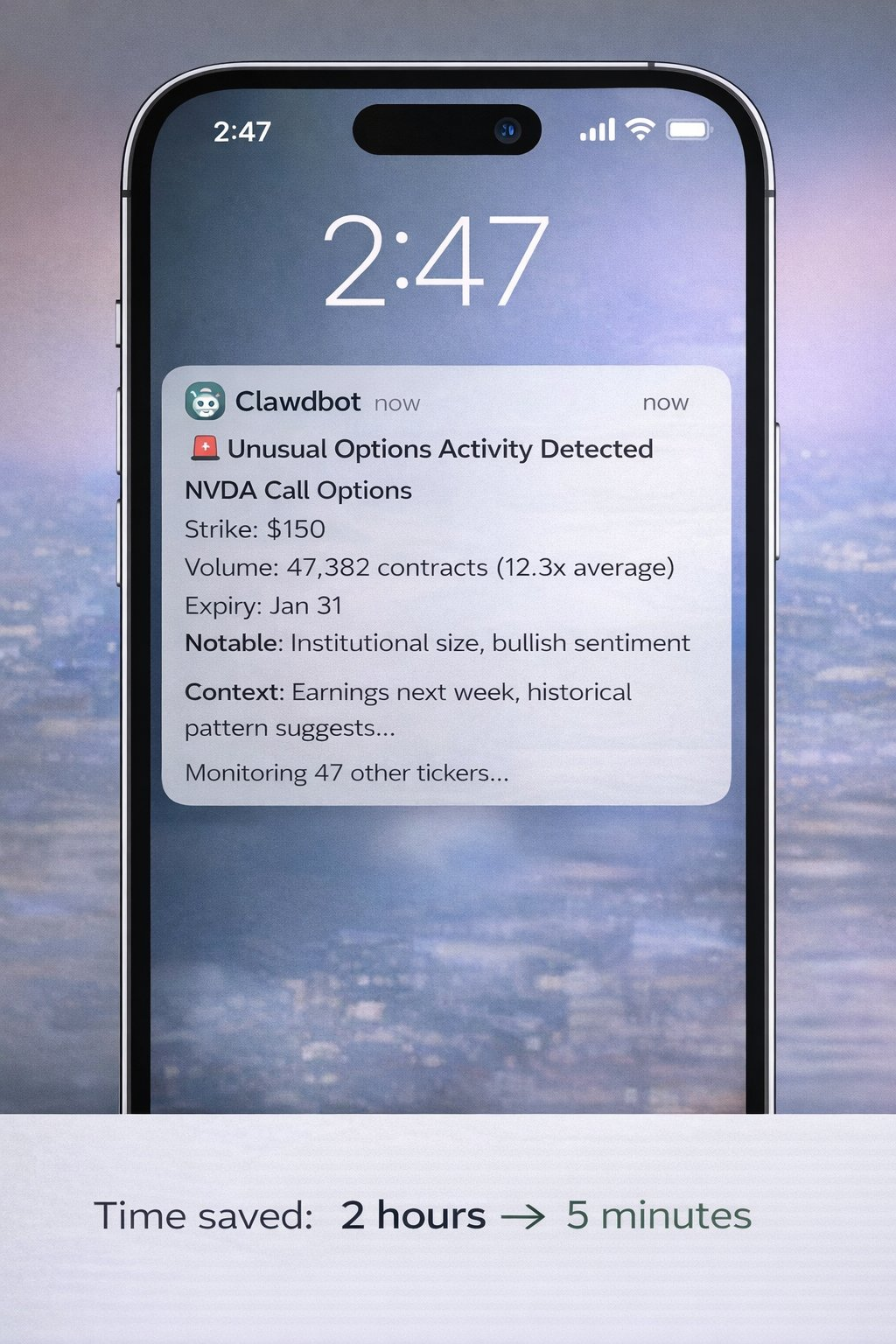
Advanced trading alerts like this are possible with Clawdbot but require hours of custom setup, API access, and configuration. It's not instant magic, but once built, it's genuinely powerful.
⚠️ Social Media Automation
- Multi-platform posting
- Engagement tracking
- Brand monitoring
Requires: Social media API access, custom integrations, rate limit handling
⚠️ Complex Code Projects
- Building complete applications
- Managing GitHub repositories
- Automating testing and deployment
Requires: Proper setup, clear requirements, iterative refinement
⚠️ Custom Integrations
- Connecting to proprietary systems
- Building workflows across multiple apps
- Advanced data pipelines
Requires: Understanding of APIs, custom Skill development, maintenance
Time investment: Hours to days, depending on complexity.
Practical Applications
Let me show you what's actually achievable at each level:
Immediate Use Cases (You can do these today)
File Organization
Command: "Organize my Downloads folder by file type and date" What happens:
- Clawdbot scans your Downloads
- Creates folders by type (PDFs, Images, Docs, etc.)
- Moves files to appropriate folders
- Adds date-based subfolders if requested Time saved: 20 minutes of manual sorting → 10 seconds Real result: This genuinely works out-of-the-box.
Basic Research & Summarization
Command: "Find 10 recent articles about AI safety. Summarize the main concerns." What happens:
- Web searches for recent articles
- Extracts key content
- Identifies common themes
- Delivers structured summary Time saved: 1 hour of reading → 5-minute summary Real result: Leverages web search functionality immediately.
Schedule Management
Command: "What's on my calendar tomorrow?" What happens:
- Checks your calendar
- Lists all events
- Can provide prep time estimates
- Identifies conflicts Time saved: Manually checking calendar → Instant Note: Requires calendar access setup first (one-time config


