




DePin track landing application display: Utility AI container cloud usage report


DePin is the abbreviation of Decentralized Physical Infrastructure Networks. The core of the DePin concept is to use tokens to motivate users to deploy hardware devices to provide real-world goods and services or digital resources such as computing power, storage and network bandwidth. According to Messrai, the current valuation of the entire track is approximately US$9 billion, and is expected to grow to US$3.5 trillion by 2028.
There are currently many projects that conform to the DePin concept. Among them, UtilityNet (hereinafter referred to as Utility), which focuses on distributed AI computing power scheduling, has just launched a project based on TPU (AI dedicated acceleration chip) and related intelligent computing servers after a year of development. AI container cloud testing platform. Interested AI developers can apply to participate in the testing of the Utility AI container cloud through the email address published by Utilitys official Twitter account, in order to obtain a certain amount of AI cloud computing power for large model deployment and inference. The chips and equipment behind these cloud computing power are provided by Utility miners participating in the current closed beta period.
Utility innovatively proposes a new Proof Of Computation Integrity (POCI for short, Chinese translation is Trusted Computing) consensus mechanism. Through the security engine module inside the AI dedicated chip, combined with the cryptography principles on the chain, the chip can self-certify , so as to achieve the purpose of obtaining incentives without losing computing power. Because the popular POW consensus in the past has exhausted the computing power of the equipment during the mining process, this is obviously in conflict with the DePin concept. If the computing power is consumed by mining, it cannot be transferred to the real demand side. Therefore, Utilitys innovative POCI consensus provides a realistic solution for its Token to truly realize the flow of computing power from miners to renters.
As an AI developer, I have been following the Utility project for some time. After applying for and trying out the beta version of the Utility AI container cloud through the official channel, I would like to share with you the relevant trial report.
Based on the decentralized mining incentive principle of Utility, the user interface of the Utility AI container cloud is designed with a miner management terminal and a chip client to distinguish different users and operation logic, so that different types of users in the Utility AI container cloud platform can effectively Coordinate and cooperate to complete the flow of computing power from miners to computing power renters.
1. Utility AI container cloud miner management terminal
1.Instructions for miner management terminal
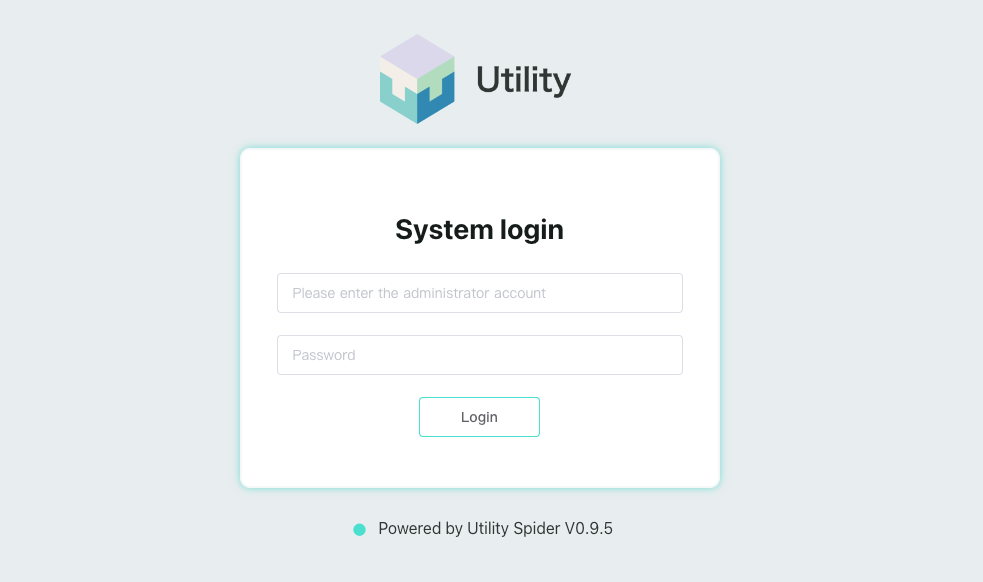
The Utility AI container cloud miner management terminal has an independent access entrance page. The current access address for the beta version ishttps://cloud.utlab.io/admin/#/,The login page is as follows:
2. Platform monitoring
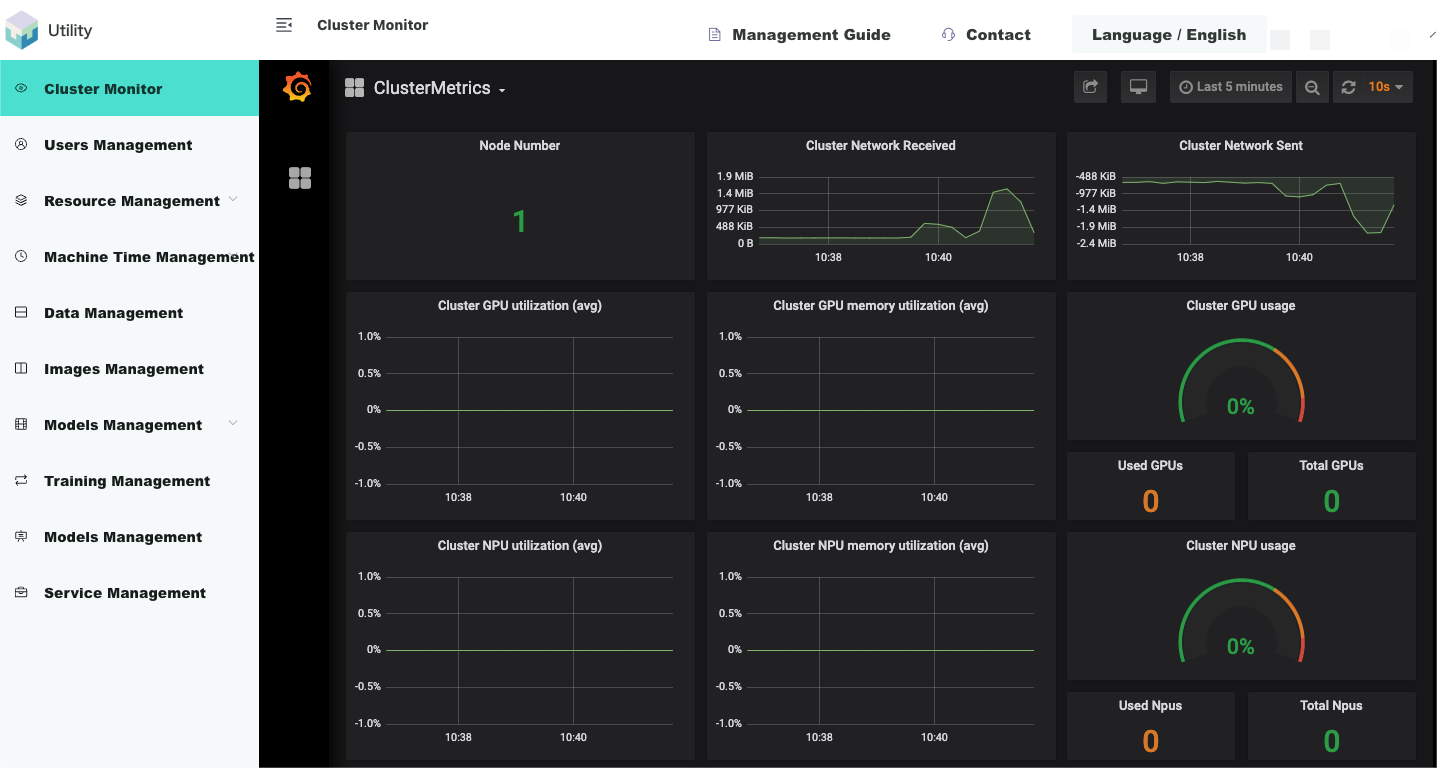
The monitoring architecture of Utility AI container cloud is NodeExporter+Prometheus+Grafana, and its object-oriented is cluster monitoring and training task monitoring, which is displayed in the form of Grafana web page. NodeExporter can collect various resource information and usage of nodes, and store them in local files in the data format supported by prometheus. Prometheus aggregates the local data collection of each nodes NodeExporter service into its central database in the form of Pull. Before starting the Grafana web front-end service, configure the Prometheus database API call path and regularly request Prometheus data indicators. This can dynamically display to the miners graphs of indicator data for tasks running by all AI chip users in the cluster and platform.
Cluster monitoring
Cluster monitoring is embedded in the management web page in the form of Grafana web page.
As shown in the figure below, [Login to the management network terminal/cluster monitoring] displays the cluster information:
3. Resource management
Utility AI container cloud miner management terminal supports convenient management of platform hardware resources. The platform resource management module can be divided into server nodes, system resources, custom resources, resource specifications, and resource pools.
node
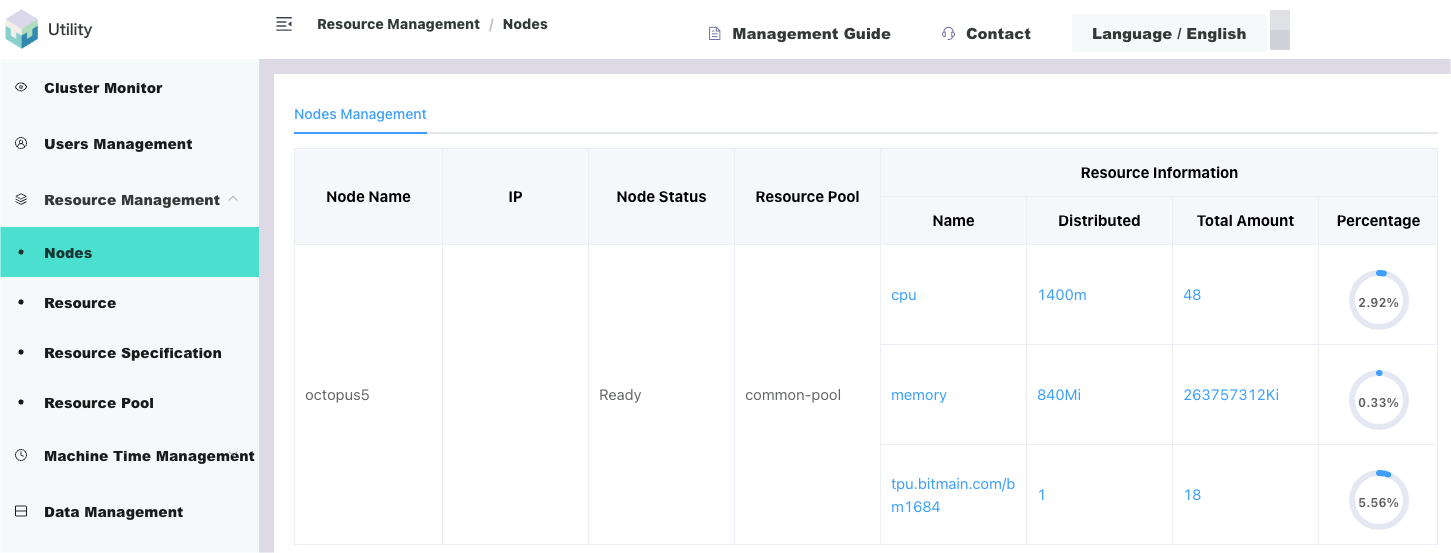
Nodes are servers. When the underlying cluster system of the platform is started, it will automatically discover the servers that have formed the cluster and discover their various attributes. Detailed information such as IP, Hostname, assigned label, Ready status, what resources it has, etc.
As shown below, [Login to Miner Management Terminal/Resource Management/Node] shows the list of nodes automatically discovered by the system:
resource
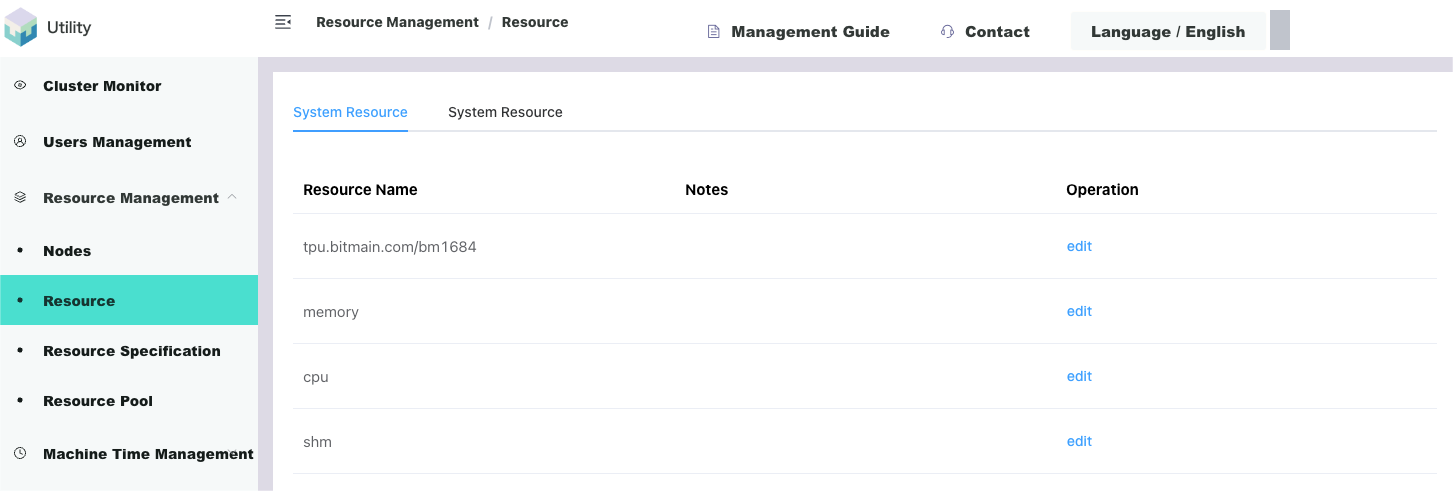
Physically, all resources are assembled on server nodes and automatically discovered by the platform system, which are system resources. System resources have various names and various forms of distinction, and they can be divided according to various logics.
As shown below, [Login to Miner Management Terminal/Resource Management/Resources] displays the list of automatically discovered system resources:
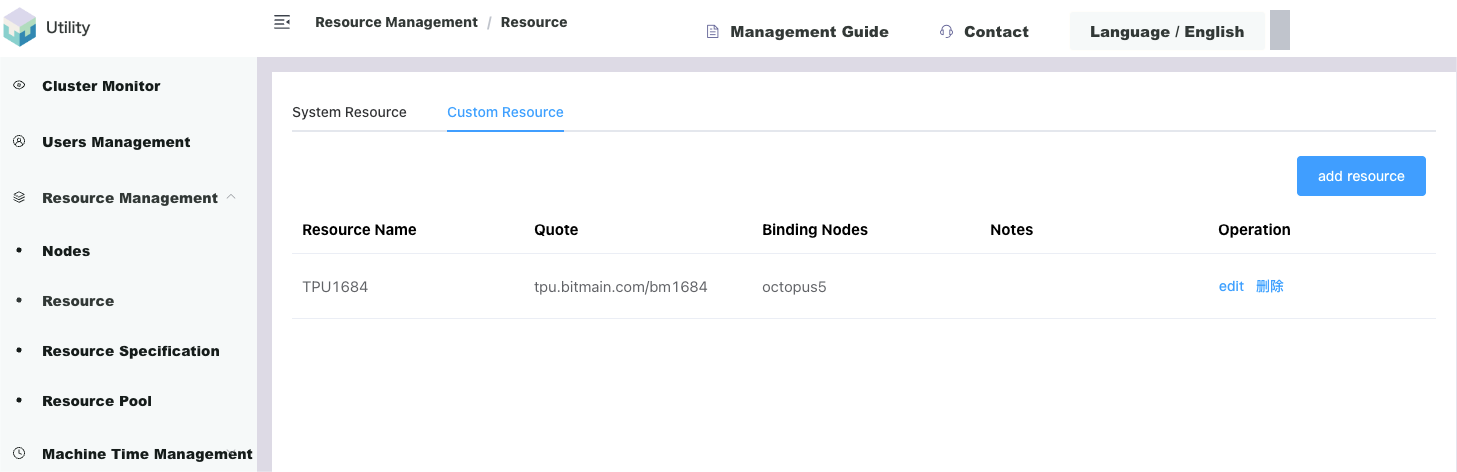
In order to facilitate management, friendly display, and perceptual utilization, the platform has designed a custom resource function. Miners can redefine existing system resources into a new custom resource based on different logic.
As shown below, [Log in to the miner management terminal/Resource Management/Resources/Customized Resources] can add custom resources according to the system resources - TPU 1684 or TPU 1684 X (1684 series is the name of the AI chip):
Resource specification
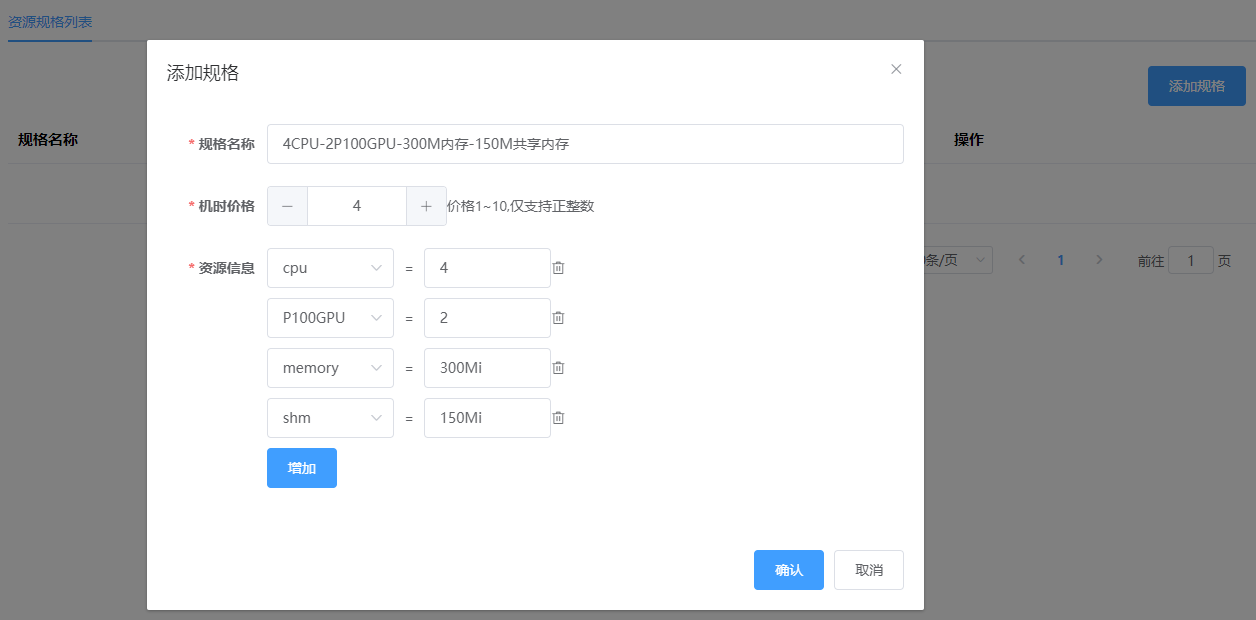
In order to better display the resources owned by the platform to users and better collect statistics on users’ use of resources. The platform groups different types of resources assembled on the server into a group. This function of grouping resources is the resource specification. After the administrator defines the name of the resource specification, users can intuitively obtain resource information from the resource specification name and select the resource group they want to use to run their own tasks.
As shown below, [Login to the management web page/Resource Management/Resource Specifications] can create resource specifications (4 CPU-2 GB-2 TPU 1684) based on all resources:
resource pool
Resource pools are used to isolate cluster server resources. Viewed vertically, resources are based on server nodes. Looking horizontally, resources are granular with resource specifications. Server nodes are for administrators, and resource specifications are for users. Naturally, if you want to better decouple and isolate resources from users, you need the concept of a resource pool. Resource pools logically re-divide resources. Utility AI container cloud takes server nodes as the granularity and divides resources into different resource pools in the form of server nodes. Different resource pools can be bound to user groups. In this form, the resources of the cluster can be well isolated, and different resources can be allocated to different user groups.
As shown in the figure below, [Login to Miner Management Terminal/Resource Management/Resource Pool] The default resource pool initialization that comes with the system includes all resource nodes. You can also click the button to create a new resource pool according to different business logic:
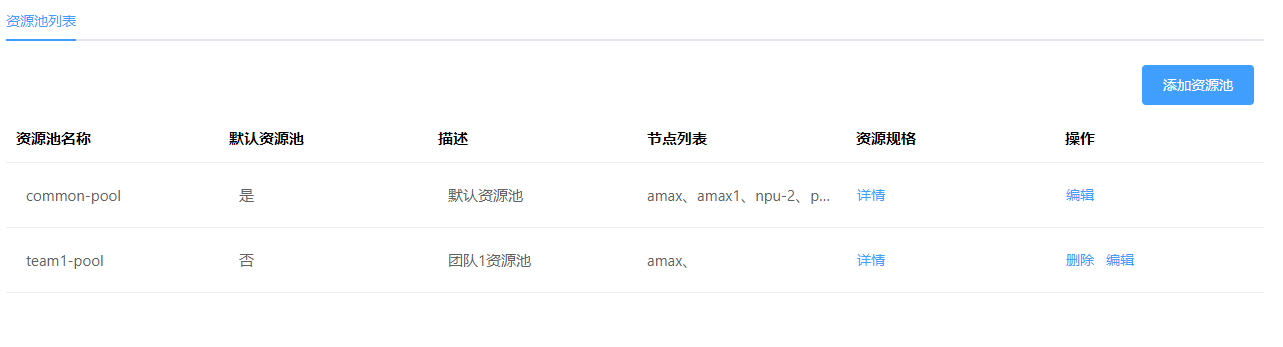
The miner management terminal supports convenient management of platform hardware resources. The platform resource management module can be divided into server nodes, system resources, custom resources, resource specifications, and resource pools.
4. Machine time management
Miners can set the cost of renting various AI chips based on the price of UNC/machine-hour. When the computing power rental user purchases a chip rental order, the AI chip container task startup time begins, and the platform will deduct the corresponding machine-hour. The platform sets the unit price UNC/machine hour according to resource specifications, and the billing rules are as follows:
AI chip container task machine time = subtask 1 machine time + subtask 2 hours + ... + subtask n machine time
Subtask machine time = Copy 1 machine time + Copy 2 machine time + ... + Copy n machine time
Replica machine time = resource specification * (copy running end time - copy running start time)
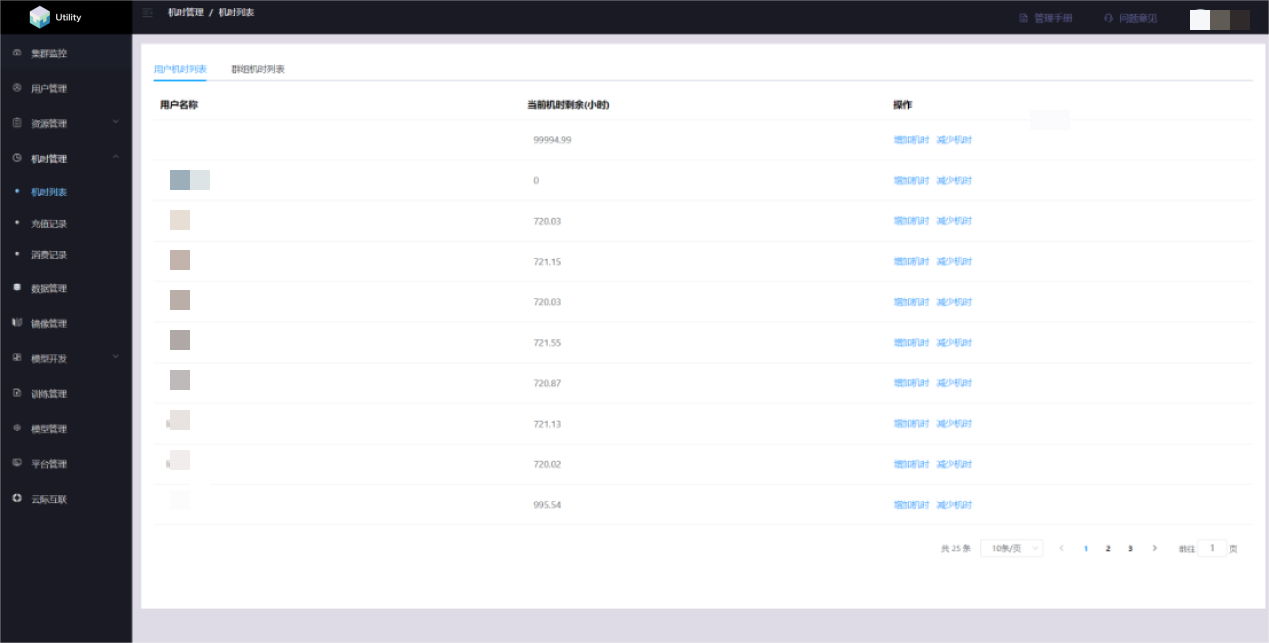
Machine time management includes machine time list, recharge records and consumption records
User time list
2. AI container cloud chip client
1. User Instructions
The access address of Utility AI container cloud chip client ishttps://console.utlab.io/utnetai/,The login page is as follows:
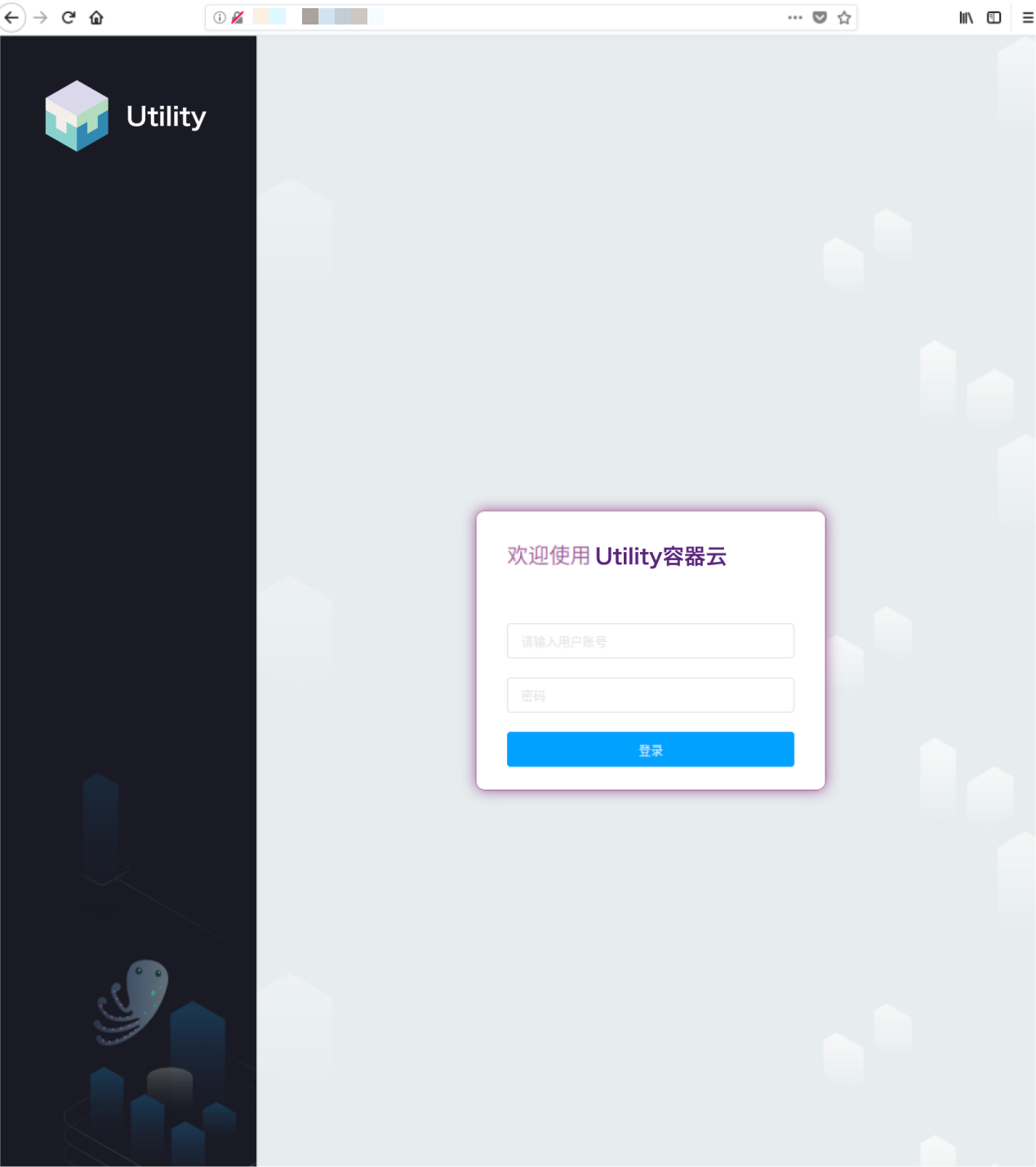
2. Overview
The overview page is used to display the number information of training tasks in different states, remaining machine time information, consumption and recharge record information, and also provides users with the ability to quickly create Jupyter notebooks, algorithms, training tasks, task templates, algorithms, data sets, and mirroring functions. .
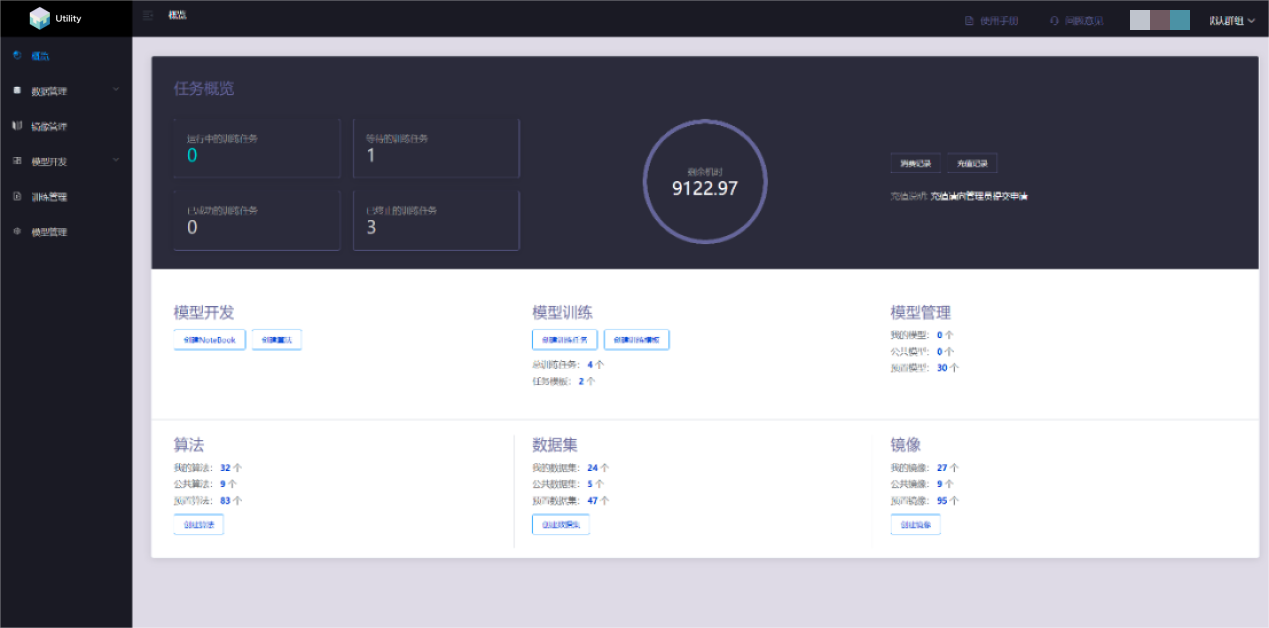
3. Model development
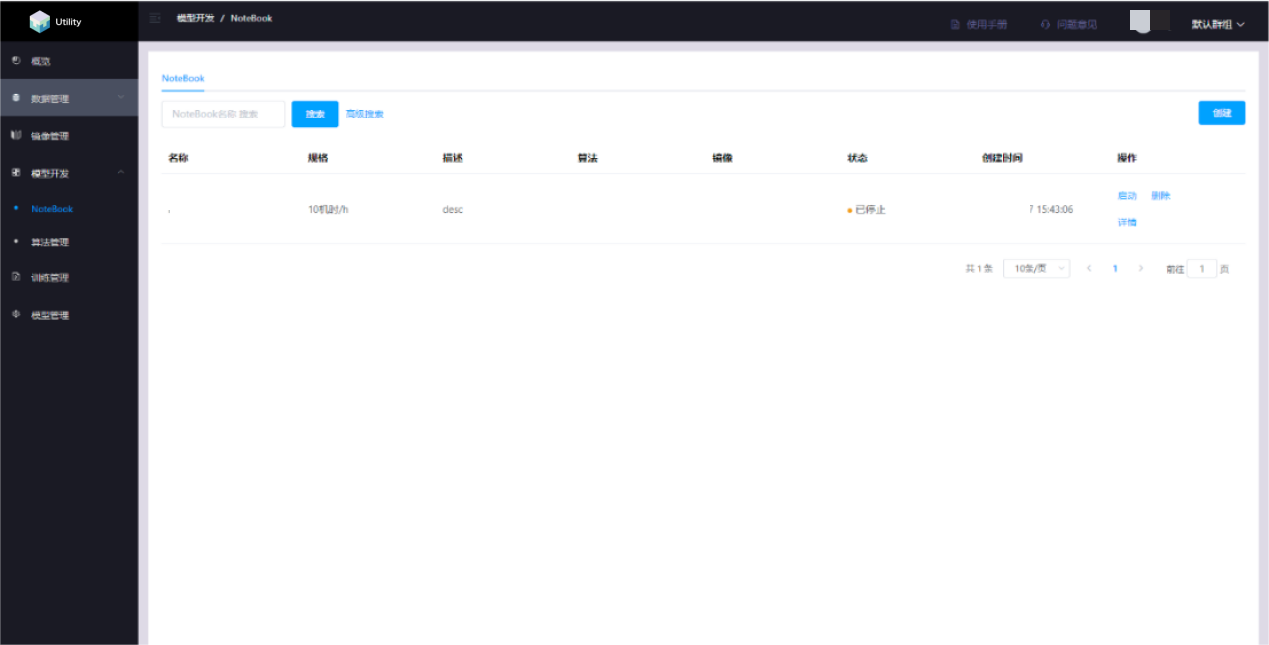
Jupyter notebook management
Jupyter notebook management provides an online programming environment for debugging, running, and saving algorithms to support subsequent model training. This module supports the open source JupterLab, and users need to make an image containing the Jupyterlab program in advance. Users can create, open, start, stop, and delete notebooks. Algorithms edited by users in JupterLab will be automatically saved.
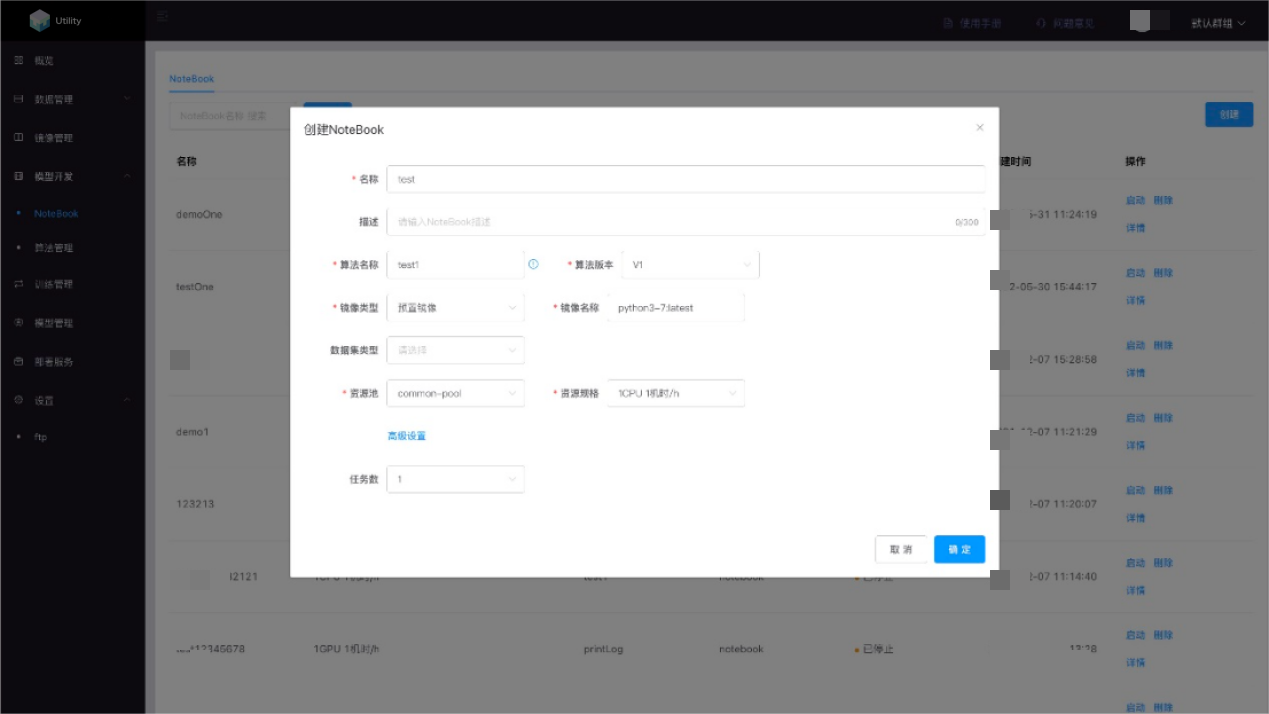
Create a notebook
Click the Create button, select the corresponding algorithm, image, data set (optional) and resources. You can select the number of tasks in Advanced Settings and click OK to create the notebook.
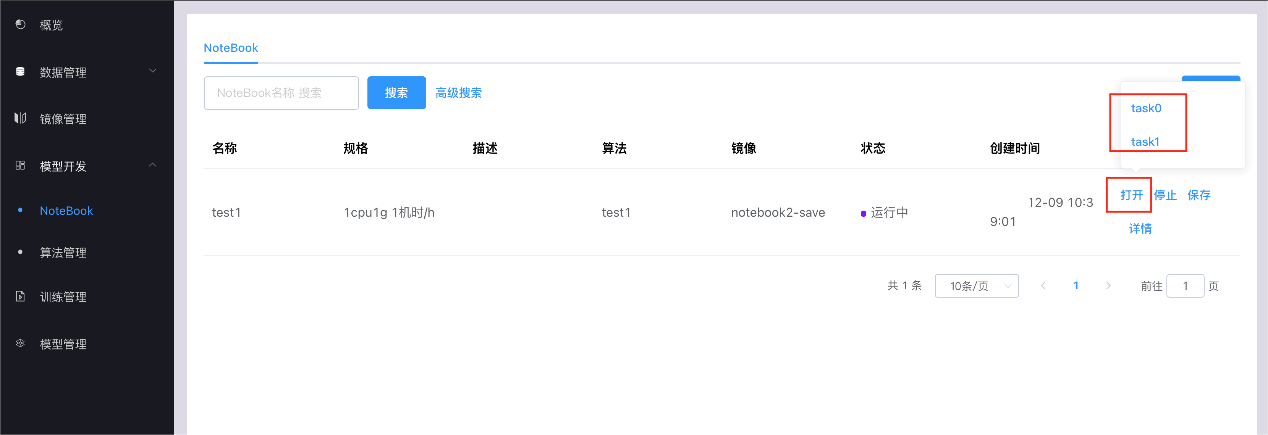
Open notebook
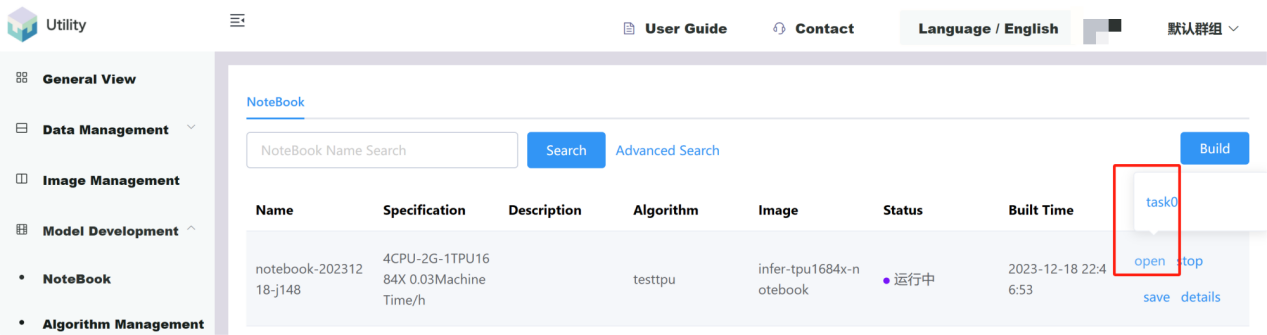
Click the Open button, a floating window will pop up, select the corresponding subtask, and open the notebook
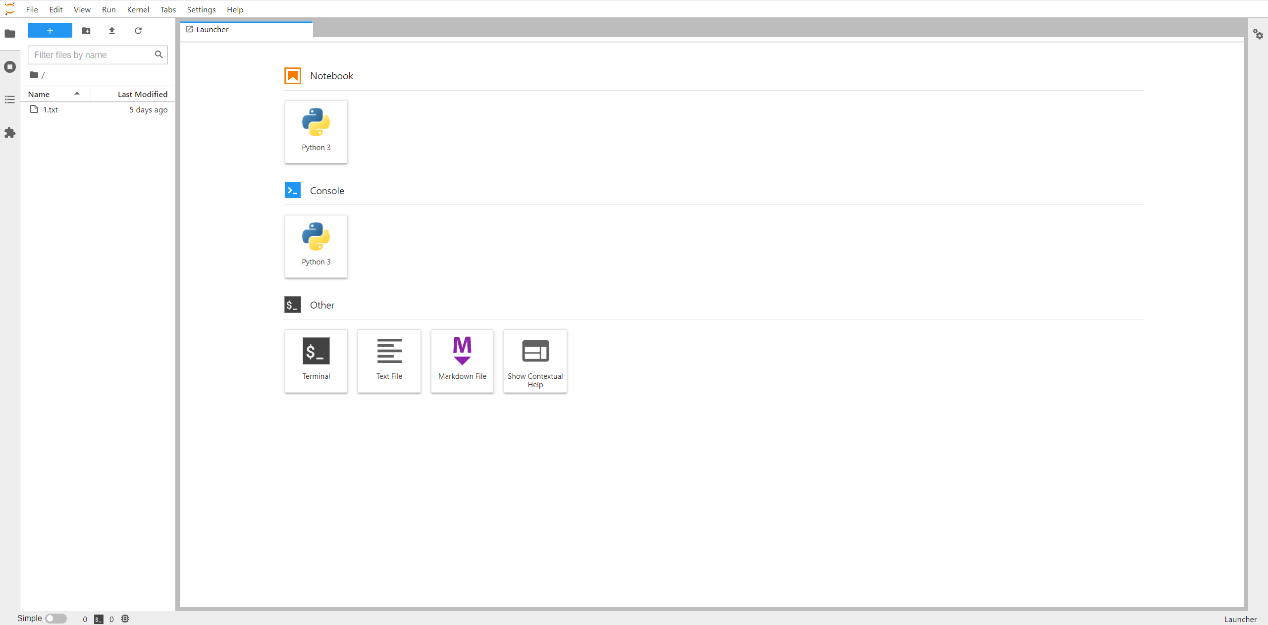
This time we try to deploy the ONNX model, which was converted from Tsinghua GLM-6 B. The relevant reasoning was successfully deployed on Nvidia Tesla A 100 40 G. Now we are trying to apply for the official 4 CPU 2 G + 1 1684 x The infer container environment reasoning of the chip, as shown below
After uploading the model and compiling it, the directory has been determined. I tried to open it in notebook and successfully loaded the directory and console. I have to say that the experience in this container is almost consistent with the traditional AI engineer workflow, which shows the professionalism of this container cloud. and investment, I would like to give a thumbs up to the UtilityNet team. The full environment compatible with Jupiter is really friendly to developers who need plot monitoring and professional output. In the notebook, you can see the relevant loading in the directory as shown in the figure
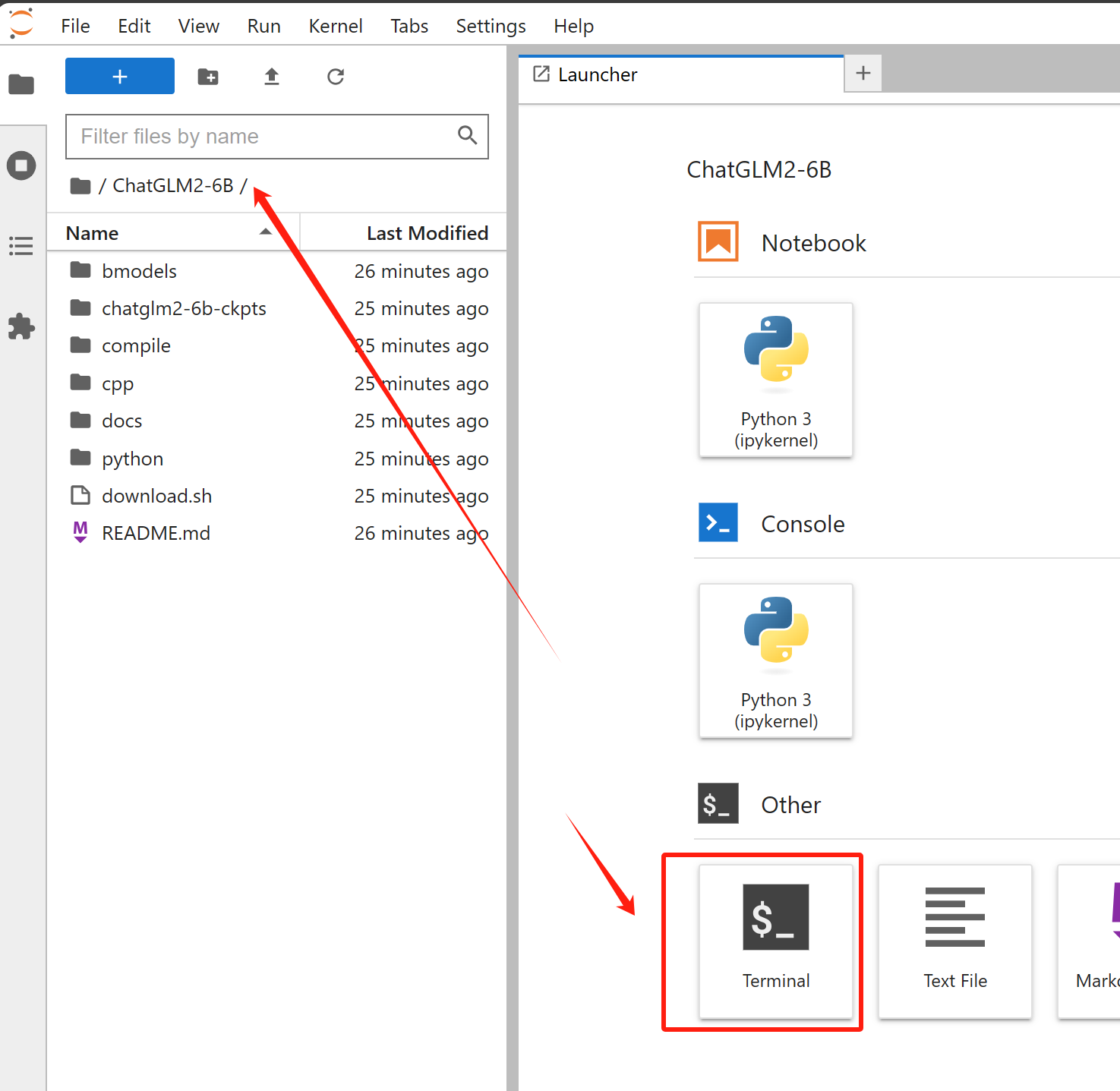
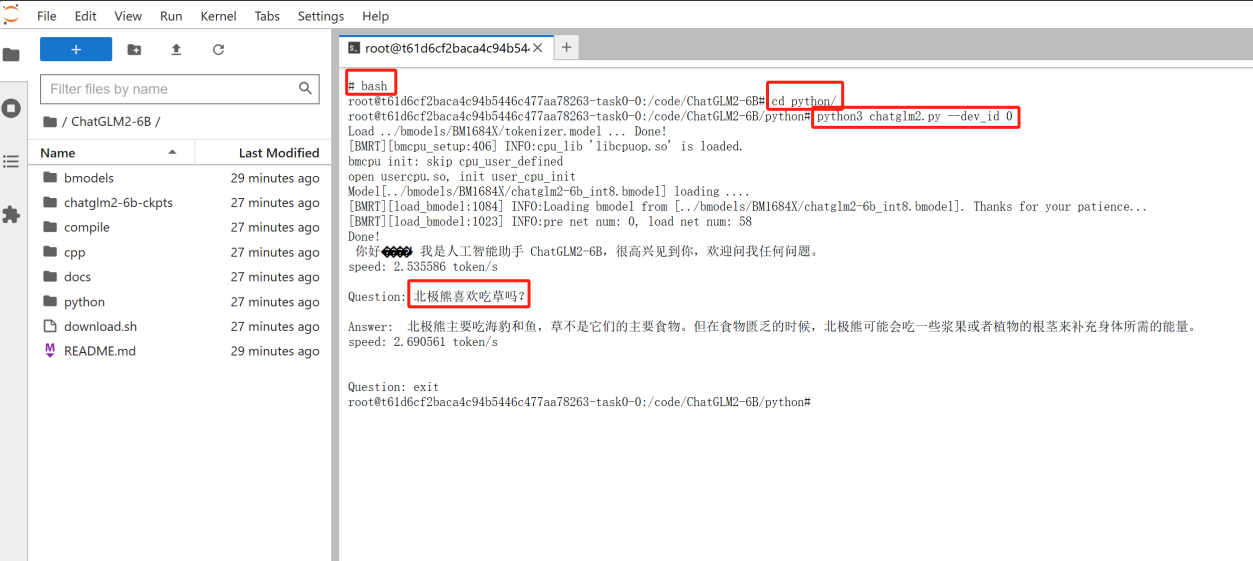
Next, enter the container console and the experience is almost perfect. Perhaps because the server cluster applied for trial is in Asia, the delay is basically the same as the AWS Hong Kong server purchased before. Because it has been compiled, we run it directly with Python3. Dev 0 is my first chip in the assigned SC 7 three-core BM 1684 X card. I specify and run it through the command. After a short delay, the inference is successful. , so a single card can run three ChatGLMs in parallel and provide parallel experience by distributing to three users. We are full of expectations for the wide range of scenarios of BM 1684 x in UtilityNet. For related tests, please refer to the figure below
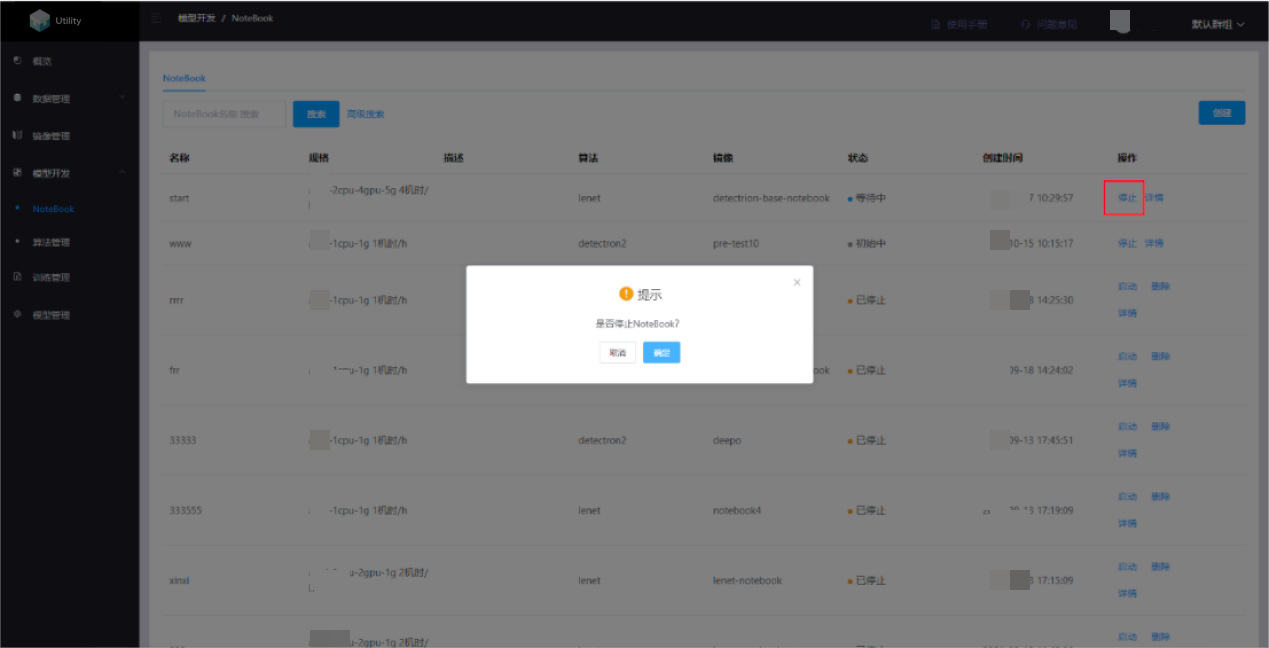
Stop notebook
Finally, click the Stop button to stop the notebook and end the experience and time.
3. Summary
Through the whole process experience, from applying for a container, to allocating it to a 2C PU 4G single-core 1684 It is smooth and very friendly to relevant AI developers and computing power users. I have to look forward to the future of such a powerful container cloud being open source and one-click deployment on UtilityNets computing power provider nodes. I am also more confident in the official public test network and the future of distributed computing power in February-March next year.