Use the block browser to easily check the messages on the chain


The essence of the blockchain is a distributed ledger. When we perform a transfer transaction, we can also "leave a message" by the way. Therefore, we can use the function of transfer postscript to permanently leave the message you want to express on the blockchain. This record will be recorded on the "ledger" of all nodes and has the feature of "not tampering".
So how to check the transfer notes?
Take Ethereum as an example, open the Ethereum block browser eth.tokenview.com, and search for the corresponding transaction data through the transaction hash in the search box, for example, the transaction whose hash value is 0xebe0d6fd4589ee2d0261cf17ce4a54a085bd31b05eb81b7056d03832e9721b7f, the query results are as follows:
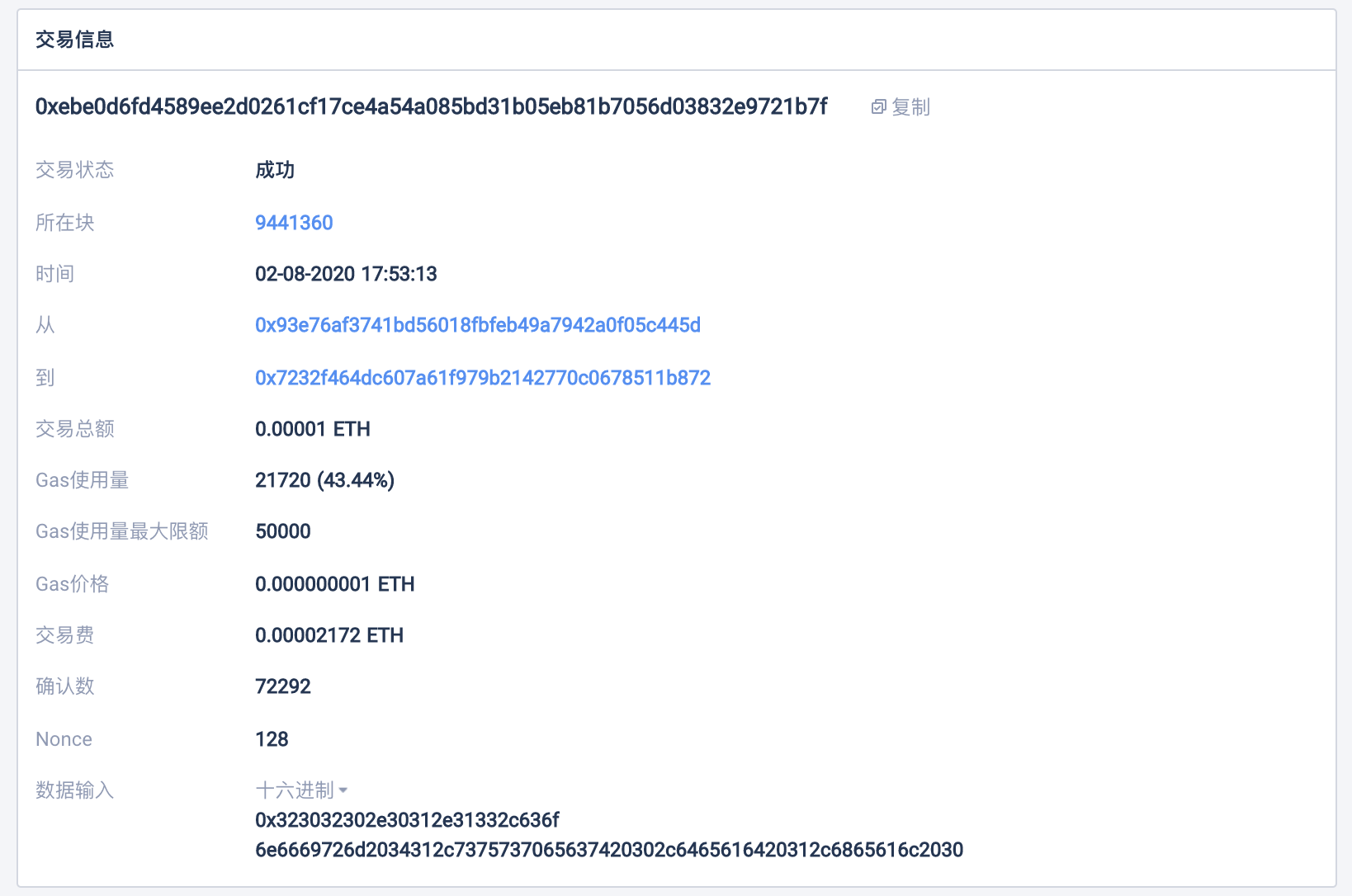 The input data here is the transfer message of this transaction. Of course, here is the default hexadecimal information 0x323032302e30312e31332c636f
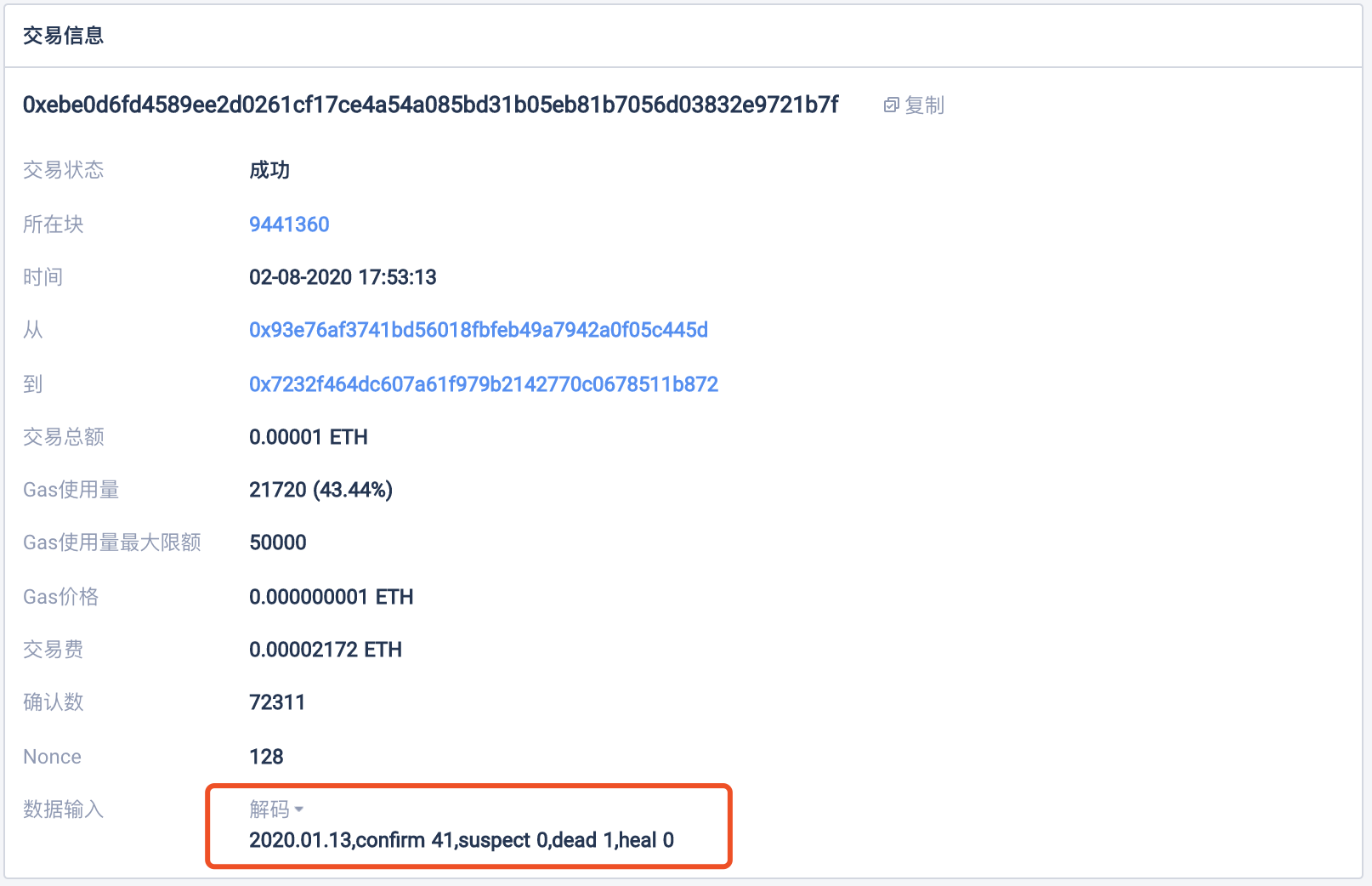
6e6669726d2034312c7375737065637420302c6465616420312c6865616c2030. We click to switch to decode (decode), and we can see that the message is 2020.01.13, confirm 41, suspect 0, dead 1, heal 0. This message records the data of the new crown pneumonia epidemic on January 13, 2020: 41 people were diagnosed, 0 people were suspected, 1 person died, and 0 people were cured.
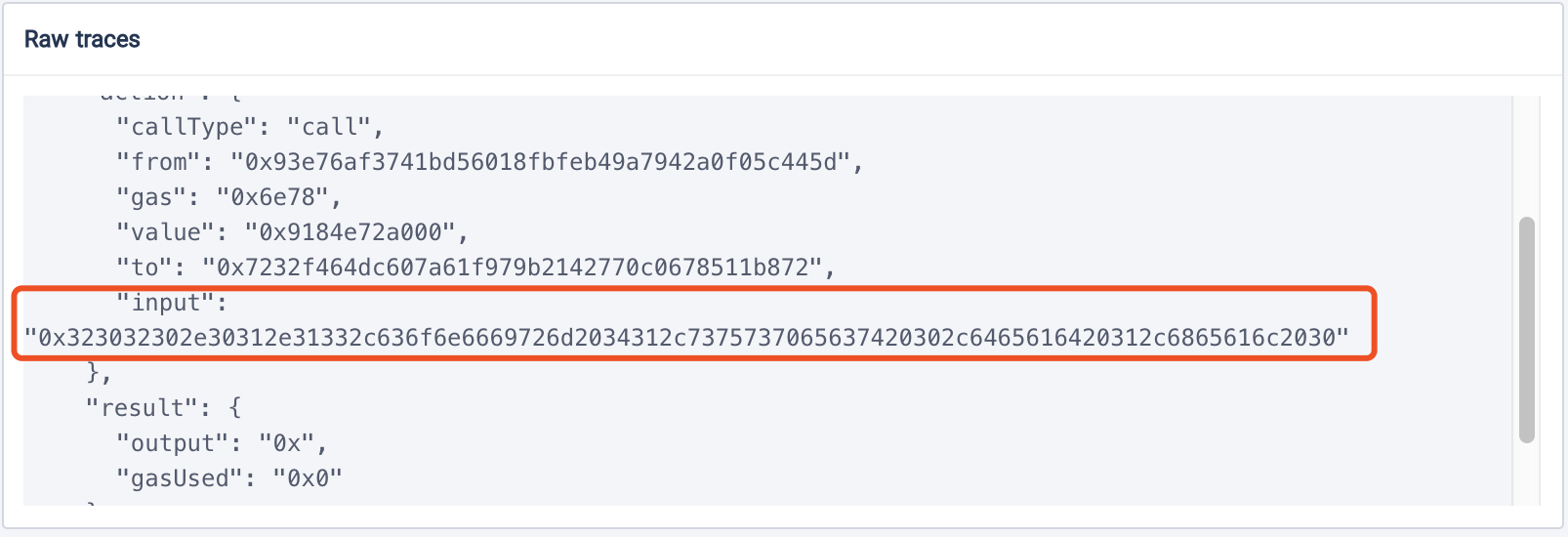
At the same time, in the Raw traces of this transaction, the input data can also be found and displayed in hexadecimal, as shown in the figure below.
Ethereum Block Explorer: eth.tokenview.com